Plan managers unable to remove members

We've been getting reports from Premium Family & Duo managers that they're unable to remove members from the plan.
The error message "There is a problem, please try again later" appears when trying to remove a member.
Comments

Hi, @davidtheskater-us! Thanks for reaching out to the community.
Sometimes the cached data gets stuck causing a “there was a problem” message. Here's something you might want to try:
- Log out of your Spotify account.
- Clear the browser cache.
- Log back in and try again
You can manage your plan members here: https://www.spotify.com/account/family/

I am having the same issue, and can't resolve, even following the proposed steps. I have also tried on multiple devices and different browsers.
I am attempting to remove a family member from the family plan.
I have attempted on MacBook from 2 different browsers (Chrome, Atlas), have cleared cache, and tried on iOS device from Chrome, and get the same issues.
Primary Issue: Removing member doesn't work, and it says 'There was a problem
Please try again later."
This happens for any member I try to remove.
Second Issue: After clicking around this page for 15-20 min to force it to work, I then tried changing general settings to see if I could force it to work in a round about way. When clicking on the toggle to disable Explicit Content, the whole page freezes and the browser has to be restarted.
It has done this on every device and browser type.
No help article addresses this, and I believe it is a website glitch that needs to be address.
Hello, @sjohn962. Thanks for reaching out.
Though removing members shouldn't be hard, I'm glad to know you were able to do so.
Regarding the issue for disabling 'explicit content', here's a few extra steps to try:
- Login using a private/incognito browser to isolate cookies, cache, and most extensions.
- Use a different network (e.g., mobile data vs home Wi-Fi) just to rule out any weird filtering.
- Turn-off VPN/proxy if you have one.
Let me know if the issue persists.
Thanks for replying. I was not able to get any family members removed. I’m still trying to get that to work.
I have tried using incognito as well but that too didn’t work.
Hey folks,
Our tech teams are currently investigating this. We'll keep you posted in this thread if we have any news to share. Feel free to Subscribe from the 3 dot menu to stay tuned.
Cheers!

I am unable to remove someone from my family plan, it constantly says ''there was a problem, please try again later.''

Is there any update on this ongoing problem?

Yeah, having this issue from last few day's

Same problem here 😞

Hi, when i try to remove member of my family plan he show me an error telling me to try later,but also later he doesn't work
Need help

Hey @thetruth1, thanks for reaching out to the Community!
Can you try to remove a family member following these steps using a different browser or private window? If that doesn't work, can you try following those same steps using another device, if possible? You can also send me a screenshot of what you're seeing and I'll take a closer look. Make sure to hide sensitive info when posting to the Community.
Let me know how this goes!

Having the same issue even after trying all of the mentioned methods (different browser, etc.) hopefully spotify team can resolve the soonest

Having the same issue. I am the plan holder & there are two family members on my account called 'Support' that are unknown people to me. I tried the suggested fixes with no change.
- Log out of your Spotify account.
- Clear the browser cache.
- Log back in and try again
Still unable to remove... or add for that matter since the account is full.
Any other suggestions other than closing the account?

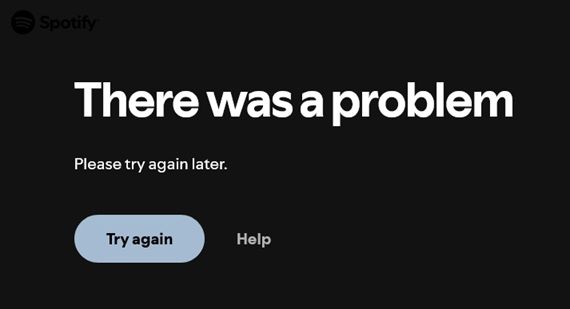
The same error... Changing device and browser makes no difference.

I want to stop the troubleshooting loop right here.
I have already rigorously tested all the steps you mentioned before posting, and none of them work. To be absolutely clear and save us time:
Browsers: I tried Chrome, Firefox, and Safari.
Modes: I tried standard tabs, Incognito/Private windows, and cleared cache/cookies multiple times.
Devices: I attempted this on Windows, macOS, and iOS/mobile.
Networks: Tried via Home WiFi, Mobile Data, and even checked with/without VPN.
I am the Plan Manager. I have full access to the Family dashboard, I can select the user, but the moment I confirm the removal, I get the generic "There was a problem" error.
Since Maria (Moderator) already marked this thread as "Under Investigation" yesterday, and multiple users are reporting the exact same blocked function regardless of the device used, this is clearly a backend/server-side bug, not a client-side cache issue.
Please check with the tech team instead of suggesting more browser troubleshooting, as that path is a dead end.
Waiting for a fix.

Remove members from the app, it works.
@Maria
Thanks for the update. I can confirm that its working perfectly now. I was able to remove the member without any errors. I appreciate the quick intervention. Great job, thanks! 🙂

Hi, I am having this issue now. Have tried in standard and incognito after clearing cache. Getting same "There was a problem. Please try again later." message. Please advise

Been trying for a few days to remove a member, I assume the problem is back?
I've tried multiple browsers & devices.
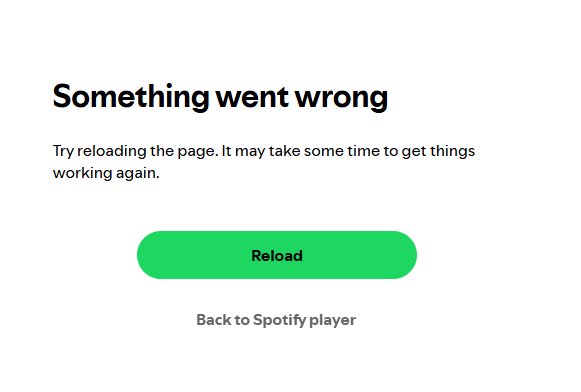
I tried doing this on my phone and computer, but whenever I try to remove a member from my family plan I always get an "There was a problem" every time. Is this an ongoing problem. Is there a way to fix this?