Introducing a Simpler Way to Keep Up With Your Favorite Podcasts

Introducing a Simpler Way to Keep Up With Your Favorite Podcasts
Keeping up with podcasts should feel easy and predictable. And over the years, we’ve heard from many community members sharing ideas on how to make it easier to stay on top of their favorite shows. Today, we are announcing an update that introduces improvements to how you can find your next listen from the shows you love, right from Home.
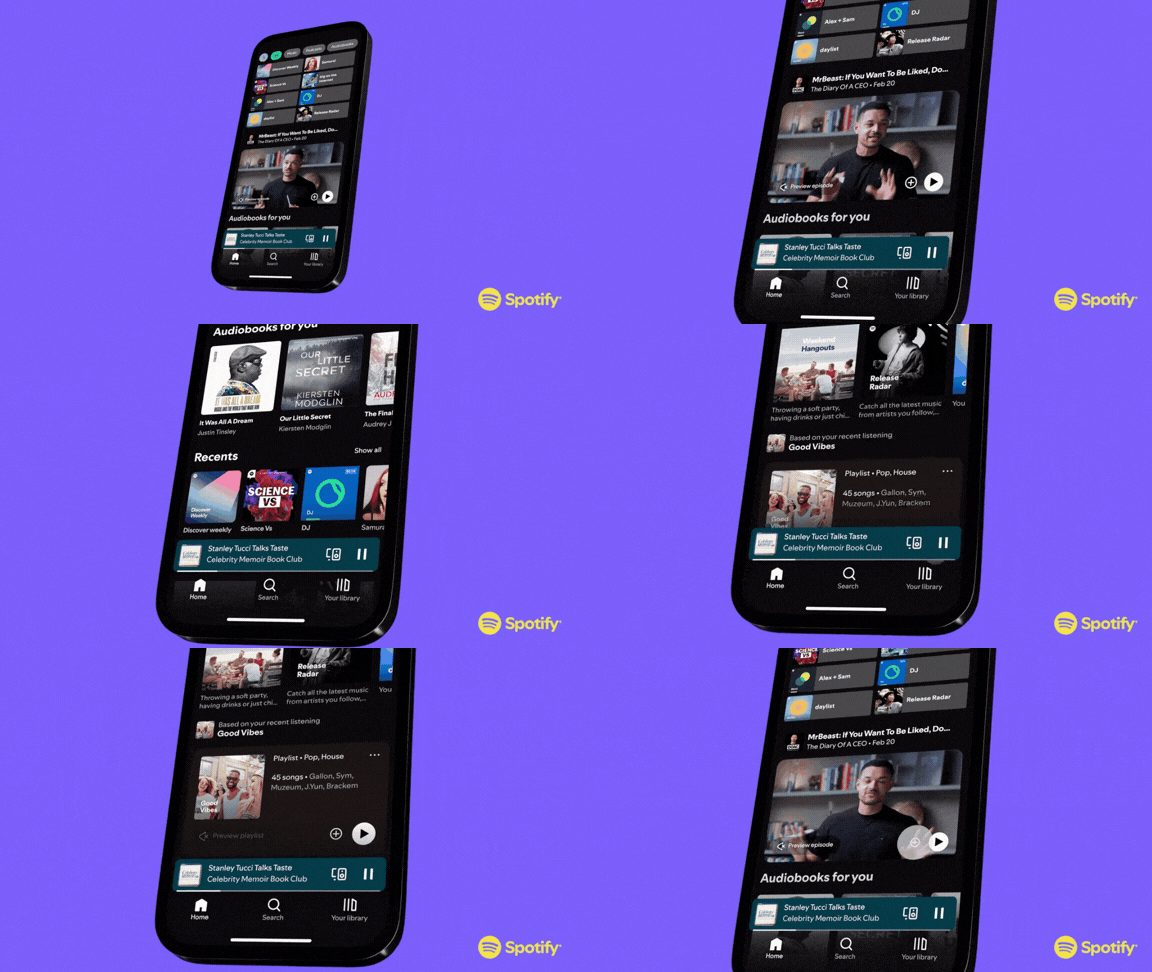
We first introduced the Following Feed for Podcasts in May 2025. Today, it has become the go to place to find the latest releases from podcasts you follow. Later that same year, we introduced the same for Music. This brings the latest releases from podcasts and artists just two clear taps away. Latest episodes from shows you follow? “Podcasts > Following”. Latest releases from artists you follow? “Music > Following”.
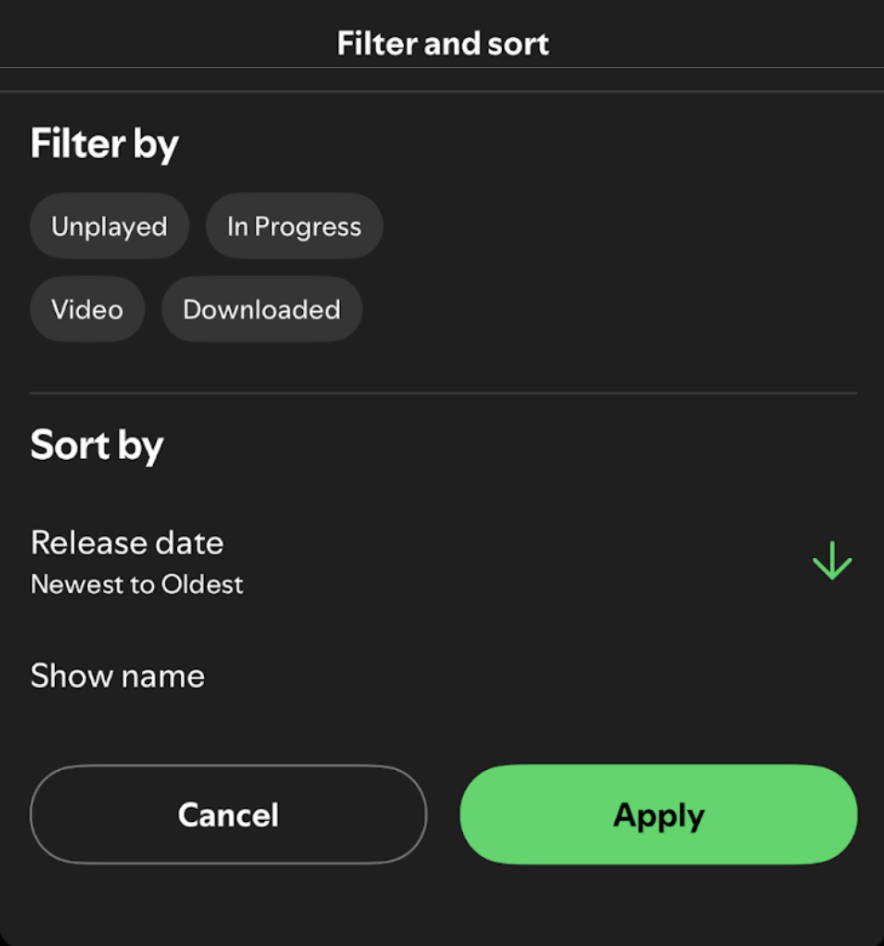
You also shared some great ideas on how to make the following feed even better for Podcast power users, users who follow mixes of daily shows, weekly releases, limited series or dozens of shows. By including filtering options you can quickly narrow the feed to show unplayed episodes, recently released content, or all new episodes in one place.
With the Following Feeds now offering a clearer, more accessible way to stay updated, we’re phasing out What’s New so you can keep up with the latest right where your Spotify journey begins - on the Home page.
As always, Community feedback plays an important role in shaping what comes next, and we look forward to hearing how this update works for you. We will continue to invest in features that help listeners stay connected to the podcasts they care about, and we will keep refining the Following Feed based on how it is used day to day.
Comments

I am very confused by this update. It was already only two clicks away, now I have to do it twice? Why would I want to click more times to get the info I want? There was already a filter option if you wanted to only look at your podcasts. This is super frustrating. I want the “Whats New” button back. Can we have both ways of looking at new releases? I’d much prefer to have everything in one place. I don’t want my new music and pods separated.

I have no issues with the move as such, however on neither my iOS device nor my Android device this loads, whatsoever. Tapping on "music -> following" leads to a constant "something went wrong / have another go?" error and nothing seems to change that. I want to find my new releases, but I literally can't.

This update looks great! Makes it so much easier to keep up with my favorite podcasts.
This is so cool