Carplay - downloads in Your Library not showing

Plan
Premium
Country
USA
Device
Honda CR-V Carplay
Operating System
iOS 26.3.1
My Question or Issue
The earlier threads re: issues with Spotify/Carplay were resolved with updates by Spotify and iOS 26.3, but they have returned after Apple issued 26.3.1. Specifically, the downloaded Library can't be found/doesn't load. It does show/allow for recent playlists - activity to be accessed offline, but not the Library. Yes, I have done the tips suggested in the earlier posts when this came up in January.
Accepted answers
All comments
Unfortunately, anyone in my work/circle who has Spotify also appears to have iPhones!

Hey @bobrtf,
No worries, thanks for checking!
We've passed this on to our tech folks, so they can take a closer look at what's happening. We're unable to provide an ETA for a fix at this time, but rest assured this will remain on our internal teams' radar. In the meantime, make sure you're always running the latest version of Spotify so you don't miss out on any updates.
The Community is always here if something else comes up.
So, for what it's worth, I also experience the same issue on my partner's Carplay in her Honda Accord (2020). This is what I'm seeing when I attempt to access the offline Library (note that "recents" show up/are accessible)
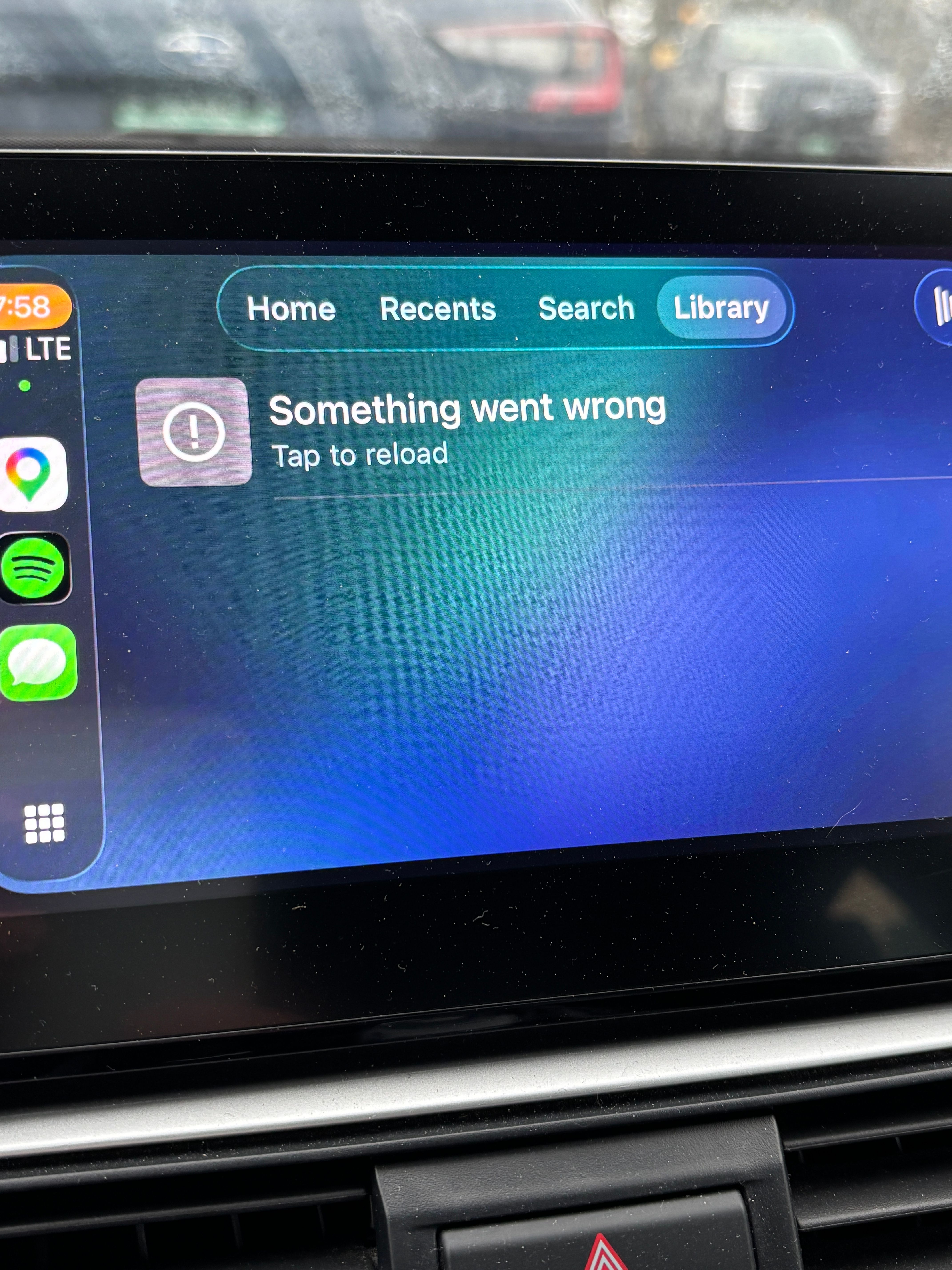
The latest app update (9.1.30.1992) appears to have resolved the issue - thank you!
Hi there, @bobrtf
Thanks for keeping in contact and letting us know about this.
If it's possible, try connecting an Android mobile/phone to your car instead of your iPhone, to see if the issue persists (you can borrow an Android device from a relative or friend).
If you can't do this, just let us know so we can pass your report to our tech team.
We'll be on the lookout for your reply!