Add to Liked Songs button not working

Plan
Premium
Country
India
Operating System
Windows 11 25H2 26200.8246
My Question or Issue
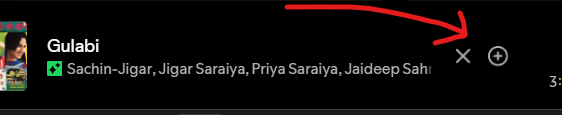
This button is not adding the song to liked songs. It says "added to liked songs", but not actually adding it. If I right click the song name, and add to liked from there, then it's working, but not with this button. For context - I am playing liked songs with shuffle, and this is a suggested song which is not in my liked songs currently.
Accepted answers
All comments

I am also having this issue and it works fine on the web player but it doesn't on the desktop app itself. I don't have a phone so I can't really switch to hotspot nor do I ever use a vpn so I don't really know how to fix it.

Hi @Begirxle,
Thanks for reaching out.
If the issue is isolated to the desktop app, consider performing a clean reinstall. This will remove any corrupted cache and should get everything back in order again.
If it persists though, could you let us know if this only happens when shuffling a playlists or while playing a playlist? Or is the plus symbol always not adding the songs correctly regardless of what you're doing?
Hope this helps. Let us know how it goes.
Hey there @Abhishek2609,
Thanks for posting on the Community!
Just to confirm, are you currently using the Web Player or the desktop app? If you haven't already, could you check if this occurs both on the web and when using the app, or if it's just with a specific one?
Another thing which comes to mind is trying with another internet connection. If you're using WiFi, you can try to temporarily connect to a hotspot from a mobile device. And should you be using any VPN, make sure to switch it off, as it could interfere with the service.
Let us know how you get on!