Duplicate Playlist instead of individual Duplicate Songs

This is one of the more recent changes. When adding one playlist to another, you would originally have a prompt, "We found duplicate songs - Add Anyway / Skip Duplicates". Now, it prompts me with "This playlist has already been added - Add Anyway / Skip".
This is specifically an issue for the Release Radar and Discover Weekly, which both update with new songs. I may have added the Release Radar to a playlist last week, but now it has a whole new group of songs, but they all register as one big duplicate. The punchline? If I select "Add anyway", the bottom half of the playlist that are duplicates all get added. Not a big deal, right? Now, when you go in to remove the duplicate songs manually, it removes the duplicate and the original. This change was poorly executed and completely unnecessary.
Accepted answers
All comments
It appears the duplication change has been reverted. I do try to wait quite a while before posting about issues to see if they end up resolving themselves Seems I should've waited another week. I went to screenshot the issue and the original "Add anyway / Skip Duplicates" popped up for me. This ultimately means removing both the duplicate and original song is no longer an issue as they were very much directly linked.
Now, if they could just get around to fixing the shuffle.
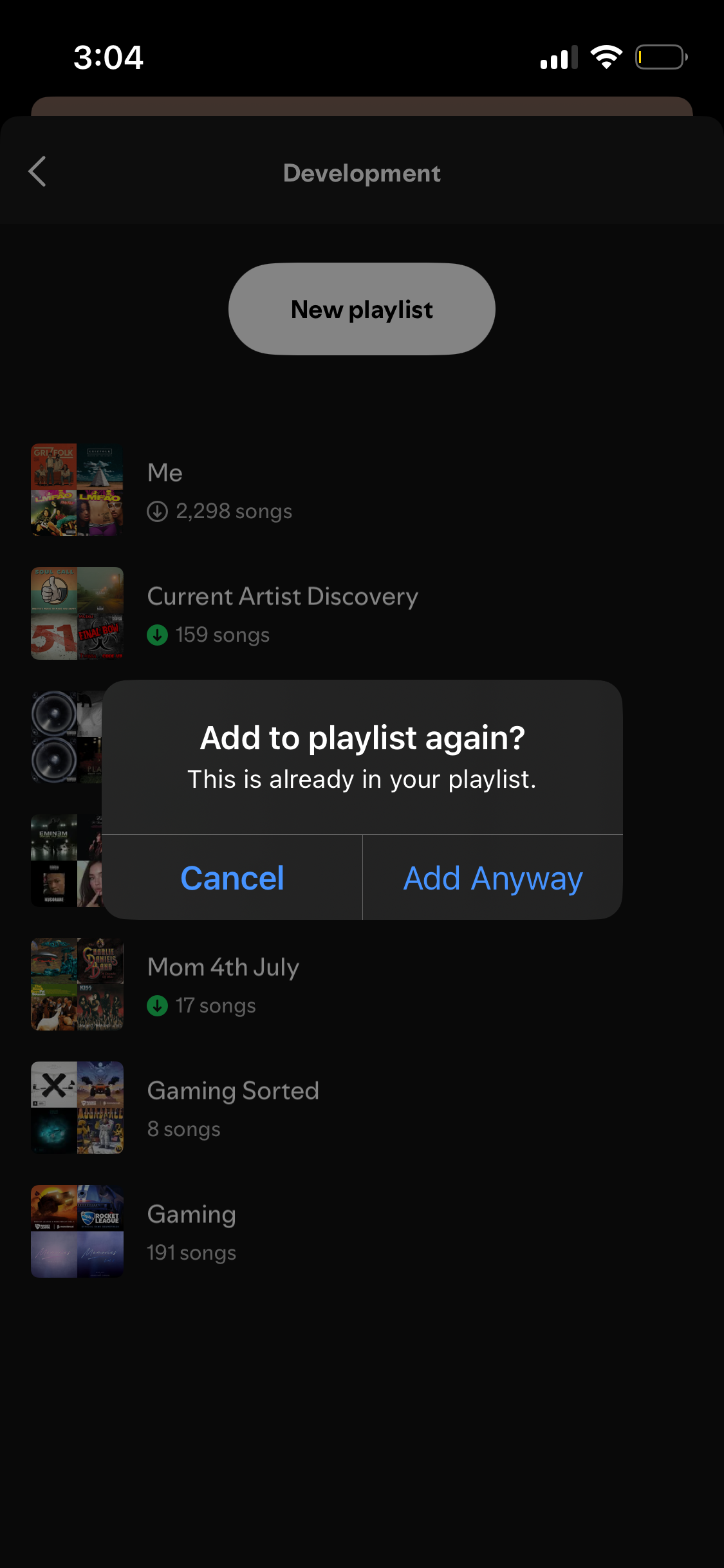
okay, nevermind. It’s doing it again.

Hey @stickbomb,
Thank you for letting us know this pop-up is back.
Could you try clearing your app's cached data as shown here and logging out of the app and back in twice in a row? This will trigger a manual sync of all your settings and data and could potentially shake things up.
Keep us posted!
P.S. Should the issue remain, let us know what your device model, its OS version and your Spotify app version are. Cheers!

I dont think it is based on os version or mobile even in spotify desktop they have this first if all why duplicate song is added in a playlist if already that song is there they should skip it.
Hi @stickbomb, thanks for posting about this!
I believe the second part of the issue is explained by the behaviour that is explained in this Community thread.
To summarise: when you add a duplicate to a playlist, removing one of them removes both. This is likely due to the two songs sharing the same metadata, but I can't confirm whether this is a bug or just the reality of songs sharing metadata.
As for the first part of the issue you're describing, would you mind making a screenshot which illustrates what you're referring to, namely the "one big duplicate" behaviour and the steps leading up to it?
Cheers!