Unable to remove local files from Liked songs

We’ve heard from some users that Local files in the Liked Songs playlist can’t be removed and appear greyed out.
Comments

Hey there, @hexbolts,
Thanks for reaching out and for providing these details!
Have you tried adding the song to a new playlist from the desktop app to see if you can remove it from your Liked Songs from there instead? Here's what I mean:
- Go to the local file and tap the three dots menu.
- Select "Add to playlist" and save the song in a new playlist.
- Open the new playlist, then go to the local file and tap the three dots menu again.
- Select "Remove from your Liked Songs".
It's also worth checking if using the "Backspace" and "Del" keys would do the trick for deleting the song.
Something else I noticed in the video you've attached is that the "Add to Liked Songs" option is still available for the local file, so maybe it's related to why the song doesn't get removed. If you haven't already, try "adding" it again to your Liked Songs and then removing it through one of the aforementioned methods.
Hope this helps! Let us know how it goes 👍

That didn't work. I asked technical support as well but they have been unable to fix the issue. They had done something on their end and told me to wait 24 hours but that didn't work either.

Hey @hexbolts,
Thanks for letting us know!
If you've reached out to our folks backstage already, I'd suggest logging out of the app and back in twice in a row. This will trigger a manual sync of your settings and data. In case the issue remains after this, I'd wait just a little longer in case any changes need to set in.
Should the issue remain for a full day after you've done this, it's a good idea to reach out backstage once more, as we don't have access to your accounts from the Community, and our colleagues would be able to give you more accurate information about what is going on or investigate further accordingly.
Keep us posted on how things go 🙂 We're here for you if there's anything else in the meantime.
Hey folks,
This is being investigated. We’ll keep you posted and let you know as soon as we have any updates.
Cheers,
Support has fixed this from their end. I don't know what they had to do.

Still not fixed for me. Whenever I try to delete them either using the "delete" key or right-clicking and choosing "Remove from this playlist" they disappear for a second then come right back.
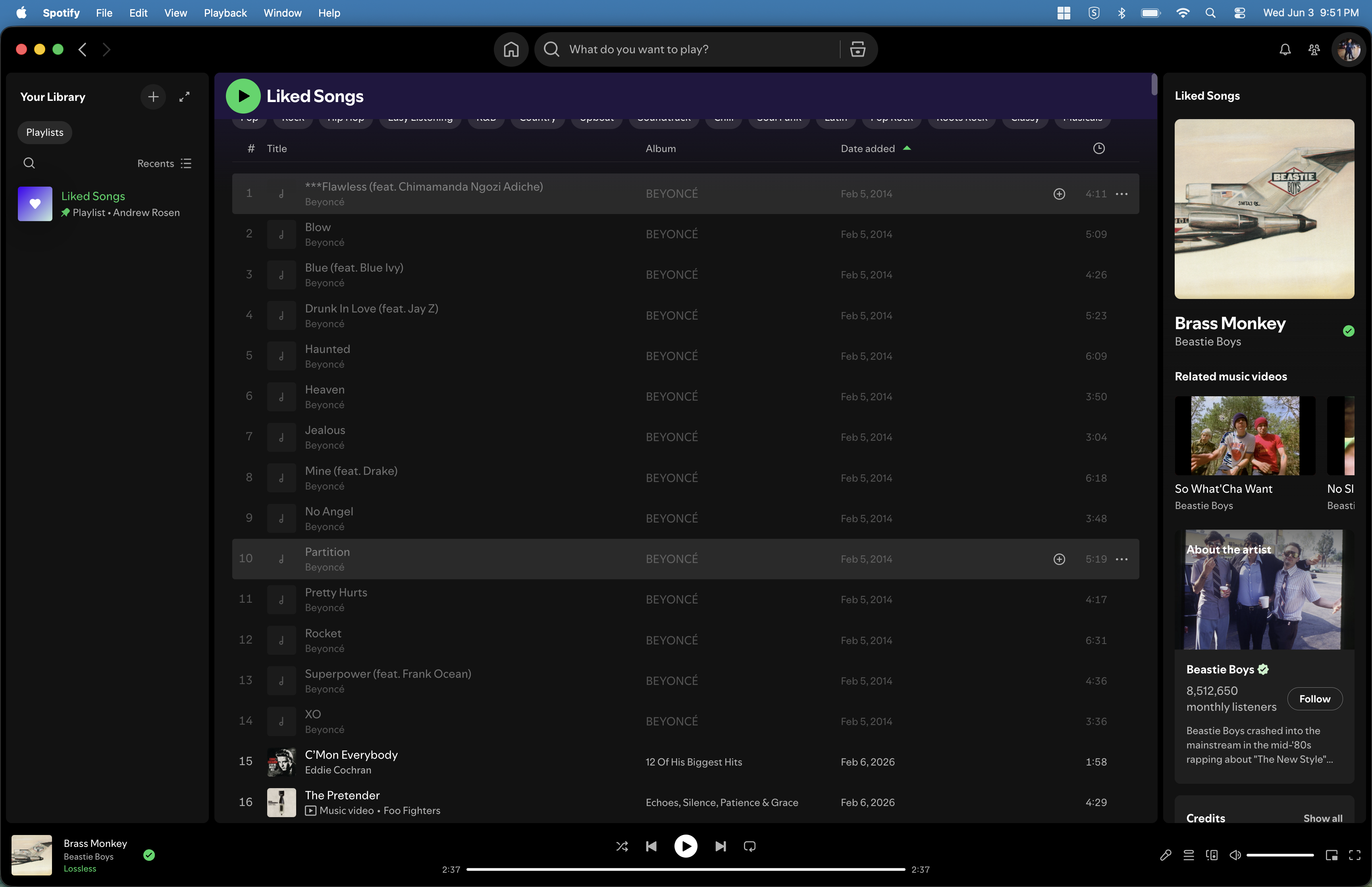
Nevermind, their most recent rollback brought the problem back. Great job.
Any update on this??

Hey,
I have a simular problem. All playlists/liked songs are empty with the exception I can still play those empty playlists except 'liked songs'. Even if I add new songs to my liked songs, it still appears empty and won't play. I had this issue on all devices but now it's just on my ps5.
Hey everyone,
Thanks for all your reports and for your patience while we’ve been looking into this.
At the moment, we’re going to set this issue to Not Right Now. This is because it’s not something our teams can immediately address on the backend side.
That said, there is a workaround available - our colleagues from web messaging and email support can manually remove these local files from your Liked Songs for you. If you’re affected, we recommend reaching out to them directly here.
When contacting them, please make sure to:
- Share a link to this Community thread for reference
- Provide the URIs of the tracks you’d like removed
We understand this isn’t ideal, and we appreciate your understanding. We’ll keep the feedback in mind as we continue to improve the experience.
Thanks again!

Hello,
It's also worth checking if using the "Backspace" and "Del" keys would do the trick for deleting the song.
Something else I noticed in the video you've attached is that the "Add to Liked Songs" option is still available for the local file, so maybe it's related to why the song doesn't get removed. If you haven't already, try "adding" it again to your Liked Songs and then removing it through one of the aforementioned methods. Milestone Card
Thanks for the tips, although I tried all of those and none worked 😞
Plan
Free/Premium
Country
Device
(iPhone 8, Samsung Galaxy 9, Macbook Pro late 2016)
Operating System
(iOS 10, Android Oreo, Windows 10,etc.)
My Question or Issue
I don't use my liked songs playlists, I don't like having it there, and there's just 1 song there that I can't delete. It's a local file that shows as grayed out as I don't have it, even if I turn off the options of show local files, and show unplayable songs. I've tried deleting the cache, I've tried a clean reinstall in both pc and cellphone. It keeps readding itself!