Local .m4a files: Cover art missing in Now Playing view, but visible on Lock Screen and Playlist

Plan
Premium
Country
Germany
Device
(iPhone SE3)
Operating System
(iOS 17.7.1)
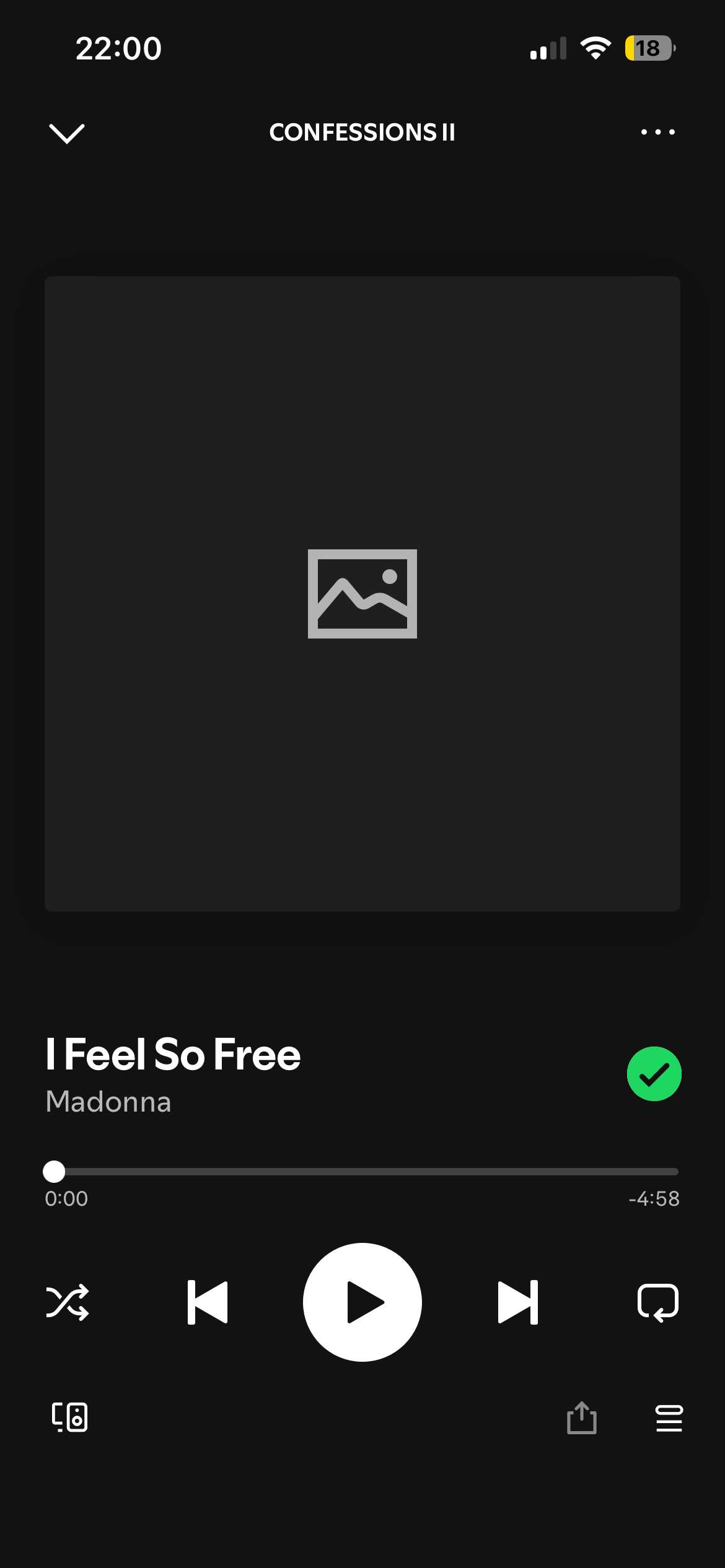
There is a persistent UI rendering bug with local .m4a files in the iOS Spotify app. The embedded album artwork is present, but the app fails to display it in the full-screen "Now Playing" view.
This happens regardless of the import method. The bug occurs with files synced via Wi-Fi from the PC Desktop app, as well as with files imported directly on the iPhone using the local iOS "Files" app.
- Where it works: The cover art is fully visible as a small thumbnail in playlists, on the iOS Lock Screen, and everywhere within the Desktop PC app.
- Where it fails: The main full-screen player ("Now Playing") inside the iOS app remains blank/shows no cover art.
Accepted answers
All comments
- The asset is readable: The Spotify app does successfully extract and read the artwork to display it as a small thumbnail inside playlists and in the library view.
- The OS reads it perfectly: The iOS Lock Screen and Dynamic Island successfully extract and display the artwork from the exact same files. iOS uses system-level frameworks to read the file metadata, proving the image data is 100% intact and valid.
- The bug is specific to the playback views: The artwork only fails inside Spotify's own playback UI (both the bottom mini-player and the full-screen "Now Playing" view). This proves that the files are fine, but Spotify's internal player engine fails to pass the extracted image data to its playback UI elements.

Thank you so much for taking the time to provide such a thorough and detailed breakdown, @tfle.
I truly appreciate your patience and your help in pointing out exactly where the playback art view is breaking down and I'll ensure your feedback and details are passed on to the teams backstage so they can take a look. This helps inform our decisions and move forward.
We'll be here if you ever need anything else, or have any other feedback.

Plan
Premium
Country
Device
iPad Pro 10.5
Operating System
IpadOS 17.7.11
My Question or Issue
MP3 (downloaded on device) Local files Cover Art are missing in player, but visible in playlist and Lock Screen. It happened this morning, before that everything was fine with the covers.
I saw a person with an absolutely identical problem in the discussion today, this is an application-side problem. I did everything I could on my own.

So a bit of a TMI, I recently had gotten Frank Ocean's archive from a friend. I had local files : Raw & True from Kehlani and a couple of mixtapes from Kehlani and SZA that were sitting in my local files already. So when I had uploaded his archive in my local files, only 3 of the 4 local files' cover arts of each album were showing on my iphone. As of now, I updated my iphone 17 pro max, reinstalled spotify 3-4 times, and now none of my cover arts are working prior to Frank Ocean's archive upload. So I am asking if someone at Spotify can give me any advice as to what is it that I need to do to get my cover art working. The cover art only works when I am at my lock screen while the song is playing, and on car play, but on the now playing screen when the song is pulled up in the app is showing the horizon sign on every one of local files. This is had me unsettled for the past 2-3 days hoping that it would sync with time.
Also I would like to make note, I had resynced my old iphone 13 pro max with my current local files, and the files did work with the cover art for each and every one of my local files. I don't understand. Pretty much the files do play on my iphone 17 pro max but the cover art isnt appearing in the app, it only appears in the playlist cover art per track, and on car play but not in the now playing.
I just made a topic about this too. I am having the same issue. An FYI to a spotify support specialist. I resynced my old iphone 13 pro max and the cover art works across the now playing, thumbnail on the playlist per track and lock screen. But currently on my Iphone 17 pro max the cover art does NOT work in the now playing. I have reinstalled spotfiy 3-5 times, removed the cache, downloaded and redownloaded the local files time and time again and nothing is making it appear anymore. Also, I had prior files with cover art that used to work and now none of them do not work. Please spotify, please fix this.

Is it normal that album artwork for Local Files doesn’t appear on the Now Playing screen on mobile?
I noticed that embedded album artwork is displayed correctly in playlists and even on the lock screen, but not in the Now Playing view.
Is this the expected behavior, or is it a bug?
Since Spotify already reads the embedded artwork, it would be great if it could also be displayed on the Now Playing screen, just like it is on desktop. It would make Local Files feel much more integrated with the rest of the app.
Plan
Premium
Country
Brasil
Device
iPhone 13
Operating System
iOS 26

Plan
Family plan premium
Device
iPhone 11
Operating System
iOS 27
My Question or Issue
In the past couple of days, the app completely stopped loading my covers. They show up in the queue, on playlists, and on my lock screen (though it won't maximize anymore), but when I press play, they are fully gone. I've tried everything the help desk said (clean reinstall, clear data, offload and reload, turn files off and on, remove apostrophies, make sure files are mp3s, make covers 300x300) and nothing has changed. I thought it might be an apple problem because my files load fine on my laptop, but they load fine everywhere else on my phone too.

Hi there @sergio_bona,
Thanks for reaching out. We'll be happy to help you enjoy your local files.
The app does support album covers for Local Files, so let's take a closer look at this. Could you let us know the following:
- Does this happen with all local files or only specific one(s)?
- Did it work before? Did it stop working after a specific change such as an update to Spotify and/or your iPhone?
In general, here are some things to keep in mind for local files and their album covers:
- Spotify doesn't support .mp4 files containing video, or the iTunes M4A lossless format.
- The cover art image can't exceed 300x300 px. Larger images are the most common reason album art fails to appear on local files.
Let us know how it goes
Just to add, in response to your earlier questions:
This happens with all of my local M4A files (standard M4A, not iTunes Lossless), not just a specific one.
As far as I can remember, it has always behaved this way for me. I don’t recall it ever working, and I didn’t notice it starting after any particular Spotify or iPhone update.
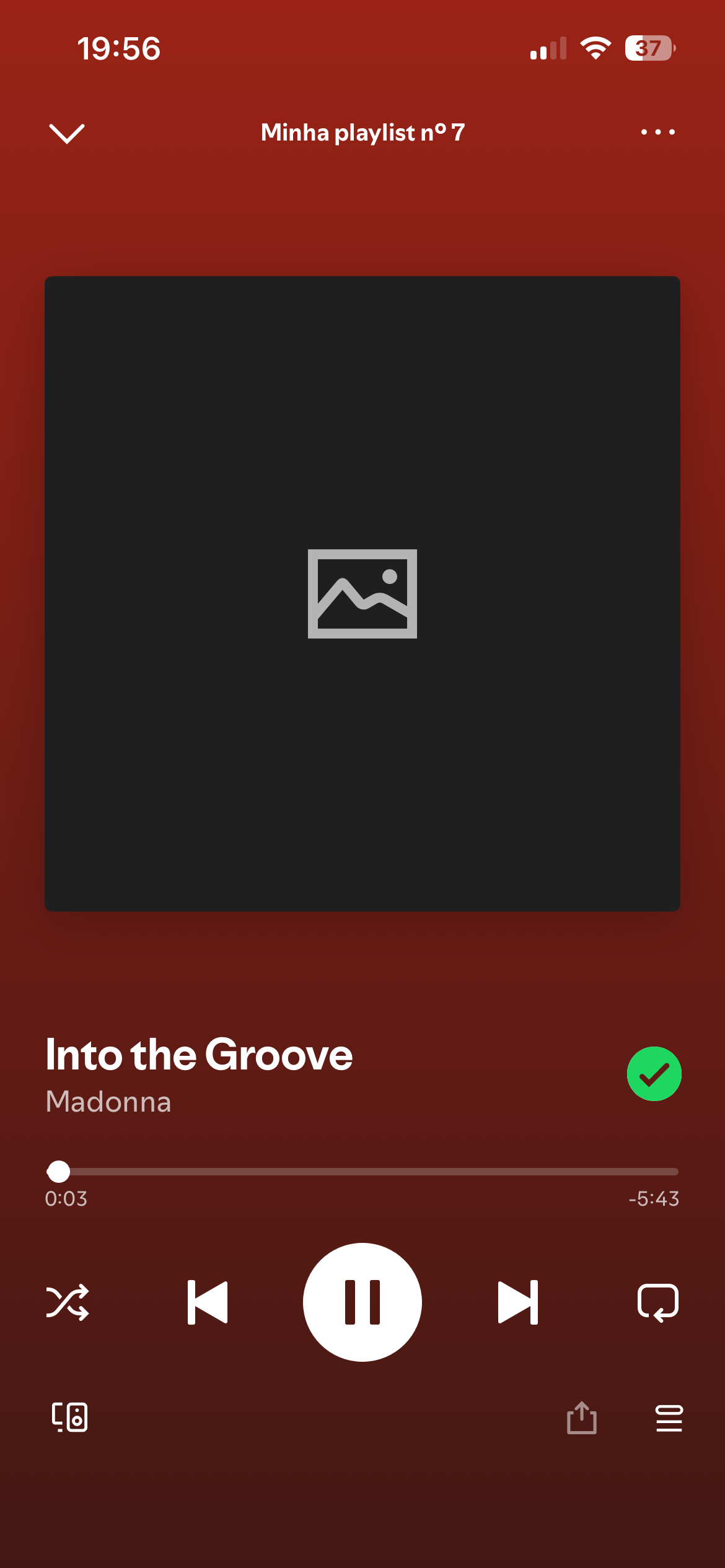
One more observation: I tested an MP3 file with a 300×300 JPEG embedded as the album artwork. Although the artwork itself doesn’t appear, Spotify seems to read it, as the Now Playing screen adopts the artwork’s color palette. The image itself is simply not rendered.
Hi, Joan! Thanks for your reply 🙂
I did some additional testing.
I originally used an M4A file (not an iTunes Lossless file) with embedded artwork at 1080×1080 px. After reading your reply, I tested again with artwork resized to 300×300 px, and then again with a 250×250 px image. The behavior remained exactly the same in both cases.
I also cleared the Spotify app cache on my iPhone, but that didn't change anything.
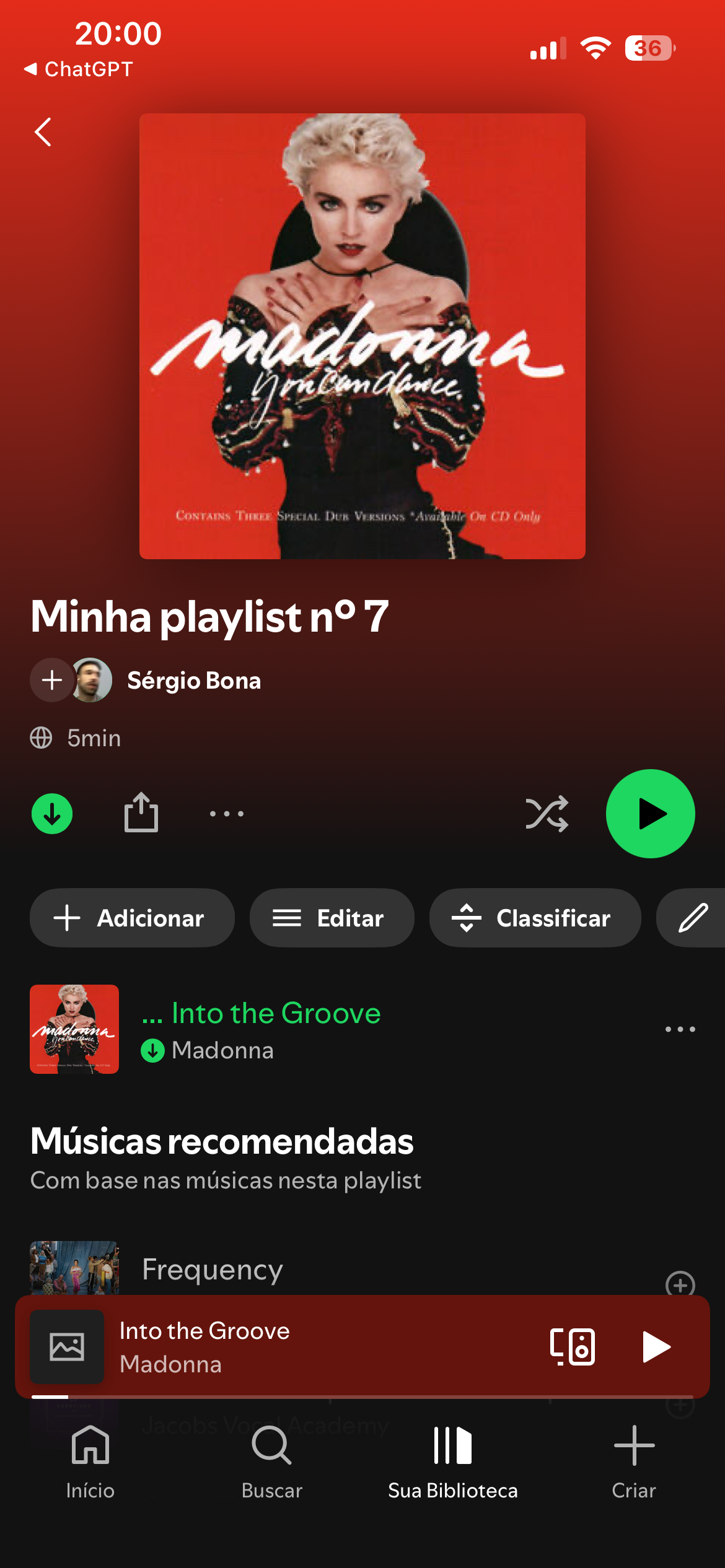
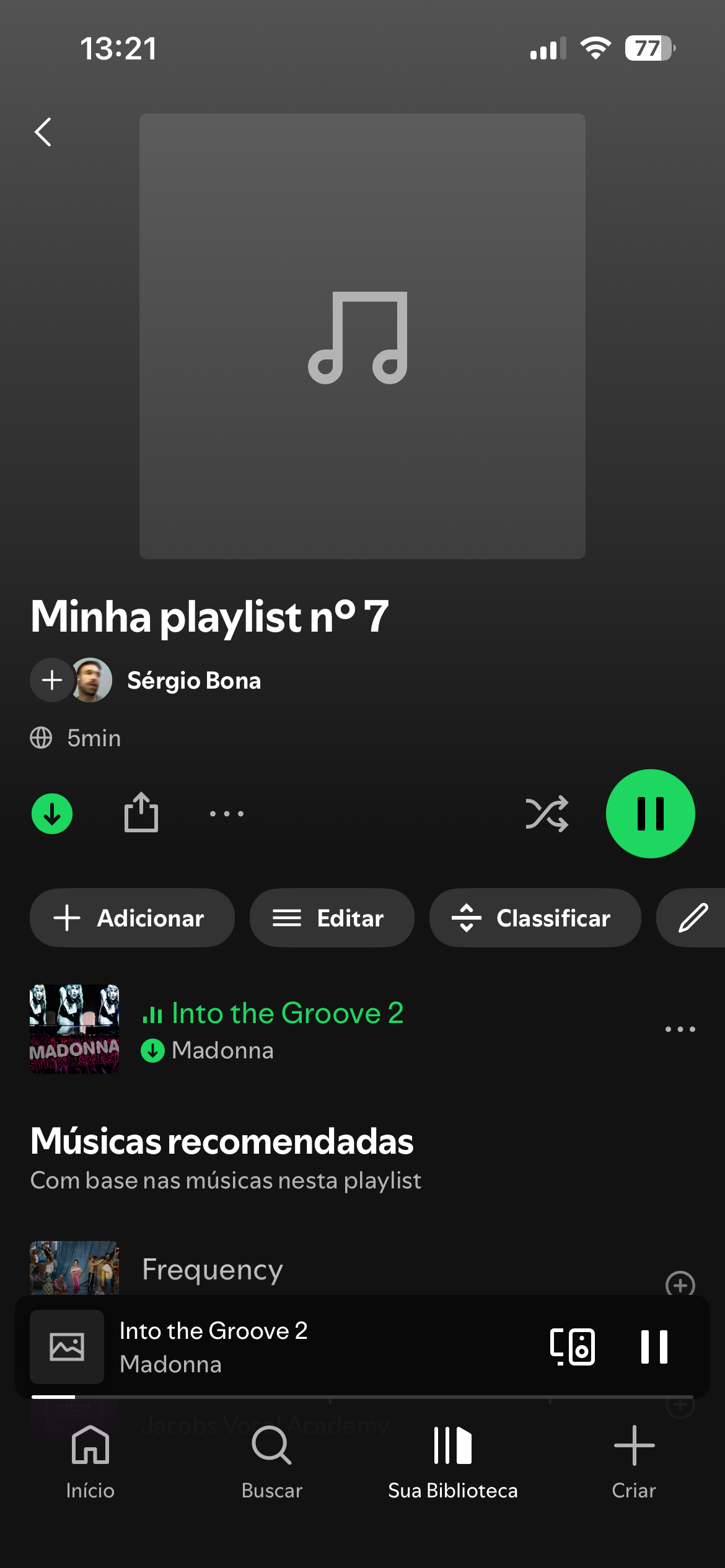
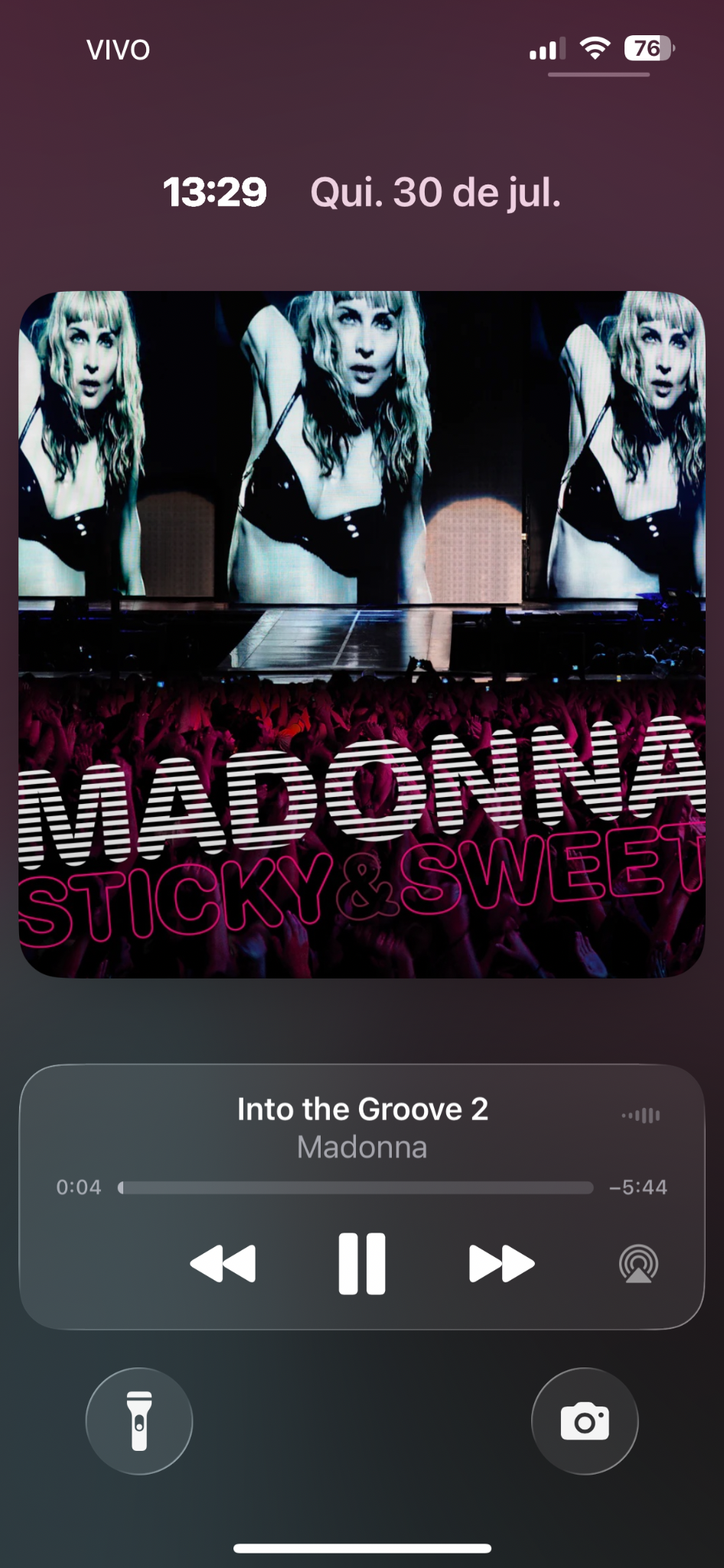
On iPhone, the album artwork:
- appears correctly in the playlist view;
- appears correctly on the Lock Screen while the track is playing;
- does not appear on the Now Playing screen in the Spotify app;
- does not appear on my Apple Watch's Now Playing screen.
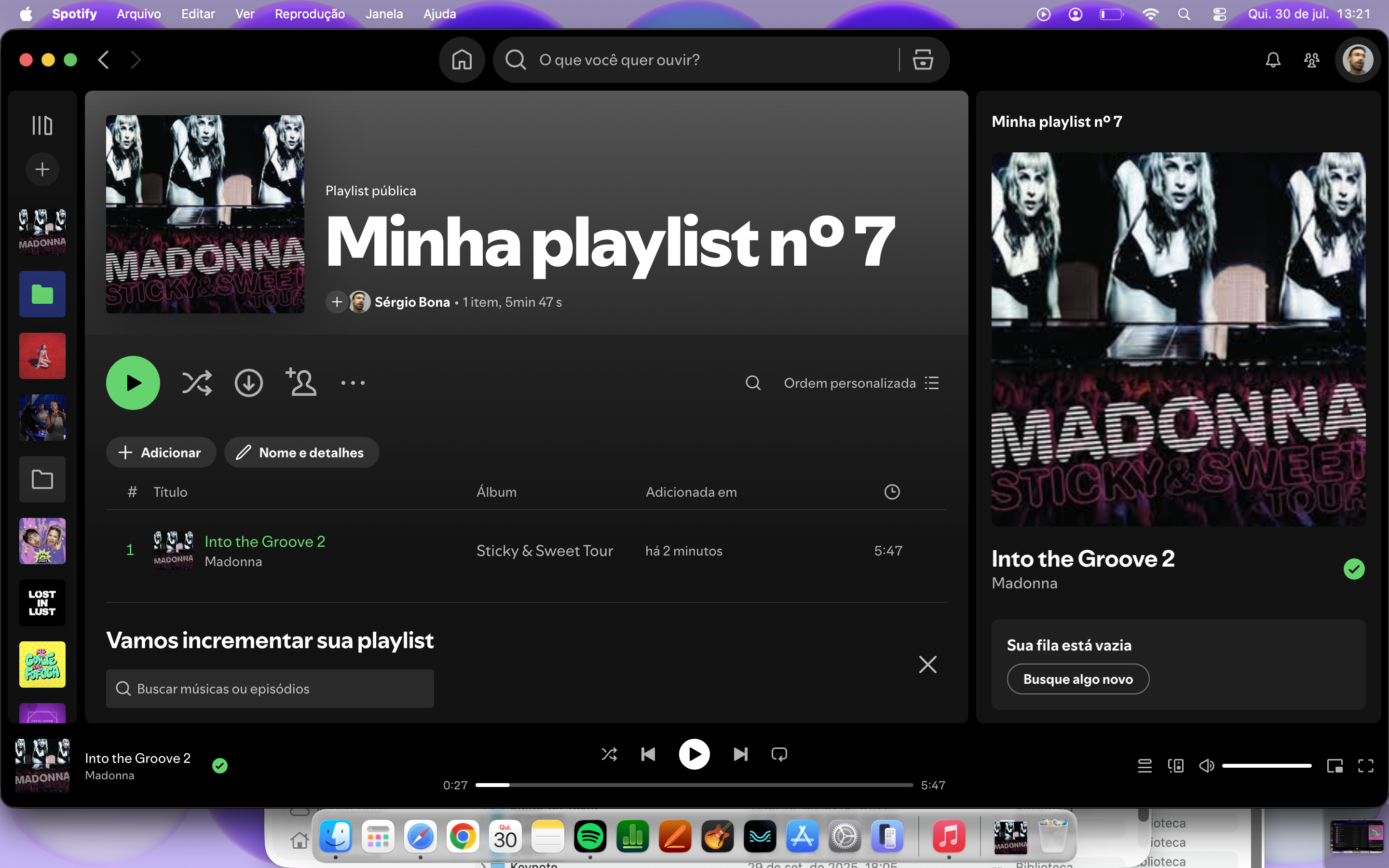
On desktop, the exact same local file displays the album artwork correctly.
So it seems Spotify is able to read the embedded artwork from M4A files, but for some reason it isn't displayed on the mobile Now Playing screen.
I've attached screenshots showing the issue. Hopefully they help!

None of the below information is required.
After updating Spotify (latest version), all of my local MP3 files on iPhone lost their album artwork. The files still play normally, and the artwork used to display correctly. I’ve already:
- Reinstalled Spotify
- Cleared the cache
- Re-enabled Local Files
- Confirmed the files are MP3s
- Confirmed the songs are playable
I have an iPhone 16 with the latest version of spotify.

Hey @sergio_bona,
Many thanks for the additional details!
The right folks have already been alerted about this and they're going to take a look. Although we can't immediately provide you with a timeframe in which this is going to get addressed, rest assured that it is on our radar 🙂
Keep your app up to date at all times and with this in mind, we'd also like to ask you for your current Spotify app version.
Much appreciated! We'll keep you posted as soon as there's anything new to share.
Hi there, Vasil!
Thank you for taking the time to look into this. I’m already using the latest version of Spotify (9.1.68).

i have this same problem but it loads else where but i tried to clear it fix the covers
My cover art just appeared today! Just wait a week and update this forum.

I have the same issue, since today, album artwork for all of my local MP3 files is no longer displayed in the Now Playing screen on Spotify for iOS.
The artwork is still displayed correctly:
● in playlists
● on the iPhone lock screen
It only disappears from the Now Playing screen.
This was working normally yesterday and suddenly stopped today. The issue affects all of my local MP3 files, not just one specific song.

It’s been a month since this thread started and I am having this same issue since yesterday. It was caused when de-syncing and re-syncing local files from my PC. I decided to use the iOS files app because the syncing from a PC method is still absolutely horrendous as it has been for the past 6 years, and the artwork is still not loading with the proper embeds and tagging in the Playing Now screen.

Same bug has now started for me this week. I have used the same local files folder for around 8 years now with no issues, now the covers only load on my desktop, my iphone lock screen and playlist thumbnails. Everytime you play a song and view it in the in app player it is blank. Very annoying
The bug started for me again too. I’m not sure if it’s been a couple days, but I noticed it a couple minutes ago. Completely fine on lock screen and in playlists, but missing from the player again!

Hey everyone,
Thank you for your messages and sorry for the late response.
To keep looking into this further with the relevant teams, and in case you haven't sent it yet, let us know the following info:
- Your device info (make/model) and OS version
- Exact Spotify version
Also, if possible, could any of you include some screenshots so we can take a closer look? You can attach them to your next response by using the Insert Photos option in the post editor.
We'll be waiting for your response.
Phone model: iPhone 11 iOS 27 beta
Version: 9.1.78.2214
Here’s what it looks like for me


Same issue has started happening to me too, this week.
My local files album covers are not displayed in the "Now Playing" view, behaving in the same way as the attached photos that have already been sent here, as shown in the screenshots attached in this reply. They still work on the PC app, iPhone player, on the Lock Screen, and are even visible inside the playlists, as other users have pointed out. My files are MP3.
Moreover, I don't really understand the 300x300 px limit that has been mentioned in the discussion, as my covers range anywhere between 1000x1000 to 3000x3000 px and have always worked without problem.
I tried reinstalling the app, download and re-sync all the Local Files playlists and even update the app (version 9.1.80.2220), but nothing has been working as of now.
Additionally, yesterday, while doing all of this, the same exact issue started happening to normal, non local files songs on my playlists (even though the songs that did not display the cover always changed when reopening the app), but as of today that issue seems to have resolved itself. However, it's still happening to the local files, as before.
I hope this is looked into and resolved as fast as possible
Phone Model: iPhone 13 Pro
iOS Version: 26.6.1
Spotify Version: 9.1.80.2220
iOS Version: 17.7.1
Device: iPhone SE (3rd Generation)
- Take a standard 300x300 px PNG image (cover.png). (I used the spotify logo)
- Get ffmpeg (https://ffmpeg.org/)
- Generate a stereo audio file with the cover embedded using ffmpeg via the following command:
ffmpeg.exe -f lavfi -i "sine=frequency=1000:duration=60:sample_rate=44100" -i cover.png -af "aformat=channel_layouts=stereo" -map 0:a -map 1:v -c:a aac -b:a 256k -c:v copy -disposition:v:0 attached_pic -metadata title="Sine 1000 Hz" -metadata artist="FFMPEG" -metadata album="Debug Me" -metadata date="2026" -metadata album_artist="Spotify" -metadata disc="1" sine_1khz_stereo_cover.m4a - Enable Local Audio Files in Spotify (Settings and Privacy -> Apps and Devices -> Local Audio Files).
- Transfer the File to your iPhone.
- Open Spotify, navigate to the "Local Files" folder in your Library, and play the track.
- Playlist / Library View: The cover art renders perfectly fine as a thumbnail.
- iOS Lock Screen / Control Center: The cover art displays correctly.
- Now Playing Screen (In-App): The artwork fails to load. The screen remains entirely black.

glad to know I'm not alone in this issue. It's been going on for me for about a week or two now. I wonder if it's an issue with a recent spotify update

Hi! I’m also experiencing this issue with local files on Spotify for iOS.
I’m using an iPhone 12 running iOS 26.6.1, with Spotify version 9.1.80.2220.
The song is a local MP3 file. I edited the metadata and embedded the album artwork directly into the MP3 using EverTag.
The artwork appears correctly in my Local Files playlist, but when I open the song in the Now Playing/full-screen player, the artwork is missing and I only see the default image icon.
I also tried re-adding the artwork, recreating the MP3, and syncing the file from Spotify Desktop on Windows, but the issue remains.
I hope this information helps you investigate the issue. Please let me know if you need any additional information or screenshots. Thank you!

Hi! I’m having the same issue and have already tried extensive troubleshooting.
Spotify version: 9.1.80.2220
File type: MP3
Artwork: 300 × 300 px, embedded directly in each MP3 and explicitly tagged as Front Cover
I’ve tried:
- Clearing Spotify’s cache
- Restarting Spotify and my iPhone
- Removing the local files and re-importing them
- Reinstalling Spotify
- Re-embedding/re-tagging the artwork
- Testing multiple MP3 files
- Making sure the artwork is 300 × 300 and assigned as Front Cover
The strange part is that Spotify is clearly reading the embedded artwork correctly. The cover art appears normally in playlist/local-file thumbnails, and it also appears correctly on the iOS Lock Screen while the song is playing.
However, inside the Spotify app, the exact same track shows the generic missing-artwork icon in both the Now Playing screen and the mini player.
This happens consistently across my local MP3 files, so it doesn’t appear to be an issue with a particular file or its artwork metadata. Since the artwork is visible elsewhere in Spotify and is successfully passed to the iOS Lock Screen, it seems specifically related to how the current Spotify iOS app is rendering local-file artwork in its player UI.
I’ve attached screenshots showing the artwork displaying correctly on the Lock Screen while being missing from Spotify’s Now Playing/mini-player interface.

Same issue
all my local files fail to render the artwork on the Now Playing screen on mobile only
it used to work fine but it's been broken for like a week

Plan
Premium - Family
Country
Philippines
Device
iPhone 13
Operating System
iOS 18.7.8
Adding to this thread since I'm experiencing the same issue. I've already tried the following, but the problem persists:
- Converted .m4a files to .mp3
- Removed unnecessary metadata tags
- Resized cover art to 300x300px
- Set cover art type to "Front Cover"
- Cleared cache
- Removed songs from the Spotify folder and re-added them
- Reinstalled the app
The issue: Cover art still doesn't appear on the Now Playing screen or in the mini-player at the bottom of the app. Oddly, the built-in iOS media player (visible in Notifications/Control Center) displays the artwork correctly, so the image data itself is clearly readable, just not by Spotify's own UI.


I’m having the exact same issue with my local files. I’m using MP3 files only, and all of my cover art is embedded at 300x300. The artwork shows correctly in other places, but it does not appear in the Now Playing view. I’m using an iPhone 14 Plus, and I’ve already downloaded the most recent version of Spotify. I’ve also tried deleting and reinstalling Spotify, but the issue is still happening.


Hey there @tfle,
Thanks for reaching out via the Community and for all of the shared details. We understand how frustrating it is when your local files don't display correctly, especially when you've taken the time to organize your library.
To help get to the bottom of this, it's worth mentioning that Spotify does have a few formatting restrictions. Currently, the platform doesn't support .mp4 files containing video, or the iTunes M4A lossless format. This formatting mismatch is likely what's causing your artwork to disappear.
Also, to ensure that local files can be accessed and played without issues, they must be stored or imported directly on each device. Syncing via Wi-Fi is no longer a reliable method.
Additionally, the cover art image can't exceed 300x300 px. Larger images are the most common reason album art fails to appear on local files.
As a workaround to get your art back, you can try converting your files from .m4a to .mp3. Another user, @SideJoe did this in this thread and it successfully fixed the album art issue on iOS.
Hope this info helped clear things up and we're just a post away if there's anything else we can assist you with. Cheers!