Different error messages on web player and desktop app

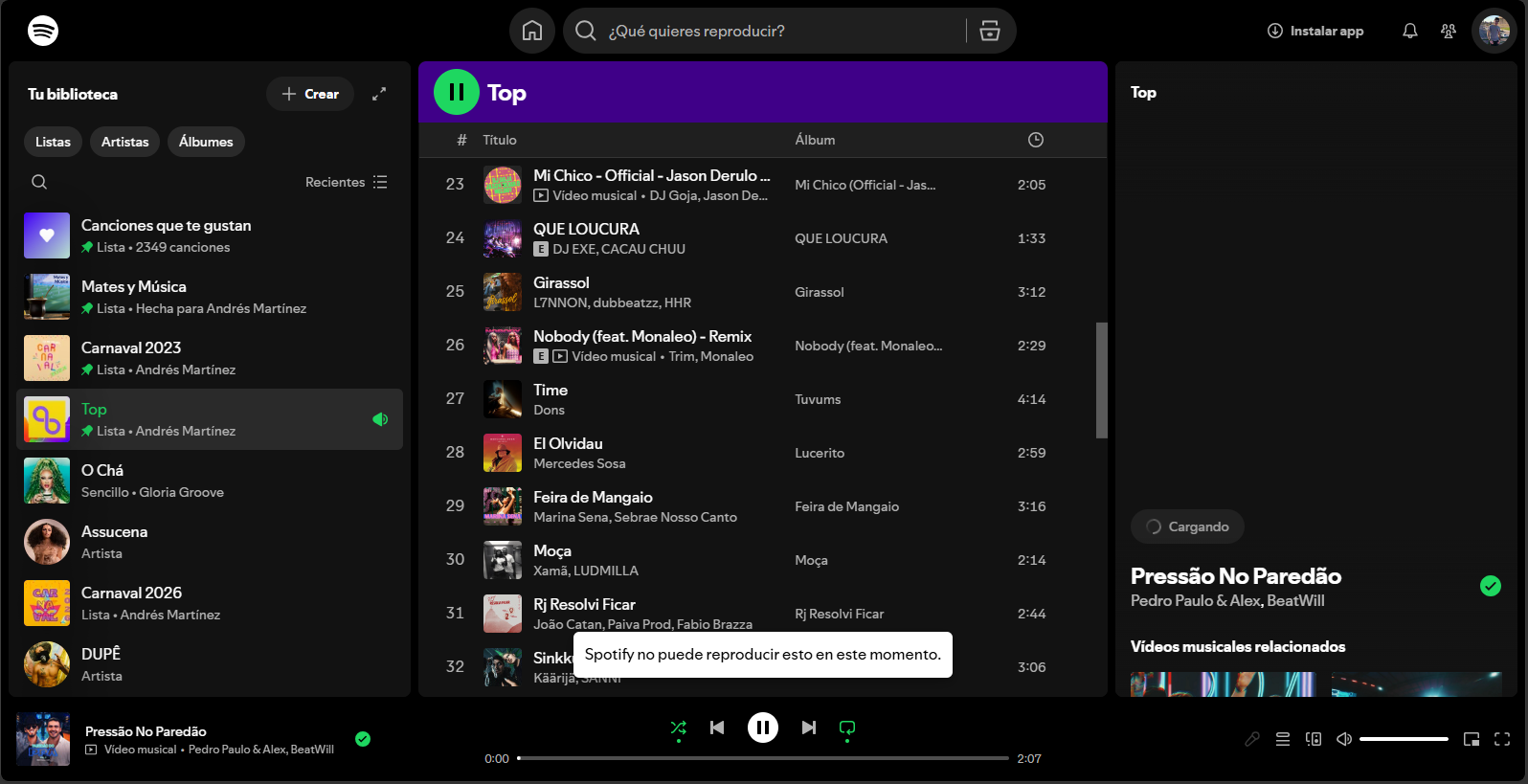
We're receiving reports from many users getting the "Can't play this right now" error and also users haven't been able to log in on the web player and desktop app. Songs will sometimes skip without playing or a red banner with an error message appears when trying to log in.
This is being investigated.
Comments

I'm in the northeastern US using Chrome OS and the web player PWA. Everything is fully updated and no basic troubleshooting steps resolve the issue. The Android app seemed to be functioning normally earlier this morning until I used Spotify connect across devices, and is now also affected by the same bug. The timeline seems to coincide with when the prior issue affecting Asia was addressed.
[EDIT:] As of 8:37am EST, the Android app appears to play songs normally, but the Web Player and PWA still exhibit the abovementioned playback problem.

- Is this on all devices or only on specific one(s)? on all device
- When did this start happening? Today 09:00 h
- What country are you in? Argentina
- Is this on the web player only? Do the desktop and mobile apps work as normal? Web player and mobile
- Does it work in incognito mode? Not work

i have this problem on my webplayer in firefox pc (also in incognito); Germany; desktop app works (windows);

only on pc spotify web
only noticed at 8pm
singapore
web player only?
doesnt work in incognito
very horrible, having multiple issues in a day, and issues happening so frequently nowadays even though we are paying you more than ever. spend more money actually making your service usable and enjoyable instead of investing in ai slop

Hi, thank you for looking into this issue. Ads play just fine but songs just don't.
- It's on multiple browsers (Chrome, Edge) and devices.
- Started happening at least around 11AM (Paris time).
- I'm in France.
- It's on the web player, IOS app works fine. I do not use the desktop app.
- It doesn't work in incognito mode.
Cheers

- Is this on all devices or only on specific one(s)? Only have a laptop to check from.
- When did this start happening? Not sure, around an hour ago.
- What country are you in? Ireland
- Is this on the web player only? Do the desktop and mobile apps work as normal? Cannot check on desktop app.
- What browser are you using? Does it work in incognito mode? Chrome 149; doesn't work in incognito.
I am able to hear ads (free plan), but all songs get skipped.
Console is full of:
Access to fetch at 'https://clienttoken.spotify.com/v1/clienttoken' from origin 'https://open.spotify.com' has been blocked by CORS policy: Request header field spotify-app-version is not allowed by Access-Control-Allow-Headers in preflight response.

- Is this on all devices or only on specific one(s)? only on the Web Viewer, works on iphone
- When did this start happening? 7am CST
- What country are you in? USA
- Is this on the web player only? Do the desktop and mobile apps work as normal? Web does not work. Do not have desktop app, Iphone works
- What browser are you using? Does it work in Incognito Mode? Using Chrome, Same issues in incognito mode.

- Is this on all devices or only on specific one(s)? All devices
- When did this start happening? 13:00 BST
- What country are you in? UK
- Is this on the web player only? Do the desktop and mobile apps work as normal? Only web player, all apps work normal
- Does it work in incognito mode? No
- If you use any kind of VPN, disable it. Still persists.
- Ads play as normal.

- on mobile it works fine, on the web player it says "can't play this right now"
- When did this start happening? Today
- What country are you in? Italy
- Is this on the web player only? Do the desktop and mobile apps work as normal? Idk about desktop, but mobile works
- What browser are you using? Does it work in incognito mode? Firefox, doesn't work in incognito
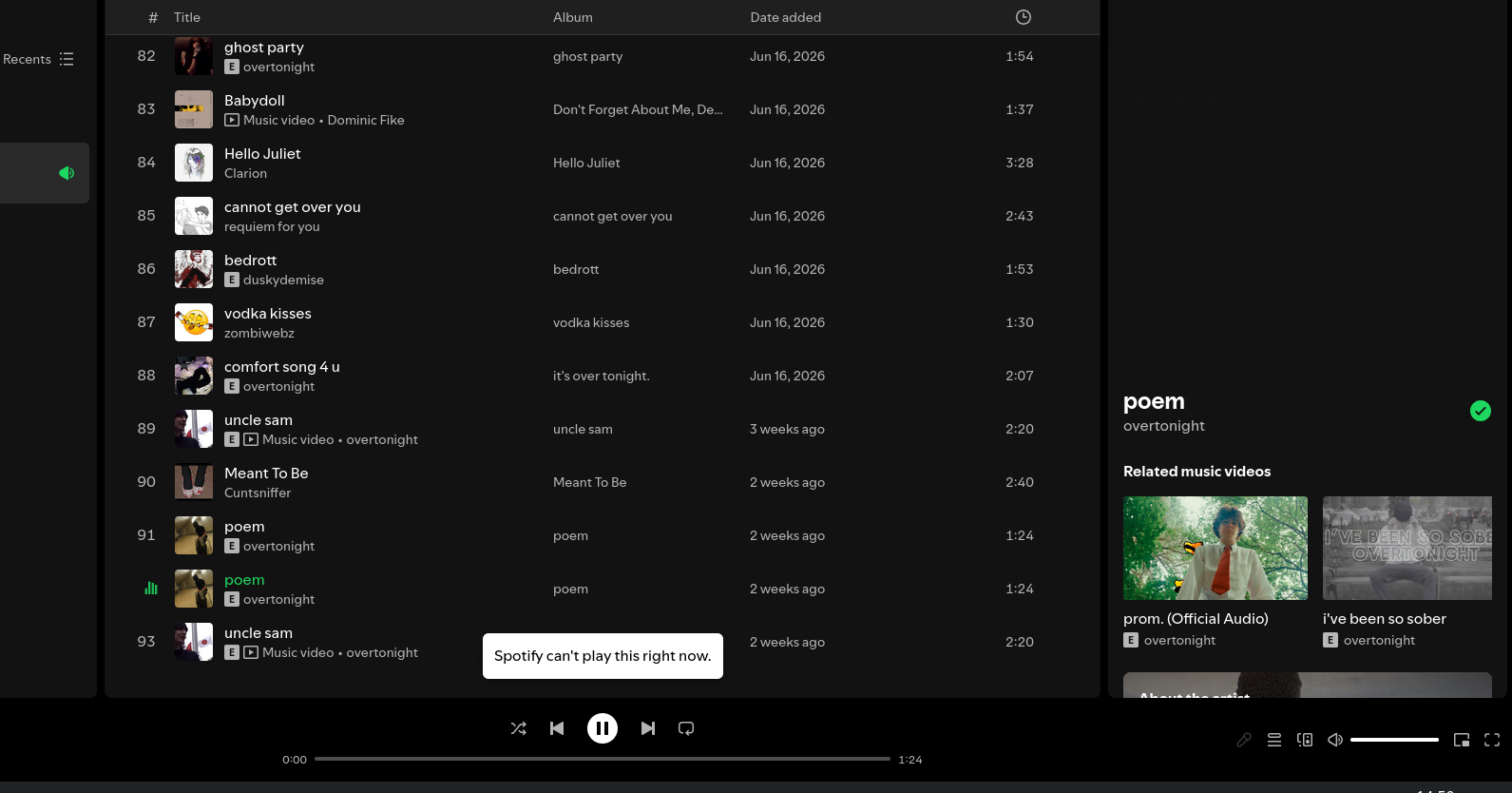
Ads play as normal.

same issue happening to me cant play anything im using chrome on a mac plus web player (spain) says something like "spotify cant play this right now" so annoying

Located in Italy. It looks like just Spotify Web is not working so far, the Android application is fine. I notice the issue today in the early afternoon.
Google Chrome, hidden page neither works.

- Is this on all devices or only on specific one(s)? All devices
- When did this start happening? 14:50 CET
- What country are you in? Austria
- Is this on the web player only? Do the desktop and mobile apps work as normal? Only web player, all apps work normal
- Does it work in incognito mode? No

Hi,
- Is this on all devices or only on specific one(s)? Only PC
- When did this start happening? 08:20
- What country are you in? Canada
- Is this on the web player only? Do the desktop and mobile apps work as normal? Only web player, all apps work normal
- Does it work in incognito mode? No
- If you use any kind of VPN, disable it. Still persists.

- Is this on all devices or only on specific one(s)? This is on my PC web player and Android Phone App
- When did this start happening? Sometime this morning, web player was working fine last night.
- What country are you in? United States
- Is this on the web player only? Do the desktop and mobile apps work as normal? Web player and mobile app not working
- What browser are you using? Does it work in incognito mode? Chrome, does not work on my VPN or incognito mode.

i already can play it again after login in incognito mode, after that i play it again in the normal mode and its get fixed now

in united states. app works on phone, nothing works on desktop. songs, podcasts, nothing will play. when will this be fixed?

- Is this on all devices or only on specific one(s)? All Devices
- When did this start happening? Tested now, 15h CEST
- What country are you in? Belgium
- Is this on the web player only? Do the desktop and mobile apps work as normal? only web player, mobile player works
- What browser are you using? Does it work in incognito mode? Chrome Version 150.0.7871.186 (Official Build) (64-bit), does not work in incognito
- If you use any kind of VPN, disable it. n/a

1: on my desktop
2: started this morning, noticed around 7:30 EST
3: web player, I don't have desktop app
4: google chrome. doesn't work in ingognito
5: i am not using a VPN


- Is this on all devices or only on specific one(s)? Edge and Chrome
- When did this start happening? This morning
- What country are you in? US
- Is this on the web player only? Do the desktop and mobile apps work as normal? Web player, Desktop not installed, Android phone works fine
- What browser are you using? Does it work in incognito mode? Edge and Chrome, incognito not available
- If you use any kind of VPN, disable it. No VPN
- Screenshots or a video of the behaviour. If the files are too large to attach here in the Community, you can send them to us via Google Drive or as unlisted YouTube videos. Unable to provide
No error messages. Clicking Play button, the song auto jumps the next 4 songs and stops but still doesn't Play.
With both Edge and Chrome up, click play on Edge and it says playing on Chrome and shows that on Chrome, but still not playing on either. Same for the reverse, click play on Chrome, jumps 4 songs and "says" it's playing on Edge browser but it is not.
Tried clearing cache and also restart on PC.

My desktop won't work, but my phone does. Attempted to troubleshoot myself, but on the desktop I cannot locate the "cache" or storage or anything involving clearing storage memory. On mobile it works fine, on the web player it says "can't play this right now" and skips a many songs before settling on one without the ability to play it. This is the 3rd time this has happened this year.
- Is this on all devices or only on specific one(s)? MICROSOFT DESKTOP
- When did this start happening? TODAY 9:15 EST
- What country are you in? USA
- Is this on the web player only? Do the desktop and mobile apps work as normal? WEBPLAYER/DESKTOP (NOT SURE WHAT THE DIFFERENCE IS)
- What browser are you using? Does it work in incognito mode? GOOGLE CHROME
- If you use any kind of VPN, disable it. N/A - WHAT IS THIS?
- Screenshots or a video of the behavior. If the files are too large to attach here in the Community, you can send them to us via Google Drive or as unlisted YouTube videos.
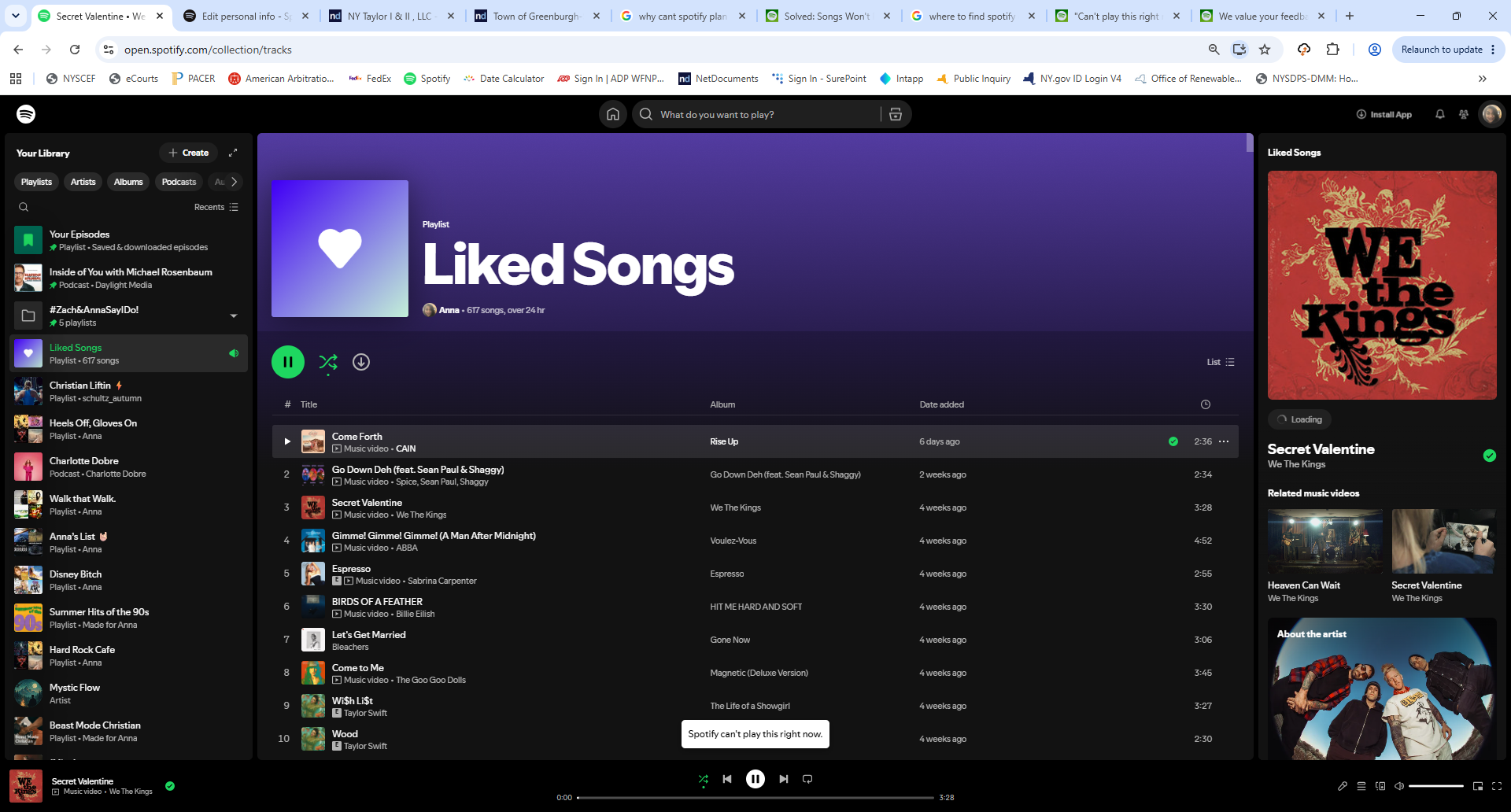

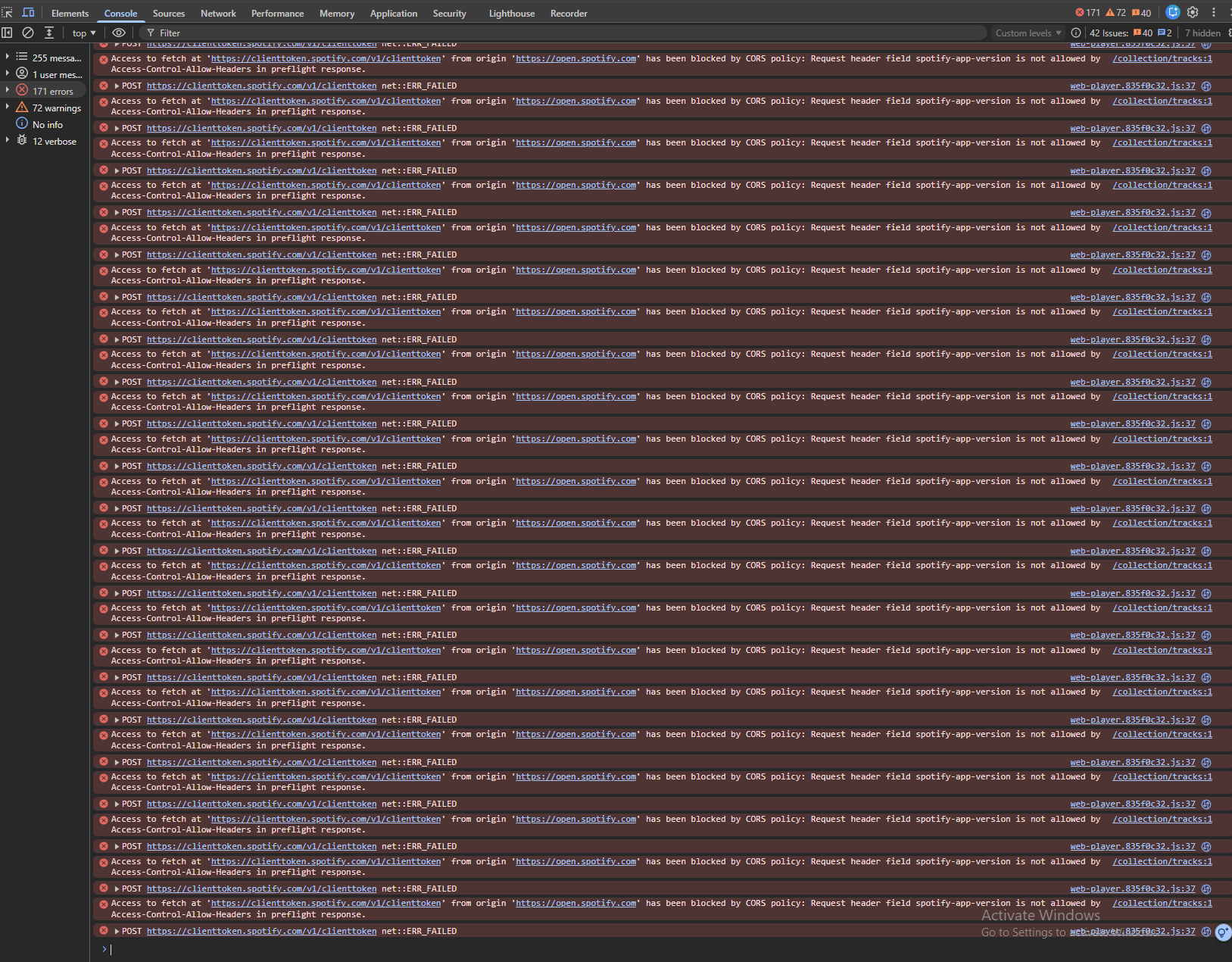
repeatedly getting this error in logs , i am from india and i recently loged in this acc that i use only in deckstop in mobile and i think its happening from there only.. i dont use any vpn.. i am not getting the erron mobile phone its only on deckstop.. i am on chrome brawser
Hi folks,
A fix has been deployed and things seem to be working now. Please restart your browsers, try again and let us know if the issue persists.
Keep us posted.
seems to be working now for me after refresh - thanks!
console spam is also gone, so I assume header was allowed
works fine now
Fix confirmed, working now. Thanks!
Refreshed and it's working now. Thank you.
Hi folks,
We're happy to see that it's all working again for you now! All our internal testing shows the issues to be resolved, so we're marking this as Fixed.
If you continue to face any similar issues, please reach out in the Help section so we can assist you further.
Cheers!

Plan
Free
Country
Canada
Device
Macbook Pro 2020
Operating System
MacOS Sequoia
My Question or Issue
Starting today, whenever I open Spotify on browser or on my desktop app, the home page refuses to load, giving me the "Something Went Wrong" error page.
I tried emptying my cache, restarting my device, reinstalling, and clean reinstalling to no avail.
The home page loads just fine on my iOS app, weirdly enough.
UPDATE!
Now it's loading as normal. I'm going to wait and see if it stays this way before I consider this resolved though.
UPDATE II!
Still no issue with the home page, but now I can't change some of my profile settings on either browser or desktop.

Plan
Family
Country
USA
Device
(iPhone 8, Samsung Galaxy 9, Macbook Pro late 2016)
Operating System
Web
My Question or Issue
When trying to play a song, getting "Can't play this right now" error on web player
Hi folks,
We've reported this to the appropriate team so they can look into it, but we'll need some more info to get to the bottom of things. If you're encountering this issue, please let us know the following:
Cheers!