[Embed problem] Sorry, this playlist is empty.

When using the embed feature for spotify playlists it often does not display correctly on my website. Instead it offers a blank box with a pink border at the top with the words "Sorry, this playlist is empty". The playlist is not playable nor is the tracklist viewable. This occurs roughly 1/3 of the time. It is frustrating and makes me not want to include spotify playlists on my site. Other times it will load a green box with a play button, but the only word that shows is "Undifined". The rest of the time, things look and work fine.
Wondering if Spotify is aware of this, or if other users are having the same issue? Yes, I am using the most current version, but have been having this problem for over a month. Currently this is the page/playlist that is giving me the error, and its unfortuanate b/c it is one of the most visited pages on my site.
http://playlistprofessional.com/playlists-by-genre/funk-playlist/bbq-playlist-usa/
thanks,
mike
Accepted answers

Ok, so I think I've found an answear. It seems wordpress.com has changed how it handles the embeded code from Spotify. To copy and paste embed code doesn't work anymore. To get a Spotify player on your blog or website, simply copy the http-link, paste it i Text (html editor) and save it in View.
Seems to work fine now.
Thank you guys for all the input and help 🙂
/Åsa (Fru Kluck)

GOT IT!!!!! HEY MAKE A NEW PLAYLIST and paste the Songs from the old one in this new Playlist and then copy the plugincode as usual... thats it!
All comments
Wanted to note, this happens on 2 different computers, with 2 differnt operating systems (windows 7, and XP), using 2 different browsers (firefox, chrome).
Does anyone else use the embed feature for playlists? If you click on my site, do the playlists load for you?
i guess nobody else is using the embed playlist feature? off to pester customer service...

I'm having the exact same issue. Have you made any headway? I've seen others use it with success and wondering why it doesn't seem to be working for us.

Agreed, same problem!? Not sure why 😞
I got in touch with tech support and they figured out what at least I was doing wrong. If you open up your playlist and see a little file icon with a musical note on it, it means that it's a local file. You need to do one of 2 things:
1. Update every single file in the playlist with Gracenote
2. Search for the same song ON SPOTIFY and add that to the playlist. You'll know you found the right file if you DON'T see that file icon.
When a majority of your playlist is NOT made up of local files OR when all files are updated with gracenote, your playlist will be entirely visible.
It took some time to work out precisely what tech support was talking about but if you do that it'll work just fine.
If any of that doesn't make sense feel free to ask for further explanation. I'm not having any issues now.
^^^ this was not the case for me. ALL of my files were spotify files, b/c i created the playlists inside of spotify with spotify's music. i still get the "sorry, this playlist is empty" from time to time, although it is much less frequent. i just assumed some spotify rep saw my thread on here, and made an adjustment. i had written customer service about it, and they asked me for a screenshot. before i did that, things got better so i never wrote them back. now i have a new problem. the only thing consistent with spotify for me are the constant annoyances/problems i have with it (that are not user based). off to start another thread...
Hahaha, I hear ya. Even when I AM using spotify files I still run into slight issues from time to time. Good luck.

I have two playlists on one web page (http://www.timscottmcconnellfan.de) and - without changing the page - it sometimes works either for the one or the other - but currently in most cases not at all. same behaveour whatever web client I use (Mac, Safari, Firefox, iPad, iPhone).
It just looks like a stupid server problem and I wonder why Spotify does not fix it. it is really ugly because to the users it looks like a silly web page error.
Spotify, please take care of this! thank you.
best regards

I'm having exactly the same problem too - all the tracks are from spotify. Single tracks work fine, the playlist just appears empty.


Same problem here. I have two embedded playlists on my website. Occasionally they work but most of the time they just display a black box with "Sorry, this playlist is empty".
These are mostly Spotify tracks and the ones that aren't have been updated via Gracenote but it makes no difference.
Thanks for flagging it up. Hopefully you can resolve this.
My playlist is entirely Spotify songs too....:S
... it seems to work currently ...
B.T.W.: if I change anything in the playlist (like remove a song), how long should it take to see this changes in the web page?
Yep, working for me too now! HURRAH! 

yep. works instantly now. that was not the case yesterday.
THANKS!!

I get the "Sorry, this playlist is empty" everytime I try to embed a playlist. I'm guessing it might have to do with my username having non-standard characters (my username is field+stream) and the '+' gets encoded to %2b. I've tried to change it back to a plus sign but it doesn't seem to matter. Any chance someone could take a look at this issue?

I'm also getting the sorry this playlist is empty while using entirely Spotify songs. Not sure what is going wrong. I've tried two different accounts on two different computers Mac and Windows 7. The playlist is there - I can see it in spotify - but won't embed to my site. Very, very frustrating. Not sure how to fix?
I do not get "Sorry, this playlist is empty." at the moment ...
BUT: changes in my playlists do not get visible on the web page ... it worked some hours earlier ... not any more now.

The embed of our playlist keeps including tracks that have been removed several months ago.

God, it's a real shame that Spotify hasn't come up with a final solution on why so many people are having the same embed issues. Like most here, I don't have any local files; my playlist has no strange characters; and the status is set to "publish (though that may have zero impact)." Would love to have this playlist on my wordpress site, but it's entirely too glitchy. Such a disappointment. All that work in compiling a specific playlist too...

I'm having the same problem here: http://ajour.se/ett-urval-av-arets-forsta-nya-musik-pa-spotify-samt-ett-en-summering-av-2012/
Will have to post an excuse and tell the readers that there is an error on Spotify's end.
@Brian wrote:I'm having the same problem here: http://ajour.se/ett-urval-av-arets-forsta-nya-musik-pa-spotify-samt-ett-en-summering-av-2012/
Will have to post an excuse and tell the readers that there is an error on Spotify's end.
The last post in this thread was back in November, and we haven't seen any activity since. I'm pretty sure the issue is fixed.
On your website, everything looks fine to me:
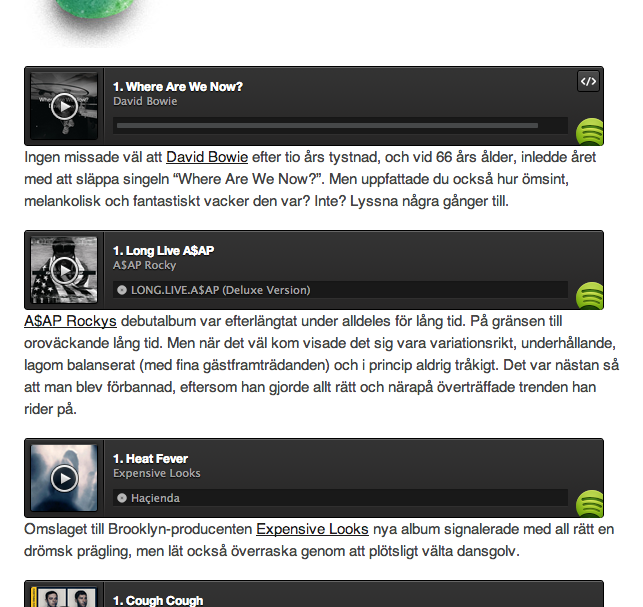
How's it looking on your end? (And if anyone else in this thread is still having the same problem, please speak up!)
Thanks, it started working later that day - but several hours later. I checked, and everyone who saw it (using different platforms and browsers) got that error message. All embedded albums worked fine, it was the playlist at the very end which had that error message rather than the actual content of it. Maybe a temporary hickup on your end?
A temporary hiccup does sound likely. I'm glad it's working for you now.

I'm having a similar problem. I made a long list of playlists one or two years ago, and for the past 6 months or longer I have not played any of them. I also just moved abroad (and changed my country settings)--not sure if any of that's relevant.
Today I wanted to play them, and several of them are empty. I thought at first it's because the tracks are no longer on Spotify, but that's most likely not the case. I'm guessing about half of my playlists are empty.
@rosajo wrote:I'm having a similar problem. I made a long list of playlists one or two years ago, and for the past 6 months or longer I have not played any of them. I also just moved abroad (and changed my country settings)--not sure if any of that's relevant.
Today I wanted to play them, and several of them are empty. I thought at first it's because the tracks are no longer on Spotify, but that's most likely not the case. I'm guessing about half of my playlists are empty.
I'm sorry, where are you embedding your playlists?
I landed on this thread by googling. Sorry I didn't pay attention to the subforum. The playlists I'm referring to are just on my spotify page, not embedded anywhere. It says, This playlist is currently empty when I click on several of them.
@rosajo wrote:I landed on this thread by googling. Sorry I didn't pay attention to the subforum. The playlists I'm referring to are just on my spotify page, not embedded anywhere. It says, This playlist is currently empty when I click on several of them.
We should probably deal with this outside of this thread then. If you can PM me the names of a couple of playlists that aren't working for you I can take a look.

Hey,
I'm gaving the same problem with a playlist I've embedded in my (currently) test blog.
https://liveblog.sqsp.com/events/28-6-2013graspop-metal-meeting-festival
Is there any work around to get it to work?
Thanks,
Nathan
I got in touch with tech support and they figured out what at least I was doing wrong. If you open up your playlist and see a little file icon with a musical note on it, it means that it's a local file. You need to do one of 2 things:
1. Update every single file in the playlist with Gracenote
2. Search for the same song ON SPOTIFY and add that to the playlist. You'll know you found the right file if you DON'T see that file icon.
When a majority of your playlist is NOT made up of local files OR when all files are updated with gracenote, your playlist will be entirely visible.
It took some time to work out precisely what tech support was talking about but if you do that it'll work just fine.
If any of that doesn't make sense feel free to ask for further explanation. I'm not having any issues now.