[Desktop][Windows] Can't access auto-hidden taskbar when maximised

If the windows taskbar is set to auto-hide then maximizing the Spotify window makes it impossible to reveal the taskbar using the mouse (Win + T still works).
Steps to reproduce:
- Set the Windows taskbar to auto-hide.
- Maximize the Spotify window.
- Move the mouse pointer to the bottom of the screen (or wherever the taskbar is docked).
Expected result:
The taskbar is revealed on top of the Spotify window.
Actual result:
The taskbar does not show at all.
Comments

Can confirm this is an issue (Rock Star Escalation #896807).

This problem emerged for me today after the latest update. Hugely annoying.

Also started showing with last update.
I have the taskbar set to auto-hide and it is docked to the left.

I have the same issue here- the taskbar won't show. I have it set to auto-hide docked on the bottom. This problem came with the newest update. SO ANNOYING!!!!

Hey guys, is anyone still having this issue with the latest Desktop update? If so please confirm the app version you have installed here, thanks!
Hello Meredith!
I am still experiencing this issue. My desktop version is as follows: 1.0.3.101.gbfa97dfe
Thank you for addressing this!
Can also confirm that this is still an issue. Version 1.0.3.101.gbfa97dfe.
Thanks

I have the same issue. Version 1.0.3.101.gbfa97dfe
Hi,
I just installed an update for my desktop client (windows 7). and this issue still remains. The version is 1.0.4.89.g22b04e33
Thank you

Still present on 1.0.4.90.g0b6df40b. I've been using both auto-hide taskbar and Spotify forever and this just drives me bananas.
Still an issue with latest update........ 1.0.4.90.g0b6df40b

Hello guys,
I'm one more upset user who wants to use spotify on his 13" Display, obviously with a hidden Taskbar and can't. I'm on version 1.0.5.186.ga9c24d6a. I hope someone will fix this soon.

version 1.0.6.80.g2a801a53
Same problem here
I use windows 8 and a 15'' notebook
If anyone is still having an issue on 1.0.7 could you please post a screenshot here? Thank you!
it's working
thanks =D
Hi,
The issue seems to be fixed for the most part however the problem still happens if monitor preferences (single display, extend, etc) have been switched when Spotify is open. The problem then persists until Spotify is restarted.
Not really sure how the issue can be screenshotted but see below.
Version is 1.0.7.157.g2a6526f9
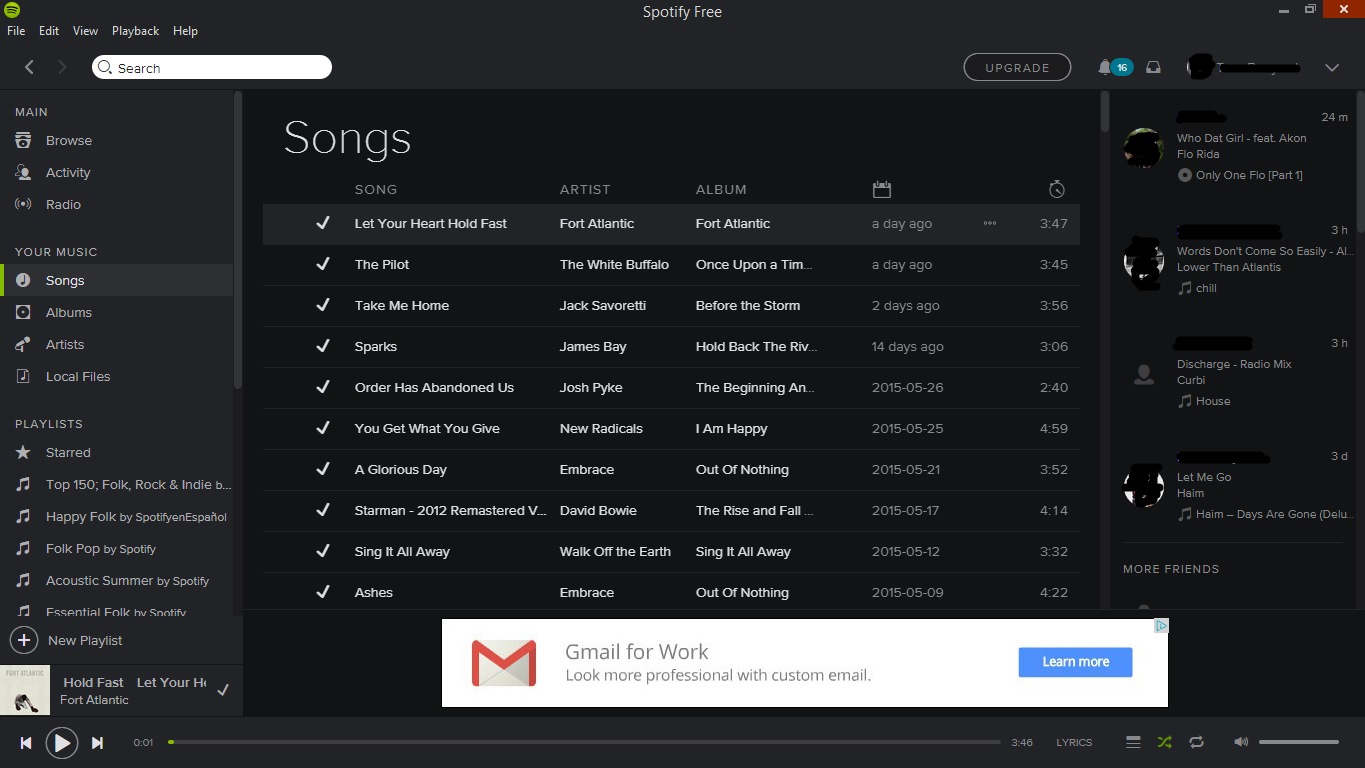

In recent versions several folks are reporting this as fixed. We're going to close this thread now. Please post if you're still experiencing the issue. Thanks for the reports!

This is still an issue for me on windows 10 Spotify 1.0.14.124
This issue persists even after the program is restarted. No settings were changed or altered.
Thanks -Stan


I'm experiencing the same issue
Windows 10
Spotify v1.0.16.104.g3b776c9e
When Spotify is maximized the taskbar will not reveal with moving the mouse to the edge.
Also (perhaps related) when using the windows key to bring up the start menu (and hence the taskbar), the bar will will dissappear abruptly when dismissing.
For other maximized apps, the taskbar slides away smoothly when dismissed.

Still having this issue on both my stationary Win7 and my Win10 laptop (1.0.26.132.ga4e3ccee)

Still having this issue - windows 7

Still an issue for me on Windows 10 AU (and before AU) on Spotify 1.0.36.124.g1cba1920

Still not working

I have had this problem for years. It's finally driving me insane enough to look at a solution for it. I hardly ever use the desktop program because it's SO ANNOYING that I can't use my start bar if I want Spotify open.
Windows 10 Pro
Spotify 1.0.42.151.g19de0aa6
Any chance support can revisit this and help out?

The problem seemed to happen randomly until like a week ago. Since then I am having it all the time and only with Spotify.
Version: 1.0.42.151.g19de0aa6
Whoops this issue is already raised here: http://community.spotify.com/t5/Help-Desktop-Linux-Mac-and/Spotify-blocks-the-hidden-task-bar-when-in-focus-on-my-second/m-p/896533#M95608 (Not in bug section hence not seeing it).
My situation is exactly the same as the thread linked above (although it makes no difference whether I have one or two monitors connected).