Facebook connection not working?

I'm brand new to Spotify and I joined at a friends suggestion; I created a Spotify account and then attempted to use "Find People" to locate my friend who wants to send me song suggestions but I couldn't find her. Then I realized that I probably needed to connect to Facebook in order to do that. So as per instructions I located here I went to Edit / Preferences / Social Network and clicked "Connect to Facebook" and filled out the login information and checked "Keep me logged in" and clicked Log In and a tab opens up in Firefox blank except for the word "Ok" and the Spotify Facebook login window becomes blank (all white) and if I close the window it seems like I'm still not connected.
Does anyone have an idea what the problem is and how I can properly connect to Facebook?
- Chris
Comments
Hi Anthony:
I'm using Windows 7 x64 SP1 and I just downloaded and installed Spotify a couple days ago and it says it's version 0.9.10.14.g578d350b; since I just installed it a couple days ago it would never occur to me to need to uninstall and reinstall just to fix this problem. But I just tried that and the exact same thing as I described in my inital message happened i.e. a tab opened in FireFox, blank except for the word "Ok" and the Facebook login window in Spotify is white and blank:
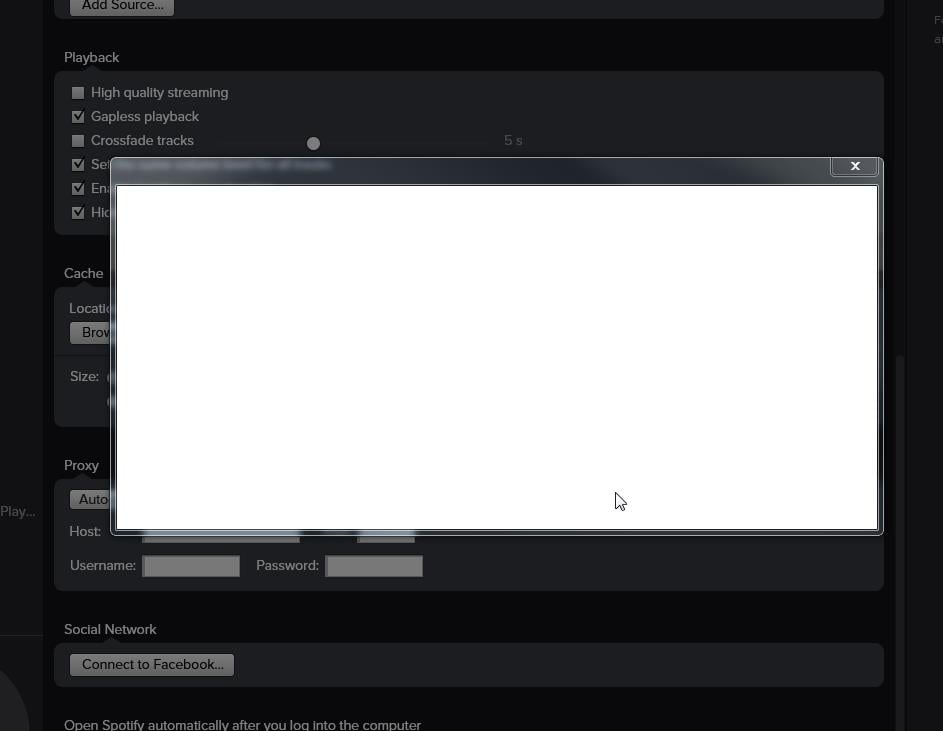
and apparently I'm still not logged into Facebook nor can I find the friend I'm looking for.
Idea's?
- Chris

https://www.spotify.com/account/overview/
(Then log out and back into the Spotify app)
Hi Peter:
No, I did not see that as I was concentrating more on the Spotify program than the website; once I selected that I was able to see my Facebook friends so I think that solves the problem.
Thanks!
- Chris

Unfortunately, I am having the exact same problem connecting with Facebook. I attempted to log on with Facebook on the Online overview page but it simply told me that I already had an account registered with my email. Any suggestions?

Having same issue - when I select Connect to Facebook from File menu it just gives me "OK" in the browser window and does nothing. Attempts to login through facebook through the spotify website fail.

I have almost the same problem. I had spotify premium and connected profile with facebook. Then one day i log in with my facebook account and my premium is gone and also all my playlists. Then i logged out and tried to log in with my spotify username and it worked and all my playlists and premium was back but my connection to facebook dissapered so I tried to connect it again but it was also just a white screen with "OK". I can still see what my friends are listening to tho but i'm still not connected to facebook. What can I do?

Bump

Can you try going to the link below to connect Facebook?
https://www.spotify.com/account/social/facebook/

Can't log in to webplayer or the Spotify website using Facebook from today. The buttons just cycle and nothing happens.
Firefox 34.0.5

Here s the solution: Unistall last verion of spotify and download and install version 0.9.10.21, sign in with spotify account, connect to facebook acount and after conected update to last version of spotify and sign in with spotify account
God bless you all

after trying to connect via mobile, linux preview app, and web, nothing was working. After I clicked the link MattSuda posted, re-signed into my desktop player, everything worked out! thanks

Hi, I have the same problem. I tried everything, also using your link, but nothing works. What do I do?
I suggest you contact support. They might be able to help
https://www.spotify.com/about-us/contact/contact-spotify-support/
If you get an automated reply email telling you to check the help section or the community, you need to reply back to it.
Support usually replies within 24-48 hours.

Thanks! that worked for me.

MattSuda solution worked for me, thank you!!!

Hi MattSuda.
I have the same problem and when i click the link it says "Sorry there has been a temporary error, please try again later."
Hmmm... I'm not sure what is causing the problem.
I suggest you contact support. They might be able to help you.
https://www.spotify.com/about-us/contact/contact-spotify-support/
If you get an automated reply email telling you to check the help section or the community, you need to reply back to it.
Support usually replies within 24-48 hours.

@MattSuda wrote:
Can you try going to the link below to connect Facebook?
https://www.spotify.com/account/social/facebook/
Having the same problem. When I try your link above, I get "Sorry there has been a temporary error, please try again later."
I suggest you contact support so they can help you
https://www.spotify.com/about-us/contact/contact-spotify-support/
If you get an automated reply email telling you to check the help section or the community, you need to reply back to it, even if it's from a no-reply address.
Support usually replies within 24-48 hours.
You can also tweet to @SpotifyCares on Twitter for help.

I'm trying to log in, using Facebook. I click "Log in with facebook", and this opens a new browser tab, which begins authenticating my Facebook account, but then it immediately closes. Spotify itself does nothing. It remains on the login page. Any solutions?

Hello , i tried to do that but it didn't work for me 😞
I'm able to connect through SAfari but not the App on my Mac
Any idea ?
thx a lot
PS : in Attach i putted a printscreen of what's happening when I launch from the App. Then the windows is closing and back to the "sign in" page of the app

I hope this helps someone, but I found that if you're trying to connect Facebook with the Windows Spotify desktop app, after clicking the "Connect Facebook" button, nothing happened. Or at least, doesn't appear to be happening. No extra window icons pop up in the taskbar, but if you hit Alt+Tab you'll notice (at least for me) a sign-in window asking you to sign into Facebook. It took me a while to figure this out but if you've made the new pop up window your focused window, you can hit Alt+Space and hit 'Maximize', it'll make the window visible to sign in. Trying to use Move or anything else won't work. After logging in, it brought me to my timeline and I had to close the window and repeat the process and the second time it brought up the app connect screen.

Wow nice 🙂 I think I wouldn't have found out by myself.
nice job mate, and thank you!

Read the support article, nothing works. This functionality is borked.


Here's what worked for me...
Log in from a web browser...
Go to https://www.spotify.com/us/account/privacy/
Under the section for "Facebook data" make sure "Process my Facebook data" is turned ON. Mine was not. flipping this ON fixed my issue, but to be safe log back out and back in on the desktop client.
Hi, and welcome to the community!
What OS/Spotify version are you running?
Have you tried a quick Clean reinstallation of Spotify?
Anthony 🙂