Release Notes - Spotify for Android (3.0)


What's new in this version (3.0)
-
- New: The main player and mini player have a shiny new look.
- New: You can now swipe to change tracks in the mini player.
- Fictitious: This app contains only artificial additives.
Accepted answers
All comments

Also I have no idea what a mini player is.

How about listening to the users and removing the Connect feature??

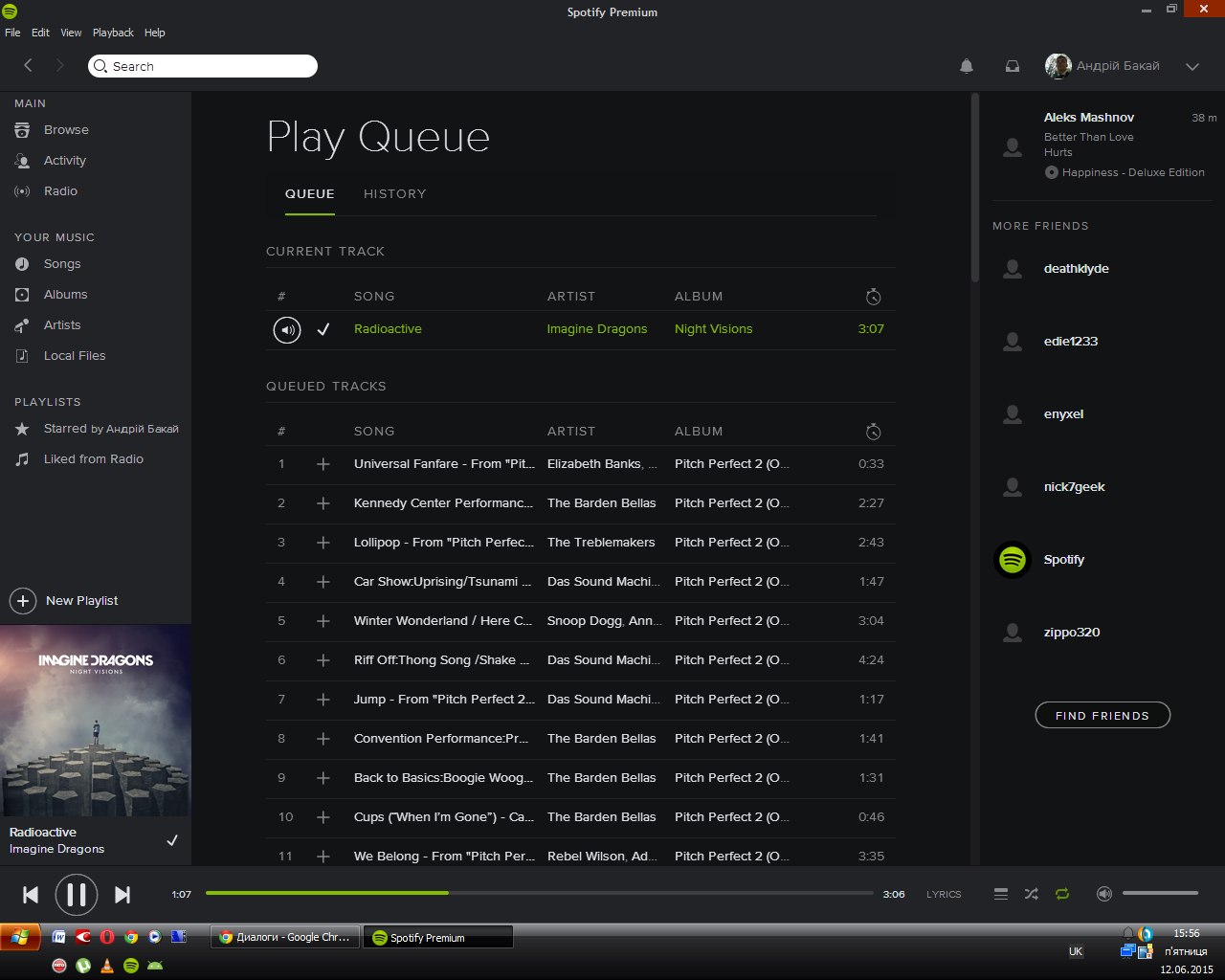
Have one big problem with Queue
When I listen to Spotify on PC and open app on Android -- then add songs to Queue on Android -- it seems like this
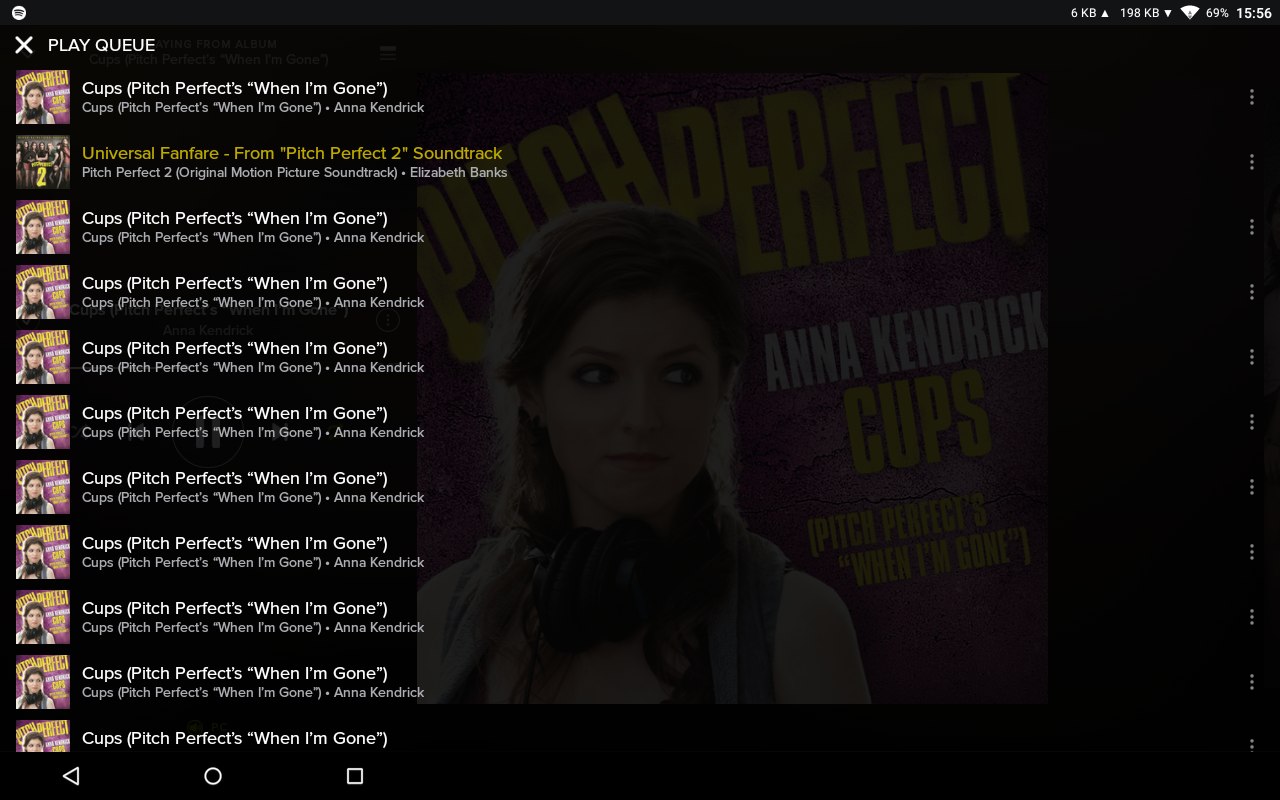
But on PC all is ok!

Downlaoded 3.0 yesterday, and don't notice any change at all. Same color and design as the previous version. What am I missing?
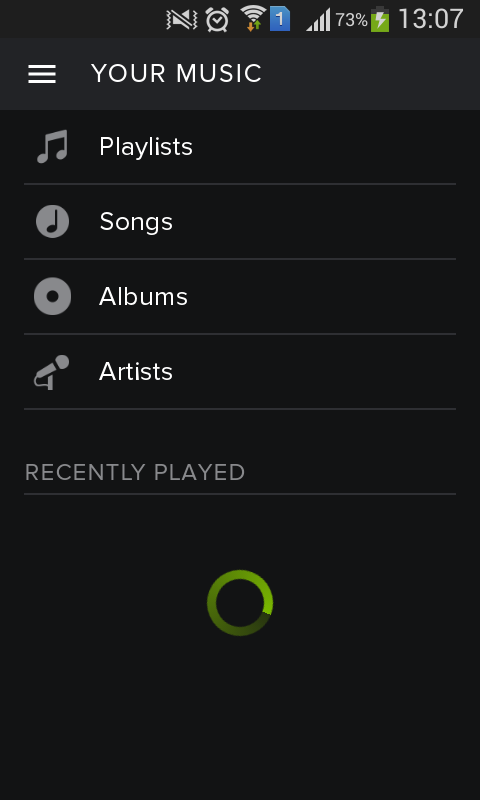
I'm getting the endless loading green wheel. I don't understand why every update **bleep**s on everything. Some of us are paying for this service and we're not paying to not being able to use the service. This needs to be solved ASAP

BUT, there are absolutely no changes in the main player. I've seen some post in some update blogs how it should look: just like the IOS updated look, but it doesn't. And it doesn't for me as it doesn't for everyone I've asked, and they are updated.
Apart from that, I haven't got any problem yet.
My version is the 3.0.0.1124
I'm also in Spain applied for being a beta tester of the upcoming "big new all update" (podcast, running feature, orignial content, etc). Maybe that has something to do with it?
This is how it was before the update: https://goo.gl/photos/bmVw6EuUhQfyENQc9
This is how it looks now: https://goo.gl/photos/jJUHrJcMmMqqU3BA9
If you want to update the app, and my purpose is not to spam, is:
http://www.apkmirror.com/apk/spotify-ltd/spotify/spotify-3-1-0-975-android-apk-download/


Great app!!
I'm in love so much with this new hot design... Thanks developers... And have a nice day!

@user-removed wrote:I'm getting the endless loading green wheel. I don't understand why every update **bleep**s on everything. Some of us are paying for this service and we're not paying to not being able to use the service. This needs to be solved ASAP
That's what mine commonly looks like too.
That it is putting the wheel there suggests it's trying to load your Recently Played list which isn't necessarily the case but in general isn't what I am that interested in anyway.
Firstly it shows artists of whom I listened to a single track not on a playlist on a totally different device. Secondly it does not show a playlist I have newly created or modified but not yet listened to, even if I have downloaded it onto this device. And obviously it only holds space for about 5 and doesn't need to get any more than that at this point.
Ideally they'll give us a version of the app with profiling enabled and let us run it through one of these hangs and send them back the report and they'll see where it is spending so much time being non-responsive.
I ended up removing the SD card from my phone and reinstalling Spotify without it so it would use phone memory.
Now today it is running with no SD card and is very smooth.
I will try putting the SD card back for photos and videos I capture on the device only. That's what I need one for.
I haven't formatted the SD card and did transfer it from another device. If that doesn't work there's something horribly wrong with SD cards which are supposed to be portable from one device to another.

So the only way to get the new design that is promised in the changelog is to install a beta version from an external source. Yep, that sounds like Spotify.

After the latest update my headphone/watch controls no longer work (in fact it doesn't appear on watch anymore) and I can't dismiss the notification player without forcing the app to stop.
The purpose of beta versions is to allow user acceptance / feedback before it is thrown upon the rest of the world.

I just downloaded Spotify today on my andriod. It keeps crashing every time i open it. It wont even last long enough to connect to my account or even make a new account. I have tried reinstalling it. Both on data and wifi. I have also tried restarting my phone. Would very much like to upgrade to premium if i can get this sorted on my phone.

Could you please make the queue-button bigger in e.g. playlist view? It is near impossible to touch it on e.g. Nexus 5 screen because the scrollbar appears from the right covering half of it, and the song is directly selected if you click a bit to the left. The margin for error is like 5 pixels.
The previous version was better, although it was far from perfect because the song was selected when clicking too far to the right.
Just make the button as tall as the song row reaching the edge of the screen, and as big as finger tip.
I don't need that scrollbar elevator element. Does anybody really want it?

Where is the Search Funktion?
I only found one in the Creating Radio Funktion,
and created hundreds of Radios, because I was looking for titles.
This can't be the solution.
If this continues, I think I downgrade to spotify free, again....


Same here, i can't seem to find the search bar to look for new music. I hope it's just a bug or something and that they fix it.

I also miss the ability to queue a song either after the currently playing ("play next") or at the end of the playlist (but before possibly automatically added titles).
@mchaka: totally agree, the scrollbar massively interferes with the ... buttons (and it's overlapped by the header, so you might not even see it at the top of a longer song list).
You can circumvent the UX flaw by long tapping a song to open the menu, then click Add to Queue. At least you won't accidentally start that song immediately, still annoying. Sonos solved this by always opening a menu to select play now, play next or append to queue.
But you can also see a better way of dealing with scrolling in Google contacts app: Google's scrollbar only reacts if you tap on the visible handle and drag it, Spotify's scrollbar jumps to wherever you click uncontrollably.
The new mini player is an improvement in my eyes, because you can immediately see the song progress. You can't skip ahead however without opening the full player.
It's also nice that swiping to the left or right works to change the song. It does not always open the full player if you tap on it however. So its kinda unresponsive, or may be lagging sometimes.
I also don't understand why swiping up doesn't open the full player. VLC, Sonos and Google music do this perfectly. Spotify still needs to learn about material design (Shuffle should be a floating action button with a nice icon, not at last to save some valuable screen space; Search shouldn't be exclusively reachable via main menu; sort and filter should be activated via a ... menu or always visible, for example in the space you could save by making the shuffle button a floating action button etc. etc.).
You actually an skip songs from the mini player by swiping left and right
A llittle embarrassed to ask, but what exactly is the mini-player?
EDIT: is it the home screen widget? because I can't see the song progress when it's playing. Only play, forward and backwards buttuns along with a small pic of the album cover.
The shiny new look is a black screen with a green wheel that whirls endlessly.
We don't want this,
We want.
1. No more non-responsive nonsense.
2. Playback continuous, not stop-start.
3. Option to disable spotify connect.
4. Quick load menu of pre-downloaded playlists and ability to open and play them without a fuss.
5., Ability to open your settings and go offline or back online without a fuss.
6. Ability to edit playlists by inserting tracks where we want them to go.
I don't know what the "mini-player" is. Possibly that widget that I sometimes see?
Fix the bugs first. Add features later. And then don't force them upon users who don't want them.