Spotify can't locate my phone over wi-fi

I know ALOT of other people have this problem, and I've read several other threads about it, and I've tried everything and it still can't find my over wifi.
If Spotify don't make syncing with your phone available through USB, I will cancel my premium subscription and also encourage others to do it to if they don't solve the problem SOON.
yeah. im ****.
Accepted answers
All comments

You need to connect to wifi with Android which your PC use too.
lol, yeah no **bleep** sherlock

Hello.
Just played around with this. You might want to try the following -
* Ensure you're logged into the same account on both your phone and your desktop
* Connect to the same Wi-Fi network
* On your desktop, create a playlist with a few local files
* On your Android, locate that playlist, and select "Download Playlist".
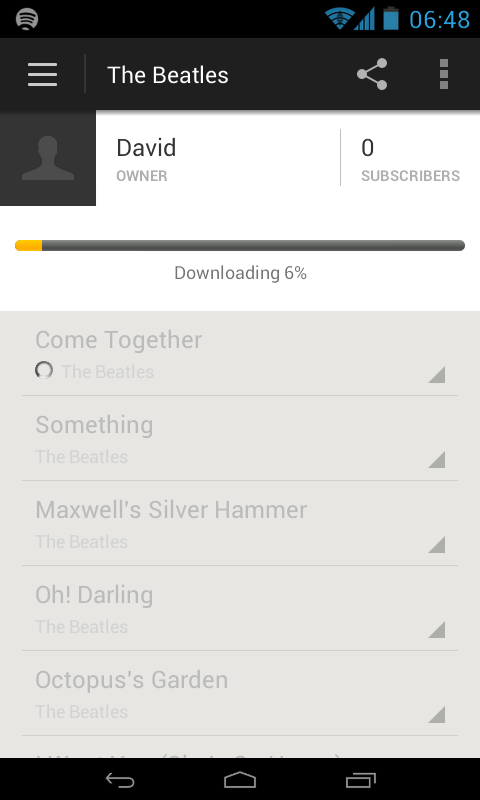
* You should see something like the above. Then, click on the little vertical ellipse in the top right, and select Cancel Download.
* This process should have forcefully connected your device to your computer now.
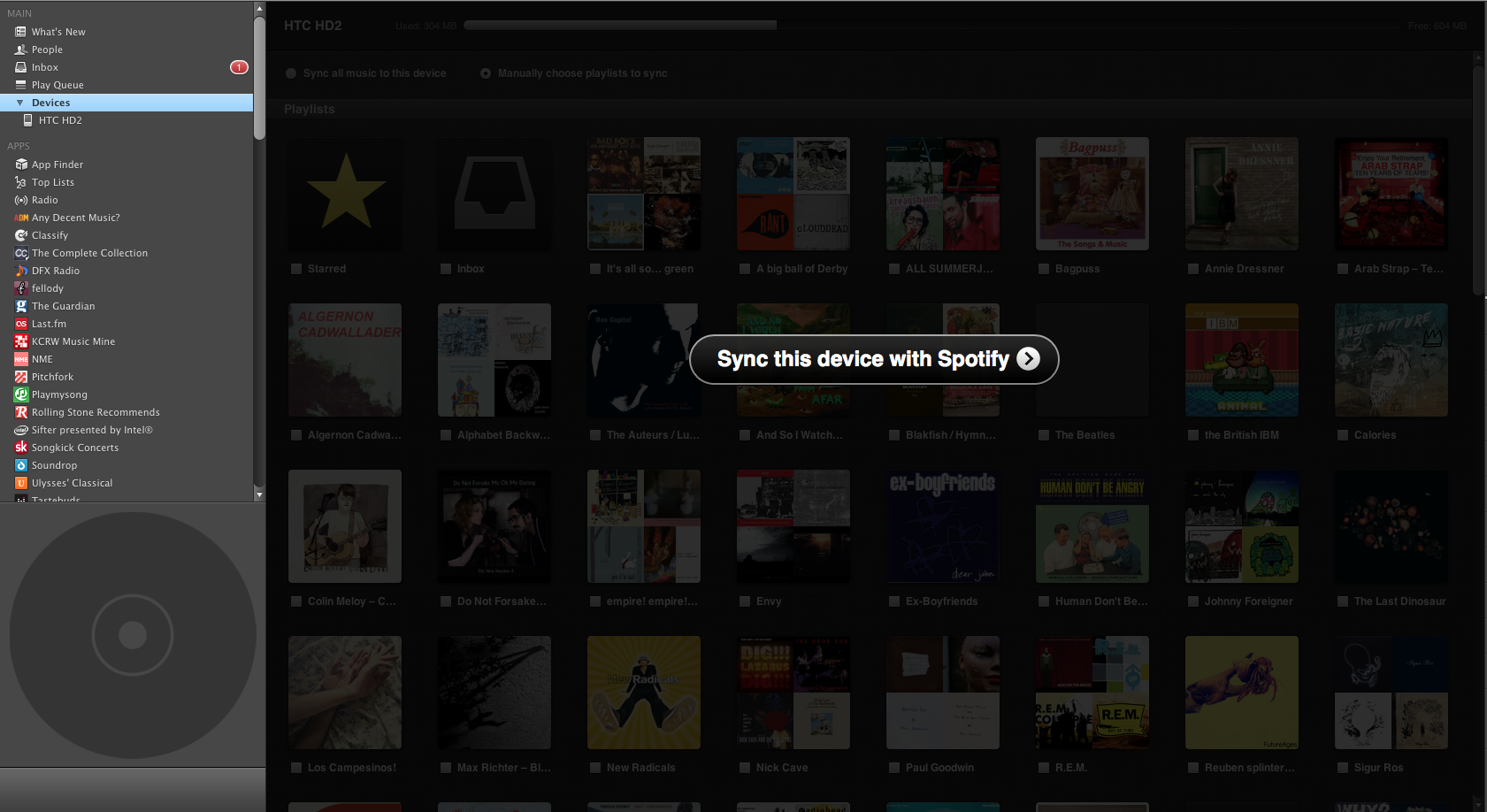

I guess it's time to write a little tool that feeds fake udp broadcasts with the mobile phones ip address as source to spotify.
I mean, there are networks where udp broadcasts are not routed between all participants. Is it so uncommon that wifi and ethernet are in different subnets where a default broadcast would not be routed?

I don't see why anyone would have a wifi at home set to run in different IP block than the LAN network.

I have got the same problem with my Galaxy S2. In the preview beta version it worked. But at the last versions I can't see my device in the PC Software. I have wiped and reinstalled everything. nothing solved the problem. And of course I'm in the same Wifi network. What can I do?
So because it's quite uncommon it's completely disregarded?
It shouldn't be that hard to additionally to the broadcast mechanism add a menu item in "File" -> "Connect to mobile phone via IP", and open a text input for an ip adress or even a hostname.
@tortinho wrote:I have got the same problem with my Galaxy S2. In the preview beta version it worked. But at the last versions I can't see my device in the PC Software. I have wiped and reinstalled everything. nothing solved the problem. And of course I'm in the same Wifi network. What can I do?
Have you tried my steps in this post?
@David wrote:
@tortinho wrote:I have got the same problem with my Galaxy S2. In the preview beta version it worked. But at the last versions I can't see my device in the PC Software. I have wiped and reinstalled everything. nothing solved the problem. And of course I'm in the same Wifi network. What can I do?
Have you tried my steps in this post?
Yes, I tried your steps. But it didn't work for me. Have you got any other solution? In the earleier version and in the preview beta version it worked fine. But since the final new version it doesn't work any more. 😞

I worked on this all night! Just to find my wi fi setting on my phone was set to static instead of DHCP, once I set it to that, I reset my phone app and it showed up on my device list. I hope this helps

I have had this issue too. I resolved by logging into my router, changing my WiFi network name, then renaming my WiFi network name back to original and then Spotify saw my phone. Hope this helps!

That did the trick, switched name on me wifi, logged into that on phone.
Thanks, was just about to drop subscription.

Doesn't work

i don't know what Vertical Elipse you are talking about, i have a Galaxy S2 and when i'm downloading a playlist it only has the 'share' and the 'radio' buttons this is getting really anoying!

I have exactly the same problem. Spotify refuses to see my Samsung Galaxy S2 and I cannot sync local files. I've tried everything and the problem cannot be rectified.
There are so many threads complaining about this issue surely it's time that Spotify acknowledged and prioritised it as a fundamental functionality failing that should be addressed in the next update.
I pay my £10 a month for this service and am only getting 50% of the functionality.
Not happy.

Hi. If the desktop client doesn't see you S2 when Spotify is running on it while on the same wireless network, it may just be that the android app was logged in using different credentials. Can you try logging out then back in making sure you use the same credentials you used for the desktop client and see if that works?

Hello all. I also had this problem and the solution for me was in the router.
Mine has a security option to avoid communication betweem connected clients: my laptop won't see my mobile phone and vice versa.
I disabled that feature and voila! it worked.
The option is called AP Isolation. As there are many different models of router, I cannot tell you:
- Where it is.
- If your router has that option.
I hope that helps.

On my phone it says:
it doesnt start downloading because it isnt connected, im getting pretty annoyed because i dont know where the problem is, we've recently had a new provider and dont know if its the wifi's foult or the pc's internet connection or spotify's
Have you tried clean re-install of spotifuggle?
i did it! i changed my network status from a public network to a Home network and it automatically recognizes my telephone!

Possibly a little late to this but....check your firewall settings, I had this problem, disabled my firewall to test and it immediately came up.


Firewall settings worked for me too. I had ZoneAlarm off, but windows firewall didn't give full access to spotify.


Same problem here. I would like to request a refund for at least on month's subscription as I have been struggling with this issue as well as randomly disappearing offline content. I'm only using one mobile device to sync music offline so shouldn't have this problem, Waiting for an official response from Spotify.