Windows 10: problem

Hi there all Spotify users,
I've installed Windows 10 like a week ago and it went good, Spotify was working fine. (I'm using Spotify Premium)
But now I have a problem since today that my spotify didn't want to load. I've tried to reinstall it and now it won't want to log in. I've tried to change to compatilitymode to windows 8, but that didn't worked ether.
I have also an other problem. When I shut down Spotify and I want to open it, I'm getting a notification that Spotify isn't responding. So I've stopped the program in my taskbar and then it will start, can that be fixed also?
So anyway, I really want to spotify work on my Windows 10. I use spotify everyday.
Thanks!
Accepted answers
All comments

I you find a solution i'm interested.
For some reason I'm able again to login, I'll keep in touch if I get it again.

Hello:
Have you tried a full system shut down and a fresh start up, and now does the Spotify app load? Do you have any third party security programs running that could be preventing Spotify from starting correctly? If you did a Windows upgrade from a previous version of Windows, have you run the Windows updater for the first time to ensure your system has been validated with Microsoft yet? Windows does this the first time getting windows update for the new Win10 system. And now do a system restart after Windows update, does the Spotify app now run correctly?
Thanks for trying to help me.
I answer your question bellow.
Have you tried a full system shut down and a fresh start up, and now does the Spotify app load?
I tried a full system shut down but it doesn't worked
Do you have any third party security programs running that could be preventing Spotify from starting correctly?
I have no third party security
If you did a Windows upgrade from a previous version of Windows, have you run the Windows updater for the first time to ensure your system has been validated with Microsoft yet?
I did a windows 7 to windows 10 upgrade and i used the Windows Updater to do this.
Windows does this the first time getting windows update for the new Win10 system. And now do a system restart after Windows update, does the Spotify app now run correctly?
No, it doesn't 😞
I try to remove and reinstall the app, clean my computer with CC Cleaner, reboot it, but it does nothing.
So yesterday my spotify worked just fine. And right now I have the same problem that It won't load..
Maybe we'll just have to wait for a new update or something to fix it. I did a full uninstall, deleted all the left files. But that didn't worked.
This is what I see now:
Hello:
I have escalated both of your posts since this seems to be an issue using Spotify on Windows 10 upgraded machines, can you guys post back to my post and add some information of what original Windows OS you had when you upgraded to Windows 10, so the Spotify mods when they read this thread have an idea where to go with regards to these issues?
Could be an off chance that the upgrade did not go as smooth as it should have for both of you guys. Did you have anything unsual happen with the upgrading process with Windows 10 during the upgrade process? Do you both have any issues using the webplayer from here?: https://play.spotify.com/

Are you sure is not a network problem? Can u get the web player work there?
Hi,
I upgrade windows 7 Pro to Windows 10.
Spotify worked fine on windows 7 and juste after it was upgrade, it was still worked. It was when spotify apply an upgrade than it never reload.
So now, i'm obliged to use the webplayer but it's not so easy to use, i can't use my keyboard shortcut.
Thanks a lot
I don't use the webplayer but I can try later if it works.

Let's find out what's causing this! Can you follow these steps for us?
- Press the Search button and type cmd and press Enter.
- Then, write the following:
- cd AppData and press Enter.
- cd Roaming and press Enter.
- cd Spotify and press Enter.
- Spotify.exe --show-console and press Enter.
Hi,
Unfortunately, when i launch this command the console closed simultaneously with Spotify and it's pretty quick. But I managed to do this screenshot.
Hope it will help you.
Thanks a lot Teresa
Regards,
Haratryn
Thanks Teresa for responding.
I'm at school right now so I will try this when I'm home.
Thank you, guys!
I've escalated the screenshot to our tech team and they'll look into it.
Please continue adding any relevant information to this thread!
Cheers,
Teresa

I have the same problem, upgraded to Windows 10 about a week ago, everything worked fine until today, tried reinstalling spotify, it still doen't load.
On my mobile it works perfectly.
Hello:
Can your provide what Windows operating system you upgraded from to Windows 10?
Go ahead and post back doing those steps that @Teresa mentioned in the previous post, and then provide either a screen shot and/or copy and paste the contents of the console window into a post reply to this thread so that information can be forwarded to the development team OK?
Also how do you get on with using the webplayer on the desktop?: https://play.spotify.com/
I have already tagged @Teresa into this post, so she will get a notice about this post, that is what all the @usernames in the posts are all about.
It works for me again.
Teresa give to me a version of spotify which has been patched and now spotify works perfectly.
Big thanks to all Spotify team which has been very reactive
Thanks Spotify team for the fix!


I have also had a problem with Spotify not loading after upgrading to Windows 10. After a week I uninstalled in but now I cannot reinstall it as it just says the files to be written are being used by another process.

I followed your instructions. I typed in the commands and it started processing. Then the blackbox came up...empty. Then I got an info message saying Spotify could not initialize.
Spotify was working fine up till about 3 days ago...now it won't load. I've uninstalled and reinstalled, worked for a day. Now back to the screen another person posted...just the spinning circle with no options.
Would be nice to have it work.
Thanks
Somebody said there is a patched version that works. Can we get that version. As it is I have nothing but other choices for my music and would like to stay with Spotify. All my playlists took ages to create!!!

Hello! Like the others in this topic Spotify has stopped working. It loads but then remains blank with the spinning dots. This is on a fully patched Windows 10. Spotify was working fine for months until it updated itself a few days ago. Uninstalling completely (using Revo Uninstaller) and installing will get it to work - but only until the program is closed. Upon reopening it remains blank with the spinning dots.
I did the cmd process mentioned earlier in this forum. Screenshot is attached. Clearly there are elements in the Spotify browser that are not resolving with the servers, disrupting the loading process. Any help will be greatly appreciated!
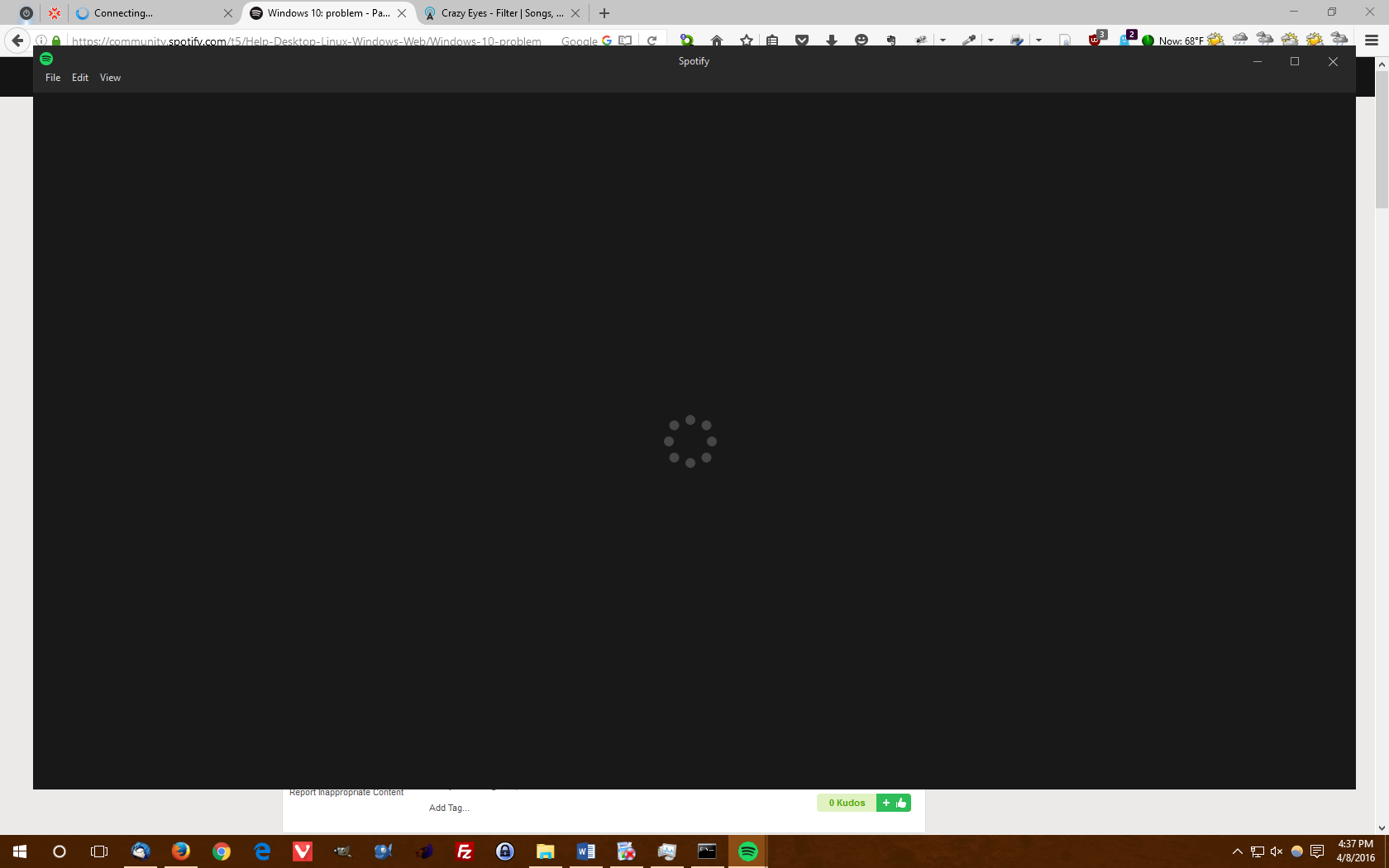 Blank Screen
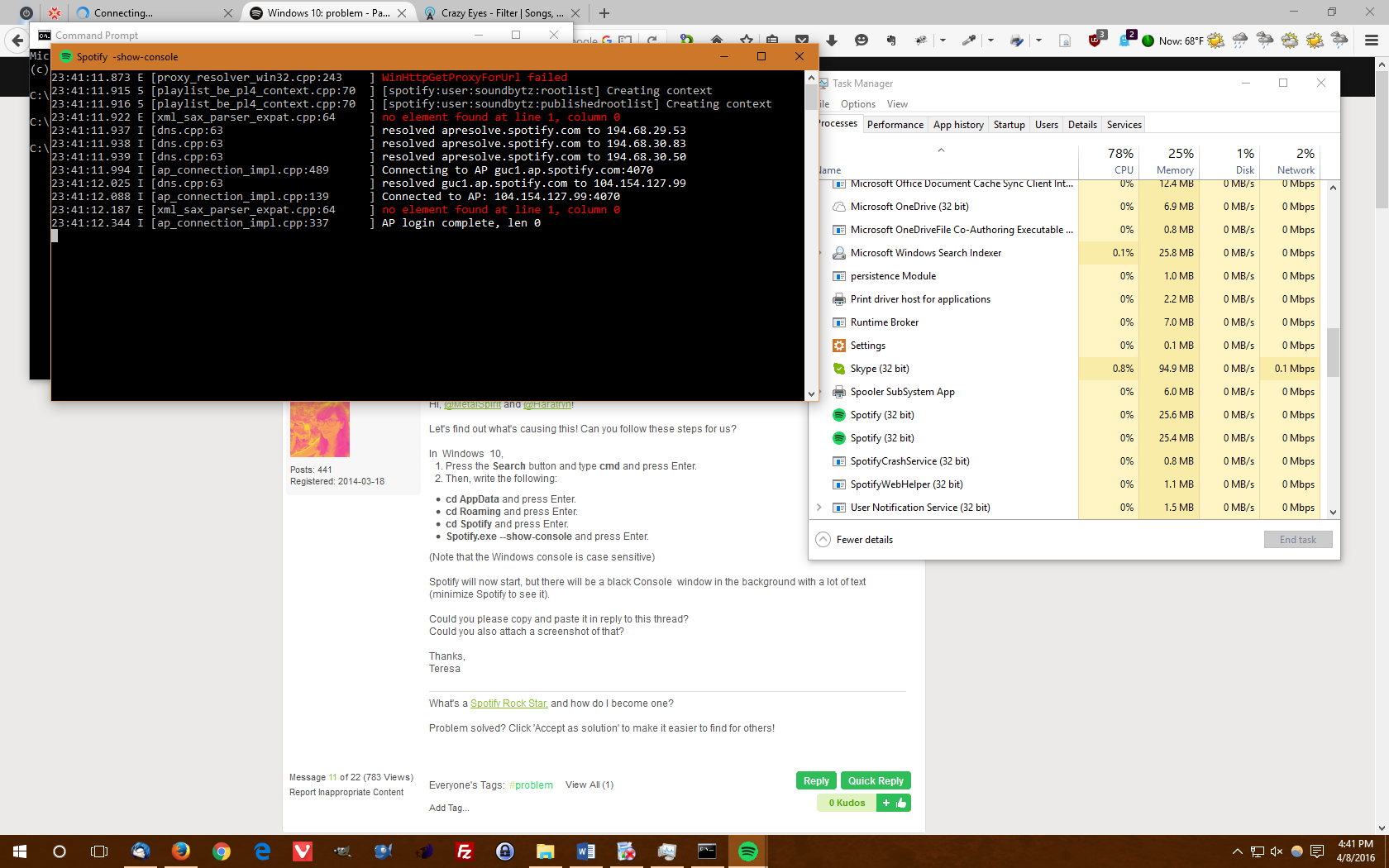 -show-console output

I have exactly the same problem. A recent update to Windows 10. A Spotify crash. Then, nothing : it doesn't load and doesn't answer. I sent a message to Spotify
I'm really contemplating unsubscribing if nothing is done to solve this problem.

I have exactly the same problem and I'm really getting annoyed at it. I've uninstalled it yesterday and it worked. Today, guess what, not working again. If this keeps on happening will stop using spotify

There is an unconfirmed workaround for this problem. Wait until Spotify finally loads and then go in to Preferences and deselect all the Local File sources - especially Window Media Player if you have that listed. Restart Spotify and see if it's faster.

Thank you alot! "deselect all the Local File sources" worked. At least for now! 🙂
it worked for me as wel, thank you
De-selecting all local sources plus unchecking hardware acceleration work for me as well. I had to uninstall and reinstall to even get to preferences though. Still, this is a bug, Spotify, that needs to be addressed. Though there is a "solution" it is just a workaround on a fault in the program ... on the most widely used OS too. I hope it gets fixed.

I had th same problem. Upgraded to Windows 10 from Windows 8.1. Spotify Web Player worked fine and all of a sudden it stopped playing. The page would not even load, just a white screen with 2 boxes at th bottom like where I would put my login information. I did a "Ctrl+Alt+Del" to pull up th Task Manager and "end task" to anything that said Spotify and violah! Seems to be working now. No one mentioned the Task Manager, so give that a try. I hope it helps someone. So I posted. Good luck guys!


you're a genius!!! The task manager thing worked for me!!! Thanks sooooo much!!!
There is an unconfirmed workaround for this problem. Wait until Spotify finally loads and then go in to Preferences and deselect all the Local File sources - especially Window Media Player if you have that listed. Restart Spotify and see if it's faster.