[PSA] Samsung users please read!

Summary:
If you are using a Samsung device which has been updated (or running) Android 6.x Marshmallow it appears that they have introduced an agressive power saving option which is closing Spotify or stopping it accessing data when the application is sent to the background or the screen display turned off. The following are common symptoms caused by this:
Symptoms:
- Next song in an album/playlist is not played
- Lock Screen control vanishing
- Spotify notification disappears
- Tracks marked for offline listening fail to download
- Notifications for new followers, albums etc have not been coming up
Resolution:
If you are using a Samsung device and experiencing any of these symptoms please disable the Power Saver settings as follows:
Settings > Battery > Power Saving Mode> In the Power Saving Mode settings disable the "Restrict background data" setting
Kudos to @Cerda45 for the tip here
If it's still not working after doing the above then disable Power Saving Mode entirely:
Settings > Battery > Power Saving Mode
Settings > Battery > Detail > Spotify >Turned off
Further Info:
I believe Samsung are aware of the issues this is causing - not only to Spotify - and we can hope they improve the power saving feature in the next software update which is hinted at being sometime around June.
Still having the issue? This could be the Android 'Doze' feature taking effect. Read the section "Tracks stop playing when screen turned off or the Spotify application is in the background" in the [COMPLETE GUIDE] How to fix most Android issues
Accepted answers

Done all this, and it is still shutting off after two songs.. The strange thing is though it only does it while i am in radio, but if I am listening to my play list it's fine. Also the volume still goes up and down on it's own..


thanks this solved my issue.. but found this under info button for application battery saving (App strømsparing). and im running on android 6.0.1
All comments

Is this for phone only or does it fix problems relating to casting from tablet to Chromecast? The logo is the only thing on screen, no cover art of some sort. I am using the Samsung Galaxy tab A, with Android 5.0.2. I have no power save mode on either. I tweeted the spotifyCares on Twitter and just wondering if this is a response, as there are quite many with the same issue as far as I've understood it.
The chromecast issue is a separate one to that which this topic is related and affects users with other manufacturers of devices also.
That issue is known and a fix is being worked on.
I figured as much, just wanted to check to be sure. Cheers!


I'm having this problem on my Samsung Galaxy S6 Edge, but I have the battery saving mode turned completely off. Any other suggestions or FIXES?

Yeah, switching the battery mode for Spotify to off still doesn't give me back the full album art cover in the lock screen...
Ik looks like this on my S5...
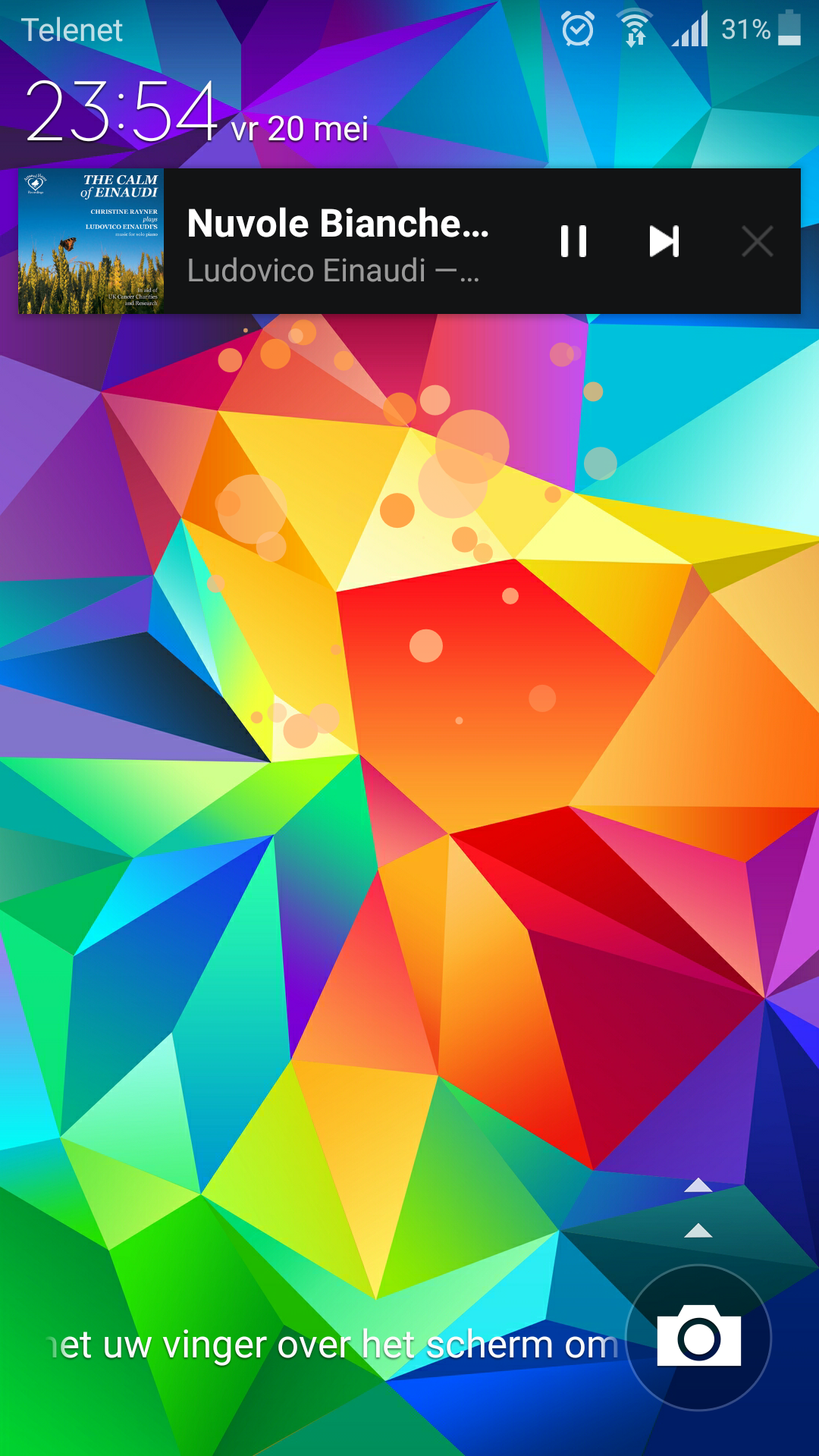
I can expand it, but that's still nothing compared to before with the slightly zoomed album art work
I hope Samsung fixes this for all users...


Hi
I joined this community because recently my spotify has been cutting out on my phone but unfortunately this hasn't fixed the problem. Any other suggestions?


Nothing suggested is working for me as well.
I've tried:
- Turned off Power Saving Mode completely
- Uninstalling then reinstalling the App
- Rebooting the device while clearing the system cache
- Nothing seems to work.
very frustrated.


I too am having this problem as well on my S6 Active, and like you i have my power saving mode turned off.. I have also noticed that my volume keeps going up and down on it's own in the middle of songs with out touching the volume button on my phone, this even happens with it plugged into my car AUX port. and this all started since the last spotify update. and I'm a premium user to boot

Im not having that issue but my spotify no longer recognizes my yamaha receiver. is this issue related?


I was having this issue on my first s7 edge, then replaced the phone insurance purposes and still having the same problems.

How do you know if tracks have downloaded? The arrow next to my playlist songs are white. I thought I read they should be green. How do you get them to download on Samsung Edge? Please help!
I have a Galaxy S7, can't get this to work. How did you get your songs to download? Please share with me how you set everything up. I travel extensively and need my playlist to play.
Make sure you're not in offline mode it will be under settings. And make sure you have make available off line checked, and the next time you are on line it will DL your play list in the back ground. Also you will need to be a premium member to dl your playlist.
See I never have had to use the offline mode while in Airplane mode. Offline mode just means that when you are away from your wifi it won't eat up your data plan. Once your list are downloaded they are like any other playlist on your phone and will still play with out a Internet connection. I also have Spotify set that it can only draw back ground info while on wifi. And I turn my mobile data off all the time and it runs like a champ ..
different than "Available Offline" in Spotify. So I'll keep looking.

Good afternoon.
Use Galaxy S6, the volume of songs in Spotify is not stable.
Lowers and raises automatically on.
Help me and give me solution.
Thank you.
Having the same issue on my S6 Active. I'm glad i'm not the only one. I have tried turning my phone on and off, uninstalling- reinstalling,but nothing is fixing it. I even thought it may be Samsung trying to big brother me from having my volume too loud. but it it does it with out turning the volume into the red.. So it has to be

If you have the problem of offline music deleting itself from your SD card when the phone is turned off for an extended period of time or the battery is changed than I believe I have the solution (after a lot of a messing around and redownloading my entire library multiple times). On top of disabling the power saving option as mentioned in the root
Settings -> Battery -> click the drop down menu in the upper right -> Optimize Battery Usage
from here click the Apps not optimized dropdown menu and select All Apps
Scroll down to the Spotify and change the selection from On to Off
This has solved the issue for me on my Samsung Galaxy S5. Hopefully it will do the same for everyone else on their Samsung phones/tablets!


Same for me. This was an issue last week when I used battery saving, but since then I have disabled all power saving and everything as described here, and the problem is still there...
In addition to the powersaving tweaks suggested, I recommend also excluding spotify from android's optimisation as follows:
1. Open the Settings app on your phone (Pull down the notifications shade, and tap the gear in the upper right corner, or find “Settings” in the App Drawer.)
2. Tap Device Maintenance then Battery.
3. Tap Unmonitored Apps
4. Tap the dropdown menu at the top of the screen and select “Add apps.”
5. Scroll down to Spotify - select it
6. Tap Done
Thanks for posting this @Daniel