Support Windows 10 Change-Volume-UI

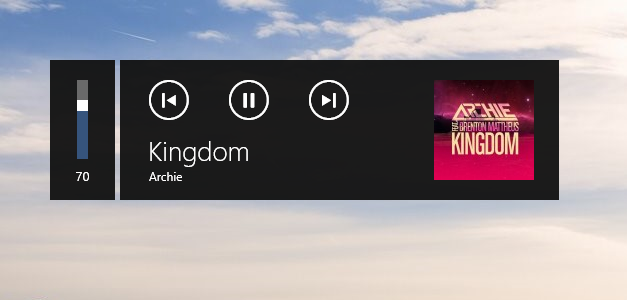
When using the volume knob/button on keyboard in Windows 10 and a song is playing in Windows Media Player, it looks like in the image above. Not only does the systems volume level indicator show up, but also the current song with metadata, cover art and simple controls.
It would be really great if music playing in Spotify showed up here too.
Comments

Would also like for it to be optional. As it is I've downloaded HideVolumeOSD to completely hide the sound OSD since this started happening for me today. I first went to Spotify settings to see if there was a deactivation option but there wasn't, so 3rd party app it is!

I also had trouble with this at work today. Looked for option to turn it off. Thanks to this thread I learned how to change the Windows.Media.MediaContro.dll, but please address this issue! Very annoying.

+ annoying 😞

It's perfectly fine to have this as an option, but please make it easy to disable such a feature!! I find this update extremely annoying as the widget frequently covers somehting I'm reading, trying to type or want to click on, not to mention it is destracting!
Thank you Spotify Team.
My Spotify just got updated, and there is a option under settings, which you can disable this notification.
Thanks a lot.

Thank you for making it optional!!! 😃


Thank !!! =D

Ahhh! Thank god I can finally get rid of this curse!! I was a couple of volume scrolls away from switching to Napster because of this intrusive feature. If windows 10 is already horrible; I would expect the apps not to contribute to their disastrous UI. Being in the middle of a game and scrolling the volume down/up a bit and having the whole darn (Album info and art) thing showing up in the screen just because you left the app running in the background is a no no!

How do I deactivate this?? It's a horrid feature, it comes up during playing games and disturbs me/covers the screen! I am unsubscibing my premium if I can't fix this!

Thank you for making the media overlay controls/UI optional!! With this feature enabled I could not use the "Stop" key on my MS wireless media keyboard anymore (and I have been using it to stop songs on Spotify for YEARS). Now I can disable the overlay feature and I'm able to use the Stop key again 🙂 In addition - the way the overlay stays on top of all other windows for a fixed amount of time is a dumb idea by MS anyway....

Is there any way to disable this? I loathe this function and have found it incredibly frustrating ever since it was introduced - it was the solution to a problem that I never had.

In order to disable this feature, open Spotify, select the Edit menu and open the Preferences.... Scroll down to the Display Options and uncheck the Show desktop overlay when using media keys.

Agreed, Also a larger volume slider for subtle changes

On my Windows 10 laptop, I *DO* get the whatever Spotify is playing showing up when I access the volume controls from the keyboard..
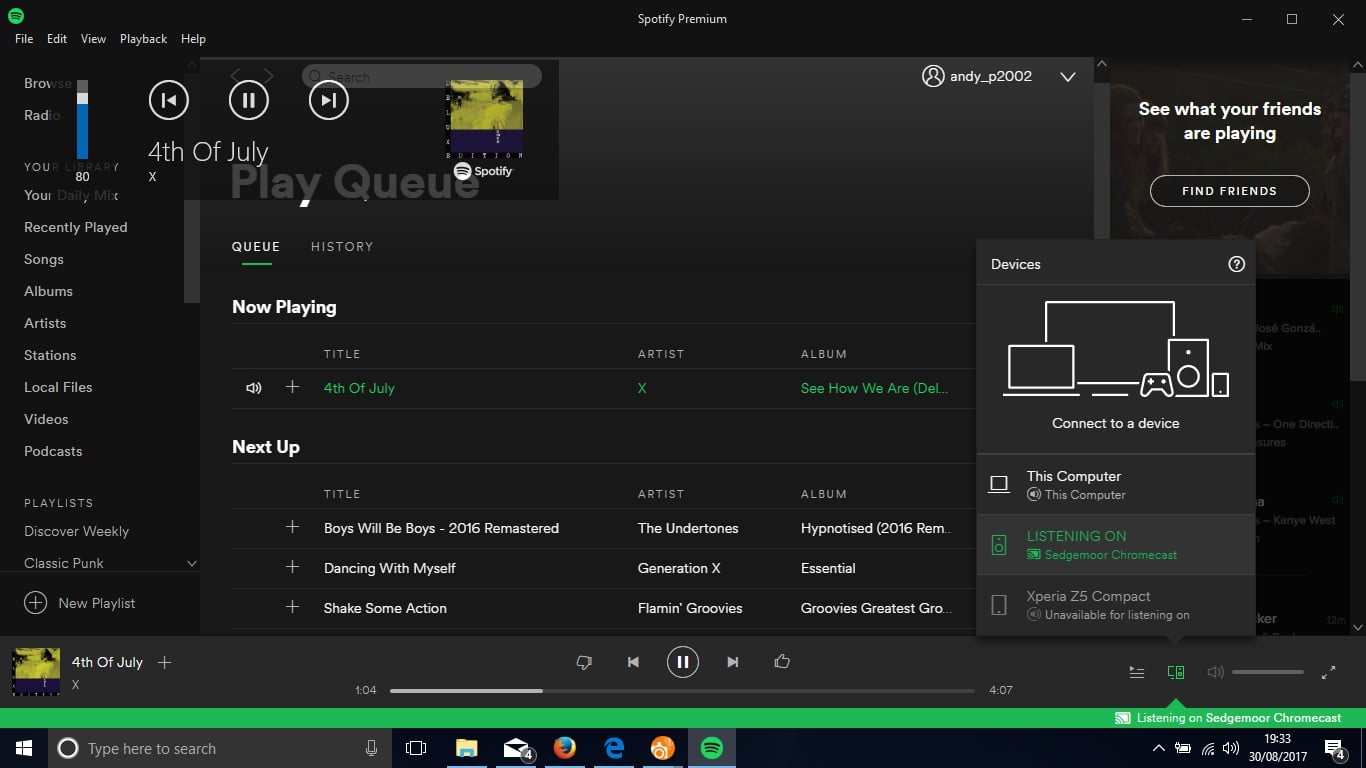
BUT, when casting from Sporify in Windows to my Chromecast Audio, NOTHING affects the volume (neither the hardware volume controls on the keyboard, or any of the sliders in the taskbar Volumes Mixer panel.
The ONLY way I can adjust the volume is to go back to my Android phone, fire up Spotify there and use the hardware buttons (while the Spotify app is maximised on screen).
Please, please please give us back a simple onscreen volume control for Spotify itself on every device, including when casting. This current mess is driving me mad.

This would also hopefully fix the weird volume creep that happens with Windows 10.
This would also hopefully fix the weird volume creep that happens with Windows 10.
I am using version 1.0.82.447.g975ad224 and even after i switch this off, the next time i open spotify it is enabled again, even in the settings it is switched off.
Please fix
It's still doing it, changing it in options does not help, after restarting spotify it's enabled again 😞
1.0.94.262.g3d5c231c

2021 and volume controls still don't work.
I really want to turn it off. It's annoying. Make it optional. Thank you