Banner "Go to Browse" blocking my favorite songs

PC, Windows 10 Pro Build 1803 (Latest).
I will add screenshot with banner. I can't close it, and it don't close after going to <<Browse>> and back.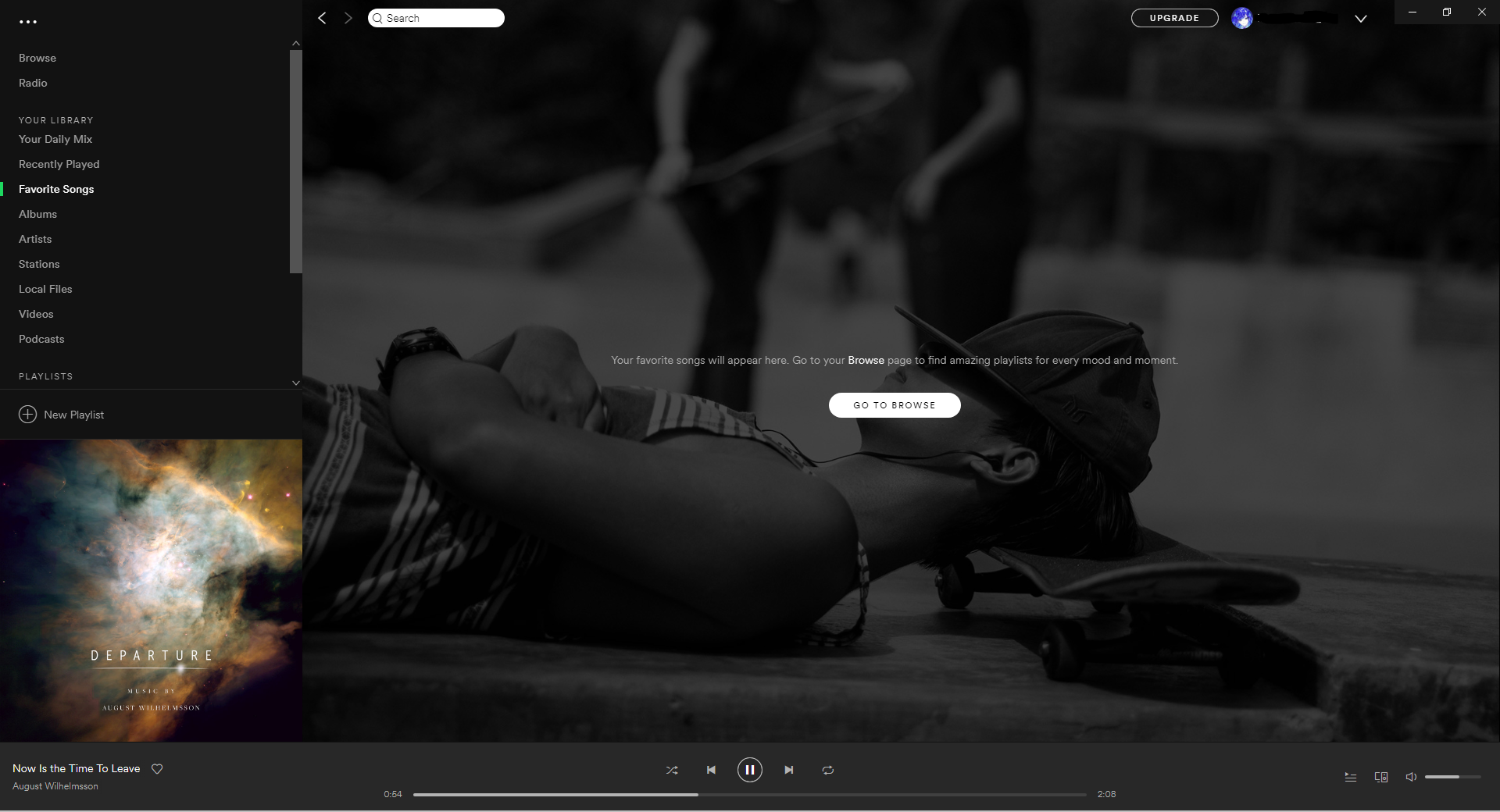
This problem only apears in desktop app, but not in Andriod/Web.
UPD: Yes, I already have a favorite songs. I can see it in android app and web player.
Accepted answers
All comments



Hey, thanks for reaching out.
I know it sounds simple, but it's often overlooked. Could you try restarting your device? If that doesn't help, try a quick clean reinstallation of the app. Just follow the steps here.
If you're still having trouble, could you let me know the exact version of Spotify and the exact version of the operating system you're running?
I'll see what I can suggest!
PowerShell about Windows version:
PS C:\> [System.Environment]::OSVersion.Version

Major  Minor  Build  Revision
-----  -----  -----  --------
10     0      17134  0
Thank you! Reinstalling is a way. Actually right now I cant install version from Win Store, so I downloaded installer directly from site. Spotify version 1.0.85.259.g4ab01679 works fine.
Hey, thanks for reaching out.
I know it sounds simple, but it's often overlooked. Could you try restarting your device? If that doesn't help, try a quick clean reinstallation of the app. Just follow the steps here.
If you're still having trouble, could you let me know the exact version of Spotify and the exact version of the operating system you're running?
I'll see what I can suggest!