Current song and queued songs not showing in queue list

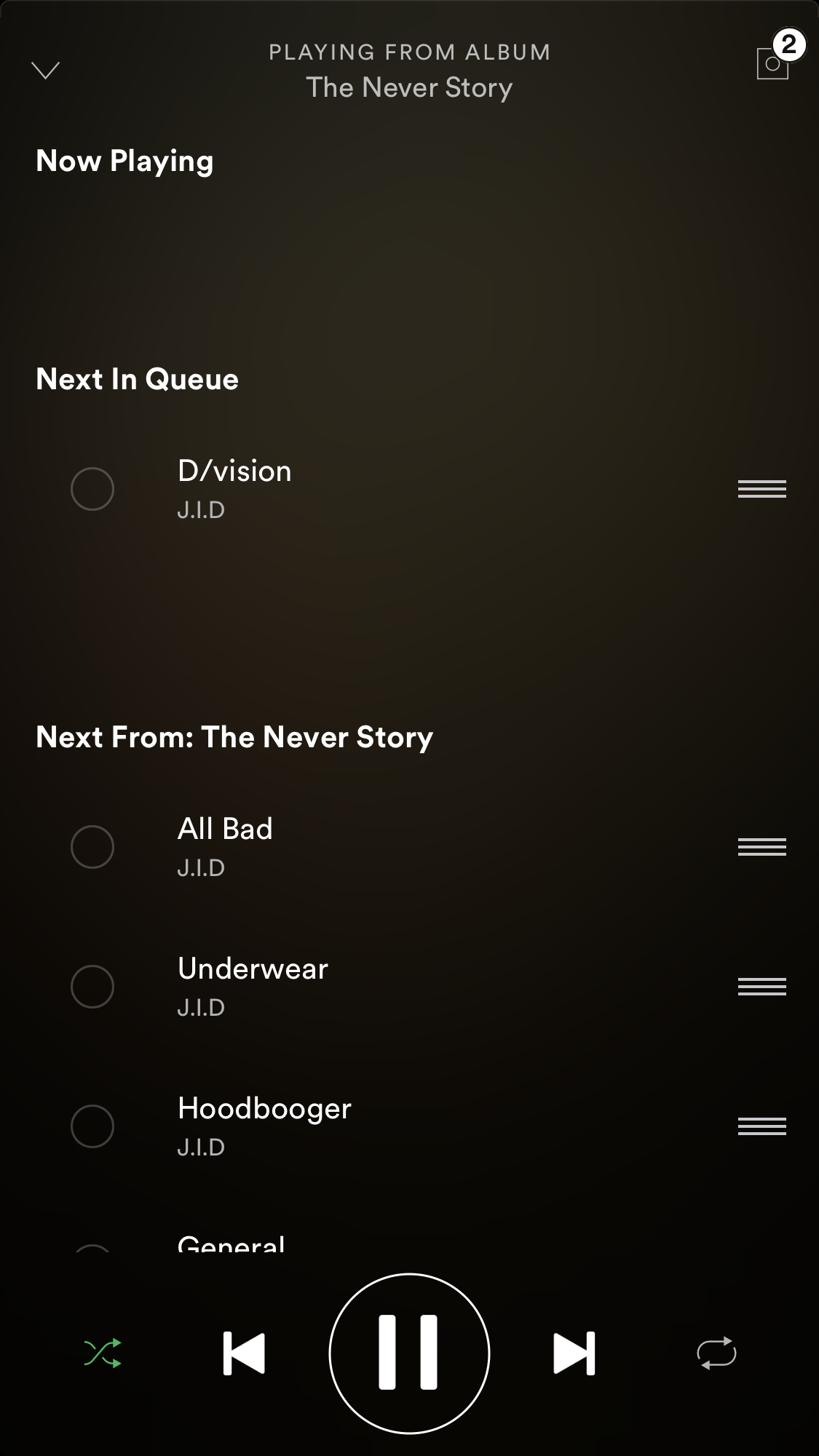
I have 2 songs in the queue list and one currently playing. The queue works as it should (the queued songs will play in the order queued), but they do not show on this list. The current song does not show in this list either. Has this bug been reported yet and is there any solution?
I have the most recent version of the app as well and most recent version of iOS.
Accepted answers
All comments

Same exact problem on my IPhone X, ios 11.2.2, spotify version 8.4.35
The issue actually seems to be resolved. But here’s my info anyway.
Spotify: 8.4.37.704
iOS: 11.2.2
iphone 7 plus
the issue was occurring with both shuffle on and off, and it would still occur if I switched back and forth between the Play Queue View. It would also occur with WiFi and LTE. But the issue does look to be fixed so hopefully it doesn’t happen again, I’ll reply again if the issue comes up.

I'm seeing the same on my iPhone 7 Plus still.
Spotify 8.4.37.704
iOS 11.2.5
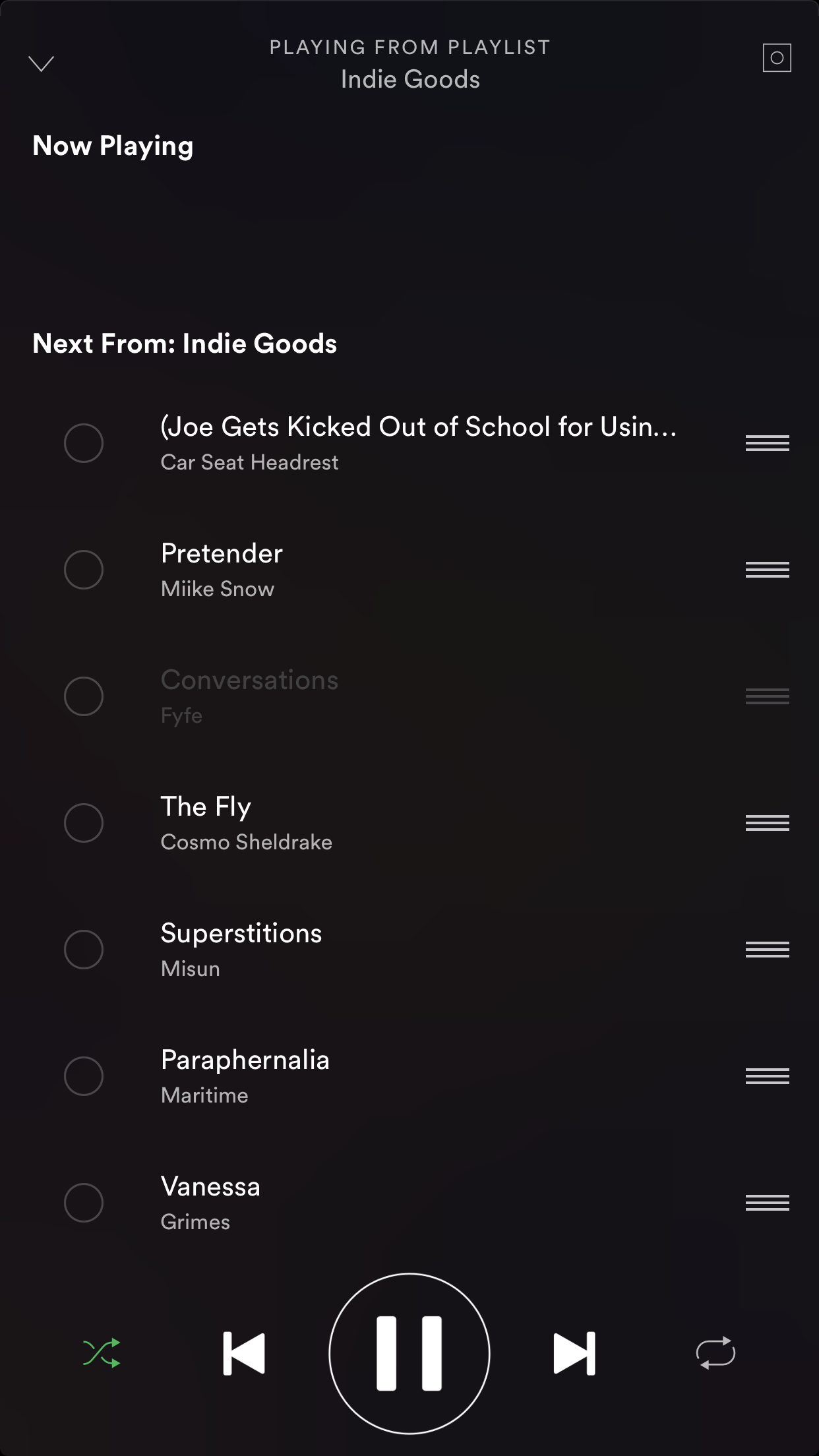 Now Playing error.
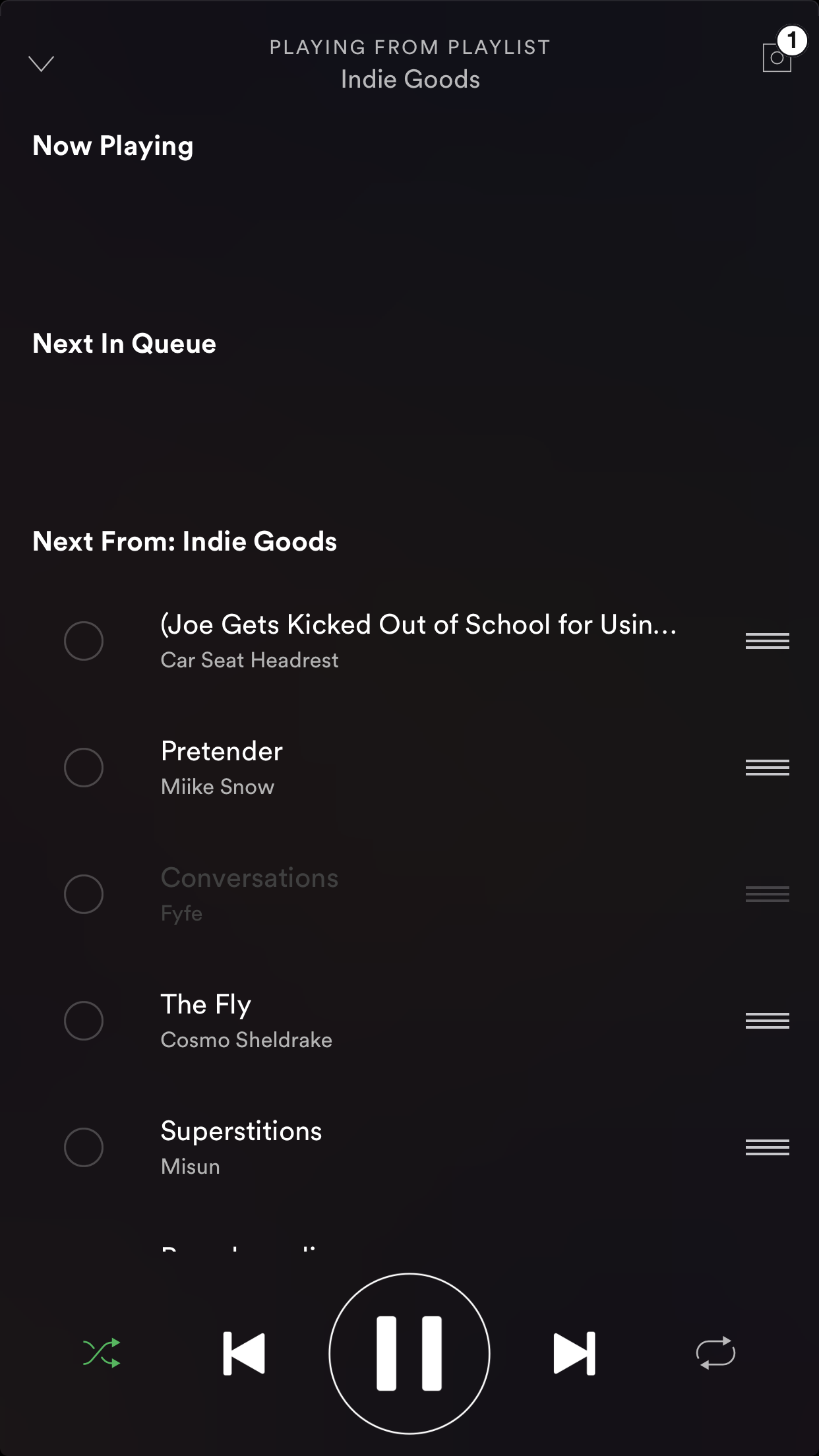 Next in Queue error.

How did you fix it? Still having the issue...
iPhone X
iOS 11.2.6
Spotify 8.4.45.564

Same problem here, anyone could solve it?
I‘m still having the same issue! Spotify, how is it possible that this hasn‘t been adressed yet?! Two complete reinstalls did not change anything. It‘s so annoying and shouldn‘t be a bug for months in a paid service like yours!

This still is not fixed on iOS. I am running Spotify version 8.4.53.689

tried deleting and reinstall still the same problem

i've too been having this same issue for ALMOST a year. shouldn't be happening when i've been paying every month

anyone could solve it or got any response from the spotify team? mine has been like that for almost a year. exact same thing. (i have an iphone 6 + ios 11.4.1 and i’ve reinstalled the app)
no response yet. i’m thinking of switching if this will keep up. i’m wasting money and getting bad service

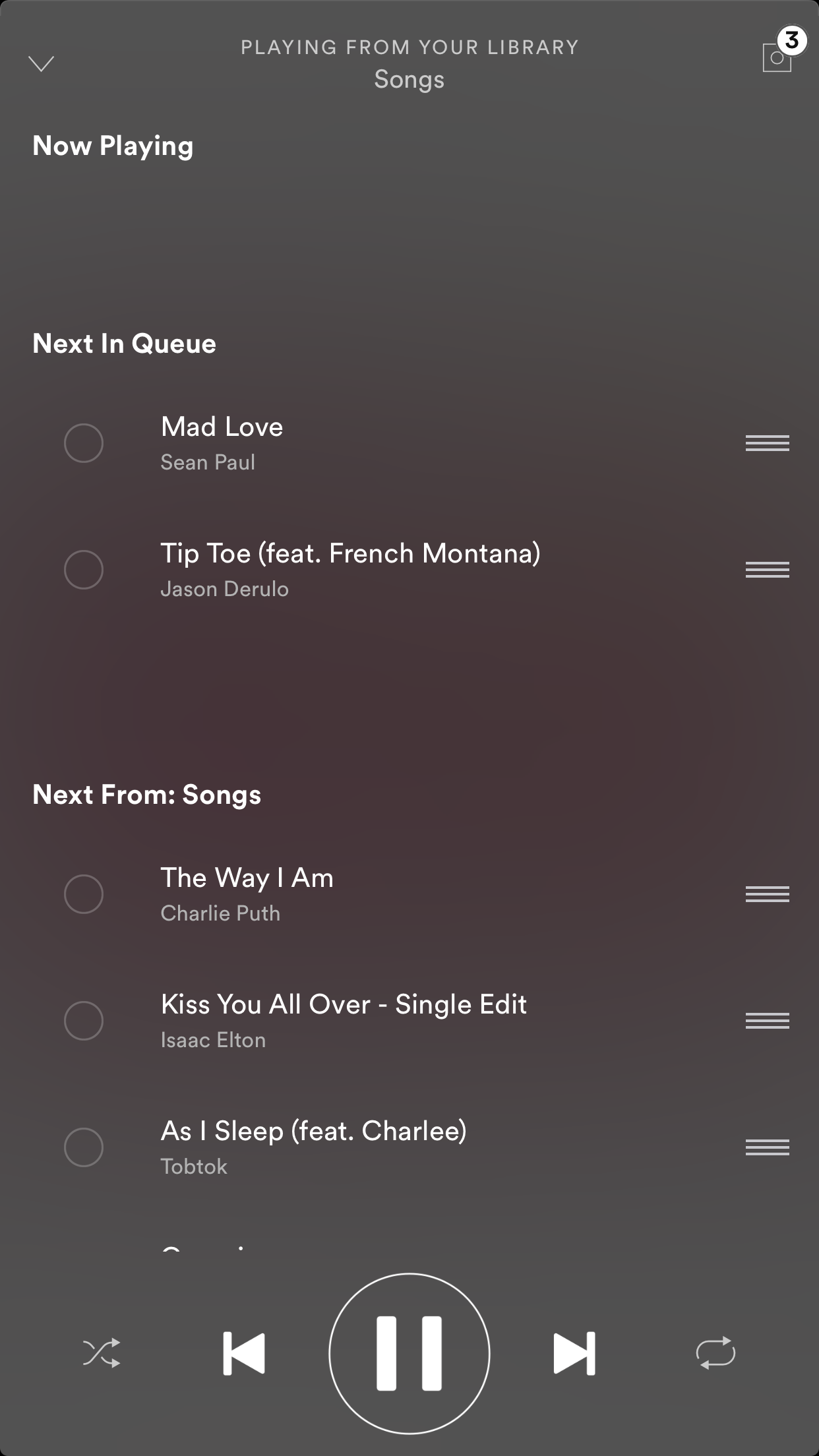
Same issue here. IT'S BEEN GOING ON FOR MONTHS.
@spotifycares on Twitter helped me fix this. It is all about the larger text setting on your iPhone. Make the text size smaller and the "Now Playing" and "Next in Queue" songs will show up. I found the largest test size that works (see the image).
@spotifycares on Twitter helped me fix this. It is all about the larger text setting on your iPhone. Make the text size smaller and the "Now Playing" and "Next in Queue" songs will show up. I found the largest test size that works (see the image).
hi! thank you for helping! unfortunately i don’t think that’s the problem with me, since my font is even smaller than that. i really can’t imagine what it is but i’ll try what you did and contact them directly. thank you again!
Hi! Thank you so much. Setting the font size larger really does help. 👍🏻 Unfortunately, I like using my iPhone with a smaller font size. I think the Spotify app has an issue handling Dynamic Type on iPhones.

Using most recent iOS on iPhone X, I also had to make my font size larger in order to see the entire queue and currently playing song. @spotify please please please fix this!! I shouldn't have to change my phone settings to use your app.

Thanks! Changing the text size worked for me.
But in my case was the opposite way, I had to make the text size smaller on my iPhone.
Still this is an issue that needs to be fixed, the list of songs should be displayed properly no matter the text size set on the phone.
Below you see my iPhone/Spotify details in case is needed for a future fix:
iPhone 7
iOS 11.4.1
Spotify 8.4.70.686
Regards!

Hi,
I can confirm this is a problem with dynamic text size. The bug occurs if I set dynamic text size to anything other than the central value (larger or smaller) - I don’t even have to close and reopen the app to see it breaking/fixing itself. Please fix this ASAP or provide a way to disable dynamic type or I may cancel my subscription, because this makes it impossible to use the queue feature (the queue is also logically broken when this bug is happening, with songs not actually being added to it etc.).
iPhone 8
iOS 12.0.0
Spotify 8.4.75.664


I have the same problem. It's been almost a year and they can't fix this yet. If I want to go to the song that is coming up blank it won't let me. Like it's not even there.
edit: I just want to confirm that changing the text size back to the default central size does indeed fix this. I had my font one size smaller but I guess anything other than the default makes the queue bug-out. Oh well.
I should add that the queue reordering bug, which was separate, has been fixed since my post, which makes this much more tolerable (more a minor irritation than an app-breaking bug). It’s still a frustrating graphical glitch though.
Hey @buntonn1, help's here 👋
We know you've said that you're on the latest versions already, but could you confirm:
We'd also like to know if this happens:
Thanks, keep us in the loop!