So this is happening to me.

Ok so this is apparently occurring and yet, all my saved music is still there:
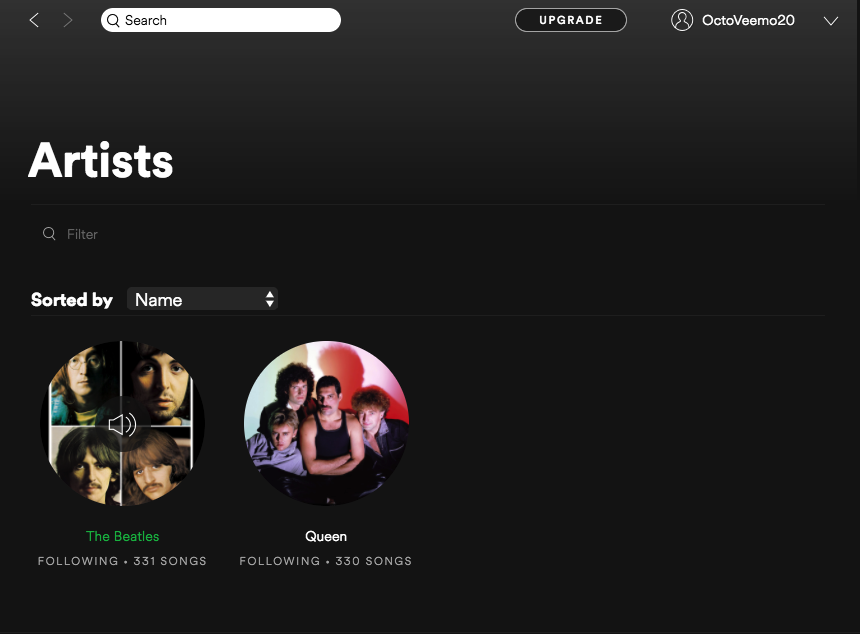
Everything was just fine before, I'm not sure what exactly happened-
Accepted answers
All comments

Hello,
With the recent update, Spotify changed the artist tab to only show artists you are following, and recommended artists underneath that. So, the artists tab no longer shows all the artists present in your library, only ones that you have specifically followed.
Ugh...
Well, guess I gotta forcibly follow all the artists in my songs tab, then, I suppose? -.-;
This tool should help: https://www.nativenoise.co.za/spotify/follow-all-artists/
Does this work for the desktop version or? o:
Yes! It's only for desktop. I just used it myself and it worked perfectly. You might have to restart the app after using this to have your artists show up. It should then sync to your phone (I had to restart my phone app, too).

Can we please sort by name again? This is super frustrating and time consuming to find what artist I'd like to listen to.
Hi Kendrick,
You can sort by name by going to the "Sorted by" dropdown field on desktop, or by pulling down on the screen and tapping the Filters button on mobile.
This tool should help: https://www.nativenoise.co.za/spotify/follow-all-artists/