[Your Library] Remove individual track from saved album

I don’t know when this change was made, but today I noticed that when I am looking through my saved music library by album, there are songs I specifically did not save for a reason, whether that be because it is a re-released song from a previous album I already have saved, or a song I just don’t like that I don’t want to play when I’m listening through an album. This change gives us way less control over our own saved music library. Please change it back.
Comments

Now that's just wrong. Ugh.

@user-removedthis is indeed still true. But why liking the songs of an album? It depends of course how you want to use the library. But for me I only want to save albums and playlists, not songs. When spotify migrated to the new library, they added all your saved songs to liked songs and all the albums you saved to liked albums. I just removed all the liked songs which gived me the opportunity to save 10.000 albums, which is more than I need, 2000/3000 will do I think for me.
Regards,
René

just wanted to make my support clear for this, even though it seems like there is no intention to fix it, but I had to re organize my library in order to listen to albums again, by unfollowing any artist if i didnt want their full album, only liking specific songs, and unsaving every full album, and then getting to these modified albums by going to the artists tab.I feel like this isnt the smoothest UI interface to simply remove songs from saved albums, and has lead to me unfollowing a ton of artists and unsaving every whole album. i would appreciate it if the "remove from album" button was added back, as I wouldnt have had to do any of this if the option wasnt removed in the ui update
Hi @jakebroulette,
Did you know there is an option to unlike all songs of an album on mobile.
Regards,
René
Hello @Rene01 yes I did, unfortunatly unliked songs arnt removed from the album if your viewing the album under the albums tab, as one might assume your intended to listen to albums. fortunatly, unliked songs are removed from the albums under the artist tab when viewing the albums from there. this would be perfectly fine, (although very much a workaround where theer used to be a single button) but on the windows PC app, it will play the entire album no matter what tab you use, so its annoying on PC. thanks for the reply
Hi,
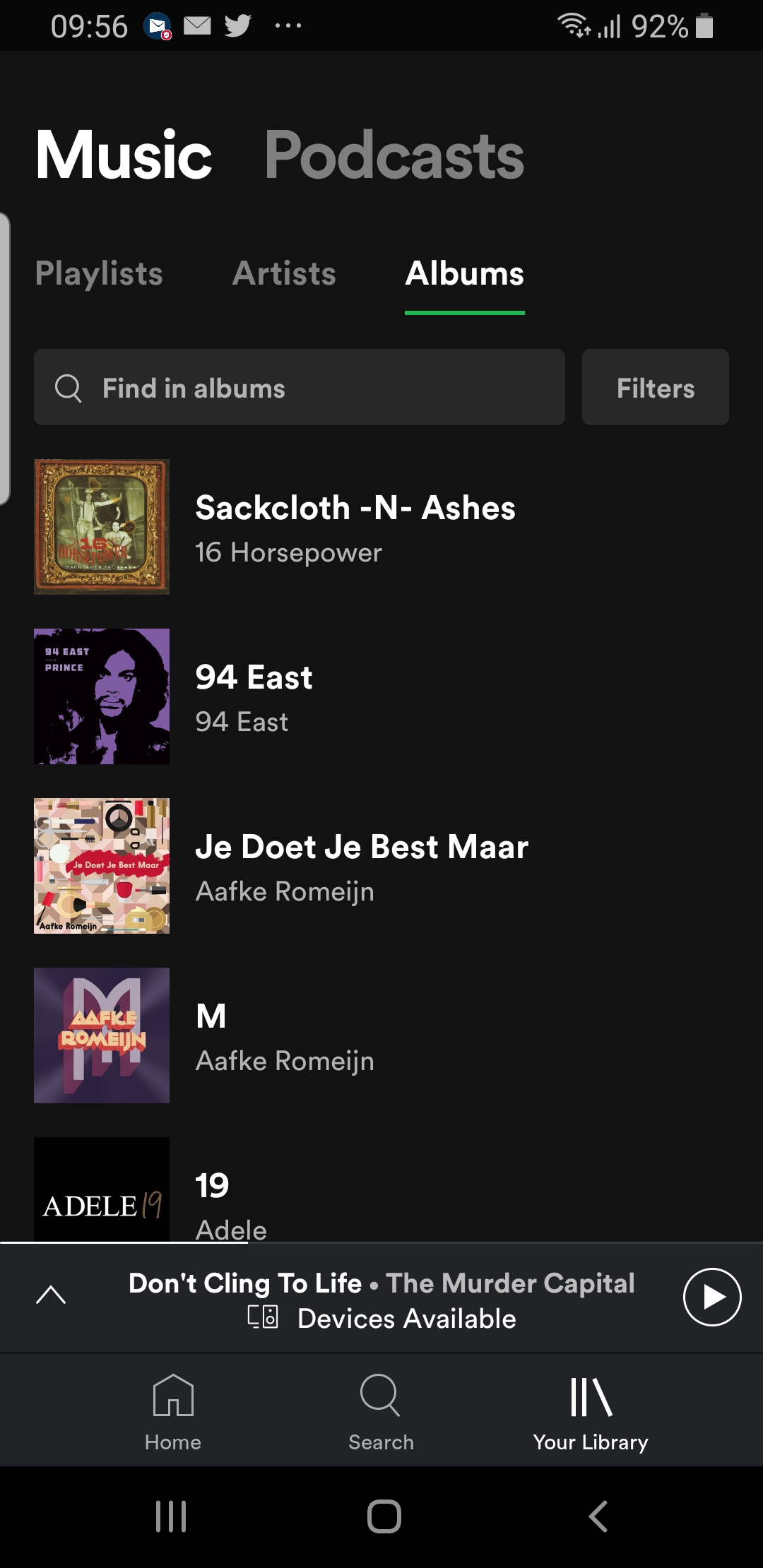
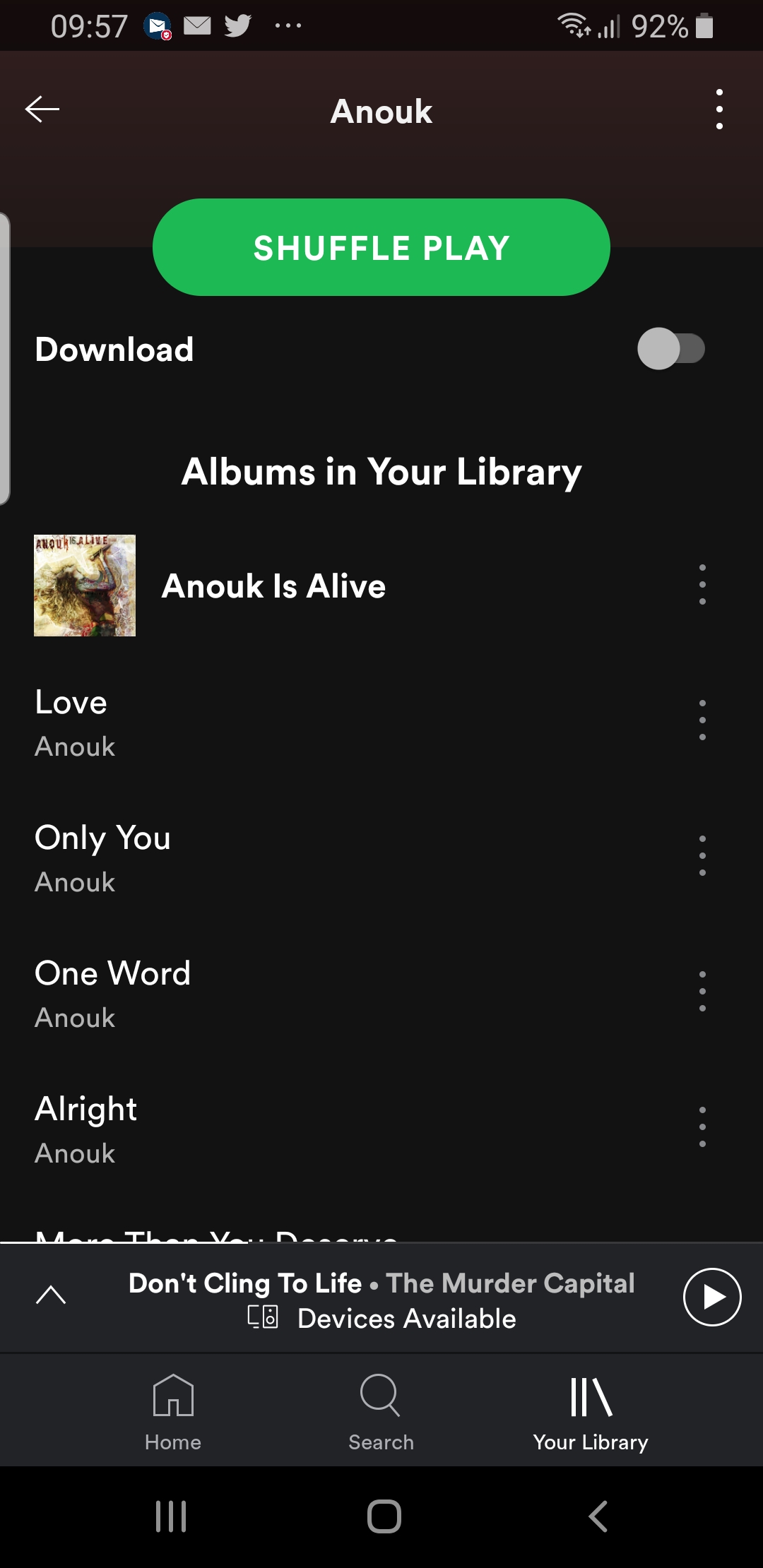
Your are saying that you see individual songs from the album tab and you don't see individual songs when you come from the artist tab? I think it's the other way around.
Regards,
René

What he says is correct. We can create a partial album under the Artists tab but you can't have a partial album under the Album tab. The album won't even show up under the Album tab if we only have a partial album under the Artists tab. So confusing. Liking an entire album so it will show up under the album tab forces all songs to then be listed under the same album in the Artists tab....even if I only 'hearted' some of the songs. So annoying.
I see, thank you for clarifying. I agree this is very confusing.
Thanks,
René

Why is this marked as a new idea? It used to be present and was removed for some reason, like more and more useful features

This was a feature I used regularly. I am very disappointed that it was removed in favor of song 'liking', which is an enormously less useful feature for me.
@rene01 When I first started using Spotify I only saved entire albums and ran out of space. This is why I only 'like' the songs I want off of albums. I don't see how your solution solves the problem if liking an album with ten songs still takes up 11 spots (10 songs + 1 album).
Hi @user-removed,
For me I only want to save the album, not the songs. So i removed the songs from the album (so i removed them from liked songs) and only save the album. Takes only 1 spot. If you only want to save some songs of an album, you should only like those specific songs, you can remove the album then.
Regards,
René
@rene01 The way it was explained to me the album name counts as one and every song on the album counts as one too. So, with the hypothetical 10 song album, if it's saved on the album tab you have used 11 spots. You can't remove individual songs from an album on the album tab. The liked songs playlist is just a glorified permanent playlist. Songs on playlists don't count against the 10,000 total.

Updated on 2019-09-18
Hey folks,
Thanks for coming to the Community, and adding your vote to this idea!
We're setting this idea to 'Not Right Now', as this isn't something we have any immediate plans to implement. We appreciate you sharing your thoughts.
If we do have any new info to share, rest assured we'll check back in here with a new status.
Thanks
Hi @user-removed,
No, that's not true. You can like an album without liking the songs, that's what I do. Give it a try and you'll see it works. So just pick an album you didn't like already and like it. This will only take one slot and the album will show up in the album list.
This is different than it was before. Before you had to like one of more songs to see the album on the album tab. Some people prefer the old way but I'm ok with this also.
Regards,
René

I really don't understand why you did that... I used to go in my albums each I was looking for a specific song. Now it's a mess, when I like/save a song I can't access it directly from the album section. You should bring back this feature and add an "Access to the album" button to see the complete album.

As many have said.. this is not a new idea, it's the way it was before and it worked. It is extemely annoying having all of the songs I previously removed from an artist now mixed back in. I can kind of work around it by listening in offline mode, but even then there seem to be glitches and songs that aren't supposed to be downloaded start playing. Have literally spent hours over the past few months trying to figure out how to actually delete songs from my library but with no results. Keep assuming that it is such an obvious problem that it will be fixed in the next update but that seems to not be the case.
I really don't want to switch because I have been very happy with the service for years but will definietly be trying out other options now.

I as well as many others liked how the old album library worked before the annoying update. If its not possible to have a setting to have it the way it was, can we have our "Liked Songs" library visually act and work like how the old album library worked?

This is incredibly frustrating. Reaching the end of an album and spilling over into "songs that weren't good enough to get on the album" is bad enough, but albums such as Sparks by Imogen Heap, which has commentary tracks interleaved with the songs themselves, have become unlistenable:
Of course I can create playlists with only the tracks I want to hear, but that defeats the whole purpose of the album library. Please reconsider.


This lack of control pisses me off. Cannot save to listening offline only a single song. Cannot exclude ONE song from an offline playlist created by me....
Switching to Deezer.

"We're setting this idea to 'Not Right Now', as this isn't something we have any immediate plans to implement" Maybe it'd be easier if you wouldn't had removed it.

I cancelled my premium subscription and moved to Apple Music because of this.

This is strike #4 (of the major annoyances) for me. If you can't have a non deluxe version of the album we should be able to do this without making a thousand unmanageable "playlists". This especially burns when I had saved a normal album, but it gets swapped out with out my knowing.

Updates are supposed to make things better. This makes spotify worse than the way it used to be. We are not asking for anything new and " improved" only what we used to have. It's been almost a year now and still nothing. I guess we really dont matter !!!

Hey Spotify,
Give you one example where this is critical.
I want to listen to Dr Dre's 2001. But I don't want to just play "Pause 4 P0.R.N0" out loud in my flat.
This is such a decrease in User Experience I hope that you reconsider some times soon. I do feel changing services because of this quite honestly. The whole premise of streaming platforms was to be able to listen to only those songs in an album that we enjoy.

It really isn't about implementing it, since this is would not be a new feature. It has been removed, so it is dishonest to say you are not looking to implement it. Why do I need to hear numerous additional songs in the dreadful "deluxe versions" when all I want to do is save the original album, which is no longer there. I cannot remove the additional songs and adding hundreds of playlists when there is not an overview page as there is for the albums really makes it a struggle to organize your music by album (like you would a cd collection).

So is this just not going to be fixed? There**bleep** in my library that I didn't add and can't remove. Was hoping this nonsense change would've been reverted by now, probably going to check out google play music I guess...
I'm also still waiting on this feature to be reintegrated. Removing it was a big and unecessary mistake. The only reason I didn't switch over to Apple Music yet is because we use a family account and it would be a hassle for everyone to switch over. But I might change my mind. How impudent is it to say you don't plan to implement it right now when you simply shouldn't have removed it in the first place?! I know you can now hide songs in saved albums but this doesn't prevent a huge waste of memory because you still have to download each song you don't want, which is particularly annoying on Deluxe Editions of albums where the normal version isn't available!
@rene01 When I hit the 10,000 song limit a few years ago my research showed each song counts as 1, obviously, and each album counted a 1 as well. So, a ten song album used 11 spots (album + 10 songs). I don't see how removing all songs and just liking albums will help if this is still how it works.