CANT LOGIN USING GOOGLE

When I first made my account I didn't create a password I simply used my Google account and it automatically link now I think they did an update and I cannot get back into my account I want to avoid starting all over what should I do thanks in advance
Accepted answers
All comments

I thought it's ok, and I tried signing up again, but there was no sign up option with Google either. I guess the integration is only possible via the Google Home app (and only for those who use Google Nest smart speakers)

Hey folks,
Thanks for searching for the answer you need here.
Keep in mind that we're always trying our new ways to streamline the use of the app and enhance the Spotify experience for our users. That's why it's possible that you have access to some features that other users might not have available, or if these features are available only for a limited time.
If you've created your account via Google and you can't log in, could you send us a screenshot of the error message that comes up? Just make sure to hide any private/sensitive info.
You should also be a able to set a new password by entering your Gmail address here.
Hope this helps. Let us know how you get on.

Hi Chris,
(I know this post started in 2018 so your answer may not be applicable now)
When I first opened an account online, these are my login options - I choose Google:
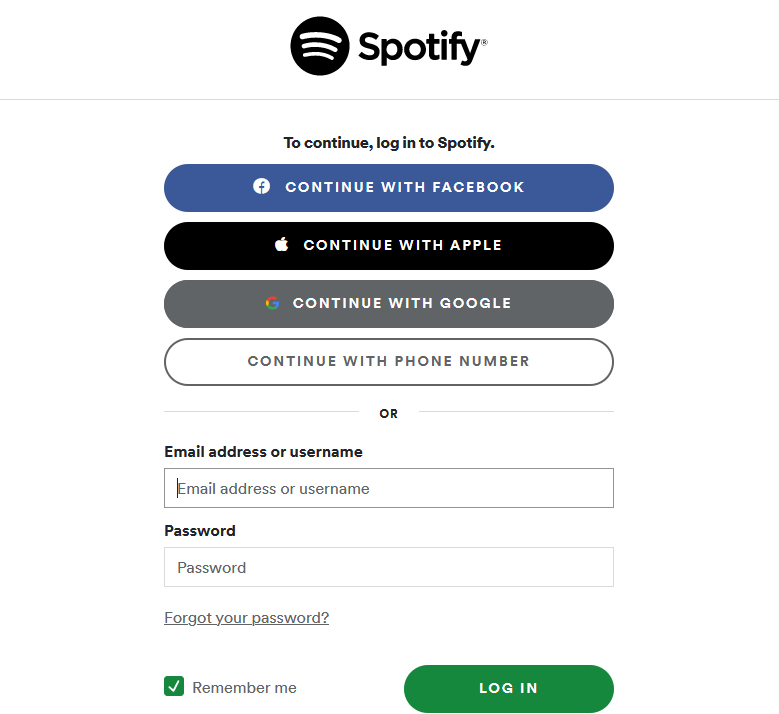
Then I wanted to have the desktop app (Windows version), but after download, these are my only choices:
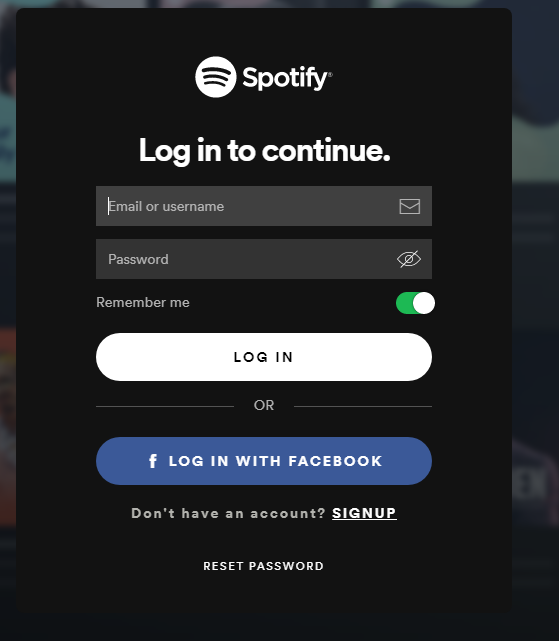
I want the desktop version but I've just spent 3 days creating playlists etc online under my Google login. How can I fix this?
Thank you

Hi there @newbie625,
Thanks for reaching out about this.
Login with Google was released only recently on Android and Desktop, so we'd recommend you run a clean reinstall of your desktop app, following the exact steps listed in the Spotify Answer. This will assure you're running the latest app version which should allow login with Google.
Let us know how it goes.
We'll be on the lookout for your reply 🙂
Hi Alex,
Thanks for your prompt response.
I have uninstalled and reinstalled the desktop app completely, unfortunately with the same result.
Am I using an old download link in error?
Thank you,
Hi again @newbie625,
Could you tell us what happens if you try to sign in with your Gmail address into the Log in form?
If you don't have a password for your account you can enter your Gmail address in this form and you should receive one, with which you should be able to log in.
Keep us posted.

Me three! I also had this issue and very upset cause if I try to log onto that account on a different electronic it will not let me .Also how come there is no password like what??

Hi @kenzie23,
Thanks for reaching out about this in the Community.
Could you try it again using a PC/laptop and a WiFi network? Also, we suggest using an incognito window and a different browser.
If you still have issues, let us know what type of error message you see (in case you include any pictures, make sure that sensitive info such as your email address and password aren't included).
Keep us posted.
Hey,
Thanks for reaching out, and welcome to the Community!
We're sorry to hear you're having trouble. We'd recommend checking out our Problems logging in support article for more info.
Just a heads up - it's never been possible to create an account through Google, but you might have created an account through Facebook.
Let us know how you get on!