Android Player Interface Issue

Plan
Premium
Country
Russia
Device
Mi 11 Lite 5G
Operating System
Android 11
My Question or Issue
Hey Guys! Bought a new device recently and that's what I get here. Just installed Spotify and have bug on regular play\pause button. As well as seek bar.
Already tried to reinstall the app - it did not help.
BTW other global services don't have similar issues.
Accepted answers
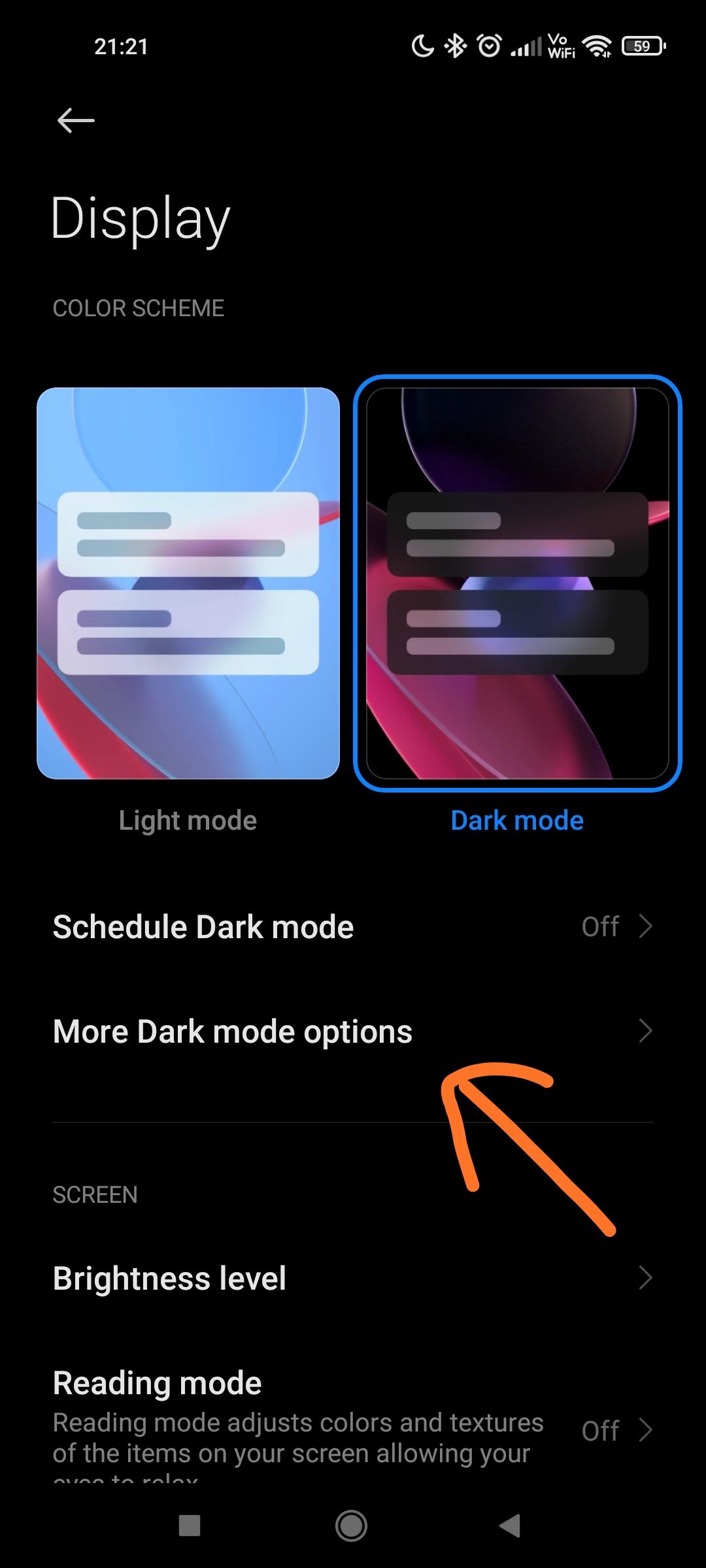
Guys! I really found a way to manage that issue legally even on dark theme! You just need to go to Settings - Display - select Dark mode - tap more Dark mode options - disable Spotify in the list. That's it. Thank you.
Enclosure
All comments

Hi there @nDan,
Thank you for your reply in this thread.
Can you confirm that you followed the steps that's provided in this article? There's some more steps to help thoroughly uninstall the app from your phone so if you haven't, we'd highly suggest it since the steps will make sure there's no old cache files causing this.
Also, can you let us know if you have any old SD card that you've inserted to the new device?
It would also be great if you can let us know if this happens on one specific song/playlist or not?
We'll keep an eye out for your reply.
Take care!
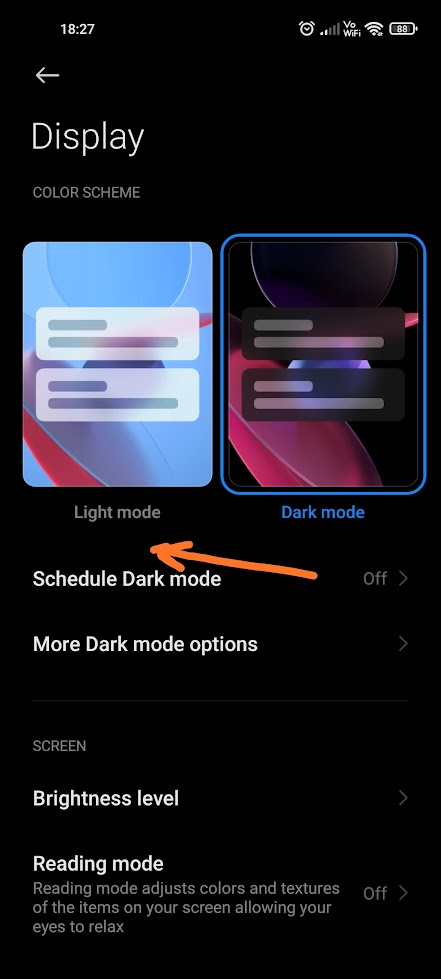
Guys! I have found the reason of this issue right now!
Well, the spotify works correctly only when you have Light Theme on your phone. Otherwise it's a render bug.
However, this isn't a final solution of a global problem. Looking forward to fixing that.
Screen attached.

Hey @nDan,
Thanks for getting back to us.
We're glad to hear that you were able to sort this out.
We really appreciate your feedback regarding this and will pass it on to the right folks, as we always strive to improve our users' experience.
If anything else comes up, the Community will be here.
Cheers!
Guys! I really found a way to manage that issue legally even on dark theme! You just need to go to Settings - Display - select Dark mode - tap more Dark mode options - disable Spotify in the list. That's it. Thank you.
Enclosure

Hi again @nDan,
Thanks for taking the time to share the solution for this behavior 🙂
If you need anything else, the Community is here for you.
Have a lovely weekend!

Hello,
I just bought a Samsung S22 Plus, when connected to the Wi-Fi my spotify connects to 11 Lite 5G which isn't my devise.
I have noticed that there is no function to manage your devises anymore. I've tried changing my password, cleared my cache, uninstalled and re-installed the app and im still getting the same issue. I have a premium account if it helps.
I've also tried changing my display to Light as advised above but it made no difference.
Appreciate the help.
Regards,
Stella

My player interface is falso different can someone help me?
Guys! I have found the reason of this issue right now!
Well, the spotify works correctly only when you have Light Theme on your phone. Otherwise it's a render bug.
However, this isn't a final solution of a global problem. Looking forward to fixing that.
Screen attached.