Now playing bar frozen

Plan
Premium
Country
New Zealand
Device
Galaxy Note 9 and Galaxy fold 3
When playing music in the car, the now playing bar freezes. Spotify then does not dim music for notifications or for Google maps directions. When turning the car off, music keeps playing out my phone speaker.
If I'm listening to music and get a phone call, the music mutes for the call, but does not pause.
This has been happening for 3-4 months on my Galaxy note 9, upgraded to the fold 3 last week and the problem remains.
If I restart my phone, the problem goes away, but not for very long
These issues started around the time I paired my Galaxy watch 3, which I still have. Spotify is also linked to my Samsung account somehow.
This has been reported in another thread, however that thread was marked as resolved.
Accepted answers
All comments
I've followed those steps to uninstall the reinstall Spotify, unfortunately I'm getting the same results as I was before. Fixes it for a few days then the problem comes back.
When I signed back in this time, I dismissed the 'sign in with Samsung account' option and signed in normally.
Here's the original topic that's since marked as resolved, despite others saying theirs isn't. https://community.spotify.com/t5/Ongoing-Issues/Android-Now-playing-bar-not-updating/idi-p/5216033
I have not unpaired my watch, as I use it every day and u pairing involves factory resetting it.
Something that might be of some use, I was playing music from my phone to another Bluetooth device on Saturday (ue boom party speaker), once connecting back to the car (form ranger), Spotify 'broke'. I cannot be certain if this has happened in the past, but it's quite possible.

Hi again @modcar,
Thank you for getting back om touch with us and for your confirmation.
If you have an SD card we suggest that you uninstall the app > turn off your phone > take out your SD card > turn on the phone again (without the SD card) > reinstall the app since the card can be corrupted.
Keep us posted.
Cheers!
I don't have an SD card.
Hi again @modcar,
Thank you for getting back in touch with us.
Can you let us know which version of the app you have?
We'll be on the lookout for your reply.
Cheers!
8.6.66.1238
Hi again @modcar,
Thank you for your reply.
You mention that this happens when you're listening in the car - how is the phone connected? Bluetooth, cable, etc?
It would also be great if you can reinstall the Spotify app on the watch to see if the issue persists.
Keep us posted.
Take care!
Connected by Bluetooth in the car.
Have removed the built-in Spotify app off my watch and reinstalled it. So far, the problem still persists

Hey @modcar,
Thanks for getting back to us.
Could you let us know if the same happens if you connect your phone by cable instead of Bluetooth?
Additionally, we suggest that you check if the OS of your watch has any pending updates.
Keep us posted.
No updates waiting on my old or new phone.
I won't be near my car for another week, will update once I am.
As of now, playing Spotify from the speaker of my phone, the 'what's playing' on Spotify isn't what's playing out of the speaker.
Spotify now playing has shown the same song for the last 2 weeks now (and this is what's shown in the car too). Play/Pause buttons do not work unless I pop up the 'whats playing' (where you often see that short video) and press play (even though its already playing) then pause

Hey @modcar,
Thanks for the reply.
Could you try using another account, to check if the same issue is present there.
You can create a free account for test purposes and use that one for a couple of days.
Let us know how it goes.

Same problem here. Fold 3.
Hi there @NoMagicMike,
Thank you for your reply in this thread.
Can you perform a clean reinstall of the app? This is different from a quick reinstall and could be helpful to get rid of any cached files that might be causing trouble.
If that doesn't do the trick, can you let us know which version of the app you have?
Keep us posted 🙂
Take care!
Howdy
The clean reinstall worked for a few hours. Problem came back after.
Something to note, as soon as this problem starts, Spotify seems to ignore all other media (or Android is ignoring Spotify).
For example, when Spotify is playing music, if I start a YouTube video, tik tok, YT music, any other media, Spotify will continue to play in the background instead of pausing.
Hi there @NoMagicMike,
Thank you for your reply and confirmation.
If you have an SD card we suggest that you uninstall the app > turn off your phone > take out your SD card > turn on the phone again (without the SD card) > reinstall the app since the card can be corrupted.
If that's not the case we suggest that you contact our customer support and ask them to remove any possible corrupt device since we can't do that from our end.
Let us know how everything goes.
Take care!
This problem has conveniently disappeared with the latest build that added lyrics. Thanks

UPDATE
Nope it didn't fix it. It fixes the most of the issues, but after an extendet period of inactivity, spotify loses nowplaying view completely and leaves it blank. When it happens (play, skip rewind) buttons don't work either.
Only way to recover from it is to force quit and restart.
-------
Okay I think I found the solution for people using Samsung devices.
Press and hold the app and go too the app information by pressing (i) icon
Turn off remove permissions if app is unused.
You are welcome
Okay I think I found the solution for people using Samsung devices.
Press and hold the app and go too the app information by pressing (i) icon
Turn off remove permissions if app is unused.
You are welcome

Does not work for me sadly.
Now playing bar has been buggy for months. Often disappears most of the day. Fresh install brings it back for a little while but not the length of a podcast. Leaves you unable to control the playback or sleep timer because the playing bar disappears completely. Closing the app doesn't bring it back nor does changing track via Search.
Reinstall might bring it back for 20 mins sometimes more sometimes less.
Buggy as **bleep**.. pretty much every day I have to go through this rigmarole. You'd think a company with so much money would invest in getting the app working on Samsung.
S21 Ultra, has 512GB native storage and no SD card slot so that's not the issue.
I've tried the permissions trick and that doesn't help.
From the looks of things (similar threads with thousands of votes) Spotify is extremely buggy on Samsung phones.
It's surely not a coincidence that so many people have the play panel / control bar disappear from the app. This has been going on at least since last year.
Probably countless thousands of Samsung / Android users don't bother with the forum and just downloaded YouTube music like I did. It works on Samsung devices. Sammy make millions of phones, after a year of this bug you'd think Spotify management would hire in a couple of top android programmers and fix the issue or Spotify will continue to bleed thousands of users.
I'm sure there are Samsung phones that the app works on.. my S21 Ultra works sometimes, had troubles with Spotify on Samsung before too so maybe the management want to look at Samsung phone sales figures and crack the whip on this issue before they bleed more users.
Hire in other coders that can troubleshoot the Android code. Otherwise Spotify have an app that's not fully compatible with Samsung which is crazy.

Hey @Kelp,
Thank you for reaching out to the Community.
We understand you’ve already tried some troubleshooting steps including reinstalling. However, we’d like to suggest a clean reinstall as this is more thorough than a regular one and can be helpful to get rid of any cache that might be causing trouble.
In case the issue persists, it would be great if you can have someone log in with their account on your device - such as a friend or a family member to see if the issue persists. This will help us understand if it's account related or not.
If it happens again, would you mind checking if this happens on a different Android device using your account?
We'll be on the lookout.
The clean installation instructions does not work on Samsung or the current version of Android.
The clear storage button is now clear data
com.spotify.music can no longer be found on Android/data directory I'm Samsung S7. Updating the instruction is needed.

Hey @Tom0527,
Thanks for the reply and the troubleshooting already tried.
Could you make sure, that Spotify has all the permissions to run in the background? Here is how to do that on a Samsung phone.
Also check if your device is running in a battery saving mode or not.
If that doesn't resolve the issue, do you mind recording a short video of the issue and sharing the exact Spotify version you're currently running on your phone?
Keep us posted,
Cheers!
@Dian
I made a same response to a larger thread. I think this is the largest thread regarding this issue.
https://community.spotify.com/t5/Ongoing-Issues/Now-Playing-bar-missing-on-Android/idi-p/5364978
Membership: Premium
Spotify has the permissions to run on background. Here is an exact way to recreate this problem.
Device: Galaxy Tab S7 (SMT-1870)
Firmware: Android 12, One UI 4.1, Kernel 4.19, Android security patch (June 1 2022)
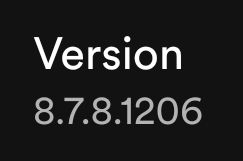
Spotify ver: 8.7.34.1317
Settings:
Remove permissions if app is unsed (off)
Permissions : Near by devices, Remove permissions and free up space (off)
Battery : Unristricted
Spotify-in-app-settings (Devices): show local devices only (on), spotify connect in background (on)
0. Download firefox for android if not done so.
1. Force quit spotify (long press spotify icon, tap info button, and select force quit at the bottom.
2. Open spotify and play some long podcast show such as the one blow
(it could be done with any songs but they occur randomly, but long podcasts tend to give the disappearing now playing symptom consistently).
3. open firefox for android and go to youtube.com and play some random video. Perhaps this
https://www.youtube.com/watch?v=JqNg819PiZYhttps://www.youtube.com/watch?v=yu9xzxRXuB4
4. keep the video running for 20~1hr, without pausing the video, press home button at the bottom (□) and go to the homescren. Video will stop.
5. Tap and open spotify, like a magic, now-playing disappears.
6. To recover now playing, you need to force quit spotify.
I updated the thread.
Hi @Tom0527,
Thank you for updating the main Ongoing Issue thread. We'll see how we can follow up there!
If you want to you can Subscribe to the Ongoing Issue so that you don't miss any updates regarding it.
Let us know if we can help you with anything else in the meantime.
Have a great continued Friday and start of your weekend 🙂

I am facing the same issue. After following the above mentioned steps, the issue still persists.
(tap and hold spotify icon, open info, at the bottom there is "force quit" option).
Also, you'll find more information here.
https://community.spotify.com/t5/Ongoing-Issues/Now-Playing-bar-missing-on-Android/idi-p/5364978
The linked thread seems to tbe the ongoing thread, so I strongly recommend putting the screenshot and version info to attract more attention to the issue.



Hi, I hope you guys are following the thread. I found a potential solution for Samsung devices.
I posted the answer to the main thread. Hope it helps.
Hi there @modcar,
Thank you for reaching out to the Community.
First we'd like you try perform a clean reinstall of the app. This will make sure there's no old cache files causing this.
On another note, does the issue persists if you unpair your watch with your phone?
We'll keep an eye out for your reply.
Cheers!