Spotify friends activity empty/not updating

Plan
Premium
Country
Finland
Device
Pc
Operating System
Windows 10
My Question or Issue
For several months (pretty much years at this point), my Spotify friends feed has not been updating, it only shows 1 friend I have, while it should have a dozen others. This has been going on for far too long for it to be a problem on my end as I have changed my devices, settings, and other things to try and fix it. I have reinstalled Spotify and my OS but nothing helps. I also see no friends through my Facebook integration even after disconnecting and reconnecting my Facebook profile multiple times. All my settings are the same as my friends and he can see his friend activity but I can't. I already posted about this problem once, and was told it would fix itself but that was months ago. This is very infuriating as it has been going for so long.
Accepted answers
All comments

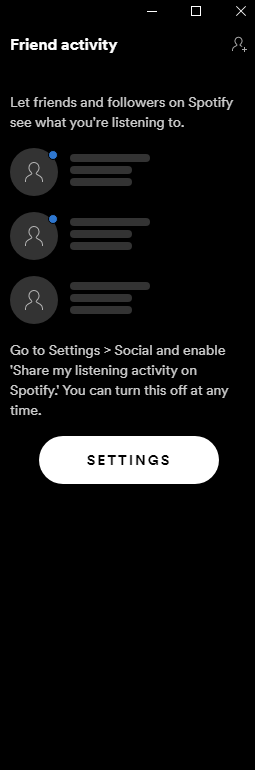
Turning on "See what your friends are playing" and "Share my listening activity on Spotify" doesn't work. Still the same after doing a clean reinstall and logging in and back out, also doesn't work with my other account. What do?

Change this back. This effectively kills the social aspect of Spotify since most people won't know to turn this on and asking every single person to do that is a ridiculous solution. If people wanted to hide what they were listening too they wouldn't add friends or theyd use a private sessions. Will consider going to apple music since the social aspect is the main draw of spotify which you are killing off.

True af !! Like literally we need to go ask our friend one by one??? That was such a **bleep**ing**bleep** ideas i've heard. Oh, come on !!

I'm facing this issue for 1 week now & it seems I'm not the only one facing this issue.
Actually, the thing is even after you turn on that 'Share your listening activity' setting I can't see anyone's listening activity while they are actually listening to music I can see it on discord.
Please check the below screenshot:

The problem with this setting is that we are many users of Spotify which of course follows our friends. We can ask them to go and re-enable this option. But we might also follow people we do not know in real life. For example, musicians and creators of playlists enable us to get new inspiration and discover new music by seeing what they are listening to. That is a good a really good feature, but the Friend Activity is pretty much meaningless now if people are not aware that they need to activate it. Why have Spotify applied this change from the previous default setting and at the same time failed to make their users aware of it?


Hello friends, my Spotify friend activity was suddenly deleted. My friends say it's okay, they can see me, but I haven't seen them for a week. I have to exit the app, go back so I can see what my friends are listening to. I followed all the directions. Log on/off, uninstall/reinstall, power on/off, internet, etc. it doesn't work at all! I've been trying to reach the authorities for a week and I'm trying to fix it. Please, help me!
what's the point of doing this? this is how i met my favorite actor, and i was quite enjoying it! don't fix what's not broken

That’s quite unfortunate, as seeing friend activity is an interesting social way to find new music and appreciate other listeners’ tastes, even if one does not know the person closely. I wish Spotify would turn the default setting back to “on”.

I'm tremendously disappointed in the update. I enjoyed following users on Spotify and watching them pop up on my friend feed when they listened to music. I was introduced to a lot of artists that I wouldn't have otherwise thought to listen to on my own. I understand Spotify's intention and that they meant well, but it was such a pleasure to log on and see what my friends are listening to. I know they've suggested informing your friends about the update so they can go into their settings and readjust them so they're visible again, but you don't necessarily have contact with everyone you're following. Please return to how it was previously, because should anyone want to have a private listening session they always had that option anyway.

Operating System
Windows 10
My Question or Issue
These past couple days my friend activity has not been updated even though my friends have been listening to music. Just recently, after refreshing Spotify, my friends activities is completely gone. It tells me to sharing activity and to enable "See friend activity" but even when turning it on and off multiple times, my friends activities will not show and the text telling me to turn it on is still there. I know that my friends all have show friend activity on, they aren't in a private session, and they're playlists are public but nothing is showing.

You're not alone my friend. I'm having the same problem since the day I saw my Wrap Up for 2021! I really hope Spotify fixes this or at least acknowledges it publicly; I'm growing impatient and friend activity is one of the main reasons I enjoy using Spotify over others!!!

Same problem here - I even reset the app in settings and nothing changed. I don't think uninstalling would fix it.

I agree because the only way for their listening activity to appear again is if they realise or you tell them yourself and it just feels weird to do especially if you arent close with that person. I wish spotify could just turn it back on as people are unaware that it turned off in the first place.

We all know there are some friends that don't know Spotify shares their listening activity. It feels very awkward to tell them "hey look I'd like to continue stalking you because I love your taste in music could you go to your Spotify settings and enable sharing?"
It would have been so much better had you sent out a push notification saying "Take control of your privacy: Check your sharing settings now" and take users to the relevant setting so they could have disabled it if they wished to; most users wouldn't have done that. Simply deactivating sharing silently removed a huge chunk of value from your app, and frankly: That was just a bad product management decision driven by fear.
That doesn't change the fact that I *do* understand the privacy implications, and I'm sure the whole sharing feature wouldn't get into the product anymore if it came up today, but I'm very sad to see the most important way for me to discover new music gone.
i'm a huge fan of Bradley Steven Perry and i've been following him on spotify since September, listening to his music let me meet him and get to know how he is as a person and he seemed like a chill guy, he also got me hooked up on nice songs he listens to, just like i said to a spotify assistant yesterday, people do not watch **bleep** on spotify and there's nothing criminal about listening to others' music

the same issue on Mac os, before the wrap 2021 I'm able to see my followed friends activity, after the wrap 2021, I can't see it anymore even I logged into Facebook. Setting are all right.
to y'all for as long as your customers pay for premium, you get to do whatever you want right?

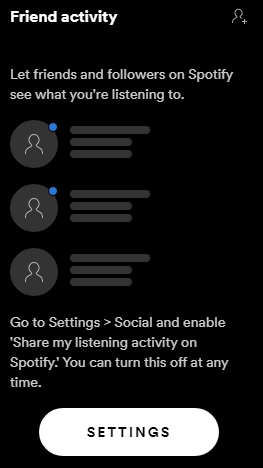
Now I have this issue, I tried turning it on and off, reinstalling with on and off and nothing happened.

It’s really ashame that this feature is now put on private as default. Many users don’t use this option as it’s only available on PC en not on the phone. So they don’t care. I discovered lots of music this way by different people I am following. It is not possible to get into contact with all those users I follow to ask them to put this feature on. Really ashame. Please bring it back!!! If people want to use private option it’s always possible to switch it off.
Reinstalling will not help. I’ve been in contact with helpdesk. It’s because this feature have been put on private as default. All the users who we listen to maybe even not use this option and will not put it on public. it’s really ashame that the feature of following the listening activity by other users is now put on private as default. It’s only available on PC en not on the phone. So many users would not even care. Really ashame.

Same issue (except only shows like 2 out of 20 friends), I've reinstalled spotify like 6 times now and closed and reopened it countless times now, I've even restarted my pc 2 times and the issue still remains 😞 spotify pls fix and if a new update might have turned the "Share my listening activity on Spotify" thing off for everyone, can you please revert it to how it used to be?

I have the same problem! A couple of days ago (I think since Spotify Wrapped came out), Spotify stopped updating my friend feed, and since it's been more than a week, it has disapeared from my screen. I can still see the activity of two of my friends though (wich is super random), so that's weird too. I already tried checking my hosts and have reinstalled the application multiple times, but nothing worked. I hope Spotify fixes this!


Hi, your friends need to turn on Friend Activity option in their App. And this has nothing to do with the Wrapped feature.
We have seen the reports of people saying Friend Feed is not working for them, and we are happy to investigate specific cases, because as far as we are aware, there are no issues with Friend Feed working.
Firstly, it’s important to restate that ALL users had “Share my listening activity on Spotify” turned off as default - so users you followed and saw in your Friend Feed in the past, will no longer show in your Friend Feed, UNLESS they turned “Share my listening activity on Spotify” back on.
Also worth noting that you don’t need Facebook set up for Friend Feed to work.
Having said that, all of the below must be true for users to show in your Friend Feed:
If all of this is true for you and your friend and they don’t show up in your Friend Feed, then:
Once we have this we can do some checking. Thanks all.