Changes to Friend Activity

With Friend Activity you can see what your friends are listening to. Personally, I love Friend Activity because I can really get to know my friends’ tastes in music and dive right into what they’re listening to.
As of recently, if you want to continue sharing what you're listening to, you will need to enable it for your followers in Settings. If you’ve never turned this setting on before, you’ll need to turn it on to share your activity with your followers. This way, you’re always in control of what you’re sharing.
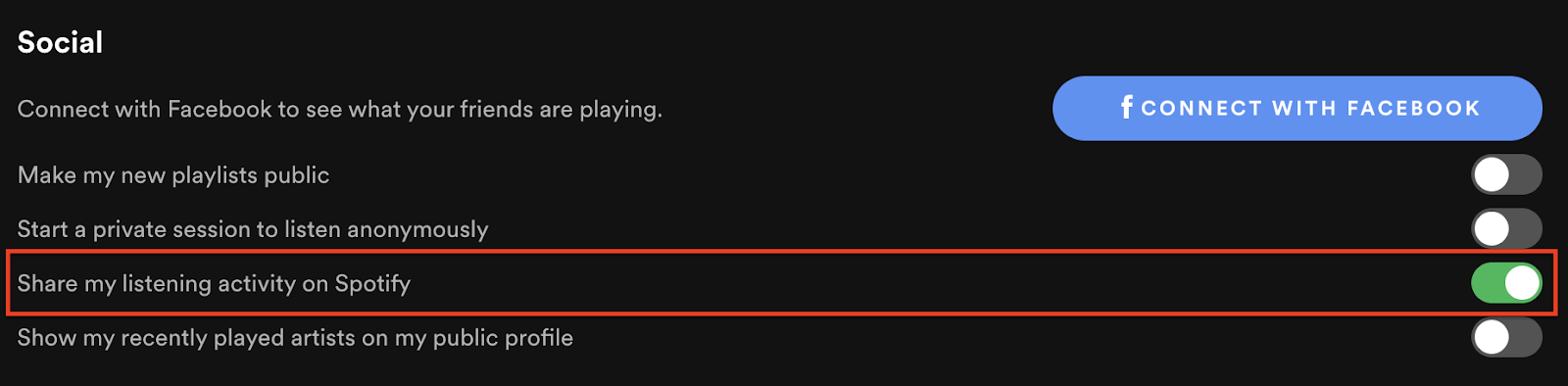
Also, you may find that you don't see much activity from those you follow - that's because they might not have turned this setting on yet. Let them know you want to dig in on the cool stuff they're listening to!
Check out this article for more information about Friend Activity.
You can also block followers if you don’t want them to view your listening activity. Check out the steps under: ‘Block someone’ here for more information.
Accepted answers
All comments

I've been having the same problem for months now too - still nothing has been done about it 😞
Friends have toggled on/off to test, we've reinstalled etc. Nothing

Plan
Premium
Country
Australia
Device
PC
Operating System
Windows 10
My Question or Issue
My friend activity is not working.
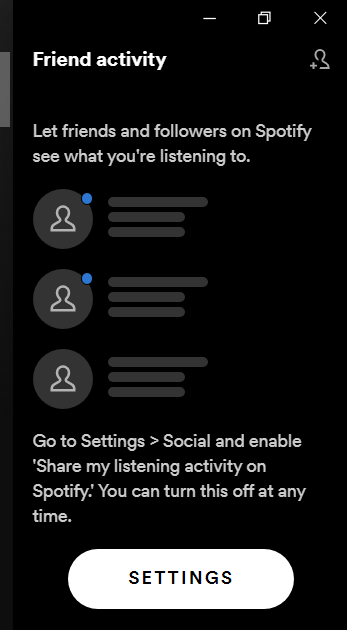
It says to go into settings > social and enable 'share my listening activity on Spotify', however I have already enabled this option. I have tried reenabling it, I have tried reinstalling Spotify. Nothing has worked.

Hey @ebbarundqvist,
Thanks for getting back to us.
Just to double-check-are there any changes when your friends turn on the option Share my listening activity on Spotify?
Can you see the same 3 friends or different friends at different times?
Keep us posted.
Hey folks,
Thanks for posting here.
Could you provide us with the following info if you haven't already? We'll look into this further.
- If your friends have the option Share my listening activity on Spotify turned on
- What device they used
- What they were listening to and when
Keep us posted.

Hi @Brisbaneborn,
Thank you for reaching out!
Certainly, the default setting to share listening activity was set to off, this means that those who had it on before without explicitly setting it on, now have it switched off. This would explain why your feed hasn't been updated in days.
In this case, please ask your friends to turn this option on in their settings if they want to share their listening activity.

After making completely sure that your friends have activated the setting, try unfollowing and following again one of the friends that's had recent activity.
Let us know how this goes.

There's no difference, I can only see the same 3 friends.
Best regards
Ebba

Since Yesterday i cant See the activity of some of my Friends in the friends feed. I Know there were recent changes made to every user's settings, in which the default setting to share listening activity has been globally set to OFF.
I Know some people dont know about this and normaly dont change any settings in Spotify.
But I would love to See the Activity of my Friends again!
Maybe you could put a button or something like the solution of the "private Session" so everyone can see where to click on the main page (in the App) to allow sharing their own activity or maybe Just undo the change.

Hi folks,
Thanks for your replies!
Could you try the following:
- Log out and back in twice in a row. This will force synchronizing your account with the servers.
- Go to a friend's profile and unfollow them, then follow them back. After that, restart your computer.
Let us know how it goes.
Cheers!


Hey!! So theres been an update for me; I have 4 friends (4 followers that I also follow back) but I can only see 1 of them.
all 4 of them have the option turned on, and can see what music im playing but can't see theirs
the 2 people that I currently can't see are using an Iphone ios phone and their windows desktop (same for the other 2 that I currently can see) and the other 3 are playing PUB, Bjork and Foo fighters and their listening to them right now lol
Hi @user-removed,
Thank you for your reply and sharing that information!
Since you've already checked with your friends if they have the setting on, then we suggest you ask your friends to contact the folks from Customer Support who can take a deeper look into their account. Here is the link.
Let us know if you have any questions.

Plan
Premium
Country
Argentina
Device
(iPhone 7, Macbook Pro mid 2012)
Operating System
(iOS 10.15.7)
My Question or Issue
I can't see the activity of my friends since new year. I don't know why. Please, let me use this option. Thank you

Hey there @11122809381,
Thanks for reaching out about this here in the Community.
There were recent changes made to every user's settings, in which the default setting to share listening activity has been globally set to OFF, and this may be the reason other users have disappeared from your Friend Feed. In this case, you can let your friends know of this change and ask them to turn it on in their settings if they want to share their listening activity.
In case you're sure that your friends turned that option on, please provide us with the info we're asking for in this Status update so we can further look into it.
Lastly, make sure not to share any private info in the Community.
We'll be on the lookout.
Hey @user-removed,
Thanks for your reply.
They can find the different channels available to reach our to our Support team in the link provided above. You can ask them to do so and let them know the issue they're having so they can take a look at their accounts and further assist them with this.
If you need a hand with anything else, the Community is here for you.

Got the same issues, did try to solve this. Spotify said we have to ask our followers to change their settings. I will stop my premium account because of this! They better change this back to the way it was before. People can always use the private setting of they want to.

Can you PLEASE roll out an update that takes us back to the days where we could see what our friend were listening to? I have seen multiple posts from users who are ON THE SAME EXACT PAGE AS ME when I say that I am NOT going to be able to text every one of my friends and say "hey toggle that button on homie!". If they don't want to share, they toggle it off. That simple. Snapchat has features similar to it as well, and we all the the privacy issues are sensitive but we're also not stupid. Give us more credit please.

i have this issue, but i can't see any of my friends listening activities.
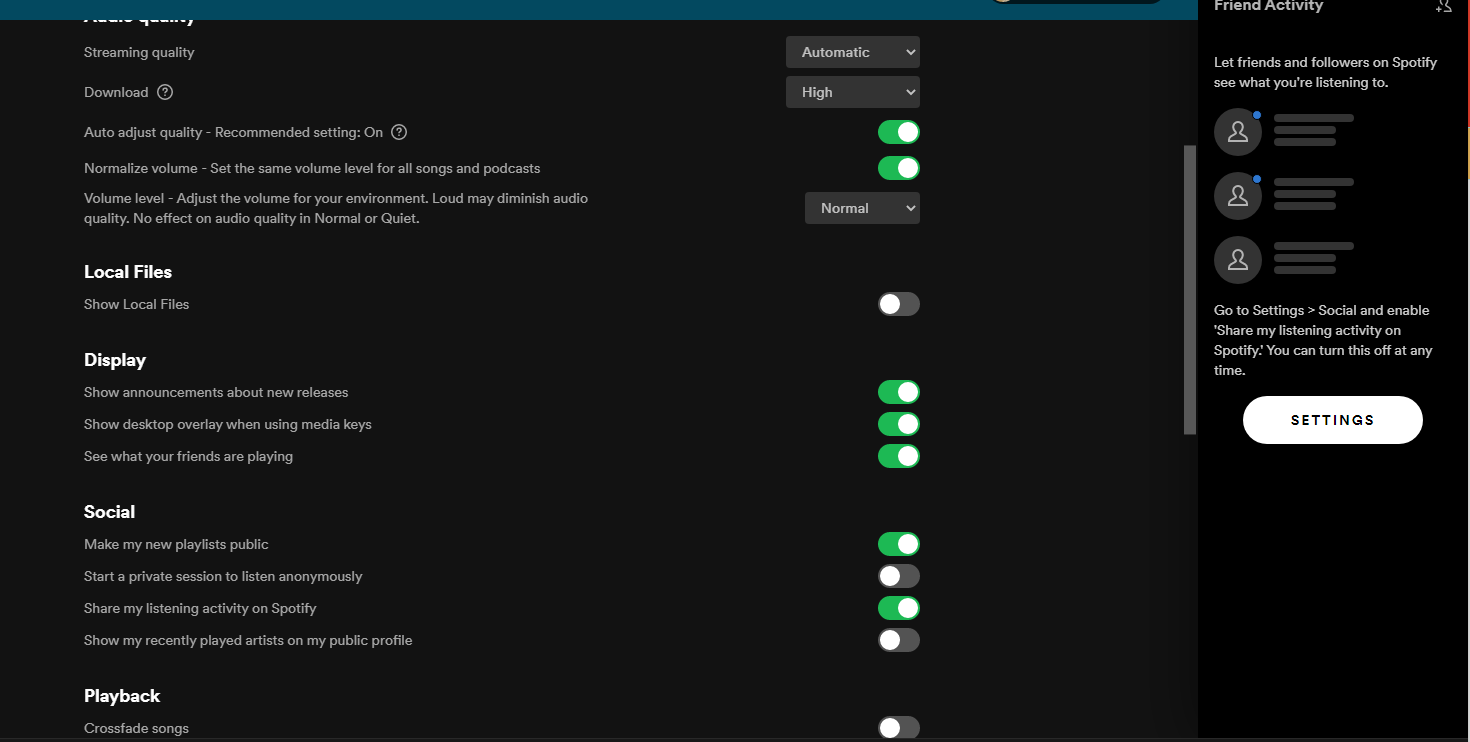
i have 'share my listening activity on spotify' turned on.
it also works on other accounts, just not this one.
i have tried uninstalling and reinstalling different versions multiple times, none have worked.
could someone help think of a solution? thanks.


Hey there @asyva,
Thanks for joining the thread!
Could you please verify if your friends have this option enabled as well?
When enabled in your account, "Share my listening activity" lets your friends see your activity, and not the other way around.
Hope this clears things up a bit.
Let us know if further questions arise 🙂
Cheers!

I am also having the exact same issue. All of my friends who i have spoken to also have the listening activity setting as 'on' and as do i however i or my friends are unable to see what each other are listening too. Please fix this and if anyone has a solution it would be greatly appreciated!

Where is the official statement from Spotify on this?

Something that I loved about spotify pc was being able to see what my friends were listening to and share music through that medium and I'm not the only one who loved that feature of spotify pc, in previous comments they also express the same thing.
I would like to open a request so that in the next spotify pc update the friend activity is re-enabled for everyone, please. Give us back the best that spotify pc had please.

Nostalgic for the days when I used to be able to see my friend's activity on Spotify ...

Hey there,
Thanks for posting your experiences and feedback related to the Friends Activity Feed.
We'd like to update everyone that based on your feedback a pop-up message similar to the one attached has been sent to users on the desktop app who had the setting toggled on in the past.
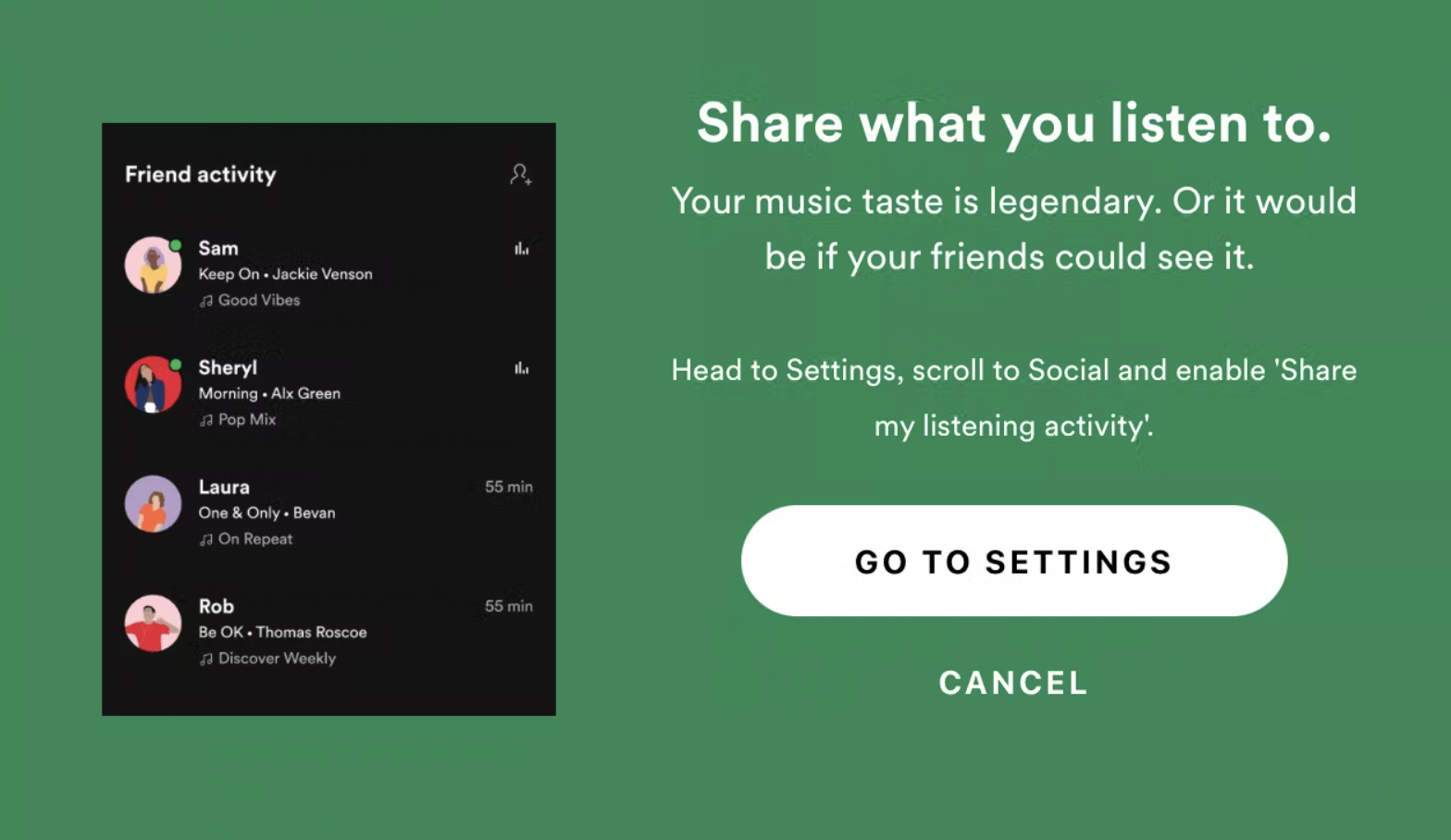
This should provide better information to anyone who would like to opt in and share their listening activity.
Hope this makes the matter more clear.
We'll be keeping an eye on your continued feedback.

So now every moderator is basically replying the same thing over and over again? Not helpful. Honestly this feature is extremely unstable and turns itself on and off at random. I've never seen anything like that before. Can you please fix it once and for all?
The issue isn't necessarily a matter of, "share friend activity", but rather that some individuals are only seeing "Connect to Facebook" on their feed. I've noticed that spiteful message appears regardless of whether or not their friends are sharing their listening activity. Others have the "Let friends and followers on Spotify see what you're listening to", which is equally an agitating message because they have confirmed with their friends that they're sharing their activity. I don't know if this helps at all, but for some absurd reason, friend activity is functioning fine on one computer, but on another laptop, it wants me to connect to Facebook, so perhaps older models of computers are having difficulty (I'm just speculating though)? Anyway, I hope this gets resolved for everyone because I know it's immensely frustrating.


i still cannot believe you have done this…
i don’t know why but my anxiety has been through the roof since i found out about this. spotify you’re actually messing with my health… maybe that’s a bit of an exaggeration to you but you have no idea how much i enjoyed seeing what people were listening to.
not once did i think it was an “invasion of privacy”… music is music. people have different tastes. you find new music by seeing what others are listening to.
taking away the one thing that made my life better, made my day go faster and a little bit easier, you’ve taken that away from me.
and for what reason exactly? because you want to respect and protect peoples “privacy“ “safety”…
well if that was the case - why did you have this default “on” for over a decade?
an update like this should’ve been taken care of over the first few months/A YEAR AFTER the platform has launched … not a whole decade later ….
tell me i’m wrong please …
So it does work on a new PC or Lap top? On my older desktop I have exactly the same issue, connect to Facebook friends.
Also my Spotify friends have the same issues even if their settings are on share, we can't see each other.
Hi!
Same as you, I have the same problem now and I've had if for few weeks. It's really frustrating to only see two friends when I used to see over 20.