Spotify friends activity empty/not updating

Plan
Premium
Country
Finland
Device
Pc
Operating System
Windows 10
My Question or Issue
For several months (pretty much years at this point), my Spotify friends feed has not been updating, it only shows 1 friend I have, while it should have a dozen others. This has been going on for far too long for it to be a problem on my end as I have changed my devices, settings, and other things to try and fix it. I have reinstalled Spotify and my OS but nothing helps. I also see no friends through my Facebook integration even after disconnecting and reconnecting my Facebook profile multiple times. All my settings are the same as my friends and he can see his friend activity but I can't. I already posted about this problem once, and was told it would fix itself but that was months ago. This is very infuriating as it has been going for so long.
Accepted answers
All comments


The feature is not working and the default screen is very misleading. are there any updates regarding this issue?
is there any option to hide the social panel and get a full screen of the app?

Hi,
Thanks for posting in the Community!
We get that you're not seeing any friends on your MacBook app. It's worthwhile mentioning that in order to see any friends there, they have to have switched on their setting under Settings>Social>'Share my listening activity on Spotify'. From your end you can also try to log out and then to log back in, in the app twice in a row, as this triggers a refresh between the app and our account servers and may help to resolve any possible cache-related issues. See if this will shake things up and make your friends' feed appear.
If the above doesn't help, then could we ask you for a screenshot (or a short video), so we can orient ourselves what's happening for you and give you a better advice. Also please share with us the Spotify and MacOS versions you're currently using.
Hope this helps. Let us know how you get on.

I have also tried reinstalling, made sure my friends are not listening in private and logging in and out, etc.
NOTHING is working, the feature is just not working at all on my Mac. This is really annoying.


spotify ruined my life by changing these settings


I have the same issue, how can I solve it?
i have the same issue. I've been trying to solve it for over a month now and nothing is happening. Please fix your app cause after the last update everyone is having the same problem. It is frustraning the fact that you are trying to tell us that we need to do somethinh when in fact you are the one that need to solve the problem on your app.

I have the same issue. Also the Back button is not working.
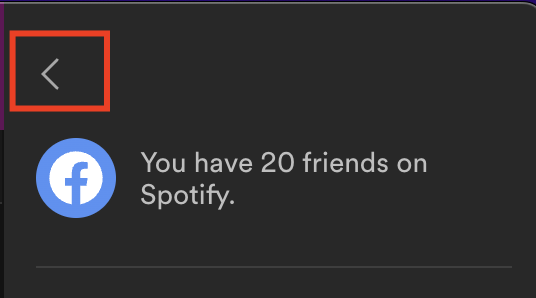
SAME. it isn't working
This is ridiculous, please fix that.
You have such a great product, why so many users have to complain about a feature that is not working and catching one third of the app screen?
You are so much better than this “check it with your friends” attitude.

The Friend Activity function still isn't working. It takes up a large portion of the screen real estate when using the desktop app, and it can't be hidden or turned off either.
My friends who I follow also have confirmed that they have their settings configured to share listening activity, but the Friend Activity feed isn't picking any of it up. I've tried uninstalling/reinstalling the app with no change. I've also tried unfollowing/re-following my friends, also no change.
Spotify should either fix the issue or at least make it an option to hide the Friend Activity pain pane.

Hi folks,
Thanks for reaching out about this in the Community!
A few months ago Spotify introduced a change where the option to share your listening activity and see what your friends are playing on Spotify became 'off' by default, instead of 'on', how it used to be.
This means that in order to see someone in the Friend Activity tab, they need to have the following settings switched 'on': Settings->Social->'Share my listening activity on Spotify'. Also, Private Session needs to be turned 'off'.
You can read more about this change here and here.
Note that a lot of Spotify users don't actually use the friend feed and may not have turned on this setting. We'd recommend reaching out to your other friends and asking them to switch the setting on, if you don't see them in your Friend Activity tab.
Hope this clears things up 


spotify at its best... 😄

Plan - Premium
Country - UK
Device - Macbook air circa 2018
Operating System
IOS 10
My Question or Issue
- I am unable to see all of my friends activity on the desktop app, I can only see two specific people I follow.
I have
- Checked my friends have 'share activity' enabled in their settings, and that I have this enabled too
-Checked I am following them
-Uninstalled and reinstalled the app
- logged in and out of my account on the app multiple times
Any ideas of how to resolved this so I can see all of the people I follow's activity?
i would still like to know why this update happened? the feature, spotify desktop app, it was all working fine and NEVER had an update and within 3 months they updated the app and now it completely sucks!!!
i want to know why this feature was removed or had to be turned off for everyone? i want to know the actual reasoning behind it
@dreαmlαnd - We've mentioned this on several occasions: The change was made for privacy reasons. The decision to share one's listening history should be informed and individual.
That is why an opt-in to sharing is now the default setting. No functionality has been removed and anyone can make their personal choice based on their own privacy considerations.

Hi @dreαmlαnd,
I can't speak for Spotify as I am not an employee, but I think I can give a clear reasoning for why they chose to make our listening "Private" by default. Think about being in a room with a double sided mirror where you're in the room with the reflective side, and you don't know that there are people watching you from the other side of the mirror; would you want to know, or would you allow them to continue watching you through that mirror? That's what was happening with sharing your music listening by default; most people didn't know that others could see what they were listing to.
I don't agree with the way they changed settings as we weren't notified of how to share our music if we wanted to from the start, nor were we notified that our listening went to private. I do however agree that openly sharing your streaming by default is absolutely a privacy issue.
By now, I don't have any more issues with the way "Friend Activity" works as I've been able to contact my friends that I follow and asked if they would make their listening activity public and they have. The feature works for me now for those friends that consent to publicly sharing their activity; where the key word is consent.
If you've contacted friends and they've gone through the steps of making their listening public yet it's still not displaying properly for you, please let me know and I'll see if I can figure out what's wrong. I hope this helps.

Hey there,
Thanks for posting your experiences and feedback related to the Friends Activity Feed.
We'd like to update everyone that based on your feedback a pop-up message similar to the one attached has been sent to users on the desktop app who had the setting toggled on in the past.
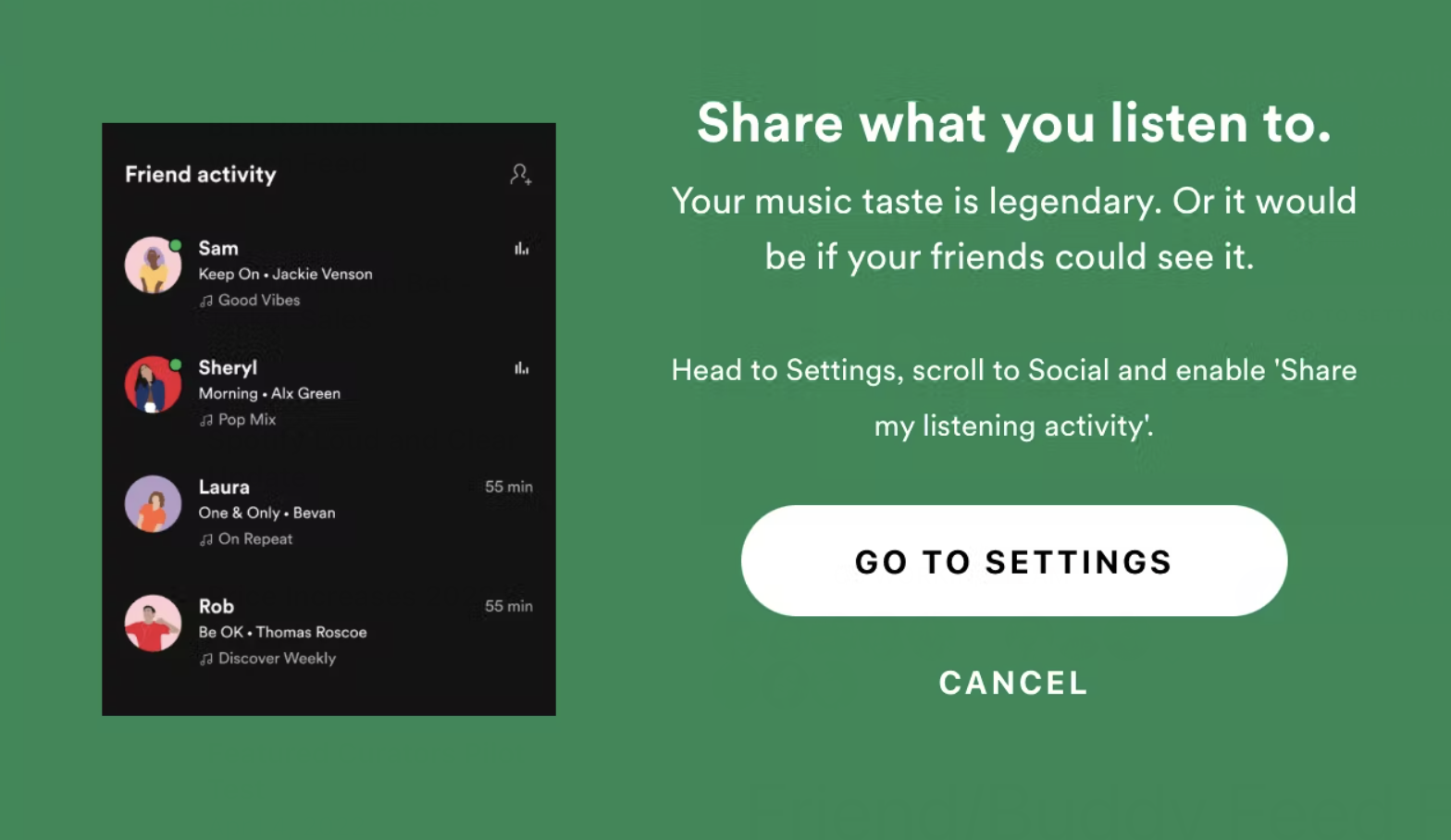
This should provide better information to anyone who would like to opt in and share their listening activity.
Hope this makes the matter more clear.
We'll be keeping an eye on your continued feedback.

Thank you very much, this is much appreciated and was just the kind of think I was hoping for.

That's terrible fix.
Will 'Friends Activity' panel always be visible? Use that space to show a message - it's the only purpose of that right hand panel.


I'm having an issue with my settings in that I can access the settings page, but it won't let me scroll down so I can't fiddle with the settings below "normalize volume" on a MacBook Pro. I'm also unable to scroll down if I'm viewing a playlist. I have tried restarting Spotify, but that hasn't resolved the issue.

I have an example of someone I follow who shares their activity, but they do not appear on my Friends Activity feed (we are not Facebook friends, but that was never an issue months ago). I can see what they share by viewing their profile but they're not in my desktop app. I've since disconnected my account from FB but it hasn't changed anything.
i still cannot believe you have done this…
i don’t know why but my anxiety has been through the roof since i found out about this. spotify you’re actually messing with my health… maybe that’s a bit of an exaggeration to you but you have no idea how much i enjoyed seeing what people were listening to.
not once did i think it was an “invasion of privacy”… music is music. people have different tastes. you find new music by seeing what others are listening to.
taking away the one thing that made my life better, made my day go faster and a little bit easier, you’ve taken that away from me.
and for what reason exactly? because you want to respect and protect peoples “privacy“ “safety”…
well if that was the case - why did you have this default “on” for over a decade?
an update like this should’ve been taken care of over the first few months/A YEAR AFTER the platform has launched … not a whole decade later ….
tell me i’m wrong please …

Plan
Student
Country
Spain
Device
PC
Operating System
Windows 10
My Question or Issue
My Friend Activity Feed has a kind of problem or limit, so I can only see the activity of 5 of my friends. If I add a new friend, they won't be appearing there. I've had this problem for some months and I've tried to log in and log out or reinstall the app several times and it hasn't changed. I've spoken to the friends I can't see and they say that they have turned on the option for sharing their activity, so it isn't a problem about that.
I don't know what to do and it's actually annoying, as I consider this feature so interesting for interacting with my friends. Thanks


Click the 3 dots in upper left hand corner. Go to view and uncheck Friend Activity. You will not see activity panel after.
We have seen the reports of people saying Friend Feed is not working for them, and we are happy to investigate specific cases, because as far as we are aware, there are no issues with Friend Feed working.
Firstly, it’s important to restate that ALL users had “Share my listening activity on Spotify” turned off as default - so users you followed and saw in your Friend Feed in the past, will no longer show in your Friend Feed, UNLESS they turned “Share my listening activity on Spotify” back on.
Also worth noting that you don’t need Facebook set up for Friend Feed to work.
Having said that, all of the below must be true for users to show in your Friend Feed:
If all of this is true for you and your friend and they don’t show up in your Friend Feed, then:
Once we have this we can do some checking. Thanks all.