[Connect] Connect to a device / “Unavailable to Control”

Plan
Premium
Country
Japan
Device
iMac, iPad, AppleTV, LINN DSM
Operating System
macOS (12.1), iPadOS 15.2.1, AppleTV, LINN DSM
My Question or Issue
I have two Spotify Connect-enabled devices, one is an AppleTV and the other is a LINN DSM.
When I look at the Spotify App on my Mac and iPad, they both show "Unavailable to Control" and I can't connect to either device.
It has worked fine in the past.
Both AppleTV and LINN DSM are connected to the Internet.
From my iPad, AppleTV and LINN DSM are both visible as AirPlay devices, so I don't think it's a network problem.
Are you experiencing problems with Spotify Connect?
Accepted answers
All comments
The following fixed the problem. I don't know why.
- Playing a song in the Spotify App on AppleTV
- AppleTV device can now be specified in the Spotify App on Mac.
- LINN DSM can now be specified as a device and played.
The problem came back.
I used the same method as before to recover.
When the TV is turned off, the AppleTV is also turned off. (HDMI ARC)
The AppleTV was turned off between the last time the problem was fixed and the time the problem occurred.
When one device shuts down, does it assume that the other devices can't connect either?

Hi there @ucchi1,
Thank you for reaching out to the Community. You've done a real great job with the troubleshooting so far.
Can you perform a clean reinstall of the app? This will make sure there's no old cache files causing this.
We also suggest that you restart your router after you performed the reinstall and log into your account.
Let us know how it goes 🙂
Take care!
I haven't had any problems with Connect since Wednesday. I will try the "clean reinstall" if the problem occurs.
Thanks.

I've had this problem a few times and couldn't figure out why it seemed to fix itself after a while. I think this is the answer. SPOTIFY THERE IS A BUG HERE THAT YOU NEED TO TRACK DOWN!

I have the same problem and done the clean install but it didn't help.

Hey there @Ketziah-,
Thanks for getting in touch about this here in the Community.
Could you let us know on which devices are you getting this error message?
On another note, does the issue persists if you use a different internet connection?
Lastly, we'd like to know if this started happening after a specific event such as an update.
Keep us posted.
Hey!
I'm using Macbook Air and iPhone 12.
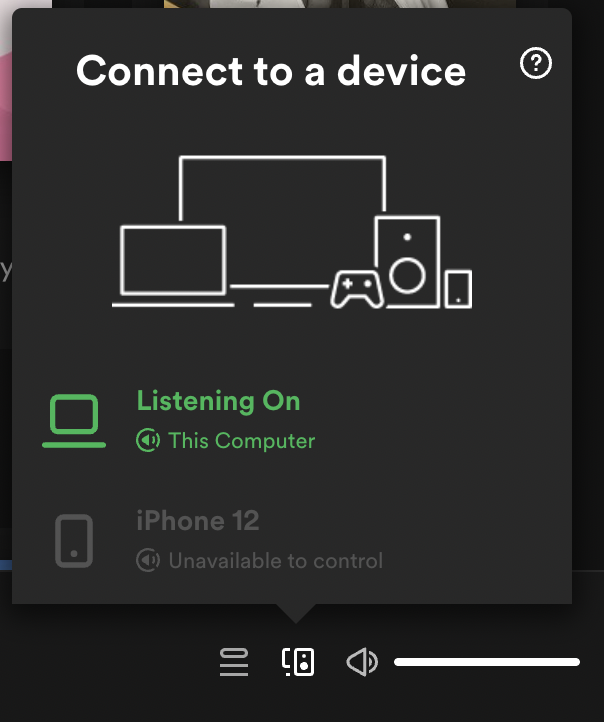
I switched to other Wi-Fi and still it didn't work. Both my devices are up to date. The screenshot is from my mac, I'm using spotify app, but I tired the browser too with no luck. On my phone I can switch to play on mac and control.

Hi @Ketziah-,
Thanks for sending these details.
Could you let us know whether you're on Free or Premium? If you're on Free, then this is the intended behavior, as the desktop app supports on-demand playback, while the mobile app doesn't. Thus, your phone is greyed out, as you won't be able to use it as a remote control.
In case you're experiencing this with a Premium subscription, it's worth disabling DHCP your phone and Macbook in your network settings as well as setting the DNS server to the following: 64.225.68.86.
Let us know how it goes. Cheers!
Thanks for the clarification!
Recently I switched from premium to free. Back then I was able to use this feature, now I understand it why I can’t anymore.

Hey @Ketziah-,
Thanks for your reply and for keeping us posted 🙂
We're really glad this help. We recommend you to check this article, in which you can read more about how our free experience works on mobile devices.
We hope you found this helpful. Let us know if you need anything else.
Cheers!

Hello, same issue here.
Premium user.
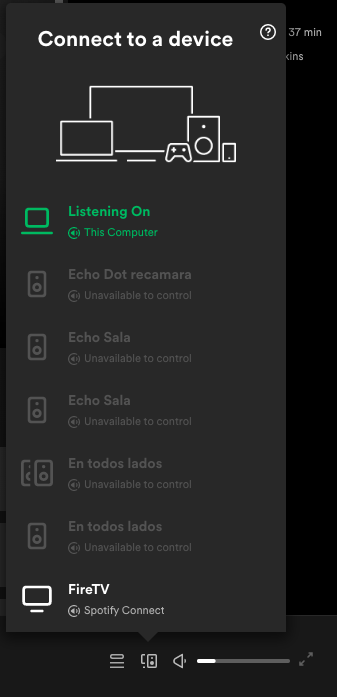
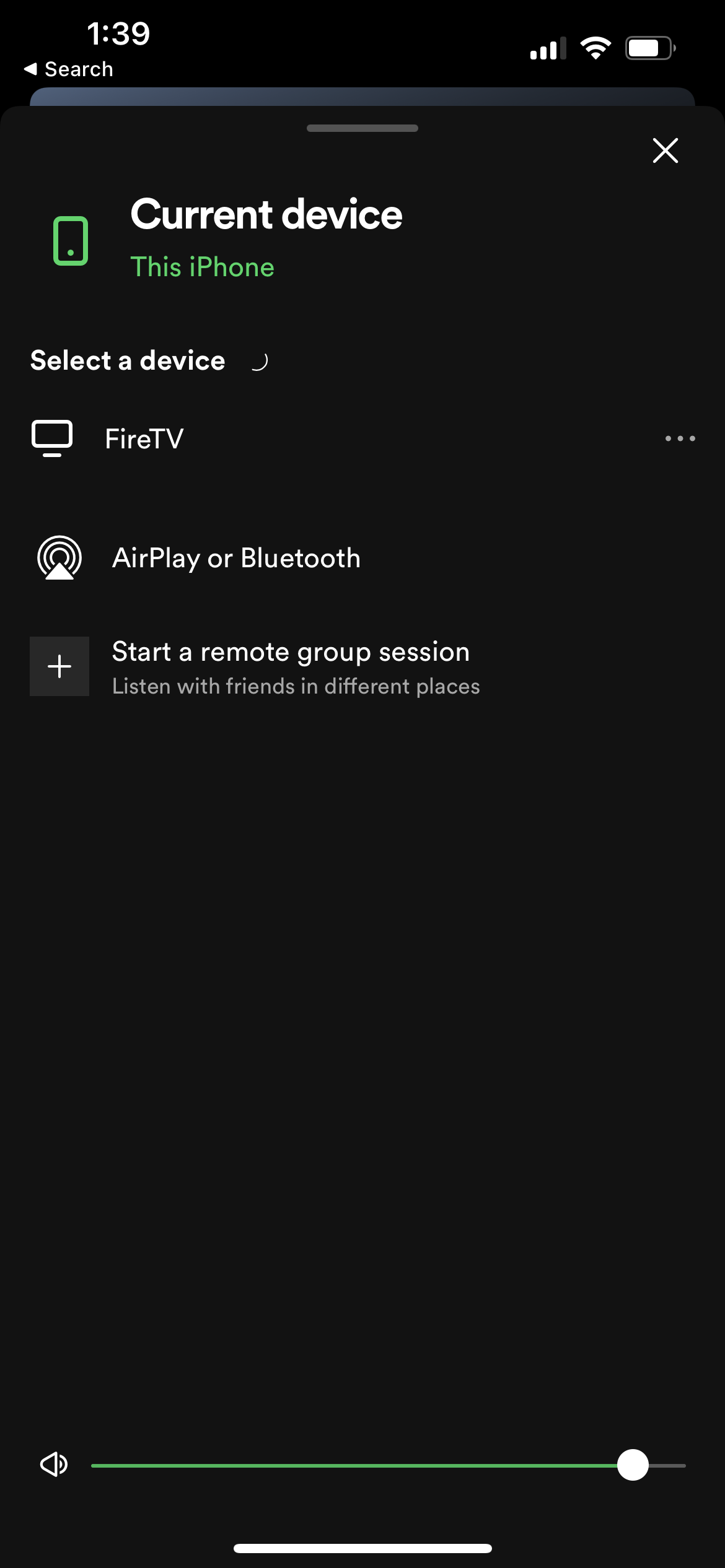
I'm trying to control the Echo devices from App or Desktop and they are "unavailable to control". However If I ask alexa ( directly to the device) to play Spotify, that device plays the music and then, I can see the device playing on my App and Desktop app.
But if I first I want to control from my app or the desktop then I can ONLY play the music on my App or the Desktop, and the Echo devices appear as "unavailable to control".
See how I see it on the Desktop App:
And this is how I see it on the Iphone:
Hey there @willdyde,
Thanks for getting in touch about this and welcome to the Community.
Could you let us know which troubleshooting steps you've already tried? That way we can avoid repeating any steps.
Also, we'd like to know if this started happening after a specific event such as an update.
We'll be on the lookout.

I do have exactly the same issue.
Premium user here as well - the moment I ask Alexa to play music on a certain device, it becomes 'control-able' in the Spotify apps. Otherwise it's just listed as 'unavailable to control'.

Hi there @realneo86,
Thanks for the post.
For a device to appear on the Connect picker it needs to be turned on and connected to the home WiFi. Note that some speakers might power down or enter power saving mode after some time if they're not used, what is most likely happening in your case.
Cheers.

I'm also experiencing this problem.
Can't connect spotify to chromecast devices. This happened spontaneously and I noticed it yesterday. This issue is present on my Google Pixel 4a and my Macbook Pro 14. No changes to my network environment or devices, so it seems like an issue spotify needs to resolve?
Hi there @joeclarkx,
Thank you for your reply in this thread. We'd like to take a closer look into this.
To start with, can you let us know what troubleshooting you've done that's been provided in this thread?
Also, if you have the opportunity - can you try to connect while using a different internet connection?
We'll be on the lookout for your reply.
Have a great continued weekend!
I figured it out. I was trying to cast a local file.
Now I know and understand why this isn't possible.
But- the error message could be much more informative and could have saved
me half an hour of troubleshooting.
Just "can't cast local files" instead of "unavailable to cast" for example.
Hi there @joeclarkx,
Thank you for your reply and feedback.
We're super glad to see that everything got cleared up for you. We'll make sure to pass your feedback to the right team 🙂
Let us know if we can help you with anything else.
Take care!


I am a premium user, having same problem. I have tried clean uninstalling and reinstalling. I have tried other wifi, but it continues to say playback restricted or unavailable to control.
Hi there @thomrac,
Thank you for your reply in this thread. Good job with the troubleshooting you've done so far. We're sorry that you've been having these issues.
Can you try the steps that @Yordan provided earlier in this thread to see if the issue persists?
We also recommend that you restart your router.
Let us know how it goes so that we can continue to assist you if you need us to.
Have a great Friday and start of your weekend 🙂
This time I got a 'Playback Restricted'. message appeared and Spotify Connect could not connect to the playback device.
The above procedure fixed the issue.
I tried pairing the device again, but it didn't fix the problem.