Close Button Closes Spotify [Windows]

Or at least minimize it to a tray Icon. But I would say close it. Maybe this is more of an opinion, but I've only used 2 programs that are this bad. Skype and Spotify. And Skype is a really bad program. So I don't know why in Spotify, the Close and Minimize button do the same exact thing. I would like a quick way to close the program and stop the musik. This is mainly a problem for me on Windows 7 and I believe linux is very similar.
Comments

I agree. This is extremly annoying. I'm using windows 7, but this was also a problem when I used Vista. If this doesn't get fixed I might start using wimp instead. It's that annoying.

Agreed. This behavior is extremely frustrating. The "X" button means close, at least on windows. Maybe this is a carryover from osx where you can close a window but the program continues to run in a windowless state, but it should not function this way in windows.

Most programs now a days have a Minimize to system tray option. No one likes a program to take up space on the task bar.

Could you guys please add some sort of preference to enable Exiting / Completely shutting off Spotify when the cross in the corner is pressed? Or at least tell me where I can find an option to make it so? (And I do know that I can right click the icon in the process line, but that's far from the same.)
I can't be the only one getting severely frustrated by this, and I simply can't be the only person seeing the whole double minimize button thing is stupid?
I'm using Windows 7, 64 bit.

Agreed & Kudeod when you think about it. 🙂

I don't know where your developers are from, but in the really real world, the "X" button in the upper right hand corner of an application is supposed to exit said application, not minimize it. There's a separate button for that. Not that it's terribly inconvenient to have to click "File" and then "Exit". But it is weird.
There is already a post regarding this issue. Please follow this link
http://community.spotify.com/t5/Spotify-Ideas/Close-Button-Closes-Spotify/idi-p/1297
Add Kudos to the post to help it get around.
PS. Search before posting new ideas.

Neo-x - Thanks for bringing this to our attention. I've just moved the thread over.

An option in the preferences section to make the close button (the cross in the very top right corner in Windows) fully close and quit the program (which is the standard behaviour for windows applications) rather than the current behaviour of minimizing the program to the system tray.
this is the most annoying aspect of spotify. so much so that I avoid using it wherever possible until this issue is fixed

I registered on this forum, just so I could +1 this!
Close cannot be a standard minimize! Close CAN be "minimize to the task tray" (the area by the clock).
It does effect how I use the program and I close it often because of this. In fact, Winamp is still running and I haven't touched it in a week! (Nor rebooted my PC...)
Skype made the same mistake and solved it very simply with a setting in their preferences.
A music program should not take up valuable taskbar space!
Thanks for listening!

Please make an option to make the close button (X) actually close the program. It seems like a no-brainer, but different strokes for different folks I guess. I love Spotify except for this one annoying feature. Thanks!

Yes please. Every app I use closes itself when click a close button!!! ...excl. Spotify. 😞

Wow.. I actually just register to this forum to share my annoyance with you, and with the programmers in particular. Who came up with this brilliant way of closing. Common sense would have rejected this idea in a second but all of you couldn't. If I was Microsoft I would fine you for f*cking up their system of minimizing and closing of programs. If every separate program could decide what top right icon to use for what function windows would be a total and utter mess.
besides this major error; pretty good program with just some other minor flaws.

I also think having the Close X Button mean minimize is counter intuitive. It should work just as the X button works in the rest of the operating system. It is really not Spotify's buissiness to change the function of window container buttons. Those people that accidentally close when they mean minimize just have to learn.
I never have the need to minimize windows in general, I just ALT + TAB to next window or use the Activity bar to choose another window.

This is the only program on my computer that does not close when you click on the X in the upper right hand corner. This needs to be just like any other program, elsewise I will delete this app just like I've deleted every other app that does something that feels even the slightest bit like some form of "dirty trick".
The fact that someone thought it was a good idea to make the close button minimize when right next to that button is the one that is SUPPOSED to minimize is a pretty ignorant attempt at something...I'm just not sure what they were thinking...
Basically, change it or lose a customer.

Im thinking its time to move to groove shark, at least it will work as it should since itrelays on browers which exit upon pressing x instead of acting like malware

Btw, they used to have this option in Preferences. On my personal computer, I was able to change it so that now, when I click "X," it quits. Now if you look in Preferences, they've removed the option.

I don't know why this is even a problem. The red close button works on OSX, so why wouldn't it do the same in WIndows? PLEASE come to your senses and fix this ASAP!

how about having the 3 buttons up in the right corner doing there job? i know theres ALOT of retarts out there but the X means close it down .. not minimize. the square is for maximazing the window and the _ is for minimizing the window .....
why would the world need 2 buttons to do the same thing ? are you that retarted or just plane fukkd up? press file lgo down to log off bla bla bla bla.. ! make it easy.. if the dumb fuxx press X then they close the window or why not make the enter button on the keybord make a blankspace ! 😄 that must be the best idea ever ! then we hold down alt + alt Gr and press tab while spamming page up to make what the enter button should do 🙂 that makes more sence 😄

Arrived at this forum - think this topic relates to my question:
Previous to using windows 7 at work, using the little red x called "close window' would keep Spotify running/music playing, but remove the pictogram from the list of pictograms underneath my screen. I found this quite useful as I prefer to keep only the most limited number of pictograms at the bottom of my screen while working - call it a "clean desk + clean screen" policy. Would it be possible to reinstate this in a next update?
Kind regards,
Joost

it is reallllly annoying. alt-f4 to close program please

This is the worst thing about spotify. We have long established conventions for closing and minimizing -- please do not try to circumvent them in the interest of having your client stay active. At least offer a preference to turn this off.

Please, Spotify... as soon as possible. I know someday I will slap my display with my mouse or my keyboard, if this "feature" will still be missing in the future.

Let me close spotify by clicking the red X, just like every other windows application ever.
Or let me close it by right clicking the task bar, and selecting "Close Window."
No?
It's ridiculous.

Right click the spotify notification tray icon and untick 'Hide from taskbar when closed', and you can!

Thanks for this liamwli, but this doesn't work. It hides, but is still running.
As cool as this service could be, it's absurdly low royalty payments and this ridiculous hubris in making users use SPOTIFY's method to stop using memory and processing cycles, bandwidth, etc., is, once again, going to cause me to uninstall.
Agreed. This wouldn't fly if the mobile app behaved this way, not sure why they get away with it on Windows. It's akin to TMobile apps constantly running in the background with no way to kill or uninstall.
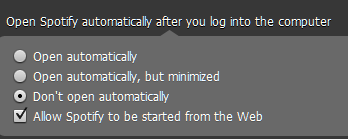
Not being able to disable Spotify opening on startup is another frustration. No way in **** I'm giving them subscription $$ until these are fixed.

I press close to close a program, I press minimize to minimize a program. Simple as that.