Plan
Premium
Country
Germany
Device
(iPhone X, Windows PC)
Operating System
(iOS 13, Windows 10)
My Question or Issue
My general approach when rating songs is to go to the artist page, listen to an album and give likes to songs. From time to time I come back to the same artist and continue with other/new albums.
Recently I noticed that "hearts" from albums of which I surely had tagged already, were missing. I then checked my "Liked Songs" playlist in the library and for some reason the songs were still in it.
Turns out artists will sometimes decide to re-upload an album, as you can read here. Unfortunately my likes won't get migrated over to the reuploaded album.
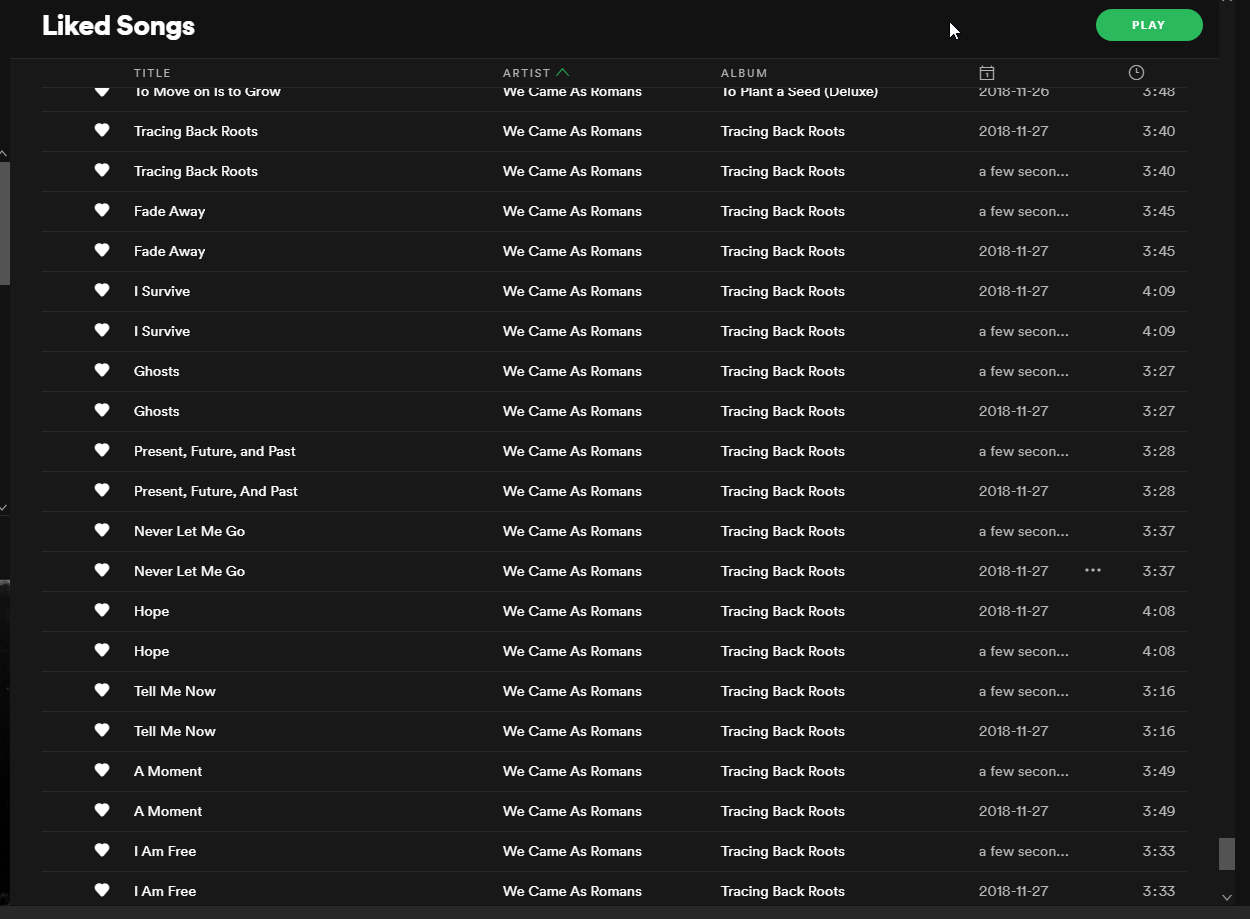
Sometimes when I don't remember that I already liked songs of an album I do it again. My "Liked Songs" playlist will end up like this ->
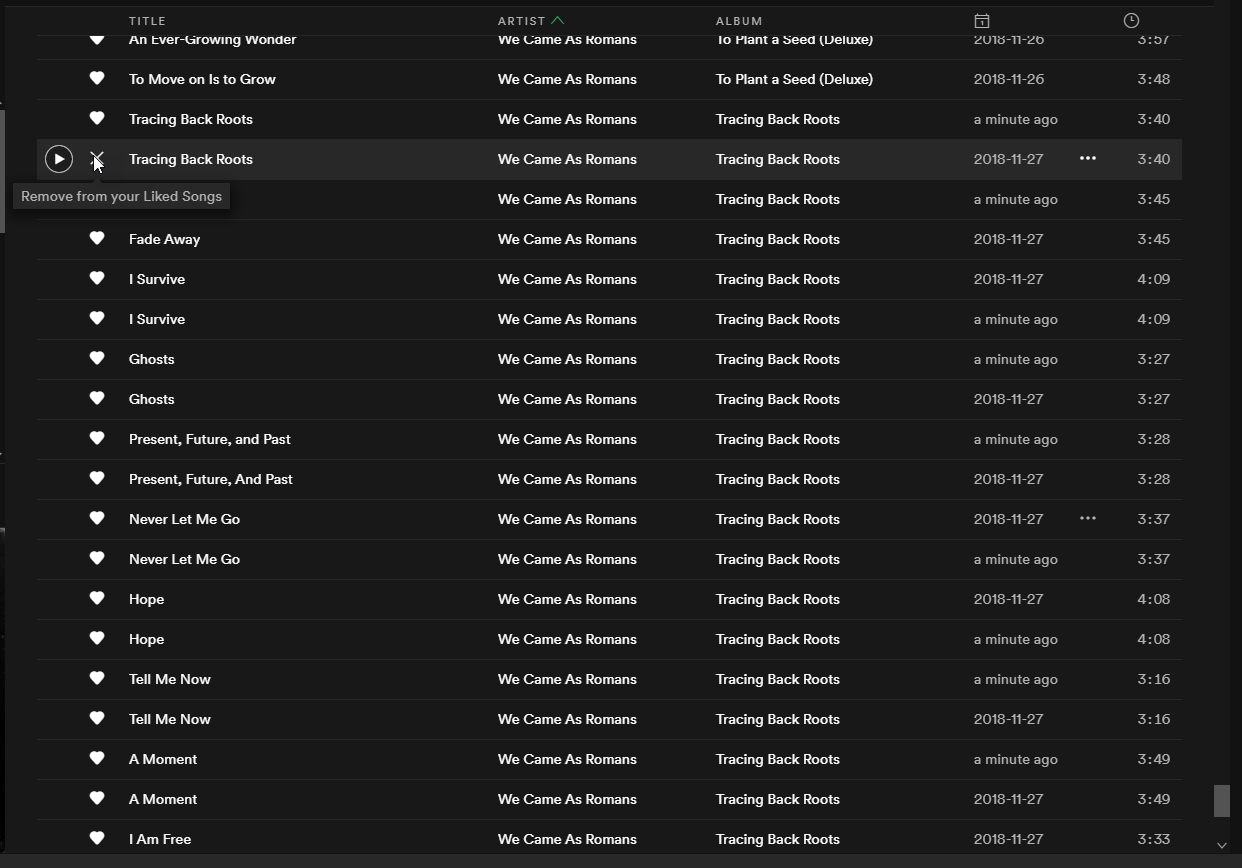
My first thought was then fine, I'll just remove the "hearts" from all the old version songs. It did not work the way I thought. The albums/songs are still linked in a way so if I remove the old version it also deletes the new one as you can see here ->
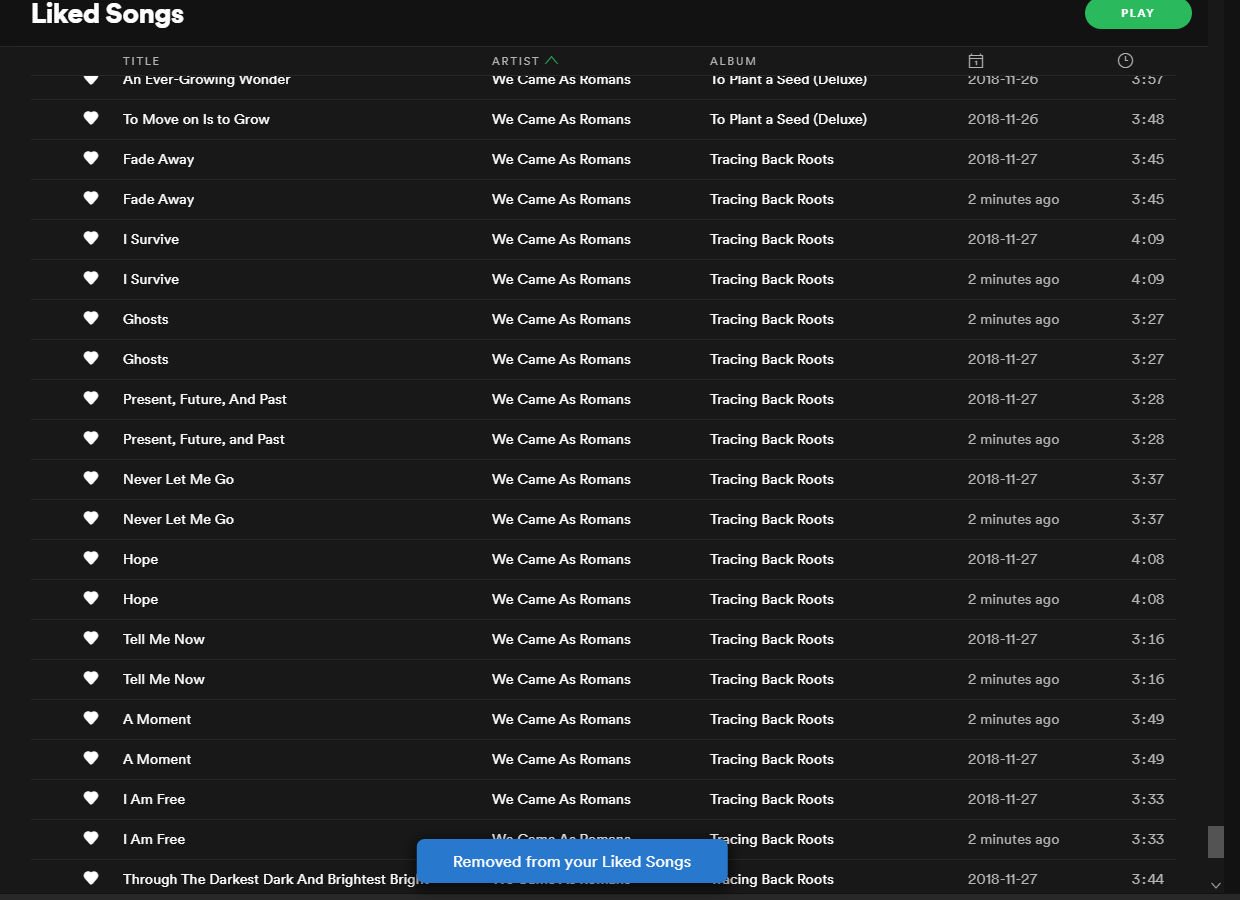
For testing purposes I tried it the other way round which surprisingly only removed the new song version from this playlist. It should definitely work the other way round as well and in my opinion this shouldn't be of an issue since the songs are indeed linked somehow.
In my opinion this is a bug.
Either automatically migrate over the likes to the reuploaded/new album versions and remove them from the old versions (this is obviously the prefered solution) or at least make it possible to remove likes from the old version songs without interfering with the new version songs. There might be other possbile solutions I didn't think of. Right now I basically have to recheck every song before giving a like or manually remove and add again to my "Liked Songs" playlist. Either way this is a huge inconvenience.










