New Feature To Try On Desktop: Quick Search Shortcuts

Hey folks,
The Spotify team is always working to make the software as simple as possible for everyone to use, and for those of you who like to save a bit of time by using keyboard shortcuts, there's a very convenient trick that you may not have noticed on the desktop.
Try typing [CTRL]+[K] (on Windows) or [Cmd]+[K] (on Mac), and this will open up a quick search box overlay where you can immediately start typing what you’re looking for and receive suggested results instead of having to open up the full search page first. Hopefully, this is something a lot of you find useful that will get you to the music you love even faster!
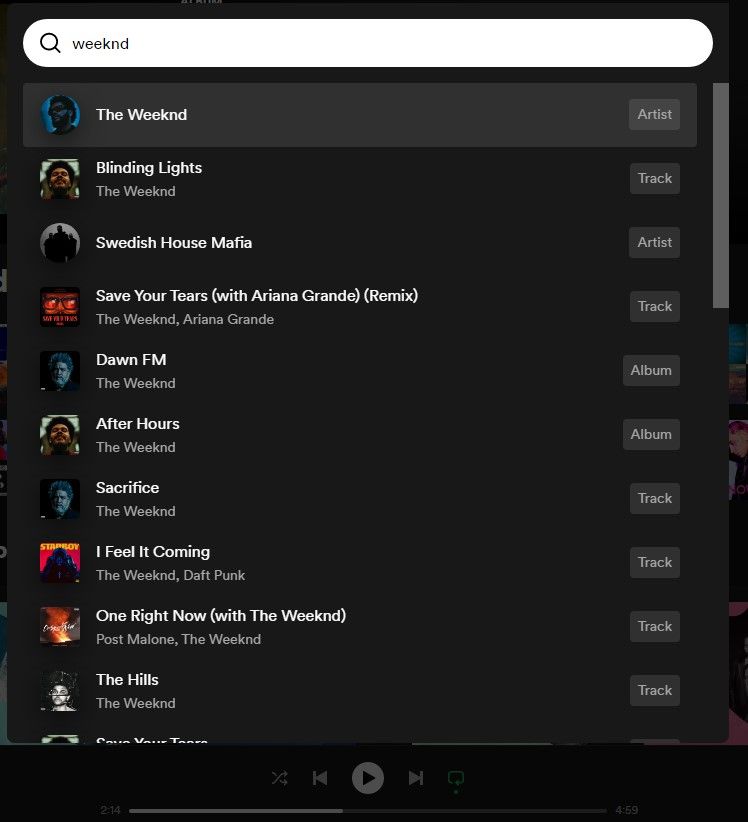
Bonus tip: These same shortcuts should also work for you if you’re using the web player.
Give it a try, and let us know what you think in the comments!
Accepted answers
All comments

thanks this feature is really dope i love it!


Great feature. I would be useful to have the usual context menu for each item, with add to queue, add to playlist etc...

I have hidden some songs. Now I want to restore them. What option should I choose?

Here is another tip:
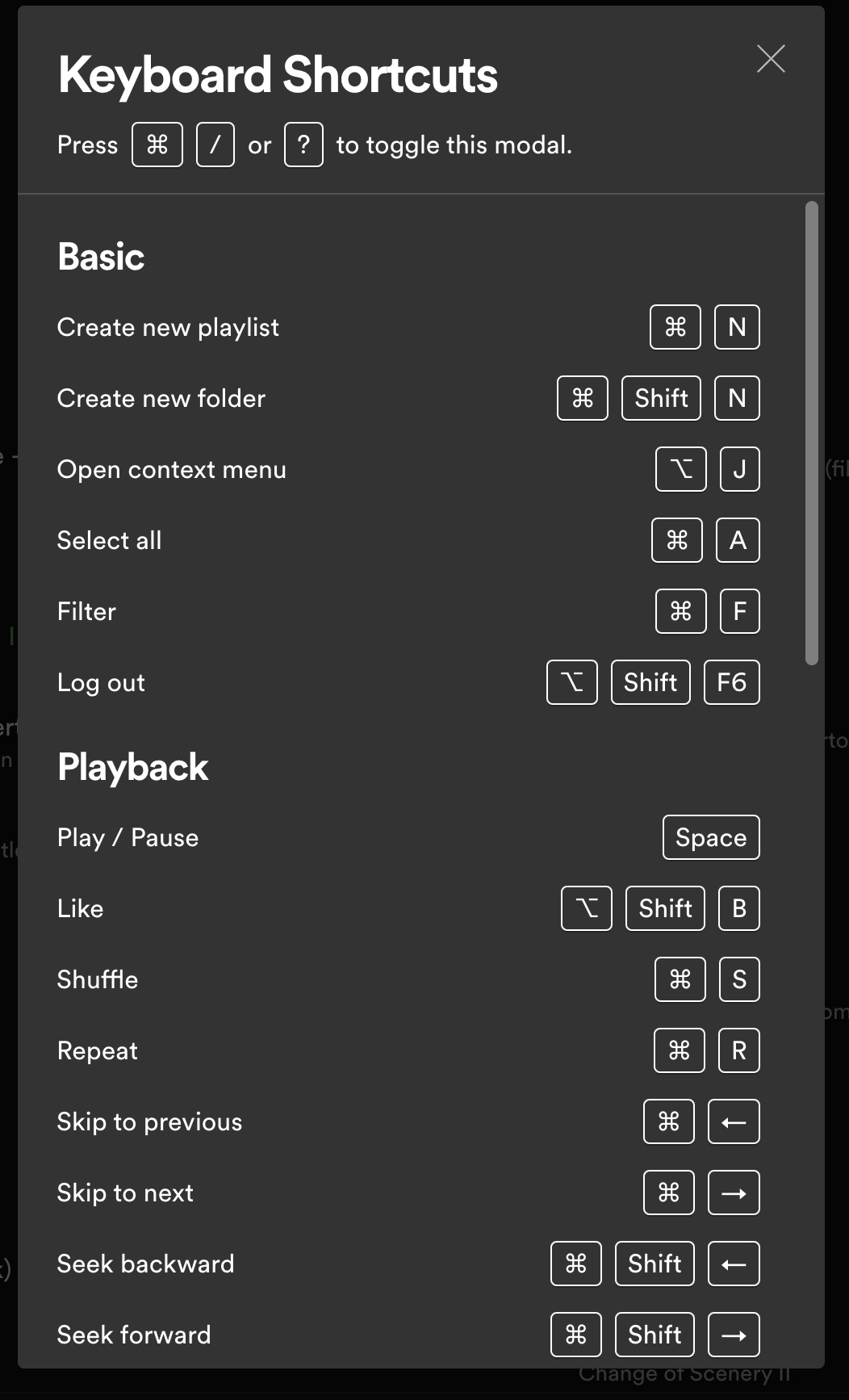
The desktop app and web player have a shortcuts popup window that will show you a full list of shortcuts by pressing the following keys.
https://support.spotify.com/article/keyboard-shortcuts/
Mac: CMD + / or ?
Windows: CTRL + / or ?
OR
Mac: Shift + / or ?
Windows: Shift + / or ?
The screenshot below is outdated and does not include the current list of shortcuts, but this is what it looks like.

Is there eny option, how to sort songs in playlist by genres? In example i would like to play only EDM songs from playlist where are every kind of genres.

It would also be good if there was shortcut to instantly play selected item from Quick Search, like CTRL+Enter

Cool! Great shortcut for me as I don't save the songs I like 😁

It would also be beneficial if there was a shortcut , such as CTRL+Enter, for playing a selected item from Quick Search immediately.

great!

Put the old UI back. The new one is terrible.

How do I access the promotional discount I was offered from the Artist (Magdalena Bae, for being a Mag Bae! ) ? It wasa 10% discount off a vinyl record. the link took me to an spotify artist store. I cannot figure out how to get to the store or even pull up the code for it. Please help! **bleep** Sincerely, Miguel L.

please add HomePod support feature that's what we all need!!!

The Command bar is really useful. Please add commands like:
- 'like' song
- go to 'albums'
- go to 'podcasts'
- go to 'home'
- Share now playing song.
Anyway everything one would want to navigate to or do an action on.
It would become the Raycast of Spotify.
Thanks!

Oh, thanks,
I was unaware of this shortcut whenever I have to search for new podcasts I came to the box again and again this shortcut will save my time thanks.

It would be so good when all these shortcuts and keys are combined for the user, so everyone can access them easily.

great

I do not have this thing. Maybe old app view?
I see that some people run new ui on desktop, perhaps give it to all or no one?

This feature is really very useful. finally, I can enjoy music hub now.

What is the point since there is already a "search" menu?

Hi, well I've tried using the shortcuts as shown on the picture above. I'm using a MacBook Pro and use Safari as my browser. For Command+R (for repeat) it reloads the site when clicked. Is there any suggestions how to fix it, or possibly change it?
Hey @brıan
The shortcuts were mainly made for the desktop app that you can download and use on your computer.
While most of the shortcuts should work when using the Web Player website, some of the shortcuts might not work correctly if the browser also assigns the same shortcut to a browser action such as refresh page. Right now there isn't a way to change the Spotify keyboard shortcuts.

If you just have one monitor, the Windows 10 multi-display capability gives you multi-monitor functionality. The function effectively increases desktop space without calling for extra hardware. Fresh Start Menu In addition to the Start Menu's return, Microsoft has also included Cortana integration, the Microsoft Edge web browser, virtual desktops, and universal apps.
Wery good! I like it!!

Bring back the add playlist to homescreen, you removed it and messed up my virtual jukebox. shouldnt take stuff away without asking paying customers.

The Command bar is really useful. Please add commands like:
- 'like' song
- go to 'albums'
- go to 'podcasts'
- go to 'home'
- Share now playing song.
Anyway everything one would want to navigate to or do an action on.
It would become the Camcast of Spotify.
Thanks!

Very good! Too cool to know these shortcuts, it speeds up a lot! Thanks for sharing!