Adding to favorites doesnt work

The heart symbol doesnt work - seems to be inactive - so I cant add a song to my list of favorites songs. How to solve thos problem?
Accepted answers
All comments
 LucyLuLuu

Hey folks,
Thanks for reaching out about this here in the Community. Sorry for the delayed reply, we've just come across this thread.
Could you let us know if this happens across devices or only on a specific one?
Also, we'd like to know if the song you want to like is added to your Liked songs, but the heart icon doesn't become green or if it doesn't add to your Liked songs at all.
If this is only happening on a specific device, it's well worth running a clean reinstall to get rid of any cached files that might be causing trouble. This one is more thorough than the usual one.
We'll be on the lookout for your replies.

I think I have the same problem. I can't "like" or "unlike" any songs by pushing the heart icon. It looks like it was disabled. Moreover, when I want to delete a song from my "liked songs", Spotify says "removed from liked songs" but the song is still on my "liked songs". I'm using an HTC U11+ with Android 9. I deleted both cache and storage, deleted the app and then reinstalled it, but I still have the issue.
I just tried a "clean reinstall" instruction and it works! I missed step 7, I think it is the most important step
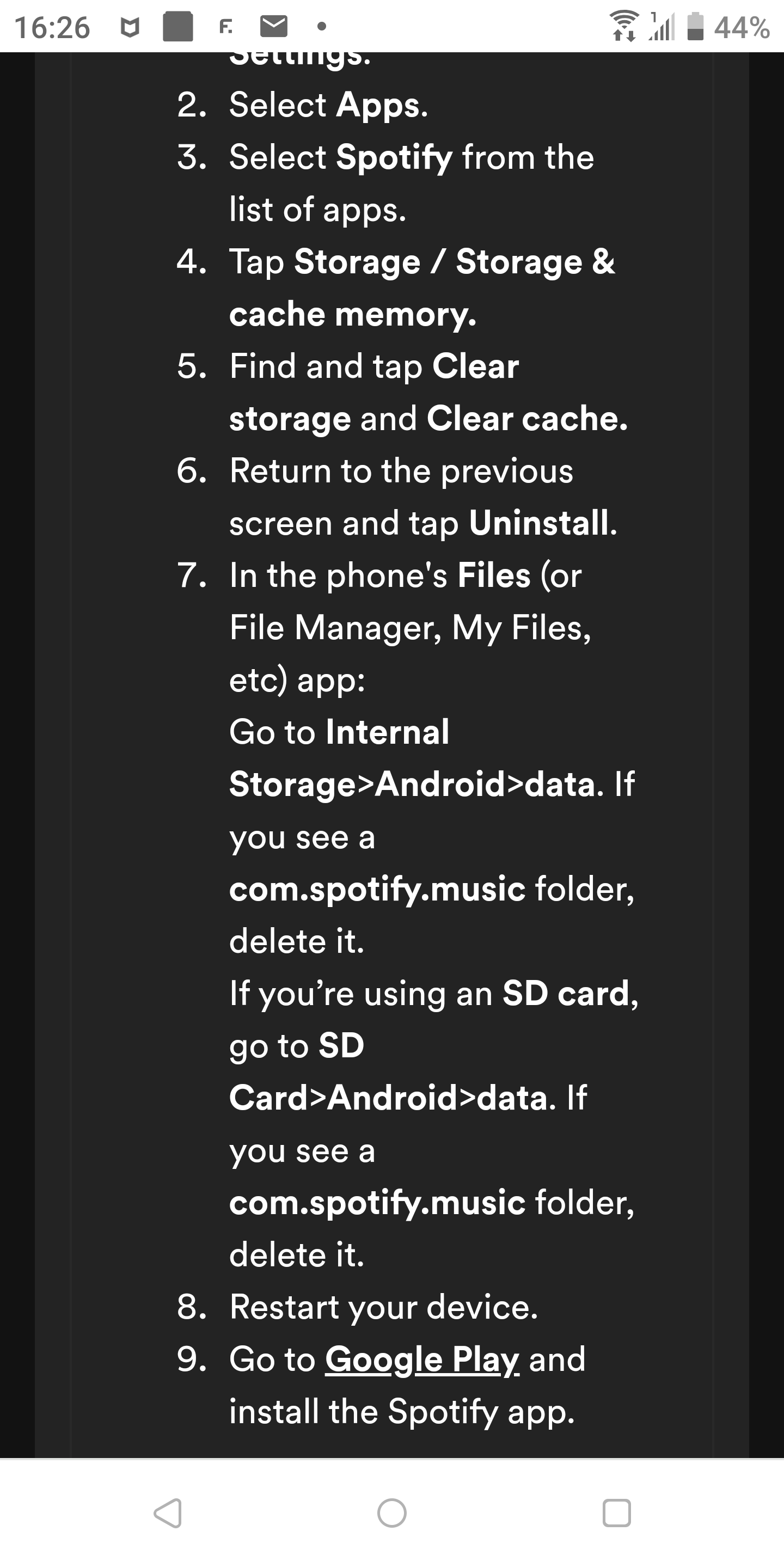
The only difference I did was I looked up the word "Spotify" instead of "com.spotify.music" in my files, and then deleted every result.

Hey there @dafigreat,
Thanks for the post.
Glad to hear that the clean reinstall worked and you can use your Liked Songs as intended again.
Don't hesitate to reach out again if the issue returns.

Thx very much. It worked for me too. Btw you don t have to do step 6 and 7-switch the device off and on. But thx very muh