Issue Displaying Element Attributes

Plan
Premium
Country
Christmas Island
Device
Desktop
Operating System
Windows 10 Pro N 22867.5309
My Question or Issue
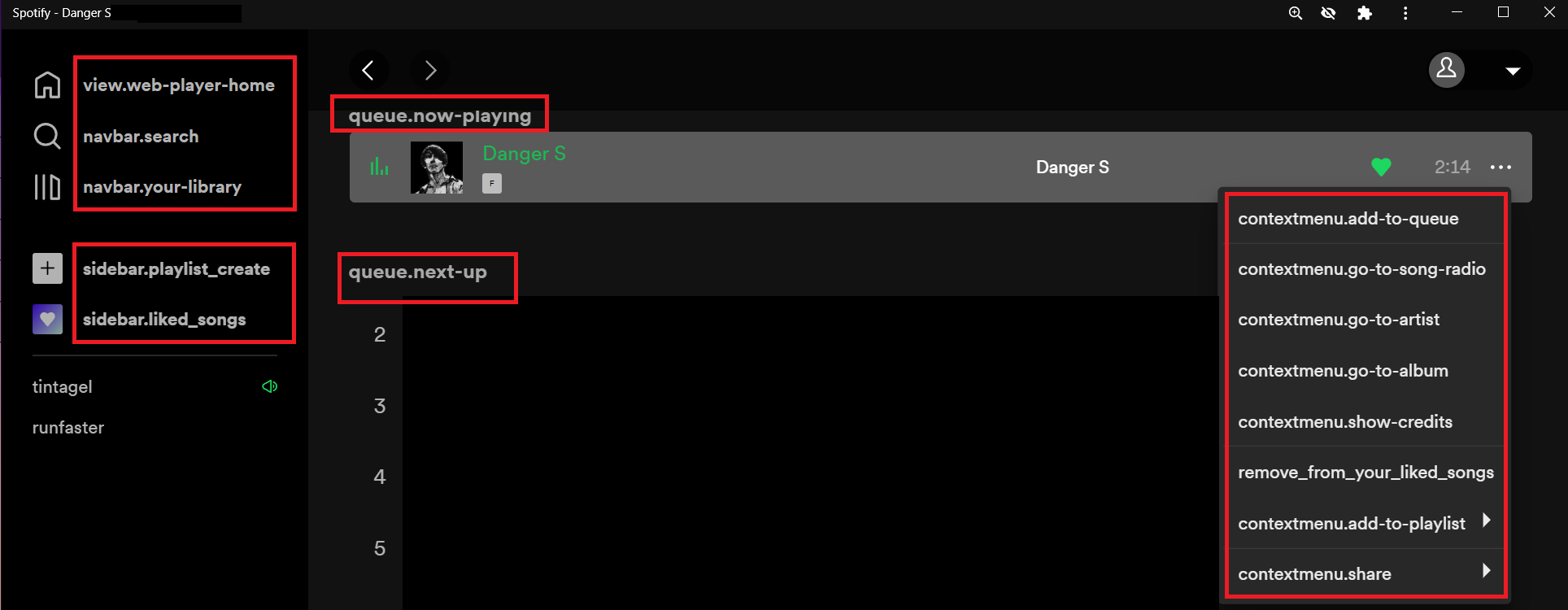
Element text displaying incorrectly in desktop app.
 buried on Sunday
Accepted answers
All comments

Howdy! It looks like you've installed the Web Player through Chrome, so I'll provide instructions for that.
1. First, select the hamburger menu, and click Open in Chrome.
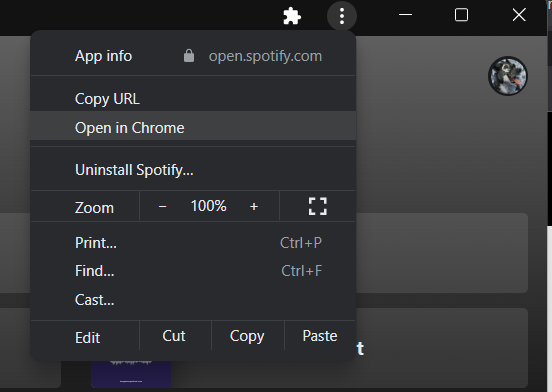
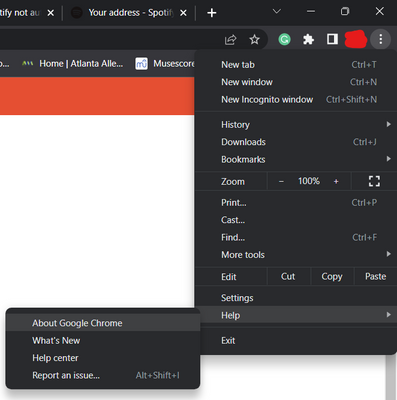
2. Make sure you're on the newest version of Chrome. Click on the hamburger menu and go to Help > About Chrome, or click on this link.
Chrome will auto-update if there is one available.
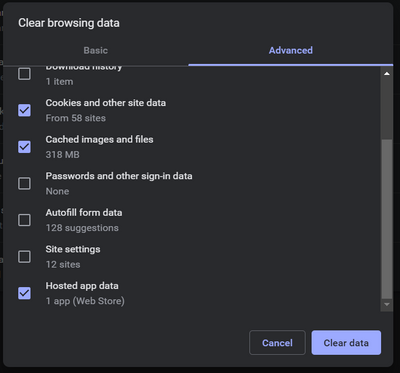
3. Clear your browser's cache and cookies. On the sidebar, on the same update page, click on Privacy and security, and Clear browsing data, or click this link.
Click on the advanced tab, and select Cookies, Cache, and Hosted app data with the time range set to all time.
4. Restart Chrome by clicking on the hamburger menu and clicking Exit.
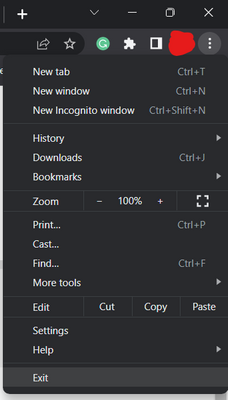
Now, reopen your installed web app.
Since you're on Windows, you can also download the Spotify desktop app, here.
Let me know how that goes! 🙂
You passed the test.
Howdy! It looks like you've installed the Web Player through Chrome, so I'll provide instructions for that.
1. First, select the hamburger menu, and click Open in Chrome.
2. Make sure you're on the newest version of Chrome. Click on the hamburger menu and go to Help > About Chrome, or click on this link.
Chrome will auto-update if there is one available.
3. Clear your browser's cache and cookies. On the sidebar, on the same update page, click on Privacy and security, and Clear browsing data, or click this link.
Click on the advanced tab, and select Cookies, Cache, and Hosted app data with the time range set to all time.
4. Restart Chrome by clicking on the hamburger menu and clicking Exit.
Now, reopen your installed web app.
Since you're on Windows, you can also download the Spotify desktop app, here.
Let me know how that goes! 🙂