Test out the new Spotify for Developers

Hey everyone,
A new version of the Spotify for Developers website is coming soon! The new site includes a major redesign along with some new features and content.
A beta version of the new website is ready for testing and we would love to hear what you think. You can visit the beta site at https://beta-developer.spotify.com/ to try it out and see what's new.
Please share any feedback that you have with us by replying to this thread. We are especially interested in hearing about any potential bugs or problems with the new website, but feature requests and other comments related to the new site are also welcome 🙂
Accepted answers
All comments

The genres with a - in the response sample, result in a new line: https://beta-developer.spotify.com/documentation/web-api/reference/get-recommendation-genres
The documentation of Get Album says you can get its genres (if there are any). But when going to the page, copying the id of the preview with genres displayed, and press Try It, the same id gives no genres: https://beta-developer.spotify.com/documentation/web-api/reference/get-an-album
The page for Get Tracks and Get Tracks says the response contains genres, but it doesn't: https://beta-developer.spotify.com/documentation/web-api/reference/get-track
The text under each *_time_signature is wrong: https://beta-developer.spotify.com/documentation/web-api/reference/get-recommendations

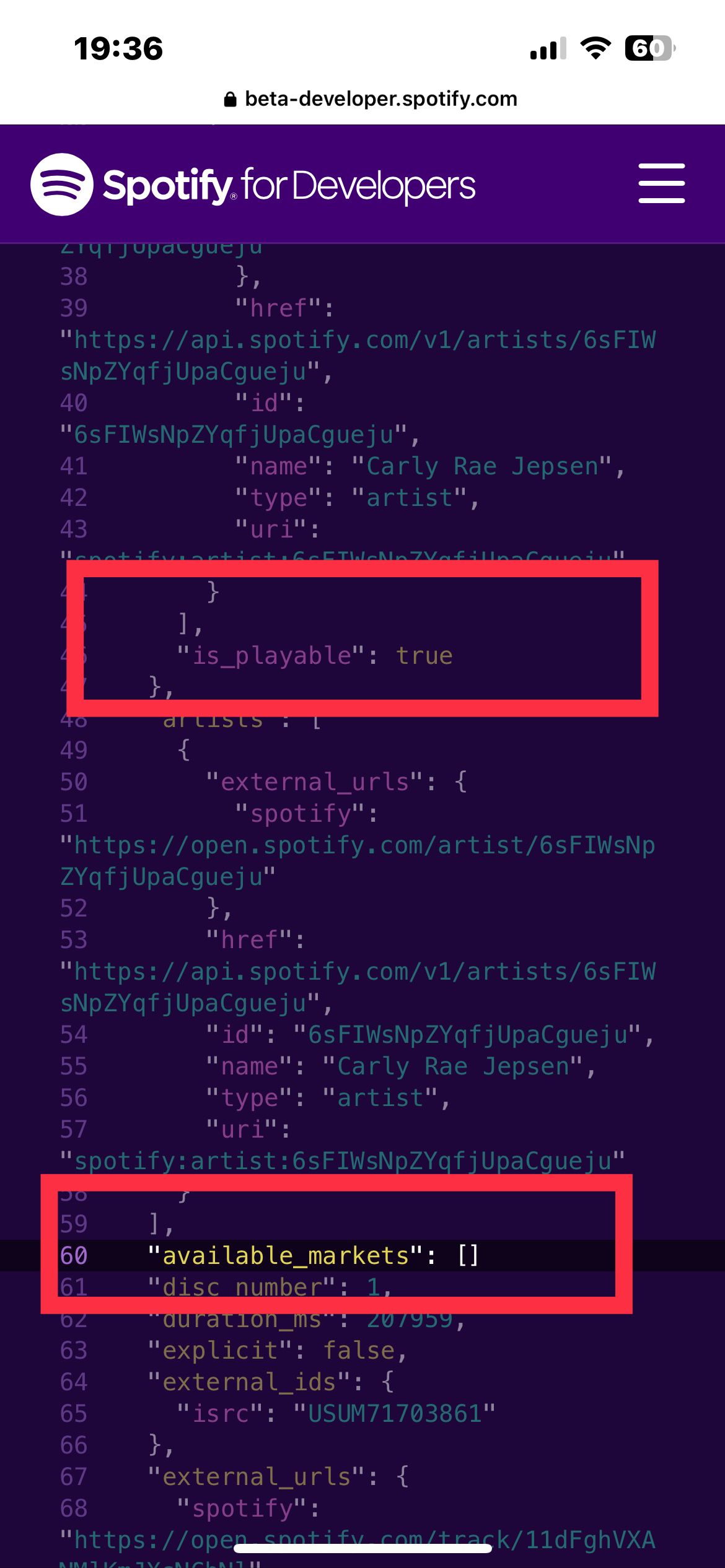
Response sample from GetTrack documentation. How is it possible?

I've made my own post in the forum regarding this now implemented update and I do NOT think this makes learning about the API more accessible.

Everytime I click login since the new update today it just reloads the page, it wont let me get into my dashboard.

I do like the overall theme. It's just sad to see that the Developer Console has been removed entirely and you have to go through actual implementation of the API in order to get a single image where in earlier times, you could just try out the API with the console. I hope Spotify will bring this back in the future

any idea of when we'll be able to make a quiz game out of this thing? waiting in line 🙂

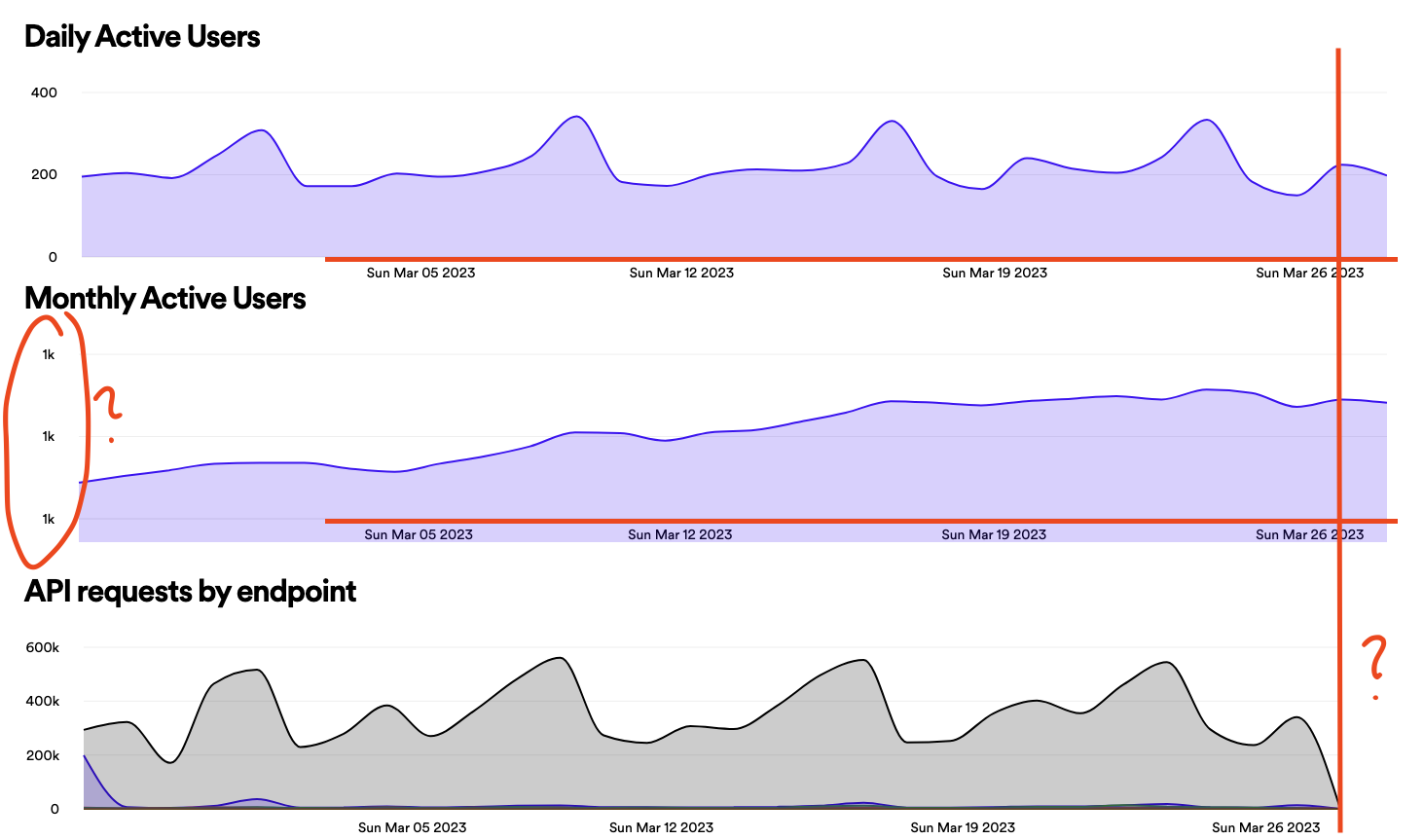
How to see Monthly Active User in the new dashboard? Also, the daily users count is different from the old dashboard!

Was the monthly active users count removed intentionally? Also, chart labels on the left are getting cut off: 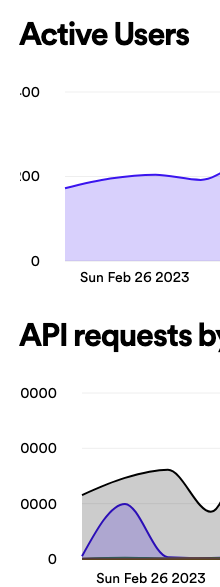

Regarding endpoint: accounts.spotify.com/oauth2/v2/auth?scope=...
Is it possible to ignore invalid scopes instead of returning "error=invalid_scope"?
1. Monthly active users chart shows "1k" for each tick
2. X-axis labels (dates) are rendered on top of the chart
3. API requests chart has an extra margin on the right

It seems that when I try to apply for an extension requests, there is an error at the submission stage.

It looks like still haven't added the return of albums by popularity.

Hi,
It would be really nice to see the endpoint change to reflect the entered parameters. For example:
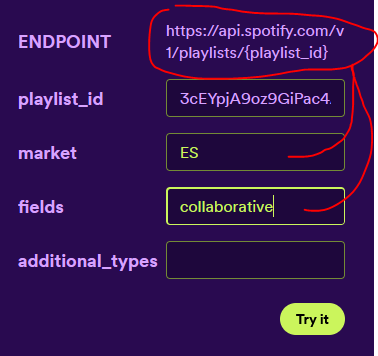
As you can see, the market parameter and fields parameter didn't get added to the endpoint. Fields can be pretty confusing to navigate without seeing how they look in the actual endpoint.
Thanks!
How to get the exact number of data (such as Monthly Active Users count, Daily Users count, etc), which I can get easily in the old dashboard.

Same i cant login.

is there any forum or video on how to integrate spotify with stream deck, i use to be able to go through dashboard and get a client tokenn and all that but now none of that works for me and cant figure it out.

I'm also experiencing log in issues on the beta portal aswell as the regular one

Please fix the login issues. Issue persists in edge, firefox, chrome. Resetting site cookies, allows me to relog then be put back on the same front page, unable to access dashboard.

Some nice new examples. Like the inclusion of Typescript and the example of Authentication using PCKE.

The documentation is ok but the UI feels unnecessarily cluttered. It would be nice if the endpoint changed depending on the parameters entered like someone else already stated.

Save Albums for Current User & Remove Users' Saved Albums o are not working from what I can tell

Great stuff — loving this redesign!
The scope user-read-playback-state is missing on the following page: https://developer.spotify.com/documentation/web-api/reference/get-recently-played

I am also experiencing this please mark this as urgent, doesn't work in incognito or Chrome/Edge
This is also an issue for me, can't change any application details.
Same
There is still no info on how to add a cover image to a playlist: https://beta-developer.spotify.com/documentation/web-api/reference/upload-custom-playlist-cover