Why does my discover weekly and release radar say it’s made for my husband?

Accepted answers
All comments

Hey there,
Thank you for reaching out to the Community and welcome.
In Spotify, all the personalized content is made based on listening history, searches and other factors but it's always made for you. If the app is showing different content than yours, that means that you could be logged into your husband's account instead of yours. To check this, we'd recommend logging out and back in following the steps in this article. Make sure you're using your own email and password to log back in.
If the issue persists, it could be related to some damaged cache stored on your device. In this case, we'd recommend performing a clean reinstall of the app by following the steps in this article.
Hope this helps. Let us know how it goes.
Thanks, OscarDC. The issue still persists even though I carried out each of those steps (logout, log back in and also uninstalled and reinstalled the app per the instructions). Is there any other troubleshooting I should do?

Hi there @amandago,
Thanks for the post.
If you've made sure that you're logged in your personal account, you here is what you can do:
- Open up the Discover Weekly playlist that has your husband's name on it on your mobile app.
- Click the 3-dot menu.
- Scroll down and select "Exclude from taste Profile".
This should remove the playlist recommendation eventually. This could have happened if your Spotify account was logged in a communal device, like a home smart speaker/ TV or game console and your husband has played his Discover Weekly, without logging into his personal account. You should be able to find your DW playlist in the Made for You section of the app. We'd recommend playing that for a few days. It might take a week or two for your home page to update and for his DW to disappear, since this is an automated process.
Hope this info helps 🙂
Thanks, Alex! That worked perfectly

Hi there @amandago,
Thanks for getting back to us and letting us know.
Fantastic news! If you need a hand with anything else, the Community is here for you.
Cheers 🙂

Plan
Premium
Country
UK
Device
(iPhone 14, PC, MacBook Air)
Operating System
(iOS 17.4.1, Windows 10 Pro, macOS 14 Sonoma)
My Question or Issue
My Release Radar is showing made for my boyfriend, not for me.
Hi,
I have done this and I still see my boyfriend's name on my Release Radar. I use iPhone, Macbook and PC, and the three apps show his name, not mine. Could you please check that for me?
Thank you,
Gerardo

Hey there @shaoppears,
Thanks for your reply here.
In this case, would you mind letting us know what troubleshooting steps you've tried so far? That way we can avoid repeating any steps.
We've gone ahead and edited your first post, since it contained sensitive info. Keep in mind this is a public space, so, to keep your and others' data secure, we've deleted the screenshot you kindly sent us.
As mentioned above, this type of behavior can happen if perhaps you're sharing devices like a smart speaker, TV or game console with your boyfriend. So, if you've made sure you're logged into the right account as mentioned by @OscarDC here, then make sure to exclude the playlist from your taste profile as mentioned by @Alex here.
After that, remember to play your own Release Radar playlist that you can find by going to search> Made for you section. Remember the changes might take a couple of days to be reflected on your account.
Nonetheless, if this issue should persist after that, would you mind letting us know if perhaps you're sharing some device with your boyfriend?
We'll be on the lookout!

Plan
Premium duo
Country
Canada
Device
Samsung s22+
Operating System
One UI 6.1, Android 14
My Question or Issue
I opened my "release radar" playlist today, 2025-05-14, and under the thumbnail and description of the playlist, next to the Spotify icon displays "made for". Usually, my name appears. Today, the name of a user that follows me, which happens to be my sister, is displayed. Redacted pic attached.
I also see a Release Radar playlist made for me.
Is it normal to have someone else's Release Radar playlist as suggestion perhaps?
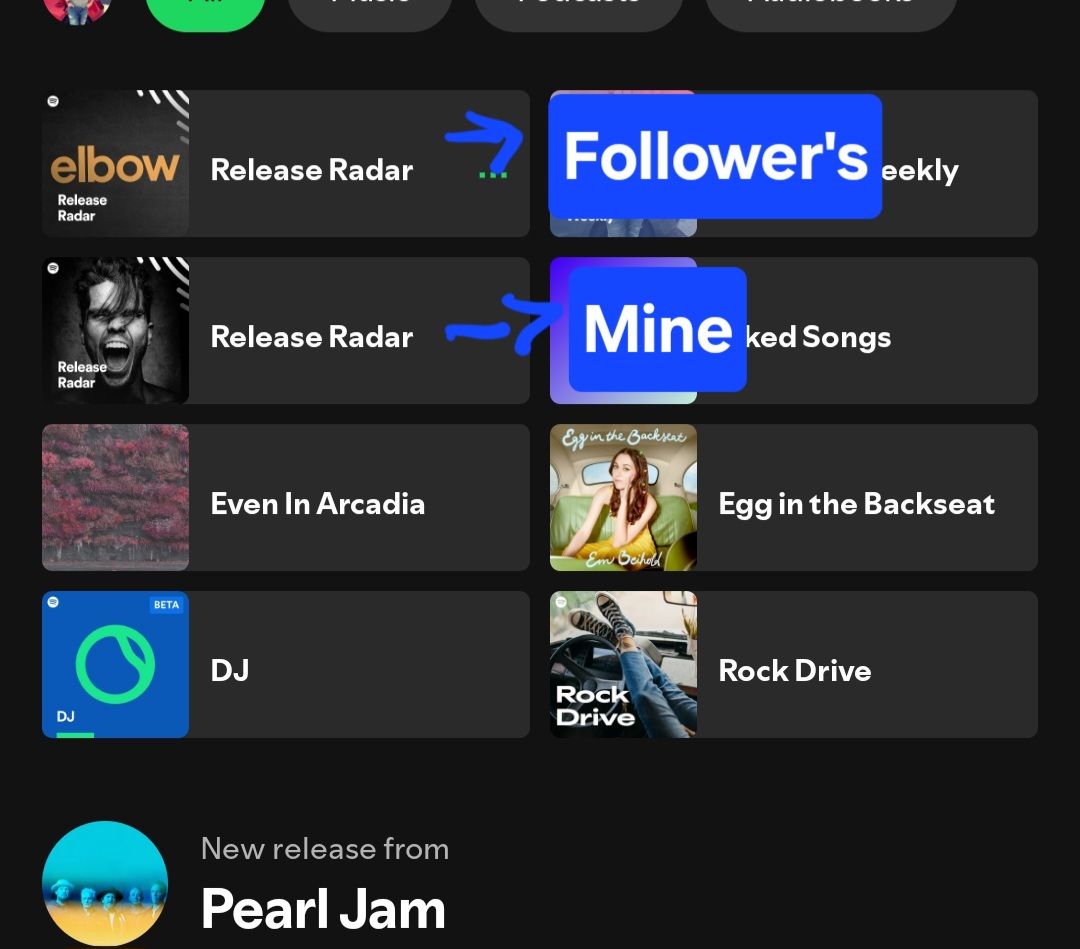
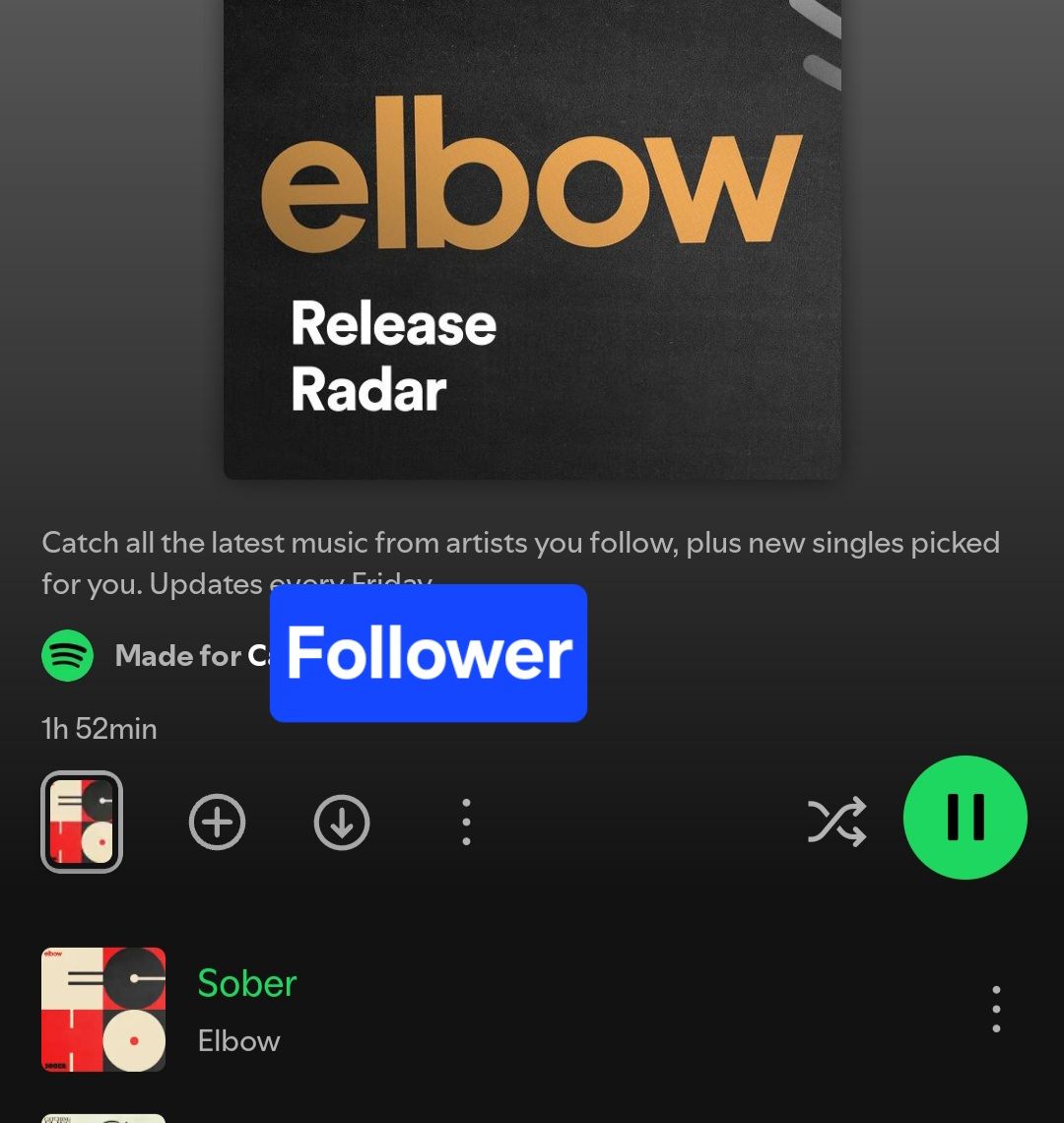
Is there an explanation for this?
Hi there @amandago,
Thanks for the post.
If you've made sure that you're logged in your personal account, you here is what you can do:
This should remove the playlist recommendation eventually. This could have happened if your Spotify account was logged in a communal device, like a home smart speaker/ TV or game console and your husband has played his Discover Weekly, without logging into his personal account. You should be able to find your DW playlist in the Made for You section of the app. We'd recommend playing that for a few days. It might take a week or two for your home page to update and for his DW to disappear, since this is an automated process.
Hope this info helps 🙂