[Desktop] Popout player

I have seen this idea posted several times over the years and they are all marked closed. I personally find it really frustrating that people have clearly been asking for this and over and over been denied, especially because it seems like a rather simple feature. Anyway, on the web player on Chromebook, there is an excellent popout player that remains on top of other tabs and windows you open, has the album/song art and has simple controls like pause, play, skip, and rewind that show when you hover over it. You can also move it around your screen so you position it where is easiest for you. It's crazy to me that this feature hasn't been implemented already for the desktop application, or if it has then the fact that it's been removed. It's super annoying to have to stop what I'm in the middle of to open the Spotify window just to see what is playing, or to skip or save a song. Something with just the basics of these features would make a huge difference and make usability so much easier.
Comments

Yes please I would love to have this! I'm also confused that it's not already implemented when it's been requested over and over again for such a long time.

Really need this! A pop out that remains / floats over other apps like the pop out does for the web player. C'mon Spotify you wanna be the best right?
Ok - what's this icon when I'm in full screen mode? I think it's new and doesn't do anything?
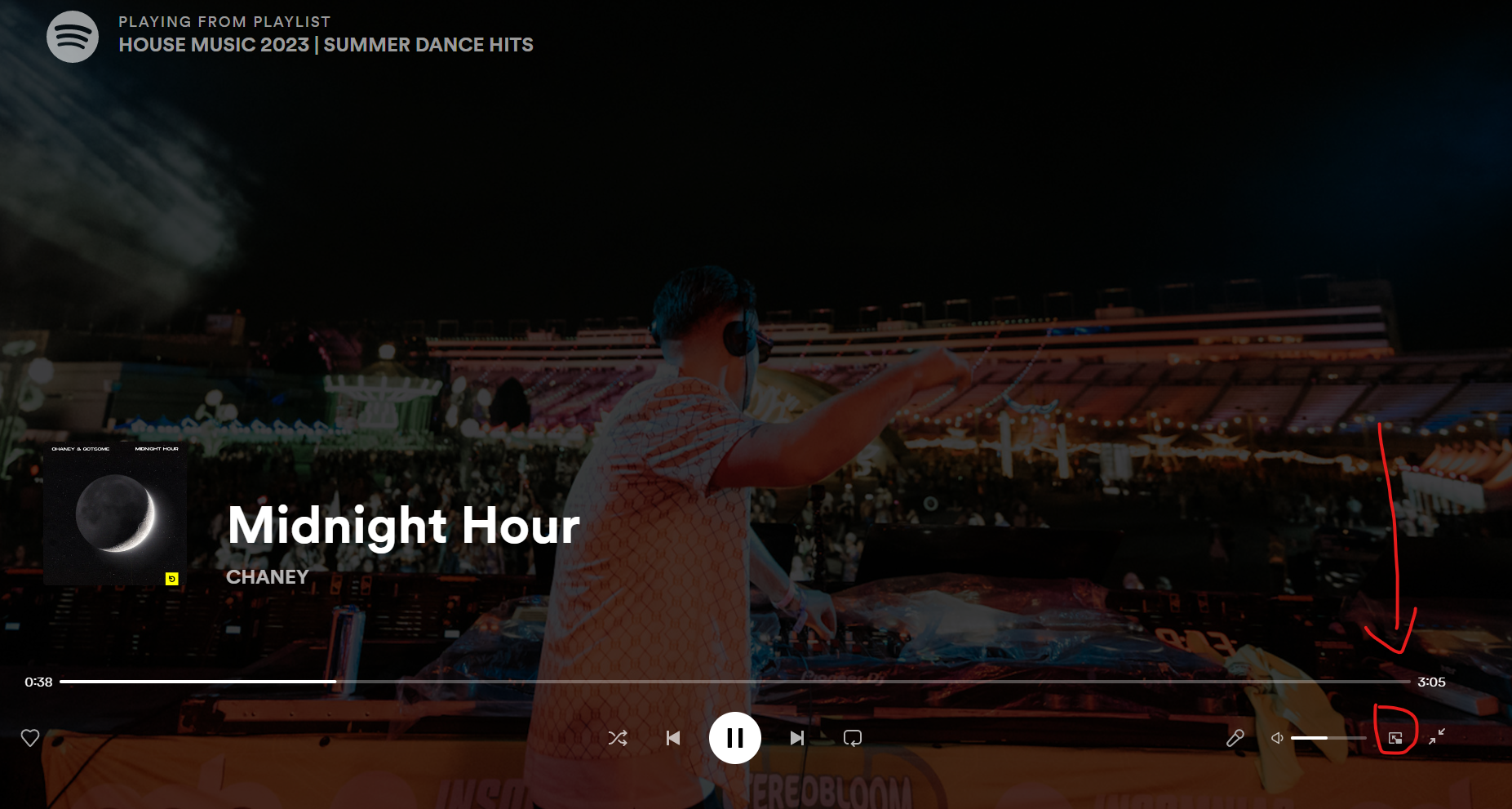
soooo.. anybody else spotted this? Any ideas anybody?
bump - anybody spotted this on their Desktop player? Mods any information?
Anybody even seeing my post about the new icon on the desktop all (full screen)?

2023 and spotify still hasn't made this happen

I agree fully. If the player (play/pauze,prev/next) would have these buttons on the top of the Spotify window I would be able to move the whole screen to the bottom of my mac, but no.. I have to open this maximum huge Spotify screen all the time if I want to forward or replay or pauze... No got this MiniPlay app, but I wonder how other users work with the Spotify desktop app... It's such a huge carnival of bad interface elements... crazy, but yeah... What do I know..

Just received a popup in the browser version of Spotify which said that the miniplayer is now available. Finally! It's located in the bottom right corner.
**bleep** that's class. Spotify PLEASE PLEASE bring this for the Spotify Desktop App.

I love listening to music while working at the (home) office.
It would be great to have a floating Spotify miniplayer on the computer desktop that you can keep on top or send to the background.
options (crossfade, off line etc.)

This may have been said previously (it's been 12+ years since we wait for this) but if you are on a Mac there's the Silicio Mini Player that does a pretty god job.
Unfortunately, I'm not on a Mac.
But thank you for your reaction.

Come on Spotify. Get it together. Not all of us like to use the website player! How long have people been asking for this? Come on, please.


Updated on 2024-03-21
Hi everyone,
We're happy to let you all know that this feature has now been Implemented 😎 You can find all the details on the topic in this announcement post. You're welcome to post your thoughts and feedback there as well.
Cheers!
Great work Spotify this is brilliant news!
yes the link is no longer working yet it was earlier as I read the article! I hope this is still going to be rolled out soon!

The link was taken down for a short period but is back up now.
Finally! Looks neat. The only thing that's missing is a progress bar that would let you jump to a specific part of a song or podcast.

Thanks
I've wanted this since day one. 😊
I work on a large monitor but still have Spotify playing in the background, so it's nice not needing to minimise and enlarge the interface all the time.

Most people are likely wondering why Spotify, the clear industry leader, hasn't developed a PC desktop widget.
Desktop real estate is limited for most and opening the program to tweak playlists or change to a new one is a pain.
If this isn't a priority for Spotify, then please share the thinking behind it. This is more of a need than a "nice-to-have!"

Spotify app for Mac desktop is fine, but takes up a lot of space. Create a view of the player that is just a minimized version. It would show artist and song title, forward, rewind, pause and play.
There is a new update for rhiimoot if you're interested.
I added an option to remove the annoying "Your verison of Windows is out of date" warning some of you may encounter.
You can see the changelog and download it here: https://www.locusmare.com/download.html
Please let me know if you encounter any bugs, thanks.