Plan
Premium
Country
Mexico
Device
iPhone 12 Pro / Windows 11
Operating System
iOS 17
My Question or Issue
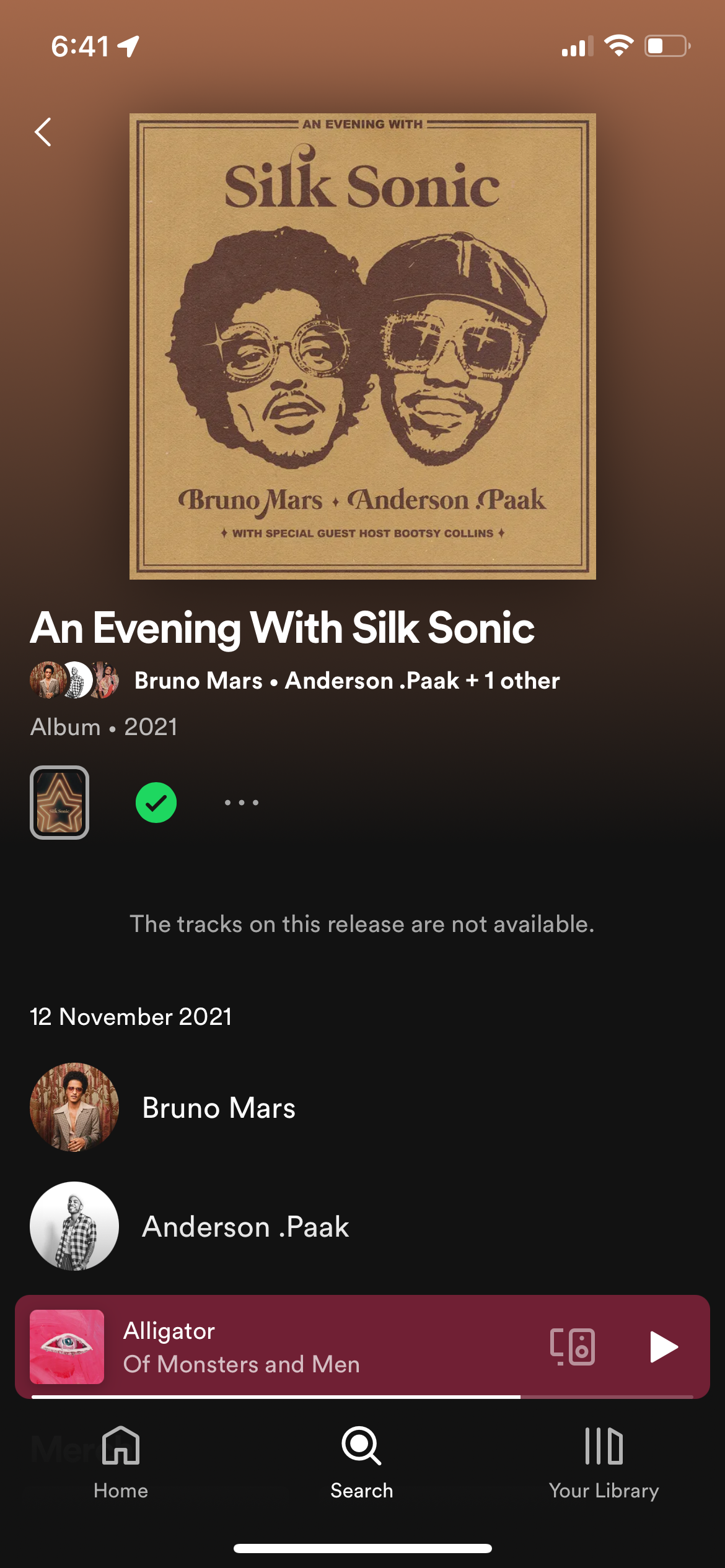
Today I decided to play Silk Sonic, it's been a while since I've played their music, clicked on play on my Desktop App (Win11) and the following message popped
"We can't play this until you allow this track in the Spotify phone app"
Thought it was an issue with the internet, never had it before. Checked connection, and again nothing, same message. Opened the app thinking a pop-up would appear asking me to allow the Artist, nothing. Searched for Silk Sonic's Artist page, clicked play on the iOS app nothing, not even a message. Google the issue, followed the instructions.
- Follow and unfollow the artist. (Didn't worked)
- Block and unblock artist. (Didn't worked)
Decied to logout of all devices, just in case, and googled more.
- Uninstall and install on both devices. (Didn't worked)
- Look for blocked artist all the way down on your library. (With the new UI is not possible to do this, on both devices)
Tried on a my Fire TV, won't play. Deleted my profile there just so I don't have another device login in, just in case.
At this point I don't know what to do. On other posts, what worked for some people doesn't work for me. I don't know if this is related to iOS 17, it shouldn't because is affecting my Win 11 desktop and Fire TV.
It keeps saying I have to allow it on my phone app, how? Was this possible before, but disappeared with the new UI? This is the first time I've encounter this issue, and all solution I've seen don't work.
Any suggestion is welcomed.