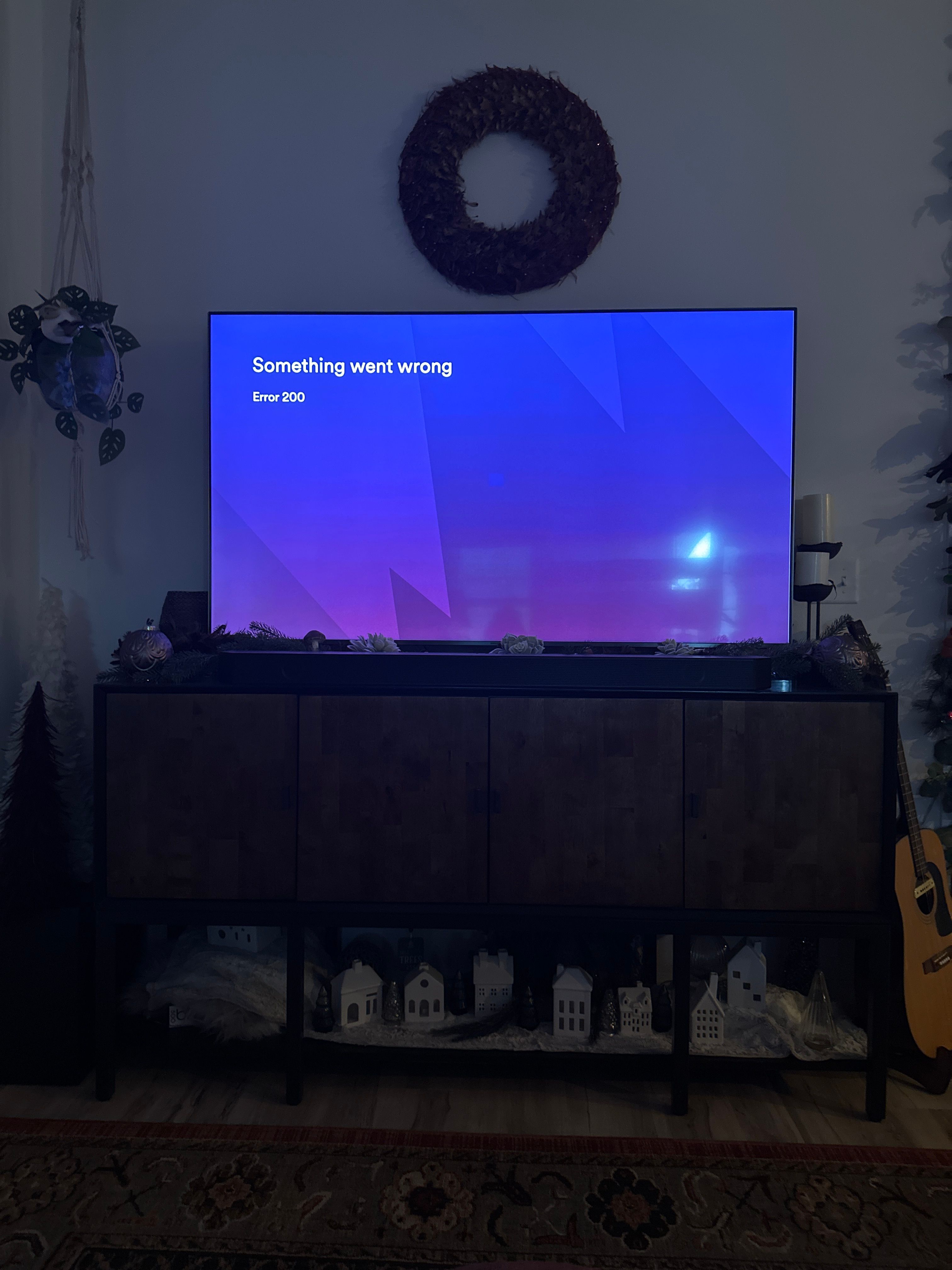
Error 200 problem NOT resolved

Plan
Family Premium
Country
USA
Device
Apple TV
Operating System
iOS
My Question or Issue
I have deleted and reinstalled, restarted my Apple TV, but none of this has resolved the problem. My iPhone 13 Pro Max works fine.
Accepted answers
All comments

Still currently happening as of 17 Dec 2023. Please fix ASAP.

I have the same issue, Apple TV is up to date (17.2) and app is up to date. Have tried restarting

Hey @Sfoweather,
Thanks for reporting this!
@Josehead does the same issue persist for you and, if not, could you let us know how you've resolved it?
Leaving some troubleshooting steps for anyone who hasn't tried them all yet 🙂
- Close and reopen the app
- Restart your Apple TV
- Check for updates
- Delete the app and reinstall it
- Select the app you want to delete, then press and hold the click pad center (Siri Remote 2nd generation or later) or touch surface (Siri Remote 1st generation).
- Select Delete App, then select Delete instead of Offload.
Tip: Offloading an app removes it from the Home Screen to free up storage, but retains its data in case you install it again.
Deleting an app also deletes its data which we want to do now. You can download the app again from App Store after this.
Everything that is saved in your online profiles will remain the same.
Should the issue persist after this, we'd like to know your:
- Affected device's brand and model
- Its OS version
- The Spotify app version currently installed
Keep us posted on how things go! We'll be on the lookout.

I’m now having this issue. Checked the wifi, restarted tv, deleted and reinstalled app. Nothing working.
Same issue!
Having same issue 12/19/23. Deleted and redownloaded app. Restarted tv. Restarted wifi. No luck. Please help. First got Error 200, now Error 100.
Still currently happening as of 19 December 2023.
I've restarted, rebooted, reinstalled, updated, deleted, downloaded, reset, unplugged, etc, etc, etc.
PLEASE FIX THE SPOTIFY THAT I AM PAYING FOR.

This is obviously an issue on Spotify's end if the problem is intermittent and a lot of people are having the same issue over and over again.

Hey there @annierjones18,
Thanks for the post and good job for already trying some troubleshooting steps!
There's something else you can try and hopefully it'll change how the app behaves:
- Launch Spotify.
- Wait until you no longer see the Spotify logo.
- Go back to the main menu.
- Close the app (double press the TV button for application switcher, focus the app you'd like to force quit and then swipe up).
Keep us in the loop.

I have the same issue. Discussing with Spotify Cares on X (the app formerly known as Twitter):
https://x.com/mikecooper/status/1737163221205668144?s=46&t=l3RZTJvEzPR_2U0FBJ5x1w

I’m having the same issue and it just started today I have an Apple TV 4K (tvOS 17.2)
and the Spotify app (version 1.39.4)
I already restarted the Apple TV, removed and downloaded the app and NOTHING
Still currently happening as of 22 December 2023.
Issue still not resolved.

Hi everyone!
Our tech folks are looking into this. To aid us in the investigation, please share the following details (if you haven't already):
- the OS version of your Apple TV
- the exact version of Spotify you're running
Thanks! We'll keep you posted here as soon as we have any updates on the matter.

Same issue and I’ve tried all troubleshooting suggestions.
OS: tvOS 17.2
Most recent version of Spotify (automatic updates are on and I uninstalled/reinstalled today)

Same as others. Getting 200 error.
TVOS 17.2 on Appletv 4k 1st gen.

Same issue as of 12/26/23.
updated software, deleted and reinstalled, reset tv - nothing fixed.
tvOS: 17.2

12/31/2023… issue still persists. This is becoming increasingly ridiculous, I haven’t been able to use Spotify on my appletv for what feels like about a month now.
I'm now in a weird position… two of my Apple TVs can access Spotify (occasional Error 100/200 codes, but a force quick and restart fixes it) but my third Apple TV still can't get beyond the error screen. Surprised it's taking this long to fix…
I also discovered something weird while troubleshooting with Spotify, which was that sometimes (and in my case, only when there was only one Apple TV on the network) I was still able to select the Apple TV as a Spotify Connect destination and send music to it.

Same thing happening here. For the past month this error 200 has been an issue on my Apple TV 4K 1st gen, I received a new Apple TV 4K 3rd gen for Christmas thinking it would resolve the issue but no…same thing….
Deleted, reinstalled, restarted, firmware updates (17.2) nothing.
This has been happening since thanksgiving and the only way we’ve been able to listen Spotify is through our Sonos soundbar which previously wasn’t nearly as reliable as the ATV. Disappointed for sure.

I’m also having this issue. It’s been going on for at least two weeks. I’ve done all the things suggested in this thread, on both my Apple TVs (HD & 4K). Both are using Spotify app 1.39.4 and tvOS 17.2 (21K365)

I too have been dealing with this issue for 3 months now. At first I was able to get the app to open after several failed attempts, but now I get error 200 after every single try. I have tried all of the above mentioned solutions to no avail. TV iOS is 17.2 (21K365) and Spotify App version is 1.39.4. This sucks. Please fix.

Not working - seems to me that the app needs to be updated as the current version is 1.39.4 which was last updated in March 2023.
Come on Spotify - has to be an issue on your side so please fix.
It’s been almost a month and nothing! And I use it since I work from home! And now I have to use AirPlay but when I want to see something else I changes so it’s very uncomfortable, you guys need to fix it
Not sure how long it will last, but I was able to log in today for the first time in over a month. I was prompted to re PAIR with appleTV, but that is probably because original app was deleted, along with its data. Fingers crossed...

Same. So I tried deleting and reinstalling a second time. Now I get Error 100 😂
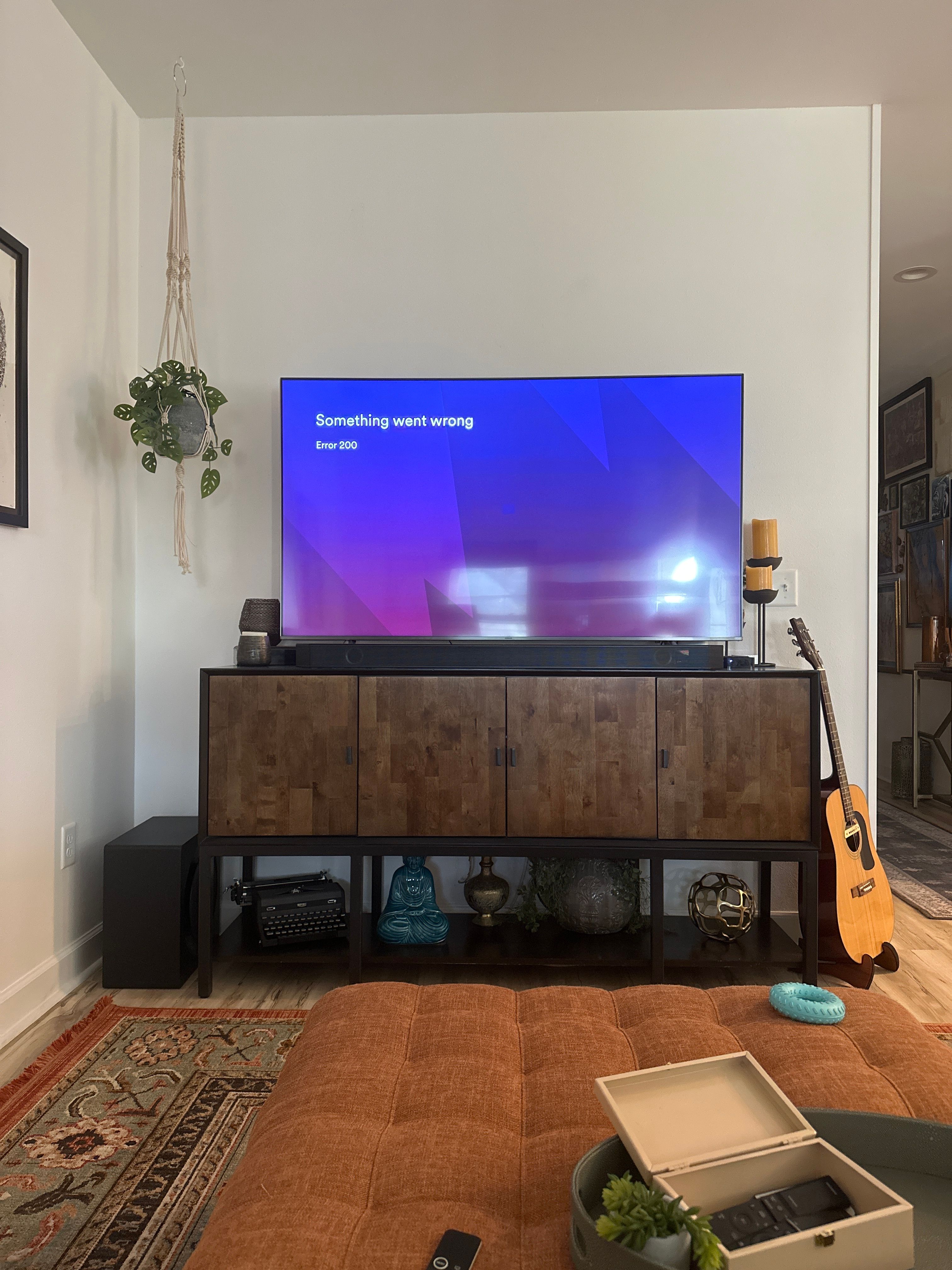
I’m still dealing with this issue. Incredibly frustrating. I really wish that the Spotify app that I’M PAYING FOR worked properly.
It’s still saying:
Something went wrong
Error 200
Well suddenly it’s working this evening. Restarted and everything and still working. I gave it a shot yesterday to no avail, but tonight I tried again but got the log in page suddenly came up and it worked. Can’t fully explain it.
Hardware
AppleTV 4k v3 -
A2843 (128 GB)
Apple tvOS
17.2 (21K365)
Spotify settings build#
2023.12.15_2-ba01e81 release-v2.253-3-gf9cae40-mvhz HEAD-v3.201.448-g35e6002a 1.39.4
Hopefully that info helps narrow it down. I’ll update and test my old ATV 4k v1 and see as well.
Promising update! But still holding my
breath if it’s a fluke. Fingers crossed 🤞
(Update 5 minutes after posting…. Back at it again, error 200…)
(Update to the update again 5m later. Appears to be working on restart and directly opening, but changing apps seems to confuse it and cause the error. So just be careful and we’ll see what happens.

I have been having this issue since around the same time as well, but instead of getting an error screen I have only gotten a black screen, then the app crashes and force quits itself. Tried reinstalling today and I actually got an error screen. Any solutions yet? I'm also on an Apple tv with tvOS 17.3.
Hi @Josehead,
Thanks for reaching out to the Community!
First up, check your TV app store for any updates to the Spotify app, and make sure your TV's software is up-to-date. This situation was reported as fixed a few months ago, so just to check, did this recently start happening? And did you notice if it happened after an update or recent change?
We'll keep an eye out for your reply.