Family Plan address cannot be found

Accepted answers
All comments
Hi Maxim,
thanks for your help! somehow auto address fill cannot find the exact location of mine. I tried to manual filled but the auto-fill box keep suggesting the wrong address.
I cannot manually locate using Google Maps somehow.
Could you suggest something?

Hey @victorino,
Thanks for getting back.
It sounds like you haven't tried to enter the address of a close public space/building yet, so I recommend trying that out 🙂

Same things happens to me when I try to join a family invite. The page https://www.spotify.com/us/family/join/invite/ gives me a 404 even though we have tried both from an SMS and an invite email.
Please help! Whomever can figure it out...
Hey @musikdirektör,
To ensure that we can offer you the best help that we can, could you please create your own thread? Doing so is easy. Simply select the appropriate board here, and then select “Start a Topic.”
Thank you very much!
Hi Maxim,
Well, i lived in suburb so there isn't any closest public space as reference point.. It wont accept the nearest address number of mine.
Hey @victorino,
You should try entering the address of the nearest public space or building, even if its quite a bit away 🙂
If an error message comes up, please share it.
Thanks!
Hey Maxim,
I did copy the exact address that listed for my family subscription but the web still can't find my address. i tried to follow ur suggestion to fill in the nearest known address but even with correct street name and block number w/o house number
the web still saying that the address isnt match.
i could attach the screenshot but it is in Indonesian and u need to translate it. Now i am really **bleep** off and confused
Hey @victorino,
Thanks for getting back.
Can you try using Google Maps Plus Codes? You can enter your full address there and Google will turn it into a code, which you can use on your Spotify account page.
The code will look something like this: H1V7+Y3.
Keep in mind that the code replaces your street name in the street field, and you should still specify your city/country after it.
Here's an example of how this may look like: H1V7+Y3 *your city* *your country*
Let me know how it goes 🙂
Hi @Maxim,
Tried the google maps plus codes, attached the image of the input address & result.
Spotify hasnt been able to identify. attached the images for your information.

Hey @victorino,
Can you please try shorten it to only code + city + country and remove all the additional info? 🙂
Hi Maxim,
I tried your suggestion shorten code city and country but again spotify cant identify my address, no idea why

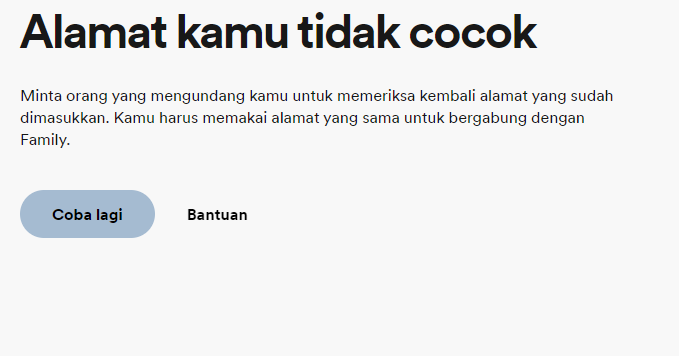
Hey @victorino,
It looks like you've forgot to remove the '+' symbols when entering the address. Can you try it again without them? Try using a version with a space instead of '+' and one without.
Let me know how it goes 🙂
Hi Maxim,
Nah, tried it with ur latest suggestion still spotify cant find the address

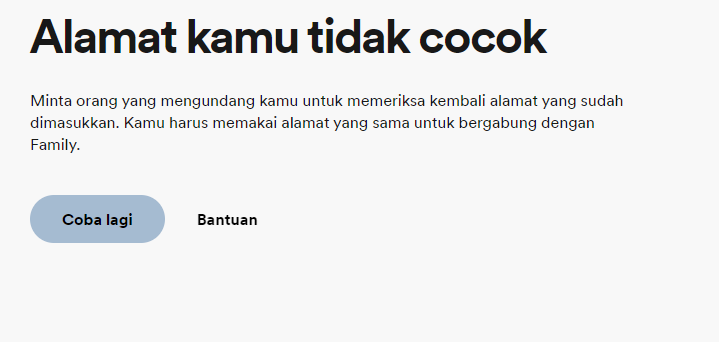
Hey @victorino,
Can you please ask the owner of the Premium Family plan you're trying to join for the exact address they've entered on the plan? You'll need to enter the exact same one for it to work. 🙂
Hi Maxim,
I am the owner, I double checked the address listed at my Main Spotify account, filled the address exactly the same for this account. No idea why this account can't join my Main Spotify account.
Could i somehow directly ask Spotify to clarify this problem?
Hey @victorino,
Thanks for getting back.
Please have the plan manager update their home address here. They don't have to enter a different one, so they can just enter the identical address again to update their info.
Once done, have them send you another invite and then please try to accept it.
Let me know how it goes 🙂
Hi Maxim,
Well at the end of the day i need to change address and notify my members. What a hassle by spotify.
Thanks for the solution.
Hey @victorino,
This shouldn't affect the existing members, as the address is still the same as before, you're just updating it (to the same one again).
Did that work, though?
Also, just keep in mind that existing plan members might be asked to re-verify their address from time to time, so make sure they check their email inboxes at least once a week 🙂

I am trying to add my duo partner to my duo partner to my subscription. But failing due to my original address is not showing in google suggested map/address.


Plan
Premium
Country
HK
Operating System
IOS/Mac OS
My Question or Issue
I was asked to verify my family address and I was facing a few issues:
1. Unable to use autocomplete with exact address, no result found
2. Unable to verify address with the closest address provided from autocomplete dropdown, got ADDRESS_MISMATCH error
3. Unable to verify the address with exact full address, got some random error saying service unavailable
At the end of the day, I get verified by sending a POST API myself with the exact address and placeId provided by autocomplete… that’s obvious not a good ux
Can we keep autocomplete for placeId and add another field for full address for the retry page? So people still have a chance to call your reverify-address/…

Plan
Free/Premium
Country
Device
(iPhone 8, Samsung Galaxy 9, Macbook Pro late 2016)
Operating System
(iOS 10, Android Oreo, Windows 10,etc.)
My Question or Issue
I'm trying to add my daughter to my family plan and it's not recognizing my address. I've double checked that it's accurate in my account and tried multiple times adding to my daughters account. Can anyone help?

Si está activo mi plan el problema es que cuando pongo mi dirección no me deja ase nada mentira error entonces para que ofreces planes si no los puede usar uno

So basically there is no solution for this? Why?


Plan
Premium
Country
Canada
Device
iPhone 11
My Question or Issue
I am trying to join a family plan. But on the address confirmation page, I cannot find our address in Montreal, Canada. Without this, I cannot join the family plan. What can I do?

Plan
Free/Premium
Country: UK
Device
Chromebook / Pixel 7
Operating System
Android
My Question or Issue
I have sent a link to a family member to invite them to my premium family plan however the address verification utility is unable to verify any aspect of my address. How do I resolve this?

I have checked the address on the main account holder, which is correct.
Any advice welcome.
Hey @victorino ,
Thanks for coming to the Community 🙂
If your address doesn't autocomplete, enter the entire address, then select Find.
If you still can’t find it, select your building, street name, or a close public space or building. Just don't use someone else's address.
Let me know how it goes!