Spotify App for Android TV doesn't work

Plan
Premium
Country
Argentina
Device
Philips Full HD Android TV
Operating System
Android TV
My Question or Issue
The Spotify app for Android TV is not working. Songs play for 8 seconds without sound and then skip to the next song, again without sound. Other apps on the TV work fine. I cleared the cache, uninstalled the app, reinstalled it, and rebooted the TV, but nothing worked.
Accepted answers
All comments

this still didn’t work, it won’t play sound and only plays for 6 seconds.


Same issue still persists. Samsung The Frame, Android TV, doing the same exact thing. The app skips the songs after a couple seconds automatically and doesn't produce any sound. The before mentioned fixes don't work.
Meanwhile YouTube Music works without problems.
Solving the issue should not take this many months, it's starting to make switching to competitors an atractive solution.

I’m having the same problem since a few months. Tried reinstalling it, but no fix. One day, it magically played music again, but the next day it was broken again.
In my case, Spotify plays the song, but no sound. Android TV

Hi there folks,
Thank you for all your replies. We're continuing our investigating on this matter. For all of you who have this issue on NON-Samsung TVs, please provide us:
- When did this last happen? Please include the exact timestamp including your time zone.
- The exact makes, models and OS/Firmware versions of all your affected devices
- The exact Spotify Versions you use.
We'll then forward this to the relevant teams to aid in the investigation.
Keep us posted.

I am having this exact same issue. I recently started using my home gym a little bit more and wanted to play some music. I open the Spotify app and select a playlist to play. It will "play" the first few seconds of the song, no sound, then skip to the next song. Rinse and repeat.
- When did this start happening? Noticed it a few weeks ago
- The exact makes, models and OS/Firmware versions of all your affected devices. Sony Bravia KD-60X690E (FW 4.931-1.100-005), Shield TV Android 11 (Android TV v9.1.1(33.2.0.157))
- The exact Spotify Versions you use. v1.81.55
All other apps (Netflix, YouTube, Disney+, etc) work correctly with sound. I'm on a hard wired Ethernet 1GB connection direct from the Shield to the Router. I've tried everything from Clearing cache, clearing data, uninstall/reinstall, unplug all devices/router and leave off for 10 mins before rebooting. Nothing corrects the issue.
This setup has worked correctly with Spotify in the past. I am a premium Spotify account holder of several years. I will be leaving the platform if this is not fixed soon.

Thanks for the details, @StellarJay!
Apart from the requested info in @Joan's post here which would help with investigating, could all of you folks that are using NON-Samsung TVs try to re-create the issue and get back to us also with the timestamp and date, including your time zone when you experienced this?
We appreciate the cooperation and are here if anything else comes up in the meantime 🙂
So to bring you up to speed, so far I have done a factory reset of the SHIELD TV as well. I've tried reinstalling Spotify directly through the Play Store on the Shield as well as through Chrome on a Windows PC to the Shield.
I just created the issue both by opening the Spotify App on the Shield and also selecting it as a device from my phone when my phone is already playing a song correctly (did both app connect and Google Cast options). That was today Wednesday April 3rd at 11am PST.
I have discovered that if I uninstall the Spotify app on the Shield that I am able to cast Spotify from my phone to the Shield and get sound, but this is not an acceptable solution as I want to be able to control Spotify and open it on the Shield without needing my phone.

When did this start happening?
I don't know. As long as I can recall.
The exact makes, models and OS/Firmware versions of all your affected devices
Google Chromecast with Google TV. Android TV OS build STTE.231215.005.11281923
The exact Spotify Versions you use.
2024.03.11_1-5817b61 E release-v2.277-2-gf7698c4-mlpfvhz HEAD-v3.203.239-g1b6bd565 1.81.55
Tested at Thu April 4, 11:30-11:45AM EDT.
When did this start happening?
I don't know. As long as I can recall.
The exact makes, models and OS/Firmware versions of all your affected devices
Google Chromecast with Google TV. Android TV OS build STTE.231215.005.11281923
The exact Spotify Versions you use.
2024.03.11_1-5817b61 E release-v2.277-2-gf7698c4-mlpfvhz HEAD-v3.203.239-g1b6bd565 1.81.55
Tested at Thu Apri. 4, 11:30-11:45AM EDT.
[Deleted]
This has happened as long as I can recall.
Using Google Chromecast with Google TV with Android TV OS build STTE.231215.005.11281923
Spotify app version (on the Chromecast, which is where I am trying to play from, not casting from another device): 2024.03.11_1-5817b61 E release-v2.277-2-gf7698c4-mlpfvhz HEAD-v3.203.239-g1b6bd565 1.81.55
Tested at Thu Apri. 4, 11:30-11:45AM EDT

I have a Sony 75" 4K UHD HDR LED Android Smart TV (KD75X780F). This problem has been happening to me for about 2 months.

Je pouvais avant écouter sans problème Spotify sur ma tv Sony android mais depuis quelques semaines je ne peux plus le faire. Le compte est bien associé j’ai déjà essayé de supprimer l’application, me déconnecter, reconnecter, mettre à jour l’app mais elle est à jour. Lorsque j’essaye d’écouter Un son la musique change sans arrêt je n’ai pas de son et finalement la musique reste sur pause et je ne peux pas mettre play. Je ne sais plus quoi faire



Hey @Shred00,
Thanks for all the info you've sent so far.
Could you try to re-create the issue once again and get back to us with the timestamp and date when you experienced it? Also, make sure to let us know your time zone.
Thanks!

i have similar issue, but not on Samsung device. It is my Devialet Mania. It will stop play a few second near the end

Joan are there any advance on this issue?
Spotify redirected me to Samsung, Samsung redirected me to Spotify after trying everything.
Happy to help however I can (am tech savvy) providing logs or anything that will help resolve this.

- I noticed this issue with sound and song skipping at around 9:00 of the morning. At 2024 04 22. (GMT-3)
- Xiaomi Mi TV P1 43, Android, MiTV-MOOQ0 version 10
- The exact Spotify Version on TV - Version 2024.04.08_2-f2ff201 E release-v2.277-2-gf7698c4-mlpfvhz HEAD-v3.203.239-g1d6bd565 1.81.55. On Phone 8.9.32.624.

When I use my phone as a Hotspot for the TV, Spotify seems to work normally.
I have a Phillips 55PUS8057/12. When i use a Chromecast with google tv and connect to my phone's hotspot then Spotify also starts working normally. When i switch to my home WIFI the songs start skipping every couple seconds and there's no sound.
Has there been a Spotify application update as my Shield TV application is now working again, however when I select the app it opens into the Google Play store first where you can select "Open" or "Uninstall". If I click "Open" it loads Spotify and plays correctly.
There seems to have been an update quietly released that fixes the issue (at least for me) sort of. Version starts 2024.04.22...
The reason I say sort of is because when I select the app it opens the Play Store page first where you choose "Open" or "Uninstall" and if I select "Open" it opens and works correctly. Going to test uninstall and reinstall to see if that fixes the issue.

The same with LG webOS! The whole day today, not any specific time. And I suspect it's been like this for a while!?
The spotify app on the TV insn't working! Everything shows up ok, but if you klick "play" nothing happens.
Everything else in the Spotify TV-app seem to work, but playing a song is impossible.
If I open the app on my phone to try to "cast" the music to the TV instead, it tries to connect for ever even though the spotify TV app greets me welcome. Then it just keeps "connecting" and nothing more happens!
All other TV/Phone apps like Youtube and other non Spotify functions works just fine, so I dare to say it's spotify related.
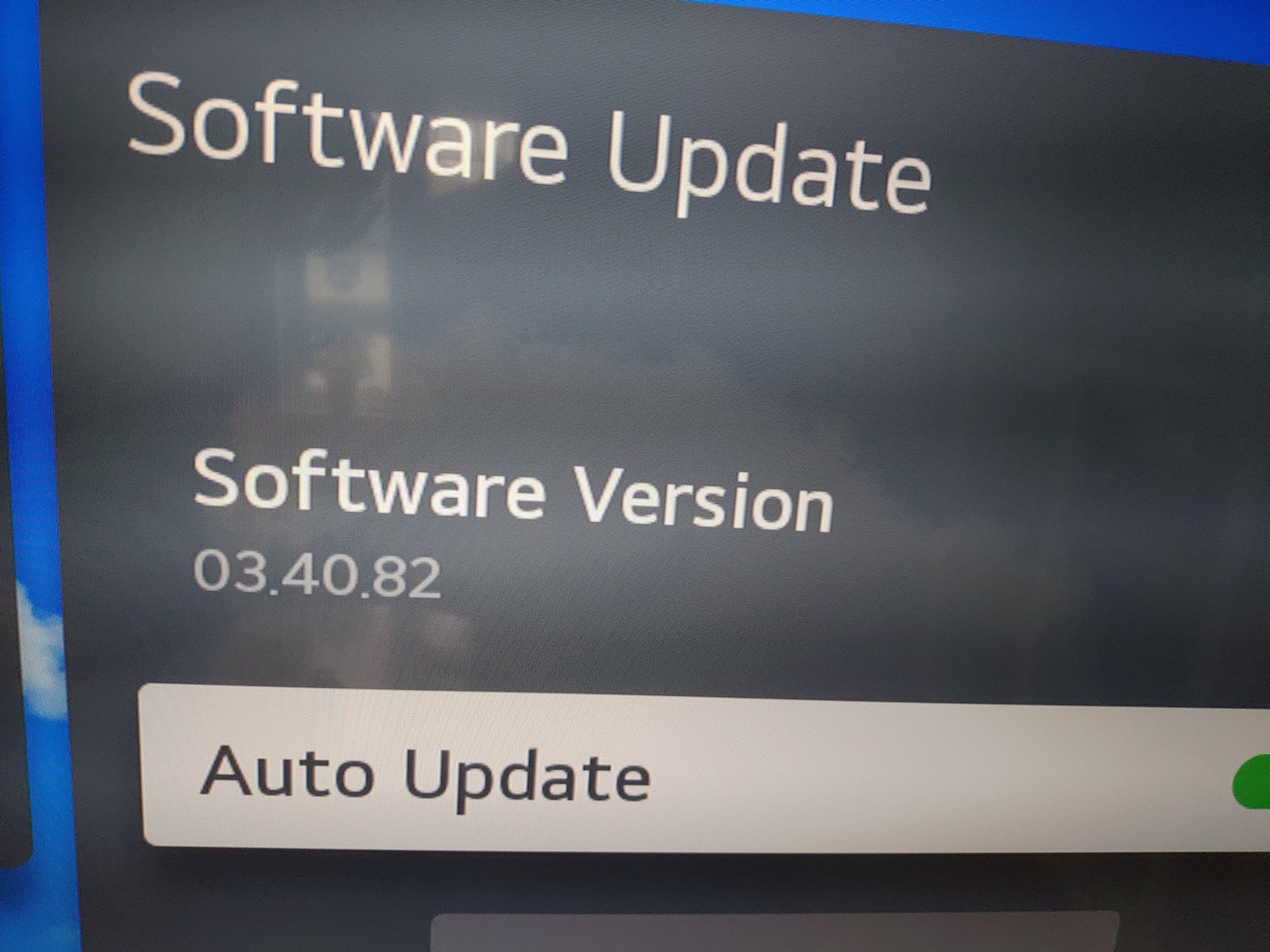
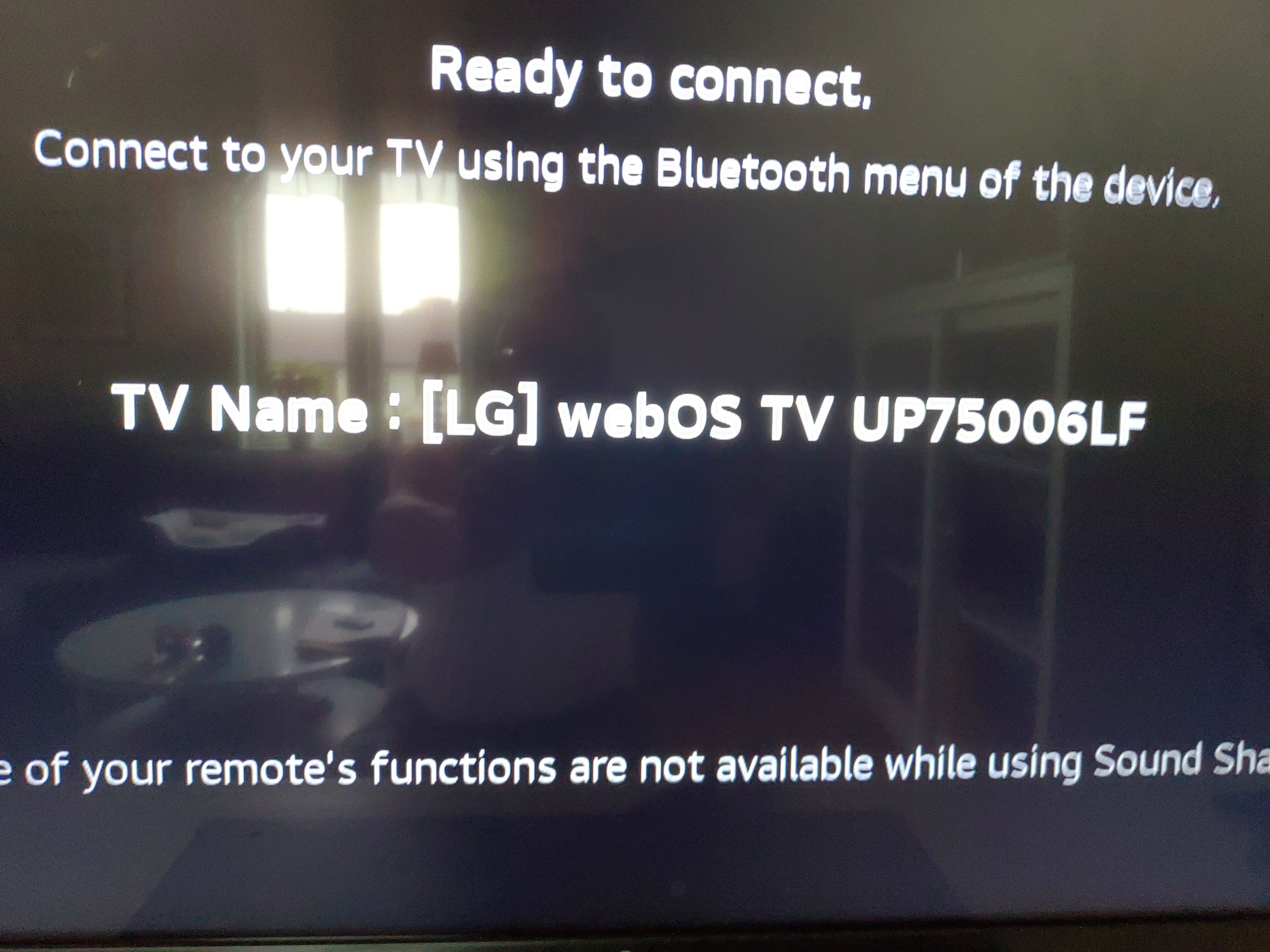
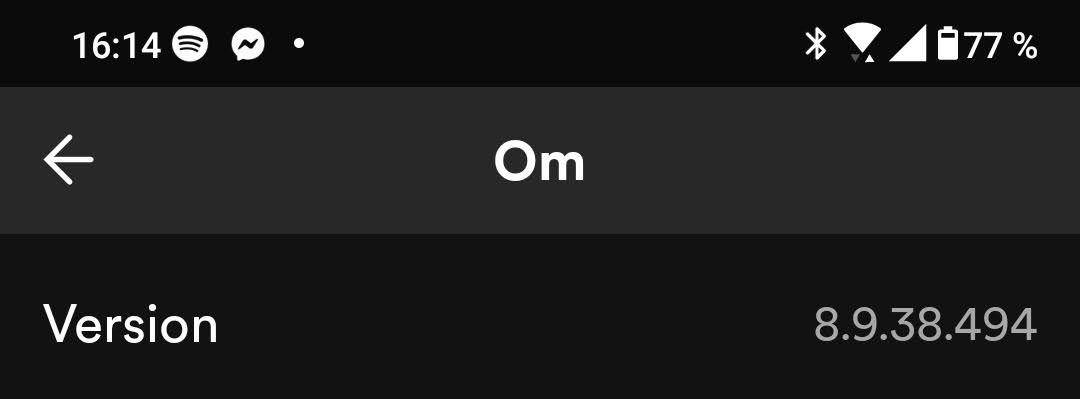
And I did the standard checks...
- Restarting the TV
- Unplugging the router for several minutes
- Installing TV firmware updates
- Clearing Spotify app data and cache
- Removing and reinstalling Spotify app (latest version on Google play store)

Hi I have the same issue.
Philips 70pus8535/12.
Os TPM191E_R.201.000.248.217
spotify version 2024.05.06_3-d9ed739
1.83.3
sweden
2024-05-10 16:30 latest time I had this problem.
An uninstall and reinstall of the app on my shield TV resolved the issue with the latest Spotify app version.

You need to fix this problem. I have Android TV with Spotify Premium. It shows playing track without sound. I hear nothing. Then skips. I cannot cast to Spotify nor play anything on the app. Fix your broken app

Same issue here.
I have a Sony TV on which the Spotify app has been working for several years. Suddenly had the same issue as described in these posts.
Tried all below, didn't fix the issue:
- Restarting the TV
- Unplugging the router for several minutes
- Installing TV firmware updates
- Clearing Spotify app data and cache
- Removing and reinstalling Spotify app (latest version on Google play store)
This issue is reported multiple times, any fix soon !?!??

I have 3 tv’s on 2 of em Spotify is not working I tired each and everything to fix the issue but it still not working, it’s only working on one of my tv all of em are Samsung smart tv’s I’m really frustrated I want to listen music on my tv’s I can not enjoying my sound system with high quality audio I’m using YouTube right now. Please if you guys can do anything that would be much appreciated.
Hey folks,
This issue should now be resolved!
Updating the Spotify app on your AndroidTV to the latest version (1.85.3) should fix the playback issues for you 🙂
Cheers!