Spotify causes significant battery drain on Pixel 8 Pro

Pixel 8 Pro, Android 14, Spotify Premium build 8.8.76.667, Sweden.
Brand new phone and first day of use, and installed the app earlier today. Spotify has somehow managed to drain 38% (!) of battery with 4 minutes screen time and 4h 44 mins background activity: https://ibb.co/TrG4jW6. I'm unsure about the length of background activity, too, since I've only been listening to podcasts and some music for two hours tops before completely closing the app. No downloads of playlists or music, either.
The phone was warm to the touch for several hours after installation. The temperature dropped immediately after disabling Spotify from being able to perform background tasks.
In the "View by systems" tab in Systems > Battery > Battery usage, it's clear that the CPU has drained a majority of the battery (33% vs 13% for screen) since it was fully charged, even though I haven't been doing any CPU intensive tasks for any length of time.
Super weird, and it's the only time this has happened on any of the smartphones I've had Spotify installed on over the years.
Accepted answers
All comments

There's a Pixel update. I'm loath to be burnt again by the Spotify app, so wondering if anyone else has given it a try to see if it's any better?

Pixel 8a user here, brand new phone
i noticed over the weekend 18% with 1day 20h of background usage
i find this quite abussive
version 8.9.40.509

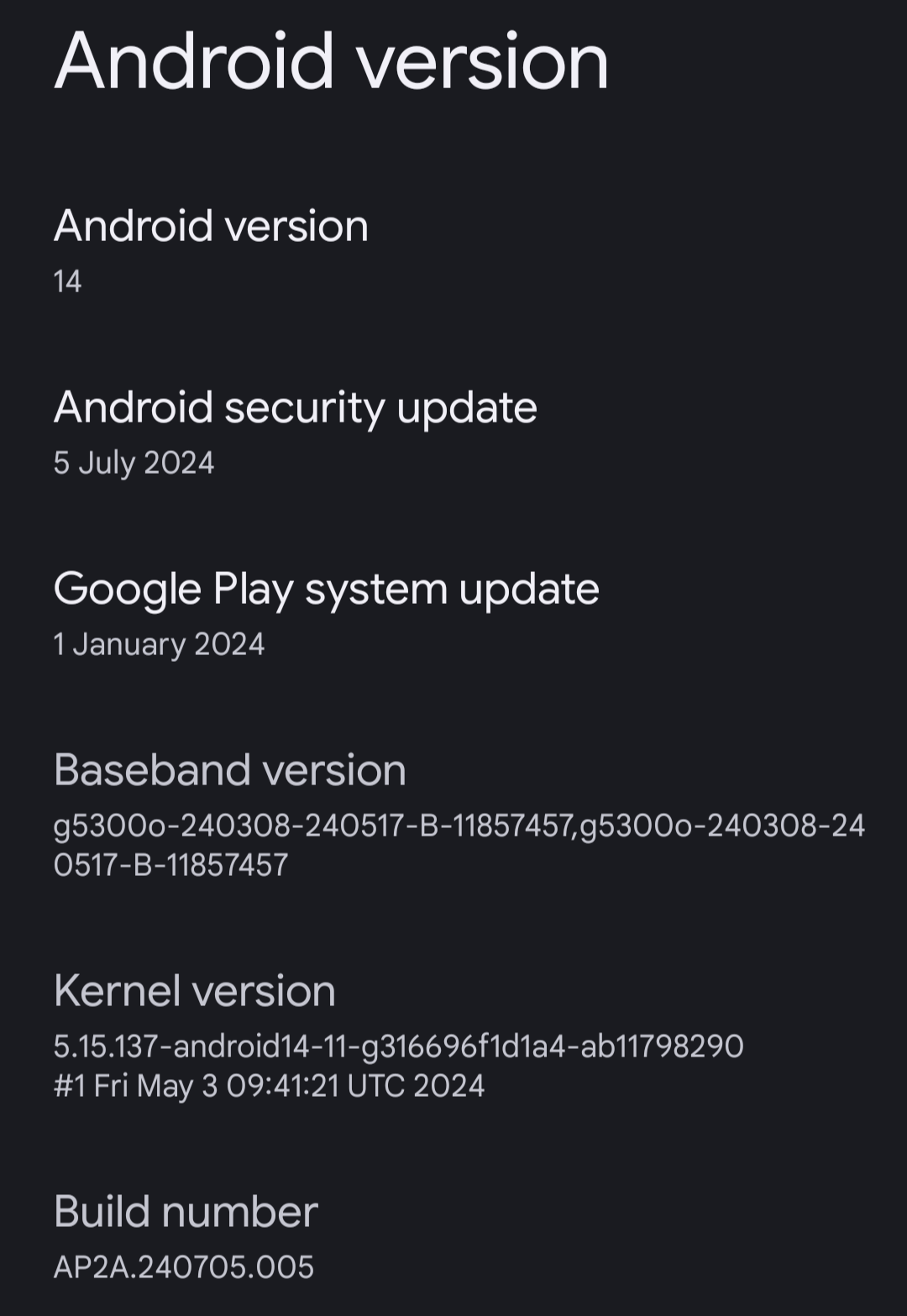
So I clean-reinstalled Spotify (Version 8.9.40.509) after updating to the latest available Android version (build number: AP1A.240505.00, Pixel 8 Pro).
Unfortunately, for now I can't tell whether that helped or not. In defense of the service I can say that either my device or Pixel's battery usage is not tracking battery data accurately. Here, as an example, I can assure you that I hadn't been using Spotify for less than a minute (it was at least 1.5 hours) that day.
To share more accurate data on current usage, I will have to avoid YouTube for a day and manually track the listening time, which I will try doing eventually. But based on how it feels from subjective experience, the battery usage became less egregious after reinstallation.

Hey folks,
Thanks for all your replies and for the info shared.
In this case, in order for us to forward all this important info onto the right team, we'll need to gather some very specific details. That way, they can check in thoroughly what is exactly happening on your side. So, we'll need you to send us:
- The make/model and OS of the affected device
- The exact Spotify version you're running there.
- Some screenshots of this behavior and your device's battery usage analytics.
- If you noticed that this started to happen after some specific event, such as an OS update, please clarify.
- All the troubleshooting steps you've tried so far. Make sure to be as specific as possible.
Be aware that we'll need all this info in order for our tech team to continue investigating further. If you've already sent us some of these details, keep in mind we'll need update info of your devices and Spotify versions you're running as of today.
We understand where you're coming from, so we'll work on this together.
Keep us in the loop!

Hi, it is happening on my Google Pixel 8 since I bought it in October 2023, and it never stopped. I weekly check updates for all my Apps and my OS so you can consider all latest version of Android and Spotify avaiable in Italy since October 2023 untill now for sure.

What did it for me is disable the "Spotify Connect in background" that can be found under Settings > Devices.
I'm on a Pixel 8 Pro and found this suggestion on Reddit.

Same here, disabling Spotify Connect in background seems to solve the drain when not using Spotify on Google Pixel 8.
BUT still, Spotify uses a lot of power while running and listening to content.

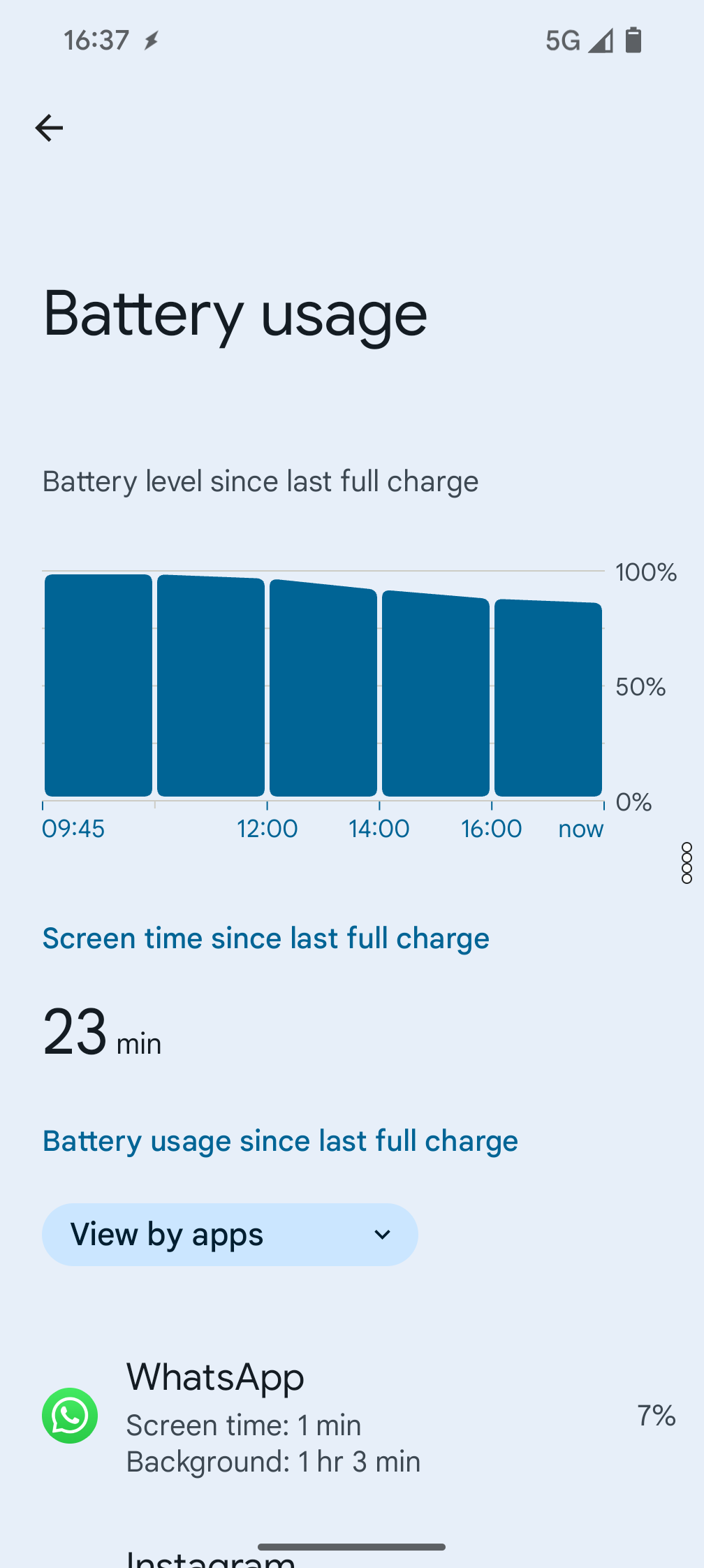
I disabled "Spotify Connect in background" as suggested above and started a podcast for two seconds, stopped it and closed the app. This is what Spotify was reported in battery usage. I don't know, what's going on in the background.
I'm running Android 15 B2.2 on a Pixel 8 Pro with Spotify version 8.9.46.426.
And I've tried so many things to resolve. Disabled and enabled may things, tried the latest beta. Sometimes there was no background activity I couldn't explain, sometimes, it's like yesterday.

Pixel 8 pro, Spotify version 8.9.48.575. A huge amount of battery is consumed when listening in background!

version 8.9.48.575
com.spotify.music
Android 14
pixel 8
Higher than expected battery usage
I was using podcasts (freakonomics radio) at 1x speed while driving around. The episodes were shown to be down loaded. I had Google maps open primarily.
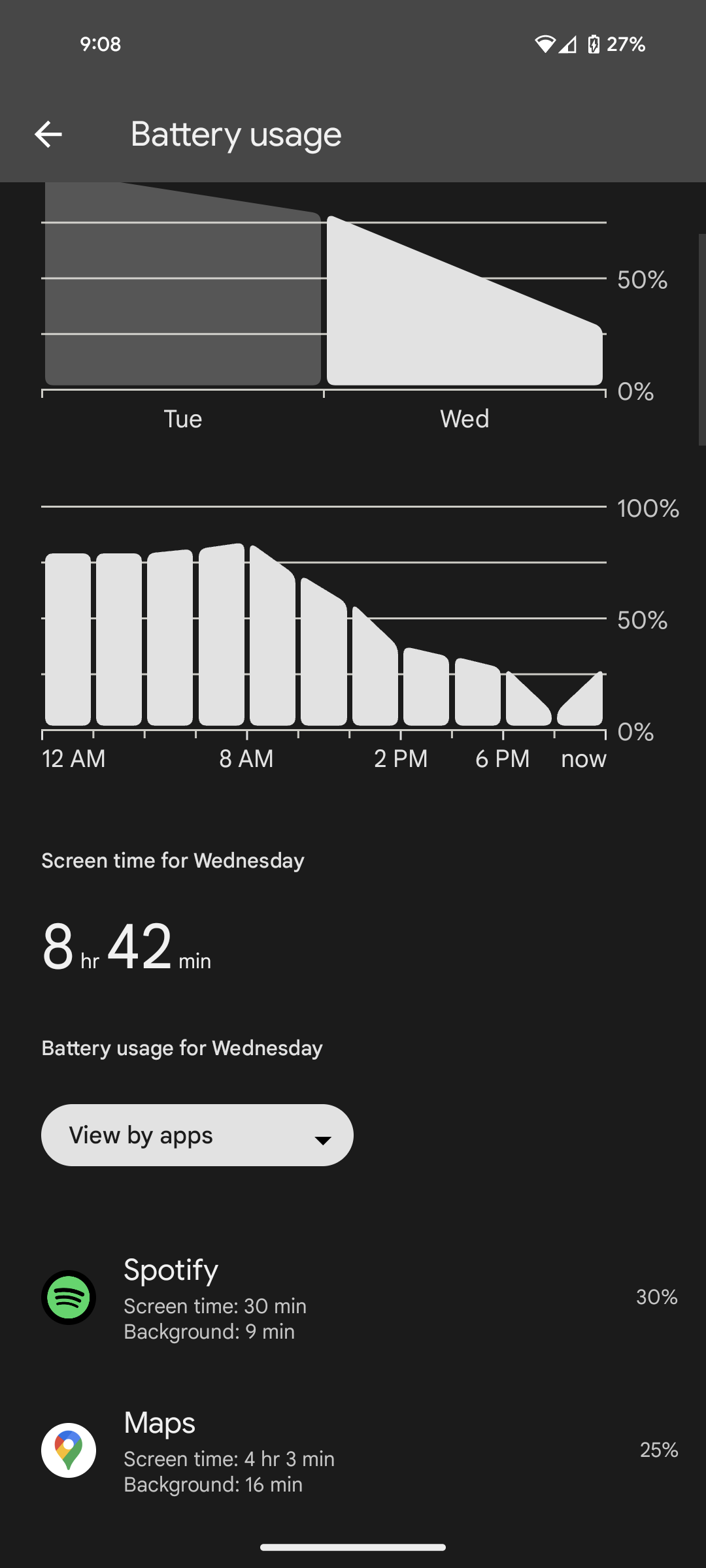
only noticed today - never checked before. No troubleshooting steps have been taken.

Hi folks,
Thanks for all your replies. We'll continue to look into this based on the info we have. Whatever other device info or attempted troubleshooting you have, please let us know. The more we have, the better it will aid our investigation.
@ryanadanderson could you also try the troubleshooting already suggested in this thread and let us know how it goes. Also consider trying the following:
- Does this only happen when used simultaneously with Google Maps? Does it also happen by itself or while using other apps?
- Are your Google and Spotify accounts linked?
- Are the episodes you played downloaded and do you have the setting enabled to download automatically?
- Do you have the option to download over mobile data enabled?
- Was the app in offline mode?
Let us know how it goes.
Hi Joan,
Here is another one. Today I listened to a podcast for about 10 minutes while on my way to work. Maps was not active while listening.
Android 15 Beta 3. Latest Spotify from Play Store (not in beta).

Brand new Pixel 8a.
Android 14version 8.9.50.552 com.spotify.music
Similar problems as everyone else, high battery usage for the two days I've owned the phone. I tried the clean install instructions from earlier in the thread with zero improvement. Phone is warm to the touch. Did not experience these issues with my previous Pixel 5a.
This thread is about a year old with people reporting consistently the same issue in the same circumstances. Can Spotify not purchase a new Pixel 8, turn on developer mode and do some diagnostics? Seems like you all are ignoring users which is a great way to get them to switch services, i know i will if this continues.

Hey there folks,
Thanks for sending us some more details - we appreciate it!
This has been passed onto our tech folks, so that they can have a look as well. While we can't provide you with a specific timeframe, make sure to keep your device's OS and the app up-to-date in the meantime. We'll keep you posted here when we have any news to share.
Should you come across this thread and experience similar issue, feel free to leave a comment with the details requested by @AlejaR earlier in the thread.
Cheers!

Same issues on Google Pixel 8A.
Seems a Pixel issue.
Do something about it, otherwise considering about cancelling my subscription.

Same problem here.
Device: Pixel 8a
Android 14
App-Version: 8.9.56.618
Battery drain:

I have a pixel 6a and the same problem. Until last month everything was fine, but now it's getting hot and the battery consumption is at 20%.
Everything up to date, no energy saving mode.
Clean reinstall didn't change anything

Same happening on my brand new Pixel 8a on Android 14 running Spotify 8.9.58.572 so basically a fresh install, only 5 days old.
While working I streamed some music from Spotify to my Sony SRS XB20 Bluetooth Speakers and got this battery usage, almost nothing was done on the phone for the majority of the day, yet the battery drained quite fast.
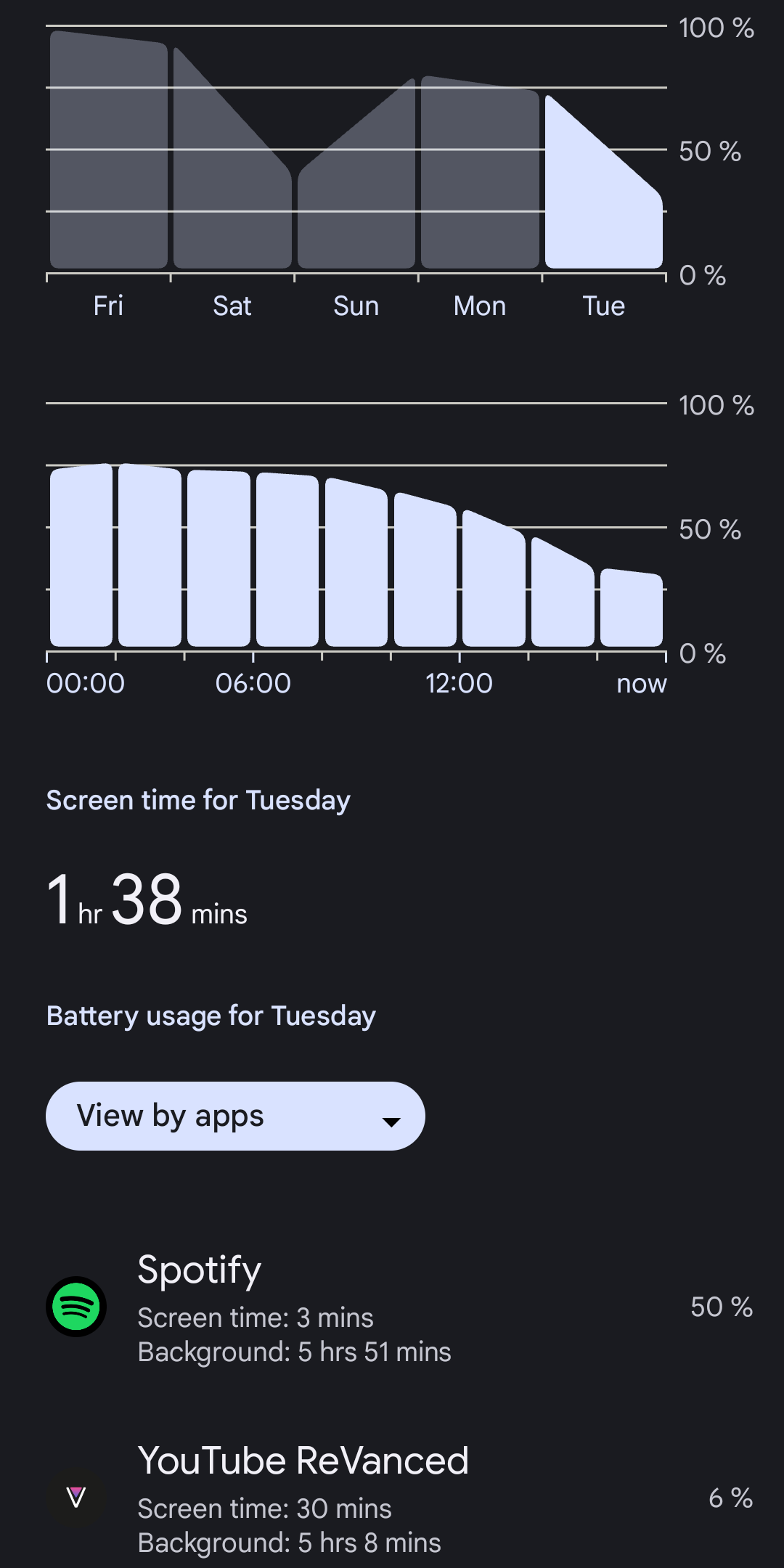
Spotify usage was around 10 to 16 with almost no other usage and the screen on for 30 minutes max

Plan
Premium
Country
Singapore
Device
Pixel 6
Operating System
Android 14
My Question or Issue
Spotify Version: 8.9.66.543
My pixel updated to the latest Spotify Version in the late afternoon (+8 GMT) on 14 August. When I have interactions with Spotify app, the entire phone displays a random pixelated bar, becomes unresponsive and goes into a reboot loop which causes my phone to be unusable for ~30 minutes.
I have tried clearing cache and reinstalling Spotify but the issue still persist. This is becoming a time consuming experiment. I have deleted the Spotify App for now as I require other features of my phone.

Pixel 7a user here. Another 2 years later and Spotify is still ignoring this issue. I'm done with them.

Hey, what I did and what seems to resolve the issue on my new P8P:
1. reinstall the app
2. turn OFF: "Spotify Connect control"
3. turn ON: "Local device visibility"
4. restart the phone.
After I've turned it off, now I've got the chrome as the most battery consuming.
I looked at my old phone and there the spotify also consumes a lot of battery (with Spotify Connect control ON)
imo, this big spotify consumption that we see in our pixels is probably a problem of pixel phones itself, check out the reddit threads about the pixel battery.
EDIT: After the 2 days the problem is back

Same issue here on pixel 7a. Only started recently, but Spotify will easily drain 30% of my battery within 2hours of use. I don't use the widget and have tried all other "supposed" fixes in this thread. If this is not resolved soon then I'll just switch apps entirely. The UI on Spotify is bad enough as it is.

Bought a new Pixel 8 Pro this week.
Today Spotify drained 36% of my battery with less than a minute or active screen time. That's insane.
If no fix is available for this I'm definitely switching services and cancelling my sub.
Don't expect one. It's been exactly the same for basically a year

Pixel 9 Pro XL, same issue. Charged my phone to 100% 8 Hours ago, didn't use Spotify for a single minute but the app is still on top of the battery consumption list with close to 8Hours backgound usage.

Same problem here.
Device: Pixel 9 pro
Android 14
App-Version: 8.9.80.581

the app uses too much battery in background. For example with only 2 minutes of screen time, and 4 hours and 36 minutes of background, It consumed 34% of battery.

Can confirm this issue on a Pixel 8 Pro. Insane battery drain for an app in the background. Phone is warm while not being used. 40% battery drain in a few hours by Spotify.
Everything is up to date, latest versions are installed.

I have a Pixel 8 and am experiencing the same issues as described.
I've tried reinstalling. Unfortunately there's nothing else to try and the app is basically useless with background usage disabled.
I've switched back to Youtube Music and won't renew my Spotify subscription unless this is fixed.


Pixel 6, Android 14. For the past few weeks Spotify has been draining the **bleep** out of my battery. I'll be down to 30% within 5 or 6 hours of being fully charged. Looking at it right now, Spotify has had 18 minutes of screen time and it's drained 34% of my battery by running the background for over 5 hours. If I restrict it from running in the background it doesn't work to actually play anything once my phone screen turns off. So I just have to turn "allow in background" off every time I stop using it. This has been going on for a couple weeks now and I have, of course, tried the whole "clear cache, uninstall, reinstall" etc etc. Since this thread is from 2023, clearly this has been an ongoing issue and seems to be getting worse and affecting more phones. I'm going to have to just cancel my subscription because I'm not going to put up with an app that is literally taking over my phone and causing it to die before the end of the day.
Hey there folks,
Thanks for sending us some more details - we appreciate it!
This has been passed onto our tech folks, so that they can have a look as well. While we can't provide you with a specific timeframe, make sure to keep your device's OS and the app up-to-date in the meantime. We'll keep you posted here when we have any news to share.
Should you come across this thread and experience similar issue, feel free to leave a comment with the details requested by @AlejaR earlier in the thread.
Cheers!