I am not able to select a plan for student premium in Spotify app

Plan
- Free/Premium
Country
Device
(iPhone 8, Samsung Galaxy 9, Macbook Pro late 2016)
Operating System
(iOS 10, Android Oreo, Windows 10,etc.)
My Question or Issue
Accepted answers
All comments

I was verified as a student and get my discount until 3 May 2025. But I am unable to change my plan into the student premium, in the app , it still shown I charge Premium individual and nowhere I could select the Student Premium.
I'd tried the link for directing the Student Premium, it told me to open the app and change the plan. I am stuck at this place.

Hi there @zzzdd,
Thanks for reaching out. You can switch to Premium Student here, try following the steps from there. If that still doesn't work, perhaps you have a plan that isn't compatible with a direct switch to Student. In that case, cancel your current plan, wait for your account to revert to free and then subscribe to Student.
Hope this helps.

I have the same issue and the suggested solutions don't work

Hey there @1002299rgu,
Thanks for reaching out to the Community.
If you still haven't been able to select the Student plan but you've successfully verified your student status with SheerID, we'd suggest giving it a try using a different device or an incognito window.
You can also try canceling your current subscription as @Joan mentioned above, and subscribe to the right plan once your account has switched to the free service.
Keep us posted on how it goes.


Hey I have kind of problem here with my student plan hope you can solve it
my student plan was cancelled on Spotify because of one payment failure ( it was autopay every month) so when I opened Spotify it showed me you're plan has cancelled and you can remove your premium I removed it but when I was going to get premium again first it showed me that I'm still verified as a student but when I was choosing plan for student either I have to pay one time or autopay every month I am not able to select any of those options I'm clicking on them but no response

I am also experiencing the same problem

This is my EXACT problem, any solutions?

Hey folks,
If the option is missing in the app, try logging in to your account page in your browser instead. You can also use another device (your PC, for example).
Hope this helps. Cheers 🤘
the option is missing for both the app and the website. However, when I am able to see the option to see if I am eligible for the student plan it tells me I have conformed my student eligibility until 2025, but then it sends me to select a plan but the student option is the only option missing.
Thanks for the reply @Brando05.
Make sure the country or region for the webpage is set properly when opening the link in your browser. You can change it from the bottom right corner or by heading here. After that, you can use the link @Joan has provided or copy the one from the confirmation email you've received and paste it in your browser.
Take care.

Yeah this is BS. Been like this for months with no fix.


I'm also unable to choose the plan for student premium. It is not proceeding to next payment stage.

Hey folks,
Thank you for reaching out to the Community regarding this.
In this type of case, we'd first recommend trying it on an incognito/private window or a different browser to see if it makes any difference. In case the issue persists, would you mind checking if this happens using another Wi-Fi network? If you don't have another one available, you can use a mobile data hotspot to test it.
Lastly, would you mind confirming if you have any error message when trying to subscribe? If so, could you include in your next response a screenshot where we can take a better look?
We'll be waiting for your response.

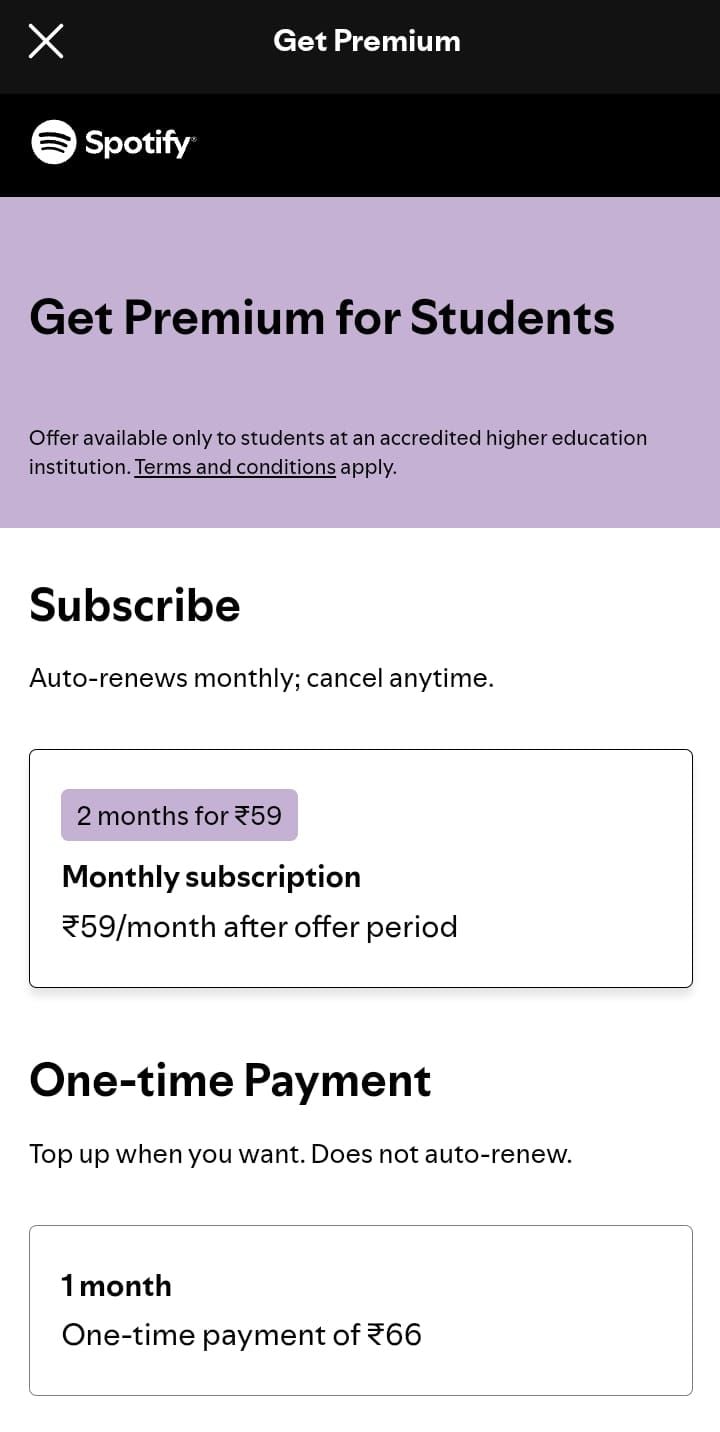
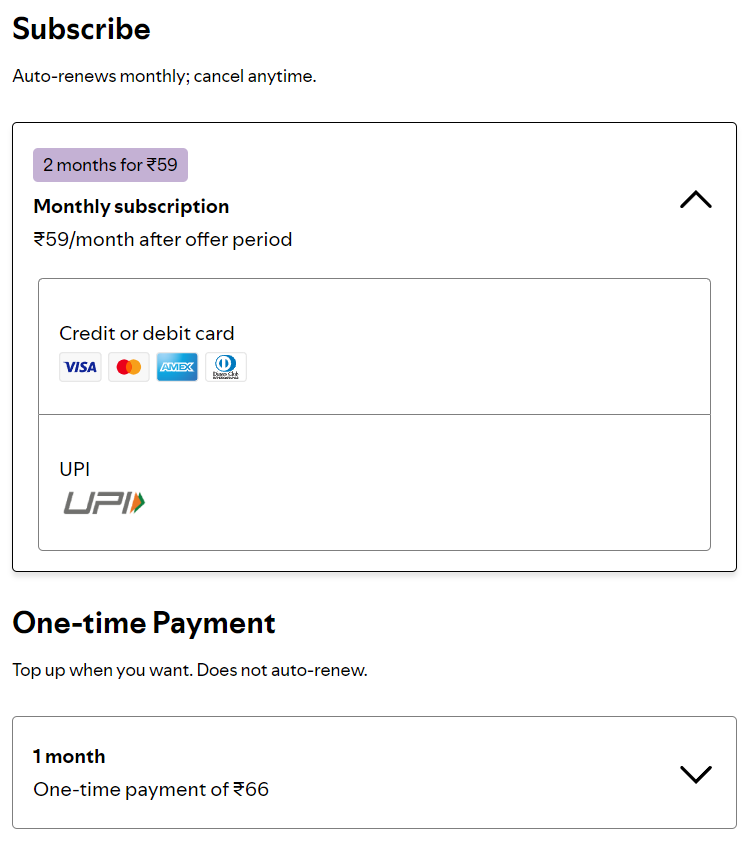
I am not the original poster but I am having the same trouble. I'd like to pay using my Google Play Balance so I am using the Spotify app. When I get to this screen, tapping the "Monthly subscription" or "1 month" options do nothing. On desktop it does show options like "Credit or Debit card" and "UPI".
Spotify App:
Desktop browser:

Hey @cataclysmnik,
Thanks for reaching out!
Are you trying to subscribe directly through the Premium Student page? If that's the case, then can you try from your account page instead? If that doesn't do the trick, give this direct link a shot.
And if you haven't already, I'd recommend checking out @OscarDC's suggestions to see if that solves the issue.
Keep us posted.
@Dessi
Unfortunately, the links did not work as I am trying to pay through the Spotify app so that I can pay using my Google Pay Balance. Anyway, I have got the Premium Individual plan instead.

Hey @cataclysmnik,
We did some research and it looks like you can use your Google Pay balance to your PC as well! 🙂
In case you ever wish to switch to the Premium Student subscription, you can do so by following any of the links mentioned by @Dessi or by following the steps from this support article.
We're here for you if there's anything else. Hope this helps!
I made a stupid typo, I meant Google Play balance and not Google Pay balance. Unfortunately, I could not find a way to use Google Play balance on desktop, but I used it to get the Premium Individual plan on the mobile app.
Thanks!

Hey @cataclysmnik,
Thanks for the response and clarification!
While you can check your Google Play balance both on desktop and Android, you can at the moment only pay for Spotify Premium via Google Play Billing on Android.
For details on how to check your balance, you can head over to this help article.
When it comes to changing your subscription from Individual to Student, this should be possible on Android, but there may be some kind of a temporary issue and that's why nothing happens as you mentioned when you click either on "Monthly subscription" or "1 month".
Just in case, I recommend that you check out this article from our support site and more particularly the steps under "Not working?".
Keep us posted and don't hesitate to let us know if you've got any other questions 🙂

-
Dear Spotify Team,
I hope you’re doing well.
I am interested in purchasing the Spotify Premium Student plan, as it perfectly suits my needs. However, I have encountered a limitation in the available payment options. The current payment methods only include UPI or card, but I primarily use Google Play Store payment through recharge codes.
It would be incredibly helpful if you could enable the Google Play Store payment option for the Spotify Premium Student plan. This feature would make it much easier for me and likely many other students in similar situations to access your premium services.
I kindly request you to consider my feedback and enable this payment feature. I truly value Spotify and hope you can accommodate this request.
Thank you for your understanding and support.
Best regards,
<sensitive info removed> - Email:**bleep**

Hey @xsandy_18,
Thanks for reaching out.
The availability of certain payment methods can vary over time and can also vary between plans. Unfortunately, it's not possible to provide details on whether and when this payment method will become available for the Premium Student plan in your country/region, if at all.
I hope this clears things up 🙂


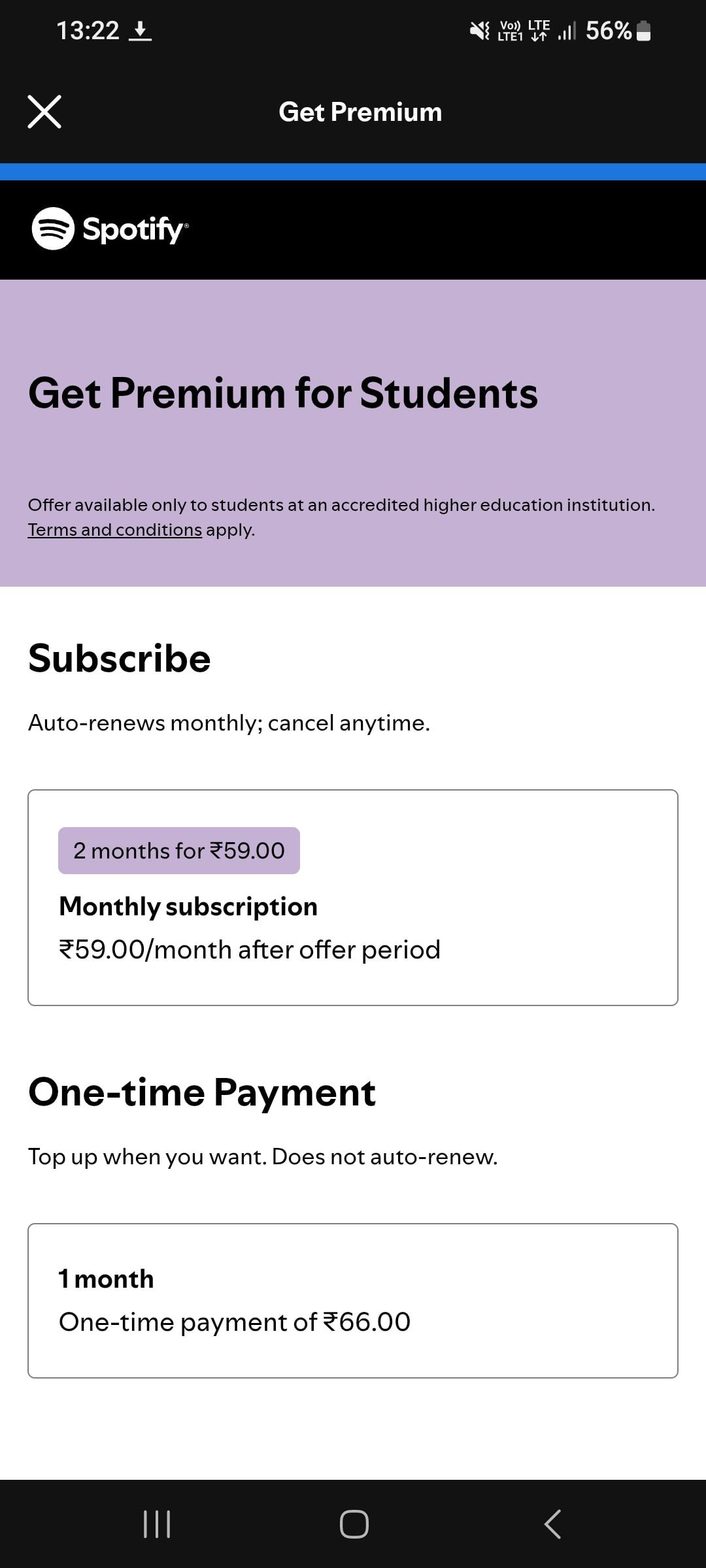
Still dosent work when i go from direct browser it dosent send a pay request to my associated payment app + the payment through the app also dosent work as i keep clicking on the 59₹ option but still dosent redirect or work.

Hey @Soham4308,
Thanks for reaching out.
Just to confirm, when clicking on the desired plan both in the app and the browser, you're not being redirected to the payment page, correct? Can you try again in an incognito window with a different internet connection/different device? If there's a VPN installed, please disable it temporarily.
Let us know how it goes.

When I did this, the browser sent me back to the application to switch the plan and it still isn't showing up on the application.


Hey folks,
Thanks for your replies.
Note that if you're currently the manager of a Premium Family/Duo plan, you need to cancel your subscription and wait for the account to revert to free before you can subscribe to Premium Student.
@RosaTheSmall0001, can you please confirm you've tried from the app's settings? (Settings > Account > Your plan > See available plans) If that doesn't work, let us know how things look on your end so we can investigate further.
Cheers,
Hi there @zzzdd,
Thanks for reaching out. You can switch to Premium Student here, try following the steps from there. If that still doesn't work, perhaps you have a plan that isn't compatible with a direct switch to Student. In that case, cancel your current plan, wait for your account to revert to free and then subscribe to Student.
Hope this helps.