Black overlay bar blocking left side of podcast video

Plan
Premium
Country
Australia
Device
iPhone 13
Operating System
ios 18.0.1
My Question or Issue
Only two or three days ago I noticed when watching a podcast video, a black see through bar appears on the left side of the screen. It doesn’t have text but blocked the left side and won’t allow me to hit the arrow to minimize the video.
I have restarted the app a few times and it fixes itself and I see that it is initially a “show video” button but when a new episode plays or if I click out and back into Spotify, it lengthens the button vertically and won’t go away.
Accepted answers
All comments

The same thing is happening to me while watching JRE

Hi there @CasuallyNanners, @eddiemoceri,
Thanks for reaching out.
Could you please provide us the following:
- Is this on all devices or only on iPhone?
- When did this start happening?
- Does this affect all podcasts or only specific ones?
- Is it only podcast videos? How about the recently released music videos?
- Try performing a clean reinstall if you haven't already and let us know how it goes.
With this information, we’d be happy to investigate.
Keep us posted.

Same exact thing is happening with me and I’ve already been through support and did everything to try to fix it but nothing has worked!

Plan
Free/Premium
Country
Device
(iPhone 8, Samsung Galaxy 9, Macbook Pro late 2016)
Operating System
(iOS 10, Android Oreo, Windows 10,etc.)
My Question or Issue

Hey folks,
Just to confirm, before this occurs, are you watching the podcast with video or are you just listening to the audio? Do you see a "Switch to video" or "Switch to audio" button on the Now Playing View? It's worth checking if the issue would still occur if the video isn't playing. Something else you can try is switching to full-screen mode temporarily to see if that does the trick.
In any case, a short screen recording which captures the behavior in action would be greatly appreciated - that way we can get a direct view of what's happening on your end.
Let us know how it goes 👍
Hi Joan,
I am on my iPhone and haven’t tried it anywhere but chrome cast. It does not appear there as I assume it’s only when it’s not in full screen.
it started happening about four or five days ago now.
I haven’t tried any other podcast and I’m not sure about the music videos as I haven’t seen any or tried if they had appeared.
I uninstalled and reinstalled and that hasn’t fixed the issue.
Hi Yordan,
when I begin watching, it is normally automatically video. It appears even when just opening an episode for the first time.
if I force quit the app and come back, it shows the little “switch to video/audio” button appears but as soon as it goes to an ad or goes to a new episode, it appears again.
Full screen gets rid of it but the most annoying thing about that is I can watch in full screen and I prefer it but the ads force the video to diagonal and I have to switch it back to full screen every time and often times the button to full screen does not work so it’s a burden really unless I am streaming it to my tv.
I will attach a video. Just shows how it looked when I first open the app, when I switch to full screen, and when I click the long button (which I understand is just the glitched out “switch to video/audio button) it does remain even when video is off.
It’s just annoying. I watch mostly on my phone and I know switching to fullscreen does fix it but even though we may PAY for premium, we still get ads. And the ad always switch it from horizontal to vertical and then the black bar will pop back up and I’ll have to switch back to fullscreen every 7 minutes or however often an ad is.

Hi @Neo1003 , welcome to the Spotify Community!
After checking the screenshots you sent us, we'd like to start by suggesting to try logging out of the app and logging back in. If that doesn't help, try with a clean reinstall.
If the issue continues after this, we'd like more info to have a better context:
- Does this happen in other sections of the app?
- Can you test this on a different mobile device? You can ask a friend or a relative.
- If this is happening with selected songs, send us the URI of the affected songs so we can test it from our end.
We'll be waiting for your response.

The change to video or change to audio button is replaced by it I think.
when clicked it changes to cover of podcast or to video.
still a problem as it is in the way of video.

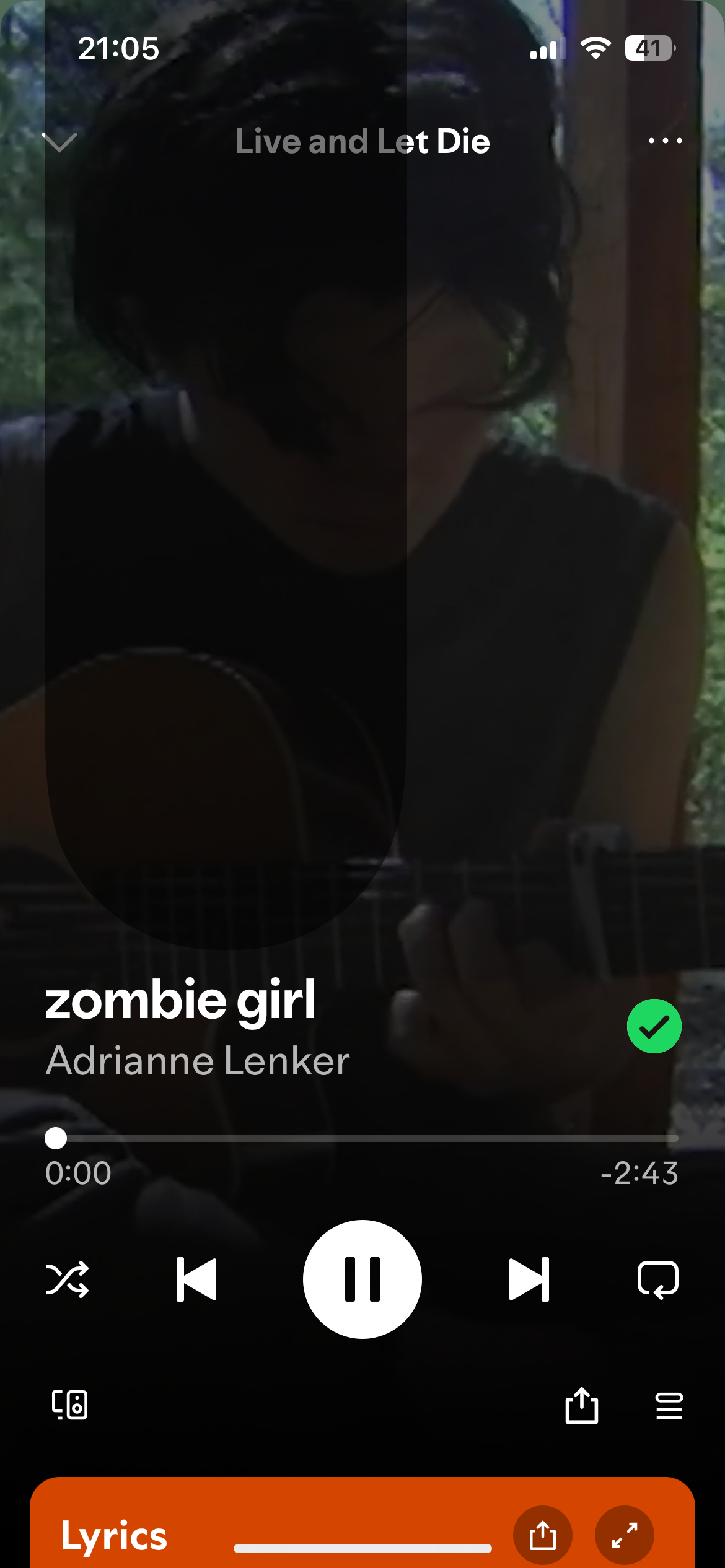
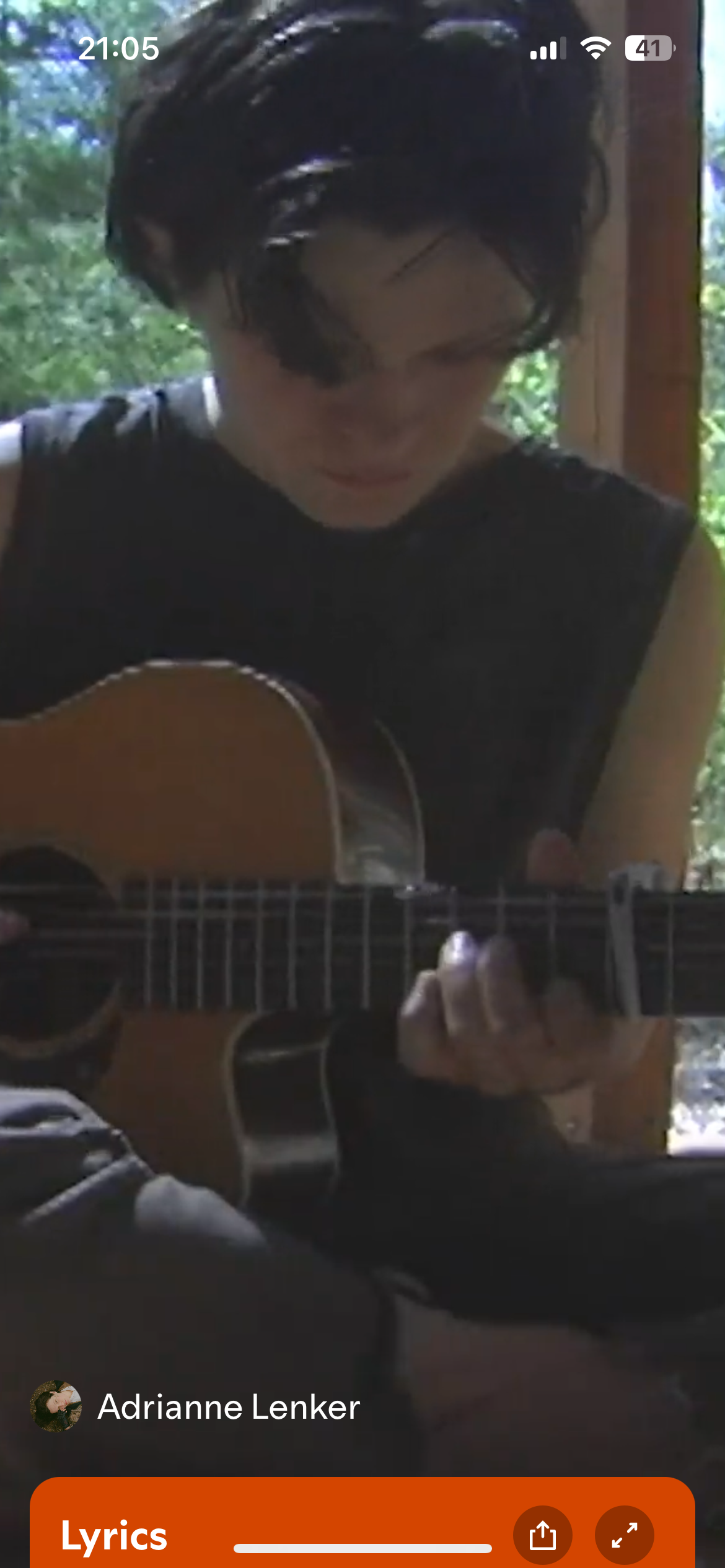
Hello, I have this glitch where there’s a shadow in the left top corner extending down. 8.9.90, duo plan.
It also happens in playlists with shorter names
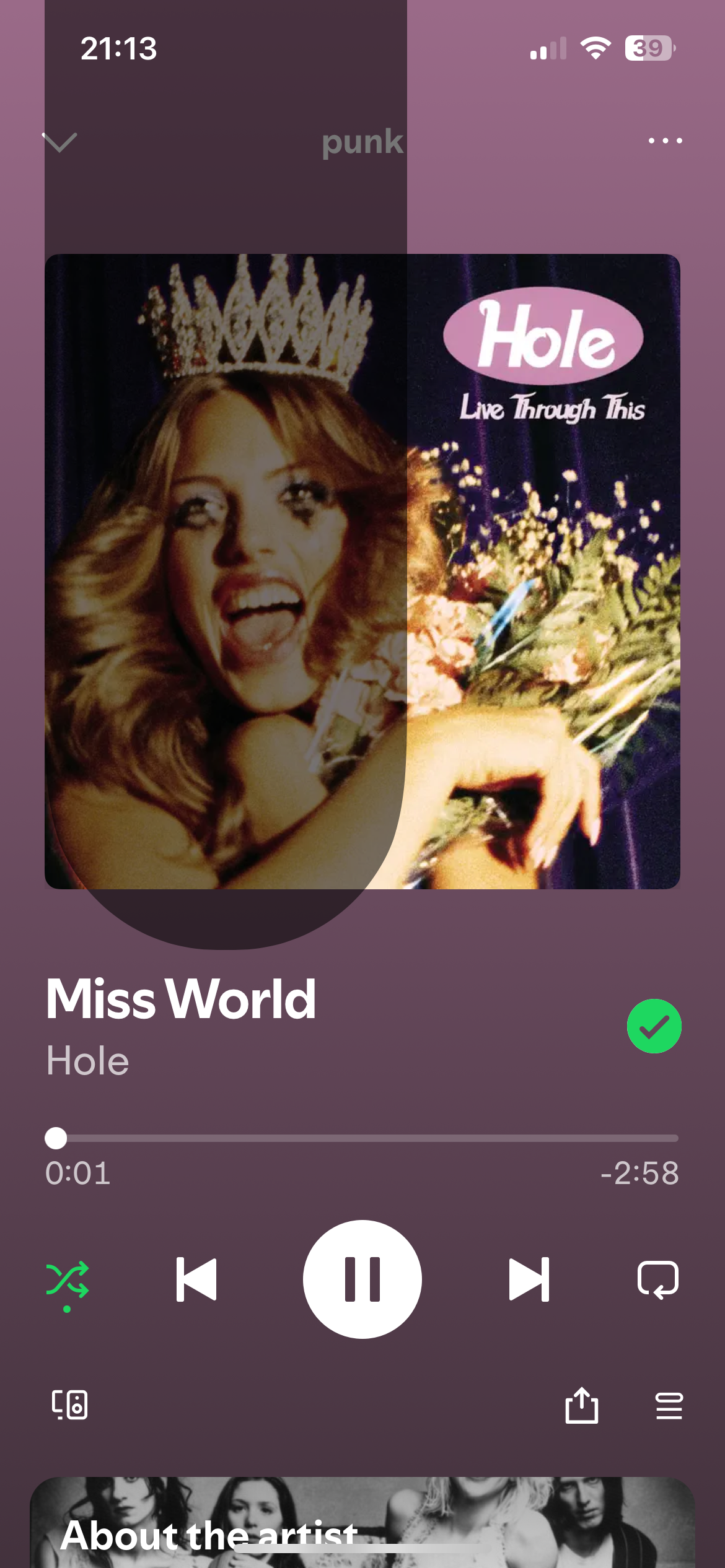
Yeah. It’s not a massive inconvenience since I can go fullscreen but it’s horribly annoying when ads pop up and turn off fullscreen and it’s blocking the screen again in 10 minutes.

Odd. I have an iPhone 15 and having the exact same problem whilst watching podcasts. When I tap it, it also switches from the thumbnail to video, and vice versa.

Hey folks,
Thanks for all your replies and for the info shared.
In this case, we'd like to gather some additional info to be able to pass this important info onto the right team. Please send us:
- The exact make/model and OS of the affected device.
- The exact Spotify version you're running there.
- All the troubleshooting steps you've tried so far.
- Does this happen when trying to play music videos?
- Did you notice if this started to happen after a specific event such as an OS update?
@CasuallyNanners, we really appreciate the video you kindly sent us. Make sure you've sent all the info we asked for.
Keep us in the loop!

I have this same issue when playing video in portrait mode. In landscape mode it goes away.
iPhone 15 Pro Max
iOS 18.2 beta
Spotify v.8.9.90

I am also having this issue on a new install of Spotify on a brand new phone. Didn’t have this issue on my iPhone 11, also running iOS 18.0.1
Version 8.9.90.84
iOS 8.0.1
iPhone 16
it went away when I quit the app and restarted and then came back after the first ad. It prevents me from clicking the “back” button and it goes away if I switch to landscape. If I tap it, it shrinks. I’m assuming it’s a button that’s gone screwy
iPhone 13
iOS 18.0.1
Spotify version: 8.9.90.84
I have closed and reopened Spotify
I have force quit and come back
I have restarted my phone
I have uninstalled and reinstalled Spotify
I’ve tried the music videos and from what I can tell, I don’t have the same issue but then again there are no ads to break up the music like there are with podcasts that can trigger the bar.
I can say I don’t remember this being an issue before the iOS 18 update but I don’t think it started when I updated to the new iOS, it was weeks if not a month or so after as it maybe started last week or a week and a half ago.
Hey there folks,
Thanks for all the info you kindly shared with us.
We went ahead and passed all this info onto the right team. Rest assured this is being investigated. We'd suggest you subscribe to this thread in its three-dot menu, that way you can stay up-to-date on any news.
We'll be on the lookout for your replies!

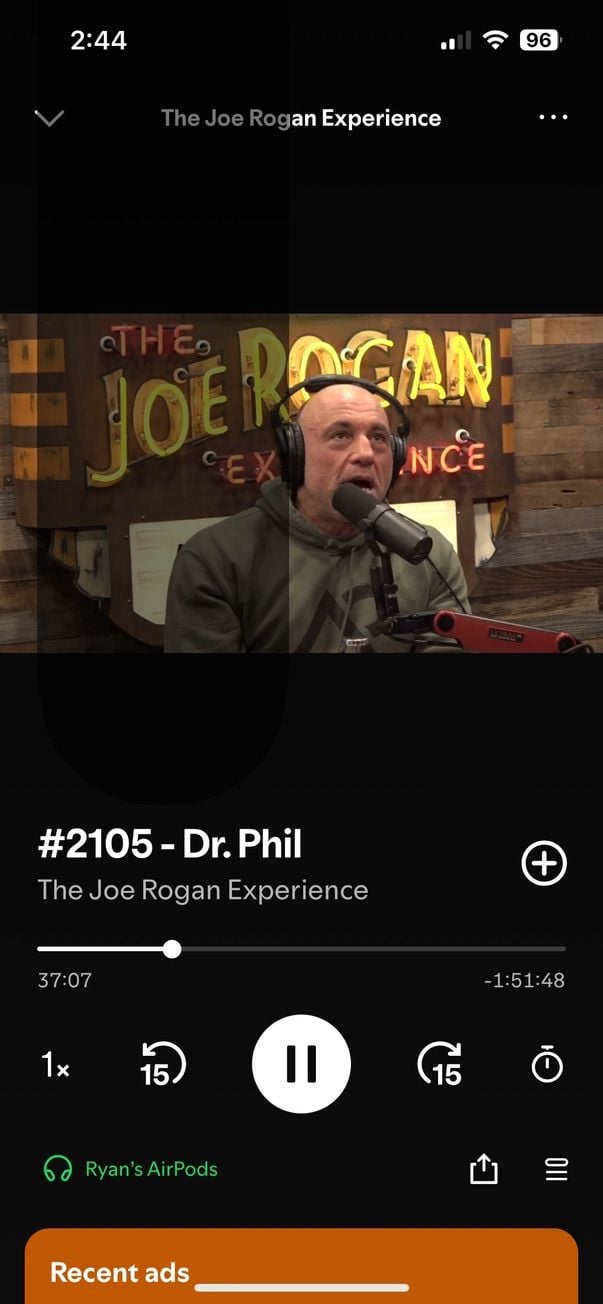
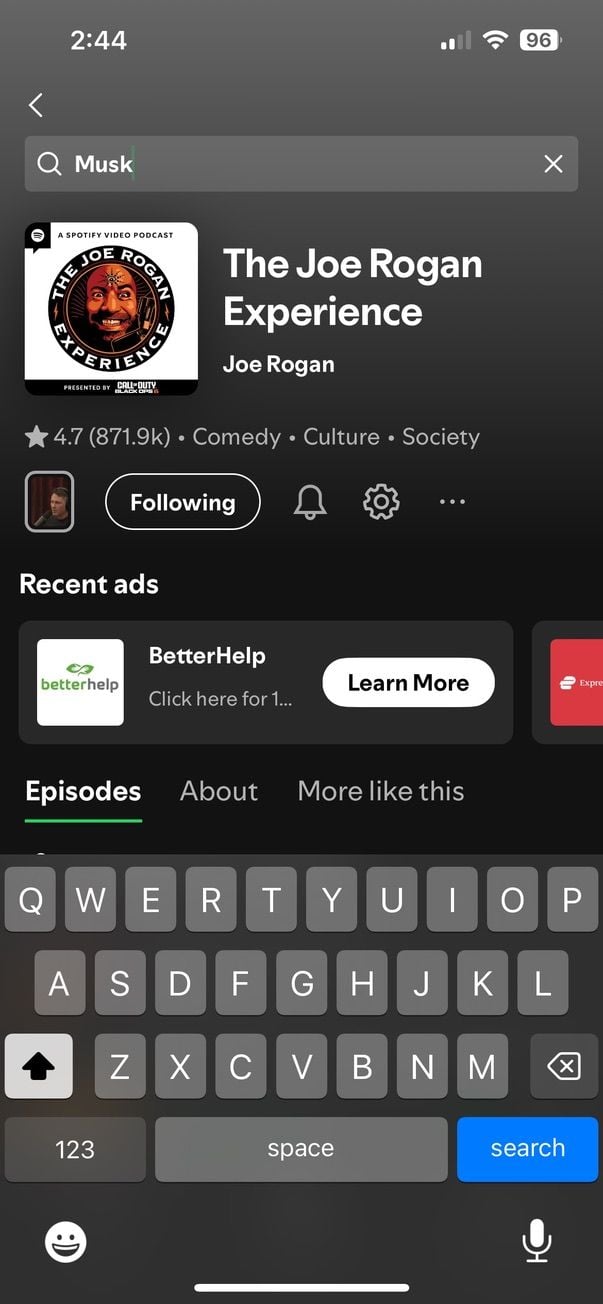
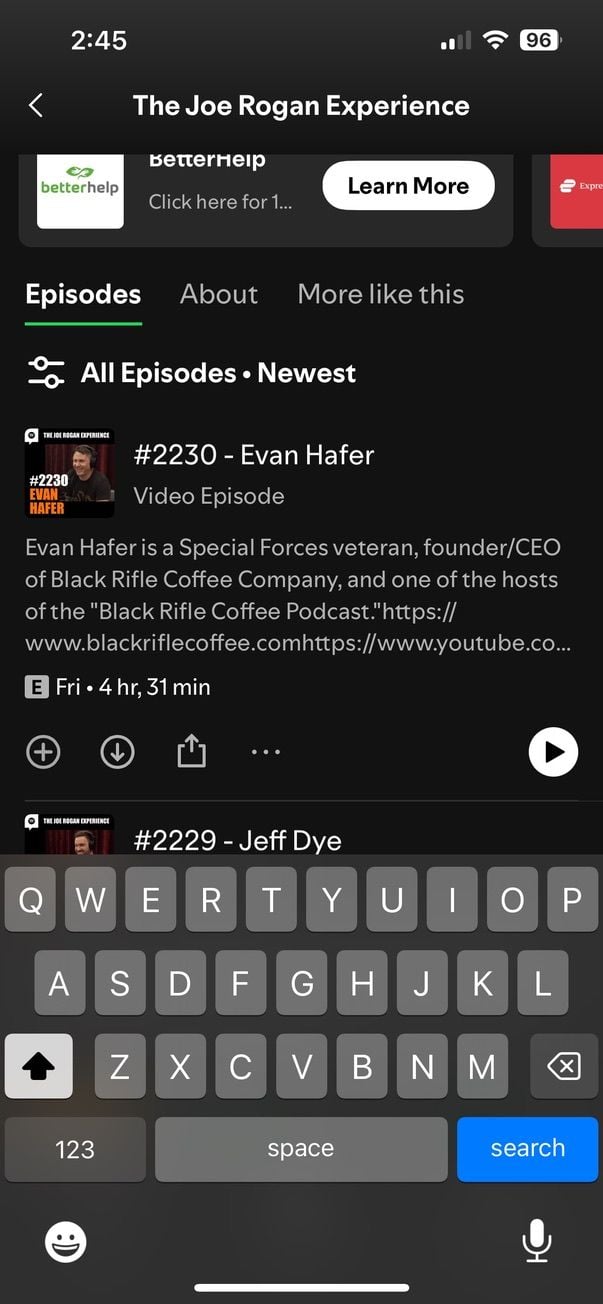
When watching podcasts, there is a black shadow on the left that appears and will not go away unless I close the app and reopen it again. You can see me watching the joe rogan podcast and there is a black shadow that glitches when I click on it. It prevents me from minimizing the video and it affects overall functionality of the app.
Another thing is when I search within the Joe Rogan podcast for certain guests, it will not show any results. It used to show names when I searched for them but recently it has been glitching and there is a bug. When I searched for "Musk" it would not show anything when scrolling down and the keyboard would stay opened and be frozen, but if I went into the spotify search bar and searched for "Rogan Musk" then I can see all the episodes, it was not like this before and it needs to be fixed
Plan
Individual Premium
Country
Canada
Device
iPhone 13
Operating System
iOS 18.1


Hi all, to reproduce the issue, first play a song that includes a music video version. While song is playing, start AI DJ and play a song. Then go your playlist and play another song that includes a music video version. The black overlay will appear. The overlay is the switch to video button. When I press on it the song switches to the music video version. Clicking on the overlay again switches the song back to the audio version.

The video button is glitching all across the screen so I can’t back out of the window. It’s just one long, translucent button with no text spanning vertically across the screen.
It's been doing the same thing with me as well, you're not alone. Also I noticed that when you try to search for guests on any podcast on a mobile device (I use iphone) it glitches. What I mean is if you click on the joe rogan podcast for example, and then click on the search bar at the top of the page within the joe rogan podcast to search for guests or keywords, it does not search once you type out a name and in fact the keyboard glitches and freezes and does not go away. Go ahead and try this, i'm sure i'm not the only one experiencing this.
exact same thing is happening to me, glad to know i'm not alone

The switch button is glitching. When watching a video podcast the switch to audio button appears. But if I leave the app, an ad plays or I stop watching the video in anyway(like my phone locking), a big translucent bar come across the left side of the screen. After that I can’t make the video go full screen, nor can I press the minimize screen button (the down arrow). And if I tap anywhere on the bar, it’s switches to audio. If I keep tapping, it’ll switching back and forth from audio to video. The only way I can make the bar go away is if I close the app and reopen it each time it appears. I updated the app earlier today.
version: 8.9.94.418
iPhone 15 plus, IOS 18.01
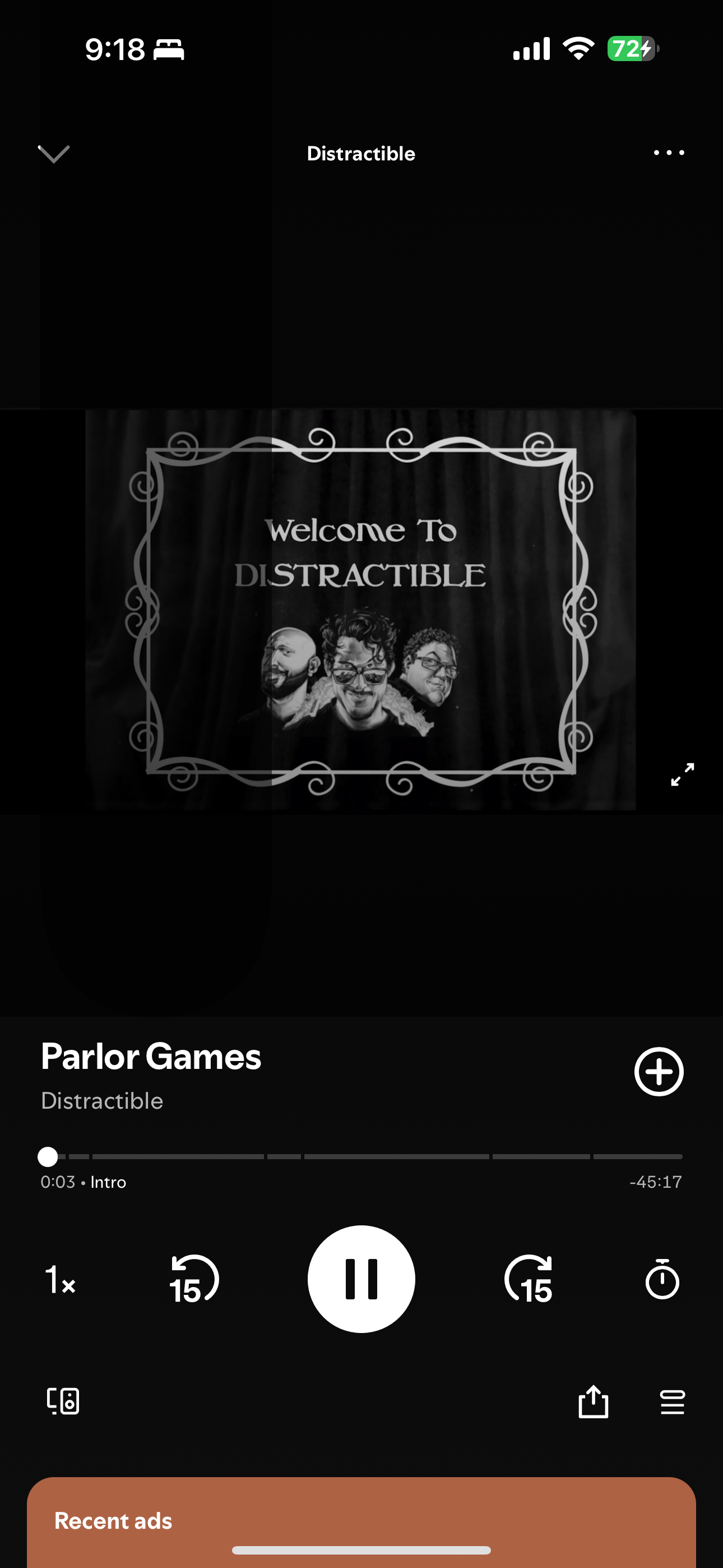

Having the exact same issue as described by Crystalmcorral. The app has updated once and it was occurring before and after the update. It also doesn’t let me go full screen when the issue happens. Closing the app will get rid of it but then going full screen (horizontal) then flipping the phone back to vertical makes the issue happen and then I can’t go full screen anymore. Running iPhone 16 on iOS 18.1. Also running a premium Duo plan.
Hi, does anyone know when this issue will be fixed?
Hey folks,
Thanks for posting here and for all the info shared.
The right team continues investigating this issues. Don't forget to send us the info we asked for here, so we can pass it to the right folks. Make sure to subscribe to this thread, that way you'll get notified as soon as we post any news.
We'll be on the lookout for your replies.


Same thing here with JRE. Four about 10 days.
Hi folks,
Thanks for the replies.
Our internal testing shows that the issue is resolved in all versions after 8.9.96. Your reports here seem to corroborate this. Please update your apps to the latest version and test what happens. If the issue persists on an app version after 8.9.96, please let us know so we can investigate further.
Cheers!