Unfurl Spotify URL link in Slack not working

Plan
Premium
Country
Bulgaria
Device + OS
Dell Latitude 5520, Windows 11 Pro
Slack version
4.32.127 64-bit
My Question or Issue
In the past, I have been able to post a Spotify URL link in a Slack channel, (a song, a playlist, a podcast episode, etc.), and it would unfurl to reveal the cover art and a play button. Now, however, it doesn't seem to work.
I wonder whether this has something to do with the individual settings of the Slack workspace (it's a company Slack), but I wasn't able to find any information either here in the Spotify Community or in the Slack help articles.
I am currently reading the Slack API documentation for possible answers or solutions, but I could use some help.
Accepted answers
All comments

Hey Peter! 🙌🏼
Embedding a Spotify URI or a link should still behave in the manner you described, unless there are some specific workspace regulations on your end 🙂
Would you mind sharing the link in question with us?
Many thanks in advance!
Hey @Vasil, thanks for getting back to me 🙂
The behaviour doesn't seem to be specific to any one link: it happens with albums, songs, playlists, etc.
I'm attaching a screenshot to show you all the different variations I've tried in my private Slack channel in the company org:
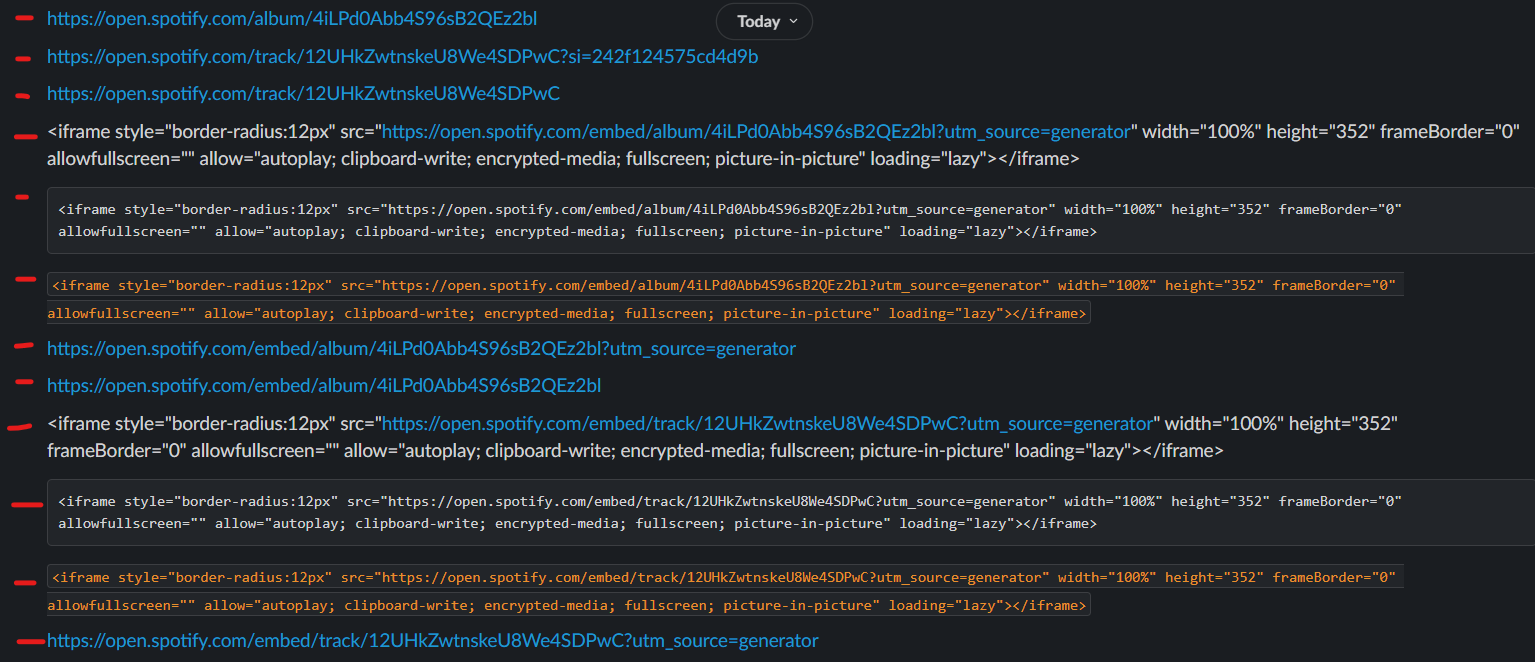
In order:
- Share > Copy Album Link (with/out the share ID included. screenshot cuts off the one with the share ID)
- Share > Copy Song Link (with/out the share ID included)
- Share > Embed album (copied directly into Slack)
- Share > Embed album (copied into a Code block /in white with border/)
- Share > Embed album (copied into Code /in orange/ - not sure what the difference is b/w Code block and Code)
- Copy-pasted the hyperlink from 3. above
- Copy-pasted the hyperlink from 3. above (without "utm_source...")
- Share > Embed track (copied directly into Slack)
- Share > Embed track (copied into a Code block /in white with border/)
- Share > Embed track (copied into Code /in orange/ - not sure what the difference is b/w Code block and Code)
- Copy-pasted the hyperlink from 8. above
Notably, none of them unfurl like the link here does:
spotify:album:4iLPd0Abb4S96sB2QEz2bl
It must be something to do with the company Slack setup, but I don't know what exactly. Any help would be much appreciated.
Peter

Hey @Peter!
Nice to see you around 🙂
Indeed, this probably has to do with the company Slack setup since both URIs and regular links (open.spotify.com/) unfurl on our end.
Have you checked with any other type of content like YouTube videos or SoundCloud links?
Hey @MihailY,
Thanks for the reply 🙂
YouTube links seem to unfurl as expected, see below (before and after sending):
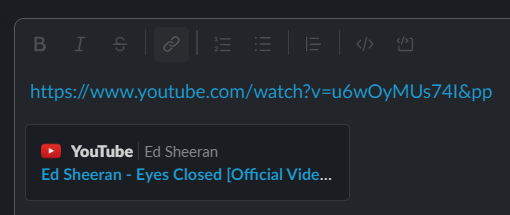
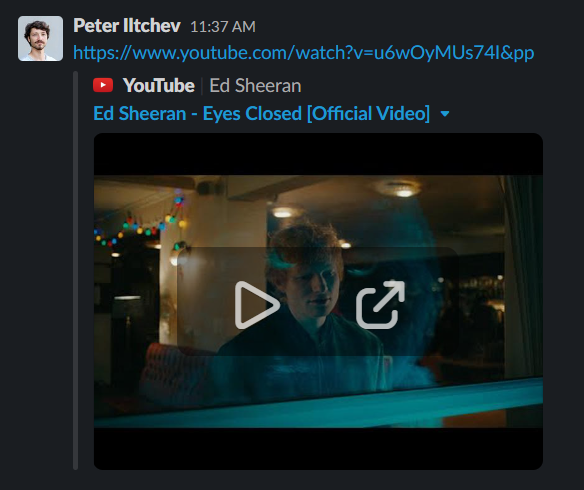
It seems that unfurling works as expected with other apps, but not Spotify 😕
I'll keep trying to troubleshoot this on my end - if you guys have any other suggestions, let me know 🙂
Thanks again for the proactive support 💚

Heya @Peter!
Thanks for the screenshots.
I did some digging backstage and it seems like that is something that needs to be enabled by the company in order to work. Saw some reports of the feature not working and the administrators of Slack for the workplace were able to solve it from their end.
It's not the fastest solution but based on all steps we've checked out with you so far that might be the way to go here.
Hope this gets sorted and hope your day ahead is...

This is happening for our company too. Only Spotify. Everything else unfurls

We are also getting the same issue again - reached out to our tech support which has stated that it is outside of anything they are able to look into..
Can you plz confirm if anything has changed since the 2023 post above was solved ?

This issue started happening to our Slack Workspace recently too, starting 2024/11/15.
After testing with the API unfurl debugger (https://api.slack.com/tools/unfurl-debugger), it looks like it's not getting anything for links pointing to open.spotify.com (anymore).
So it could be an issue on Spotify's endpoint, not something that can be fixed on Slack's side.

Links are also not unfurling on slack. This is an issue that has been posted before and marked as 'solved,' because it's supposedly an issue with the slack workspace; however, all other links are unfurling in slack, and I'm having the same issue in all slack workspaces that I'm in, so it is a problem localized to spotify.
Putting the link into Slack's 'Unfurl Debugger,' I get the result that there's no usable data in the link, which leads me to believe that the needed preview data is not there. I'm wondering if the same problem could cause issues sharing to Instagram

Hey folks,
Looks like there was a temporary hiccup which caused this. Could you check if everything looks good now?
If the issue persists, let us know the type of content you're trying to share: songs, albums, playlists, episodes, etc.
Cheers 🤘
Thanks Yordan, I can confirm this is working again!
Heya @Peter!
Thanks for the screenshots.
I did some digging backstage and it seems like that is something that needs to be enabled by the company in order to work. Saw some reports of the feature not working and the administrators of Slack for the workplace were able to solve it from their end.
It's not the fastest solution but based on all steps we've checked out with you so far that might be the way to go here.
Hope this gets sorted and hope your day ahead is...