Artists section of Library no longer works after following 1,000+ artists

It's great news that Spotify has removed the 10,000 library limit for songs and albums, but what about artists? If you follow more than 1,000 artists, the artist section of your library becomes incomplete and unusable and it breaks the follow buttons on artist pages. You should be able to follow an unlimited amount of artists too.
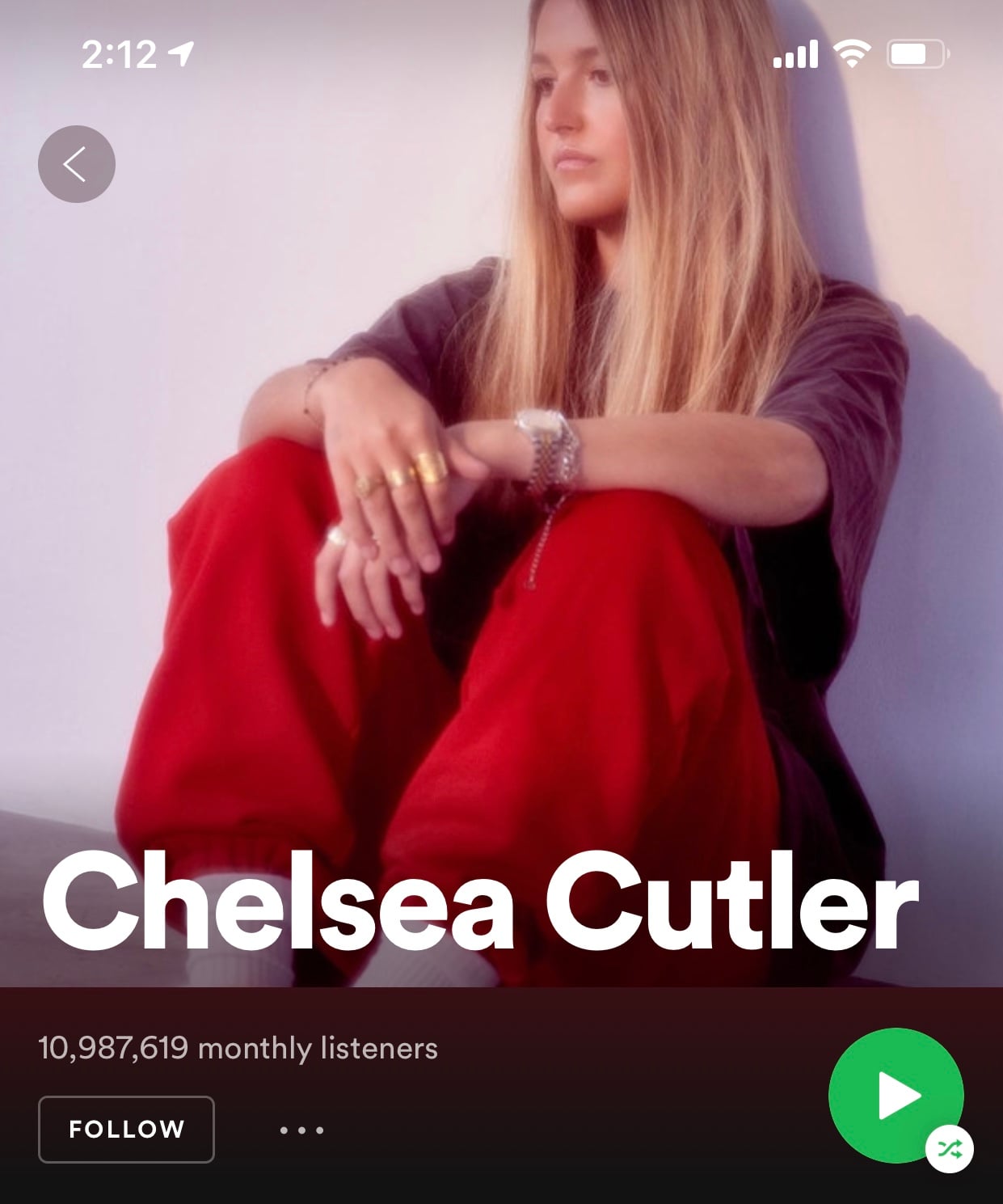
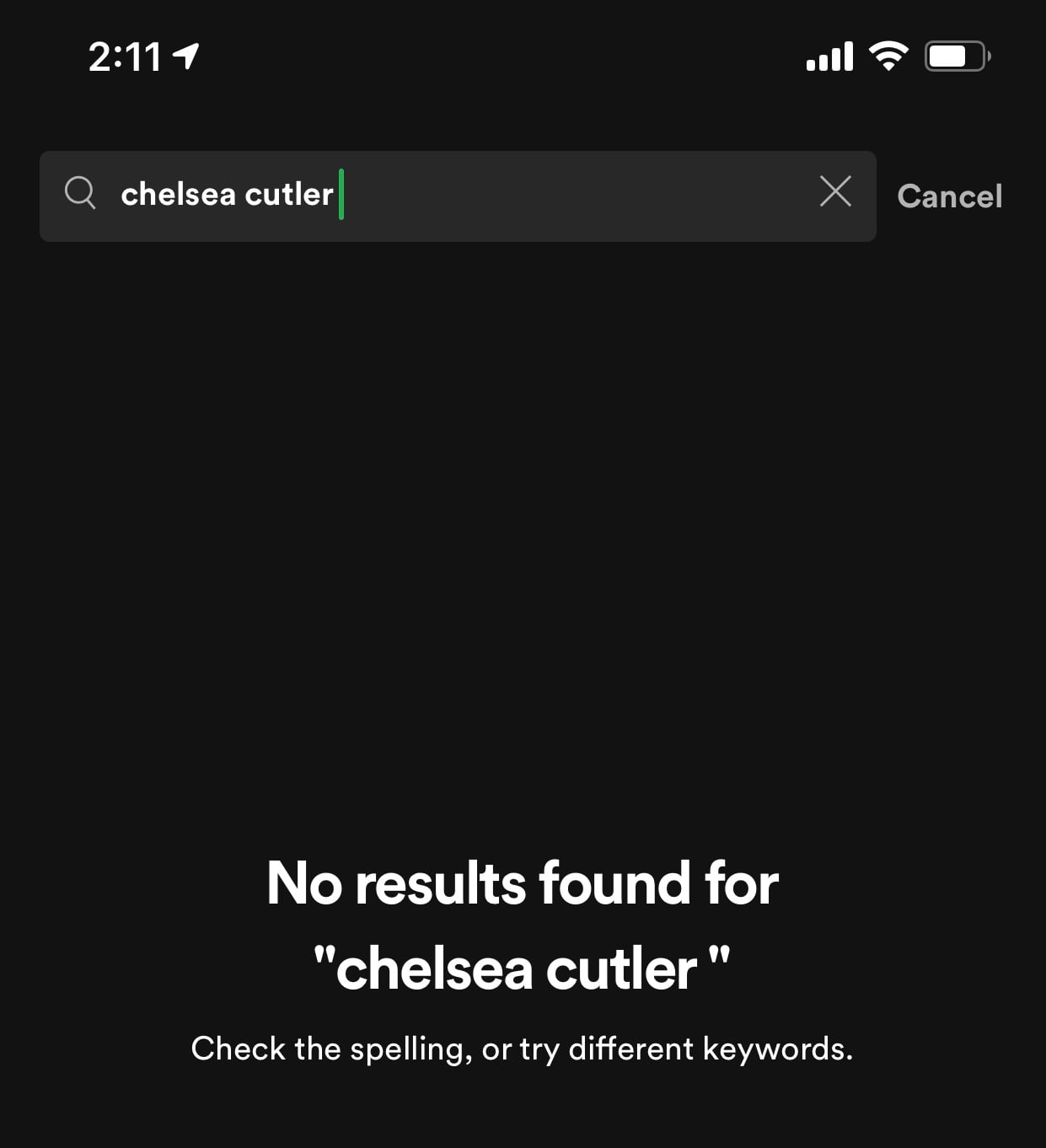
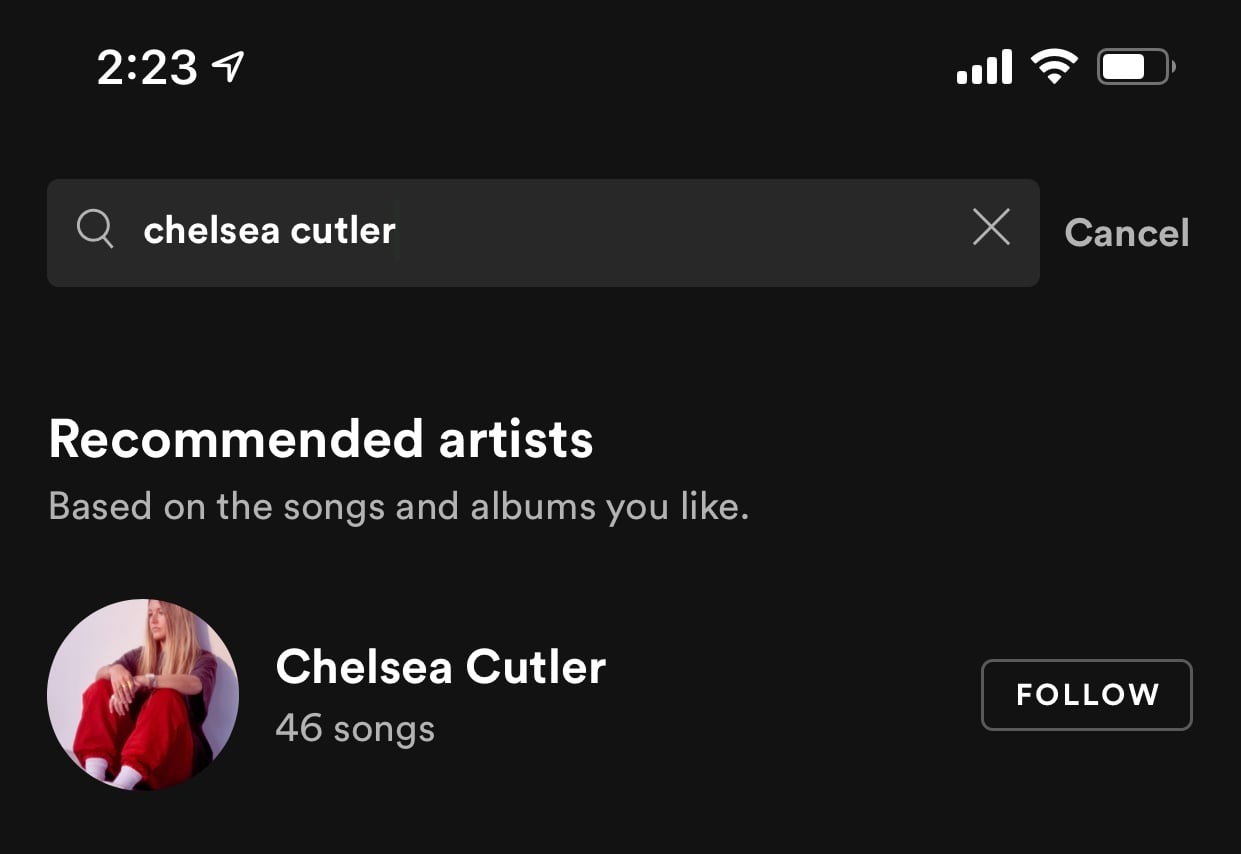
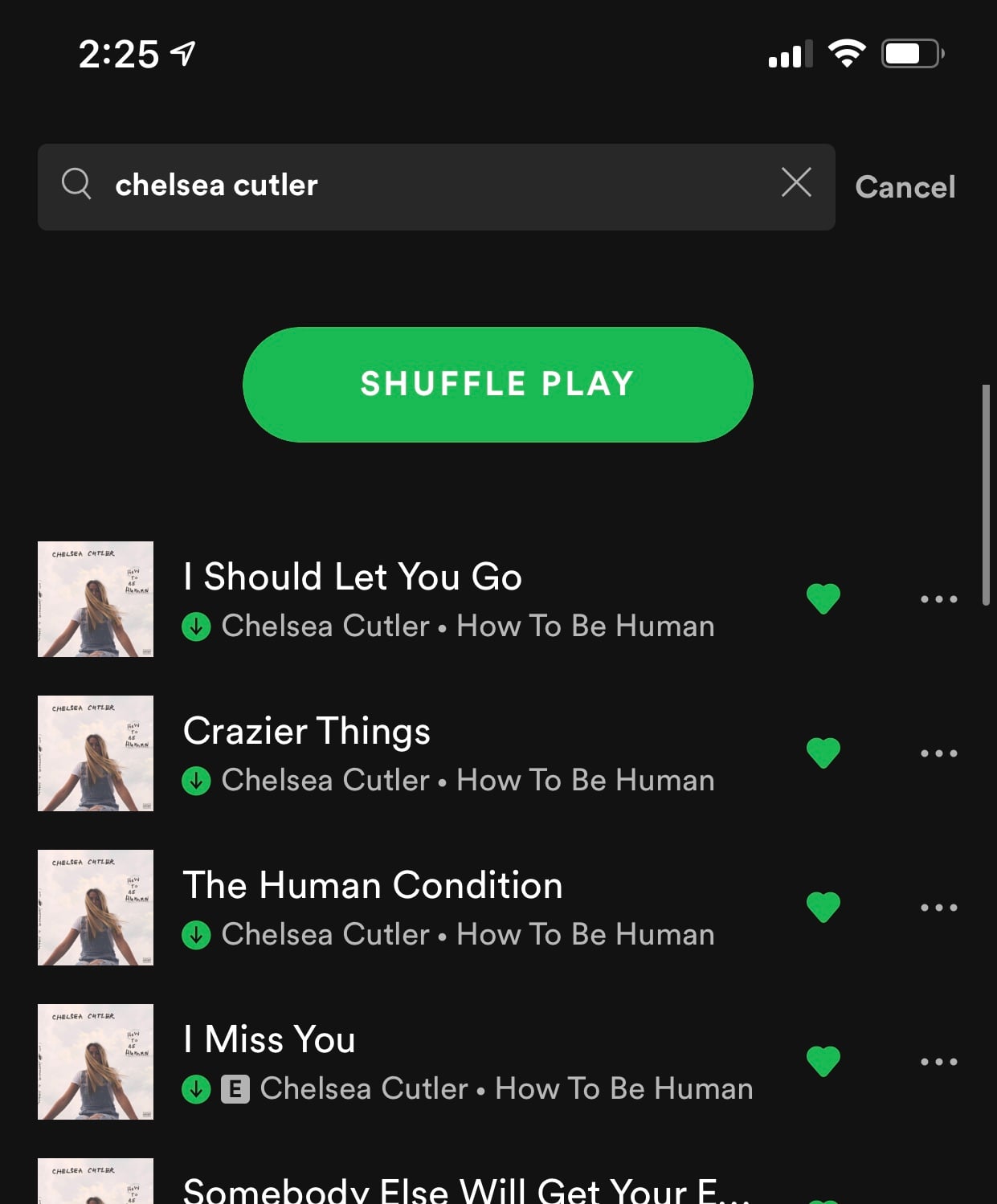
In early 2019 the artists section of library was updated so that only followed artists would now show up in the section. Following artists worked just fine before this and it had no impact on the library. Ever since early 2019 when the new updated library system rolled out on desktop and mobile, the mobile app and desktop app "artists section" only shows some of the artists I am following. However, on the desktop app it shows I am following 2,300 artists like it's supposed to show when I go to my Spotify profile, but when I go to a lot of those artist pages in the mobile app it shows that I am not following them like it does show I am following them when I view the artist pages on desktop. There seems to be an issue with the mobile app having a separate "followed artists" database than the desktop app uses when going to the artist pages to see if you follow them. Another issue is it seems the library "artists" view doesn't show all of the artists you are following. If you count them you'll see a lot missing and it's less than the number shown on the "following" list when you go to your Spotify profile page. Artists that I have saved music from are not showing up. I only follow artists I have saved music from. So it isn't a problem of the artist doesn't show up because I haven't saved any music from them, I have saved music from them. Support wasn't very helpful solving this for me either when I contacted them several times. Using a test account I was able to reproduce the problem. So "artists" library section and artist pages on mobile only recognizes a small amount of followed artists and if you try to follow a new artist in the mobile app it doesn't save it. Solution for now is to only manage artists (follow and unfollow) using the desktop app. If you go to an artist page in the mobile app and follow it, Spotify will show you are following that artist, but when you restart the mobile app it's gone. Have to follow/unfollow artists from the desktop app. The artists library section and artist pages in the mobile app are not functional right now for people who follow a few thousand artists. Can Spotify please allow unlimited following of artists in library too and not just songs and albums? Following a few thousand artists means only some of them show up in library and sometimes will show you not following them when you go to their artist page.
Originally posted here:
https://community.spotify.com/t5/Community-Blog/Save-save-save/bc-p/4964078/highlight/true#M17716
TL;DR: If you follow more than 1,000 artists, some artists you follow won't show under "artists" section in Your Library in the desktop and mobile apps. The follow button on artist pages in the mobile app becomes broken. So even if you follow an artist, the mobile app will show you are not and it won't save any new follows. Solution is to only follow or unfollow artists using the desktop app.
It's confusing to explain but hopefully you understand what I'm talking about. The screenshots do a good job at showing what's going on.
Screenshots below (note: this happens to many artists not just the one shown)
Desktop:
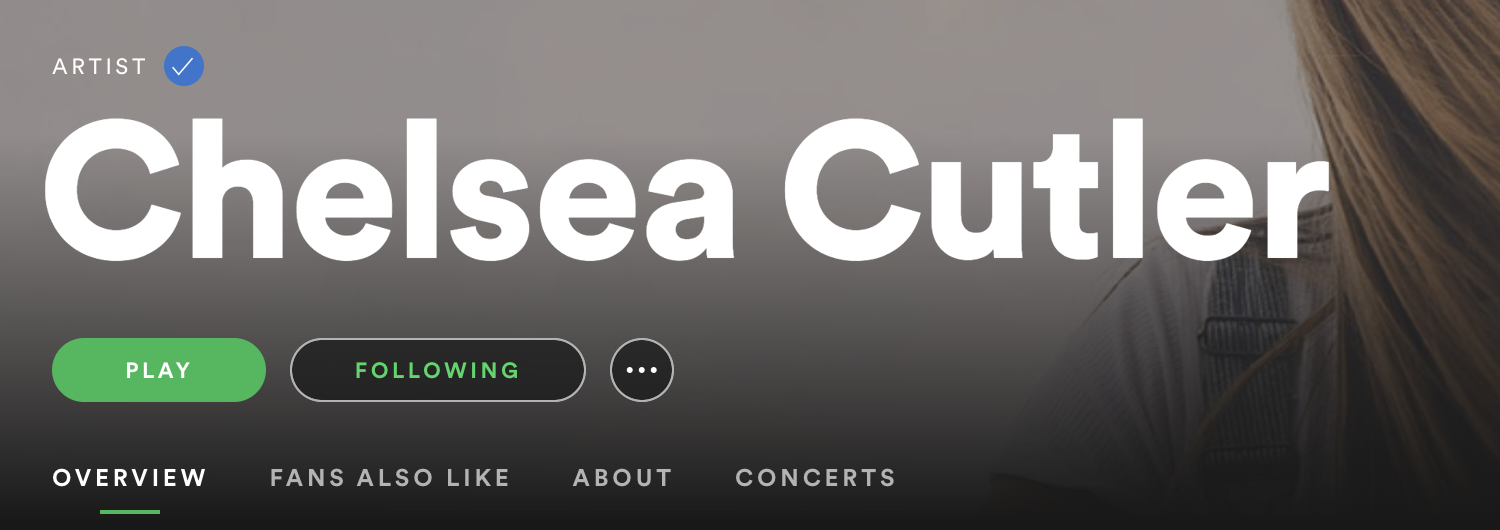
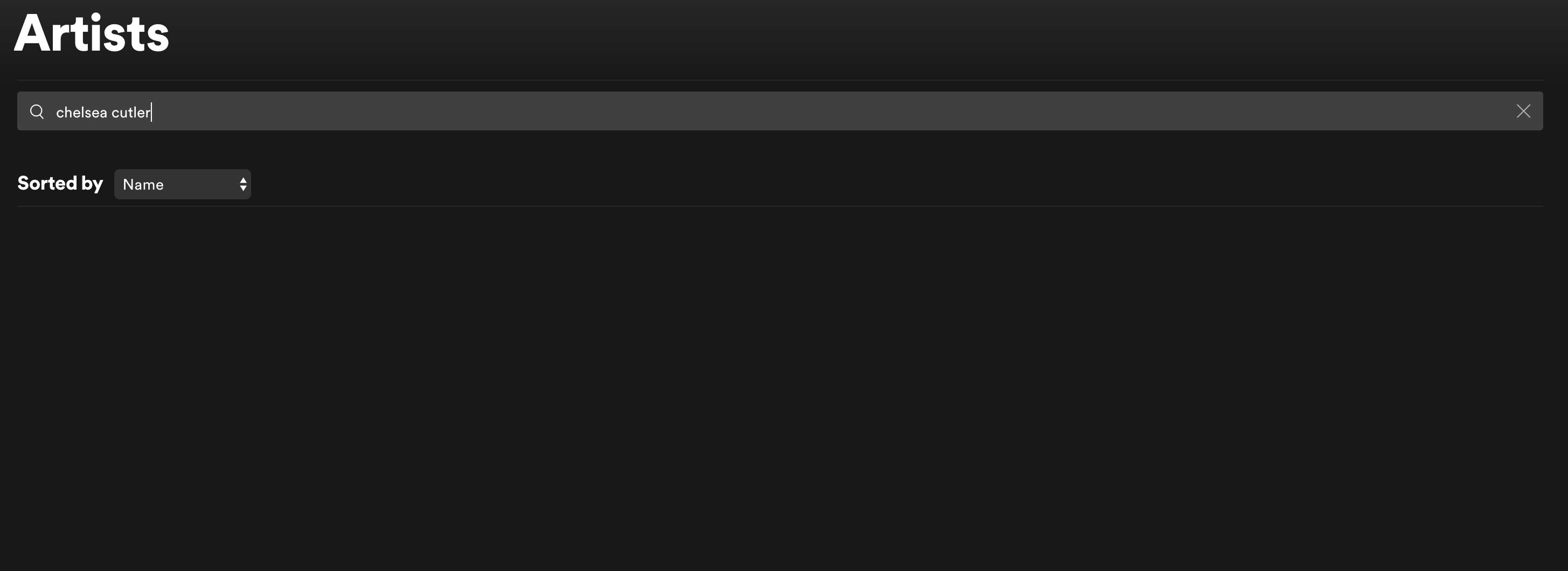
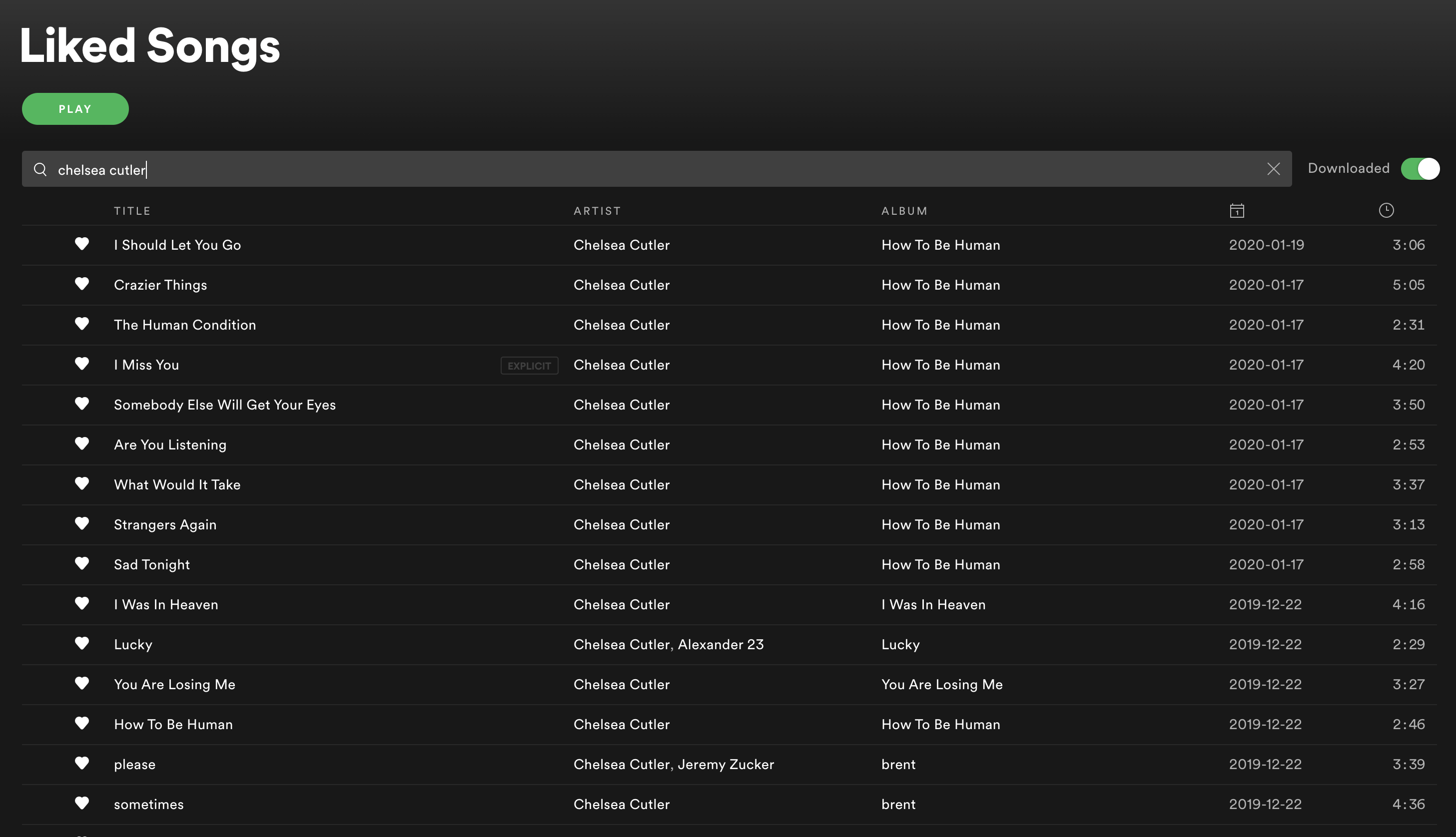

Mobile (iOS):
Accepted answers
All comments
I am definitely seeing improvements to this issue! It's not quite 100% fixed yet though. 🙂 🎉
Keep in mind some Spotify users are using the stable versions of the apps and other users are using the alpha/beta versions of the apps.
Users of the alpha/beta versions of the mobile apps will generally see fixes before the users using the stable mobile app versions. So the current fixes that are out are not yet out to all users just yet. That's why I didn't want to rush out with my findings over the last few weeks just yet, but I will post the details now.
(Tested in the alpha/beta iOS app version 8.6.34, Android not tested yet)
(Tested in desktop app version 1.1.61 and current web player version)
- In the mobile app and desktop app / web player when I go to artist pages, they now show the correct follow status. New follows are saved upon app close and restart.
- When going to the "artists" section of "Your Library" in the mobile and desktop app, I can now search for and see all of the artists I follow (previously only web player could do this)
- Desktop app still limits the following count and following list on user profiles to 1,000
- Recently the following count was removed in the desktop app and web player from all user profiles that follow more than 1,000 artists/users. So right now you cannot see your own following count and list which includes both artists and users in the desktop app or web player if you follow more than 1,000 artists/users. The following count still shows on user profiles in the mobile app but if the user is following more than 1,000 you get an error when tapping on it to see the full list. To see all artists you are following you currently can only use the "artists" section of "Your Library".
UPDATE: Following list on profiles is back and working again (if you follow more than 1,000) but no change. Still limited to 1,000 in the count and can only view 1,000 in the list. What was the whole point in removing this for about 1.5 weeks? Hope to see improvement here too.
Following list on profiles is back and working again (if you follow more than 1,000) but no change. Still limited to 1,000 in the count and can only view 1,000 in the list. What was the whole point in removing this for about 1.5 weeks? Hope to see improvement here too.
Checking in: It's now January 2022 and the desktop app and web player are still capped to showing 1,000 "following" count on user profiles if you follow more than 1,000 artists / users. When opening up the following list, it doesn't show all of the artists and users you follow either.
Everything else listed in the original bug report is working fine.

Hi, just adding another voice to this discussion to say that I would really like this limit to be removed. It is a significant negative impact on my experience with my profile and my usage of this service. I love Spotify dearly, and I use it to a ridiculous extent, (put in over 1500 hours of listening time just last year), and I would really like to think that those of us who are such avid users of the app--contributing the most time to streaming and artist discovery--will get the respect of having that loyalty and dedication recognized by allowing us to experience unlimited following of artists. If anything, this will be of great benefit to the service and create an even more loyal and dedicated user-base. It's a win-win. Thank you, MattSuda for keeping this topic open and updated.

Yeah it would have been more fair if spotify had shared these rules (limit of following max 1000 artists)... Because now I am suddenly losing a lot of cool music .. and that is not only bad for me but also unfair for these musicians! I'd like to support all the musicians that I love... why are you unsupportive of this spotify?!
Checking in: It's now September 2023 and the desktop app / Web Player and the mobile app now show the correct "following" count on user profiles if you follow more than 1,000 artists / users. This was fixed in late 2022.
However, what's still broken is that when opening up the following list on the profile page, it doesn't show all of the artists and users you follow in the list, it is still limited to the amount it displays. It shows 1,000 artists (in what seems to be a random order) and then after that up to 1,000 profiles (in alphabetical order). So if you are looking to see the user profiles that you follow, check near the end of the following list.
If you go to Your Library ➜ and select the "Artists" filter, you should be able to see all of the artists you follow there without a display limit. You can use the sorting options to select "alphabetical" and also search through the list.
Everything else listed in the original bug report is working fine.

Thanks for the update and explanation about what works and what doesn't work 👍.
You're welcome!
I just updated my recent comment here to also include this:
If you go to Your Library ➜ and select the "Artists" filter, you should be able to see all of the artists you follow there without a display limit. You can use the sorting options to select "alphabetical" and also search through the list.
Hopefully that helps out too!

How many can one person follow?
Checking in: It's now September 2023 and the desktop app / Web Player and the mobile app now show the correct "following" count on user profiles if you follow more than 1,000 artists / users. This was fixed in late 2022.
However, what's still broken is that when opening up the following list on the profile page, it doesn't show all of the artists and users you follow in the list, it is still limited to the amount it displays. It shows 1,000 artists (in what seems to be a random order) and then after that up to 1,000 profiles (in alphabetical order). So if you are looking to see the user profiles that you follow, check near the end of the following list.
If you go to Your Library ➜ and select the "Artists" filter, you should be able to see all of the artists you follow there without a display limit. You can use the sorting options to select "alphabetical" and also search through the list.
Everything else listed in the original bug report is working fine.