External monitors disconnect when opening Spotify

Plan
Premium
Country
United States
Operating System
Windows10
My Question or Issue
Whenever Spotify is active my monitors will constantly disconnect and reconnect (and my bluetooth mouse). This happens with the web player, the desktop app, and on webpages with embedded Spotify songs.
Accepted answers
All comments

Sadly, this didn't work for me. I already had those disabled.

Plan
Premium
Country
United States
Device
Lenovo X1 Gen 4 Extreme + Lenovo Thunderbolt 4 Dock
Operating System
Windows 11
My Question or Issue
I genuinely don't even know how this happening, and it does make the Spotify app worse than worthless. When I have my laptop attached to a dock with 2 screens on it, and the windows Spotify app is running, it will very often disable one of the screens completely and turn it gray. The ONLY ways to revert this are to unplug the screen and plug it back in, or unplug the dock. I've even tried disabling hardware acceleration with zero effect. While I'm am kind of **bleep** about it, I'm also genuinely curious about what on earth Spotify is doing on my machine that could even cause this.
BTW, I COULD NOT get this form to load while I was logged in. It just refreshed the page every second. I'll post an image if I can after posting.
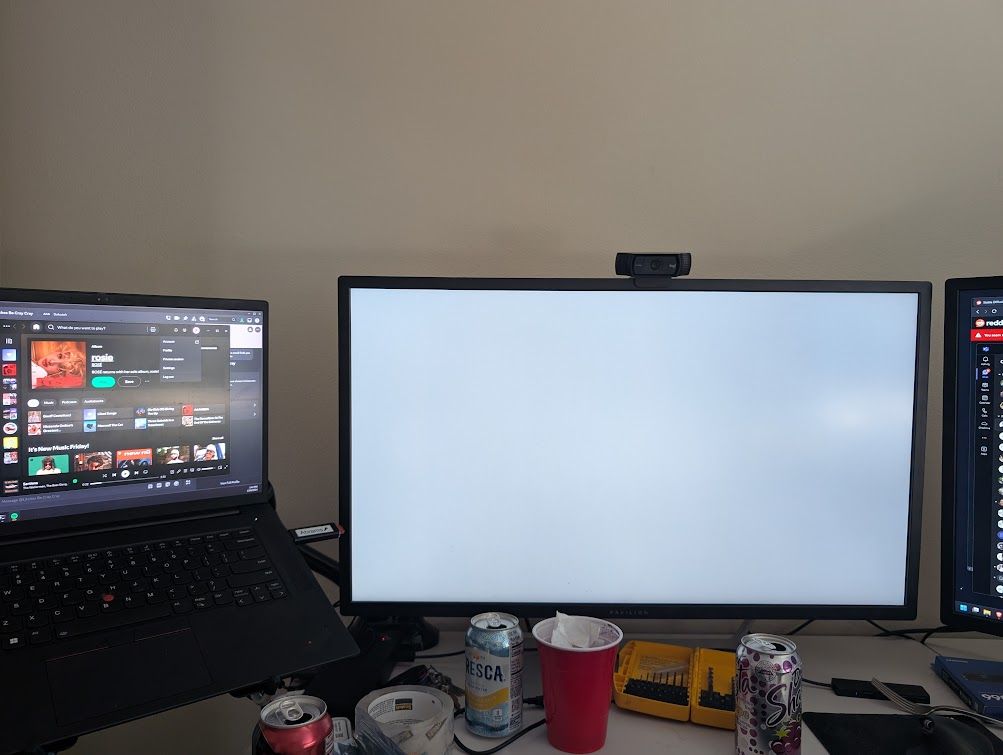

Funny how they keep merging related threads as if the "Solution" in this one works at all, seems very clear they have no intent of fixing this given the radio silence from anyone from the support team.


Tried everything. I don't even use spotify, but sometimes it just pop up somewhere else and my monitor is suddenly off. Restart is the only solution. I'm also an artist and get like 30dollars from spotify for 280k streams. Spotify sucks BIG TIME.
Does anybody at least know how to block everything spotify related that my pc wouldn't even try to load this piece of **bleep**?
Google something like How To Delete All Traces of Norton. I’m hoping that Spotify will cease and desist after I verify that I’ve downloaded and outright OWN all the playlists I built from them and stop paying them.
Norton is worse than Spotify. It has taken me years to REDUCE its persistence, let alone its scamming impostors.
Both are right down there with the VA, which keeps trying to hijack my medical care. (I am a disabled 20-year veteran, but I consider the VA criminally, medically, and deliberately incompetent and keep trying to get them out of my life.)

ALL: I have recently been in contact with spotify escalations team, and finally through filing a complaint with the BBB, they've actually taken this seriously (this thread originally created 9-18-23) . There was an update recently that they pushed out that seems to have fixed this issue for the most part. I haven't had the black screen issue or the audio "click" when launching the software in a couple days, and I have shut down spotify several times as well as restarted my computer at least twice in the last 2 days to verify. Make sure you don't see the blue notification dot over your account icon while you're in the software. If you do, click your icon and allow the update. @simitus, I do think that your very detailed initial explanation pushed their efforts in the right direction. I am not closing the ticket I have with the BBB as of yet, so we can get some more feedback from this community, because obviously they don't want that hit from them going on official record, so they are actually taking steps to resolve this. @spotify, you need to start listening to your subscribers FAR faster than this. This is just terrible customer service when we have to resort to filing an official complaint to get any action by you. Remember, your paycheck comes from people using the software, so when it gets this bad, people will remove themselves from any subscriptions they have with you. Thankfully for all the users that are still around, I am also a part of a software development team, and it pisses me off to no end when there are issues that aren't resolved in a decent amount of time. I filed my complaint not just for myself, but for everyone else that may be spending their hard earned $ for this platform. Learn from this. No reason to take 14 months to resolve this whatsoever.

This is both a specific reply to this question, and a general update as to how my web experience has gone since I blocked all of Spotify's web players on my laptop.
I have not had my laptop's monitor turn off since. That's it.
So, if anyone is interested in leaving spotify for good, not seeing it on your browser, and keeping your monitors from flicking off if anyone in your vicinity links to spotify?
- Get yourself firefox (better for privacy than Chrome or chromium web browsers, and stops google's encroaching on web monopoly)
- get the Ublock Origin OR Ad Nauseam addon (I prefer ad nauseam because it actively hits advertisers in the pocketbook while benefiting independent web owners who need those ads to exist).
- Click on the cog in the addon menu, and go to the My Filters Tab
- add these filters:
||open.spotify.com/embed?uri=https%3A%2F%2Fopen.spotify.com%2Fepisode%2F3BYbhYthya9QTlpSyZJaF3&view=coverart$subdocument
||open.spotify.com/embed?uri=https%3A%2F%2Fopen.spotify.com%2Ftrack%2F6Zbv79YWB0iZSXwIwEsIOP&view=coverart$subdocument
||open.spotify.com/embed$subdocument
This fits my personal web browsing experience, and you may need to add more specific filters if you go to different websites than i do (likely). But if that's the case, right click on the spotify element you want to block, and on the context menu at the bottom should be an option with the ublock/ad nauseam icon that reads "block element"
Since spotify has made it clear it does not care about my web experience, I have simply removed them from it and I have had no monitor shutdowns since.
Keep in mind this only works for the WEB BROWSER spotify players that pop up in social media. I do not know about the actual installed software, as I never used it.
Best of luck out there. For a free internet!

I would like to say thank you to PatMathews for the update and for taking the time to exert some real pressure on Spotify. Wish I had thought of it myself. I came back to this thread to check on status, and if there was not a resolution, my plan was to drop my Spotify account and move to a different platform. I can confirm that the issue seems to be resolved for me (at least in the web version). Thank you!

Likewise - I uninstalled and reinstalled on two affected systems, and it appears to have resolved!!

Hey folks,
Thank you for your patience.
We just received confirmation from internal teams that this should be fixed by now. If you're still having this issue, we'd recommend updating your app to its latest version, or even perform a clean reinstall of the app on your device.
We appreciate your reports. If anything else comes up, don't hesitate to ask.

What efin app? Why do I need it? I don't use spotify but it pops up in random places.
Burn thiefs

I have the same issue, but my monitors are HDMI to HDMI

So what are you saying? Is there a workaround? Do I need another cable? For me, it's the screen disconnecting USB-C to USB-C connection whenever I visit spotify or netflix website, and then taking half a minute before it connects again.

hello Oscar,
This was indeed fixed for me for for some days. but the error appeared again.
My external monitor crashes again even opening the spotify online.
is there something that someone can help? A final solution or even a workaround?
thank you

I was having this issue in the web player going to https://www.spotify.com in Firefox. I am on a work laptop and don't want to install the Windows app on it, so I use Spotify in the browser. Recently, I started having this issue which led me here. I am using an HDMI to DVI cable as my monitor does not have an HDMI output for me to use a normal HDMI cable. Also, I'm going through a USB-C hub to get to my laptop. As soon as the page loaded, the screen turned completely gray, had to close Firefox using another monitor to get it to stop. I turned off the plugin for Widevine like you suggested in Firefox and got a message about "please enable DRM content to use Spotify." So simply turning it off didn't work for me, I couldn't use the web player.
To disable Widevine in Firefox, you can:
- Type about:addons in the URL bar
- Select Plugins
- Click the three-dot icon next to Widevine Content Decryption Module
- Select Never Activate from the drop-down menu
So, I return. despite using my ad-and-element blocker to remove all traces of spotify from my browsing activities, somehow a change made one of spotify's players slip into my tumblr feed. This immediately turned my monitor off, as it did before.
Any changes spotify may have done (or pretended to do) to fix this have done nothing at all for me. My element blocker is updated now, and spotify is gone once more.
I will continue to block spotify. The fact that they can enshittify the rest of the internet for users is something that should not be tolerated.

This has somehow resurfaced again. Disabling all other audio devices still doesn't resolve it. This is seriously getting annoying.
I have uninstalled and resintalled the desktop app with no change.

Amazing work @Simitus! I suffered this issue in the past but was just reminded about it as I just stumbled across the same issue opening a venue's gig page! [external link removed by Mod]
This is such a crazy issue.

I could swear Spotify recently said they fixed this issue for the desktop app (not web embeds) and I haven't seen it for quite some while.
However now the issue has started for me again.... wild.
My issue stems from using a thunderbolt dock that has HDMI connected displays.
PS. No I'm not running Windows 7 if someone else sees my signature, but apparently signatures have been discontinued since I last visited and have no idea how to get rid of it.
I am indeed running W11 like most people.

Yes, the problem is back (maybe it never got solved) but its not exactly spotify that is root cause of the problem, as I experience the exact same problem on certain other webpages also. It happens when the ads on the page start playing video. This is some «DRM last protection strategy» that it seems like spotify is also a victim for and i think this is actually something done on purpose in some driver in windows to prevent streaming video to a «recording device» - so either microsoft have to change this behavior or spotify has to add a setting «disable video playback» so it will only play audio
In December it was mentioned in this thread that the issue was solved for desktop Spotify.
However it's definitely back again.
Just to be clear the issue with Spotify embeds on websites is different, in the sense that a desktop app fix probably will not fix that.
Those embeds also cause my monitors to disconnect, which is beyond annoying as they can appear anywhere online.
I've tried different HDMI cables but that does not help, even though I somewhat don't believe in that solution in the first place.
HDCP has had HDMI support since 2003 and as far as I can tell the cable itself doesn't even have anything to do with HDCP. It's the devices on the two ends of the cable.

Hey again folks,
We're sad to hear that you're still experiencing issues with Spotify on external monitors and we'd like to once again gather some details in order to continue investigating.
We'd really appreciate it if you could provide us with the following info (in case you've not already done so):
- The current set-up that you're using (PC model, OS-version and monitor(s)).
- Where you've downloaded Spotify from (web page or MS store), as well as the app version.
- Is this happening in the Web Player?
- What embed(s) on what website(s) are you experiencing the issue with?
Thanks and we'll be on the lookout!

Thank you to Simitus and others who diagnosed this correctly. It's definitely Widevine DRM init that is disconnecting my entire USB, sometimes permanently.
This isn't wholly a Spotify bug, but Spotify is the only app that is initializing Widevine over and over every few minutes (due to the "music video" mode which keeps turning itself on against my wishes), making my PC unusable. It needs to be addressed - this is a *horrible* bug.

I'm in Windows 11 and since I installed KB5053598 10 days ago I've had black screens again on my second screen.
I uninstalled the KB and since then sporitfy works perfectly again without black screens, whether in the web version chome/brave or in the application.
i have a minisforum nucxi7; and i have tested firefox and edge too.


I can confirm that the problem is still there.
My HW/SW config:
- HP Zbook, Windows 11 24H2 + 2 external monitor (HP 25x connected via HDMI; HP Z22n connected via HDMI to USB-C adapter)
- Spotify for Windows (64 bit) 1.2.59.514.g834e17d4 downloaded from MS Store
- Happens in the web player too (Firefox, Chrome, Edge)
An update for anyone still having this issue. By way if introduction I do a bit of IT contracting and cyber security on the side, I am a full stack dev by day. I found that this only effected a monitor connected by an HDMI to USB-c converter. Specifically, an older converter that does not communicate the security level of HDCP it can handle. At runtime, the Spotify app, encrypting its video streams with HDCP, detected an unsecured display and Widevine DRM then masked the output to that device with 0,0,255 (straight blue). The same behaviour I'd been noticing from streaming services like Disney+. In those cases, my extended desktop still showed a preview of what should be on that screen on mouse-over, and a 0,0,255 mask is pretty unique behaviour that is different than being outright disabled. So, this seemed fishy to me.
Next I had to do more digging, apparently I and half the planet missed that W3C implemented DRM at the browser spec level, and now the browser can query your display interfaces to determine what HDCP level they satisfy. It can't actually mess with your displays in this way though, only Microsoft can expose that kind of vulnerability in your OS to whatever application happens to want it. To this end, they provide software called Widevine that does the enforcement side of this DRM solution in Windows clients. You've likely installed Widevine without thinking much about it because a while ago services like Netflix required you to or they wouldn't play on your desktop.
To test this hypothesis I turned Widevine off and the app behaved normally. Finally, I bought a newer converter that does communicate its HDCP level and the problem went away for good.
This leaves me feeling raw for a couple of reasons. 1, Microsoft has made no effort whatsoever here. 0,0,255 tells me nothing. I feel they least they could have done is put some text on the screen telling me what has done this and why. Second, I'm upset with Spotify because DRM is overkill for this use case and unlike Netflix they never prompted an opt-on for that DRM. They just updated their client to play video and bang, extended / mirrored desktop users are toast.
Pretty disappointed overall with this situation. It took a long time to solve and none of the parties responsible are being honest, they're gaslighting and redirecting this to drivers or other unrelated issues wasting everyone's time. It's not an issue with your monitors, your drivers or your OS. It's an issue with your cables that wouldn't be an issue if the video stres weren't encrypted or at the least, Spotify had been honest about the use of DRM.