Getting "DJ Is Not Available In Your Country" error

I have Premium and am on a Galaxy S21. I've only had this issue in the past week. If I am on Wifi, it gives me that above error. So in order to start it, I need to disconnect from wifi, restart the app, then it will usually start. This only happens on my phone, on my PC there is no error.
Accepted answers
All comments

I have the same issue but I'm on a s23+ I don't use a vpn

Hi there @alex1117,
Thanks for your reply in this thread.
Are you experiencing the exact same behavior explained by the OP? Does the DJ work after restarting the app? And is this happening only on the app on a computer?
On another note, we'd recommend making sure your app is up-to-date, and performing a clean reinstall with these steps. No worries, you won't lose any content.
Lastly, would you mind sending us a video recording of this behavior? You can attach it in your next reply in mp4 format, or you can also upload it to YouTube or Google Drive and make it public, so we can visualize it.
We'll keep an eye out for your reply!

Same here - S22+. Works on Cellular but not wi-fi. I have premium and use it fine on laptop on same wi-fi network. Seems to be an issue with the Android app only - app is latest app (checked for updates)
The app is up to date. It only happens on my phone. The easiest way I've gotten to get it to work is that if I play a podcast beforehand, it usually won't give me the error.

Hey folks,
Thank you for joining the conversation.
Would you mind confirming if you've performed the clean reinstall process suggested by @Susan_GP? If so and the issue persists, could you reboot your router to see if it makes any difference?
Also, and if possible; could any of you record a short video where we can take a better look? You can attach it to your next response by using the Insert Video option in the post editor. You can also upload it to YouTube or Google Drive and share the link with us (make sure the video has the permissions for anyone to see it).
We'll be on the lookout.
Yes I reinstalled. It also does this if I am on mobile data OR wifi. https://drive.google.com/file/d/19lzwY4z0anG35OUz5Rea5ZkUFT4uZ9Ky/view?usp=sharing

Hey @1229636805,
Thanks for the video!
We've forwarded the info backstage and this is being looked into 🙂
We'll let you know as soon as there's an update.
Keep your app up to date in the meantime. Cheers!

Hey folks!
Thank you for your messages and all the shared info.
In order to continue investigating this issue further with the relevant team, @alex1117 and @bakadesu, would you mind including the exact OS version of your devices, along with the Spotify version you're currently running?
@1229636805, since you've sent some of the info already, include just the Spotify version in your next response.
We appreciate your cooperation.
We'll be on the lookout.


I am also getting the same issue. I am an andriod user and I live in the USA, but it keeps telling me that it is unavailable in my country when I just used it yesterday on my computer. I also dont use a VPN


- I use the DJ almost daily when driving around for work and personal time. But apparently the DJ service isn't available in the US anymore? Just confused honestly.
Plan
Premium
Country
United States
Device
Samsung S24
My Question or Issue
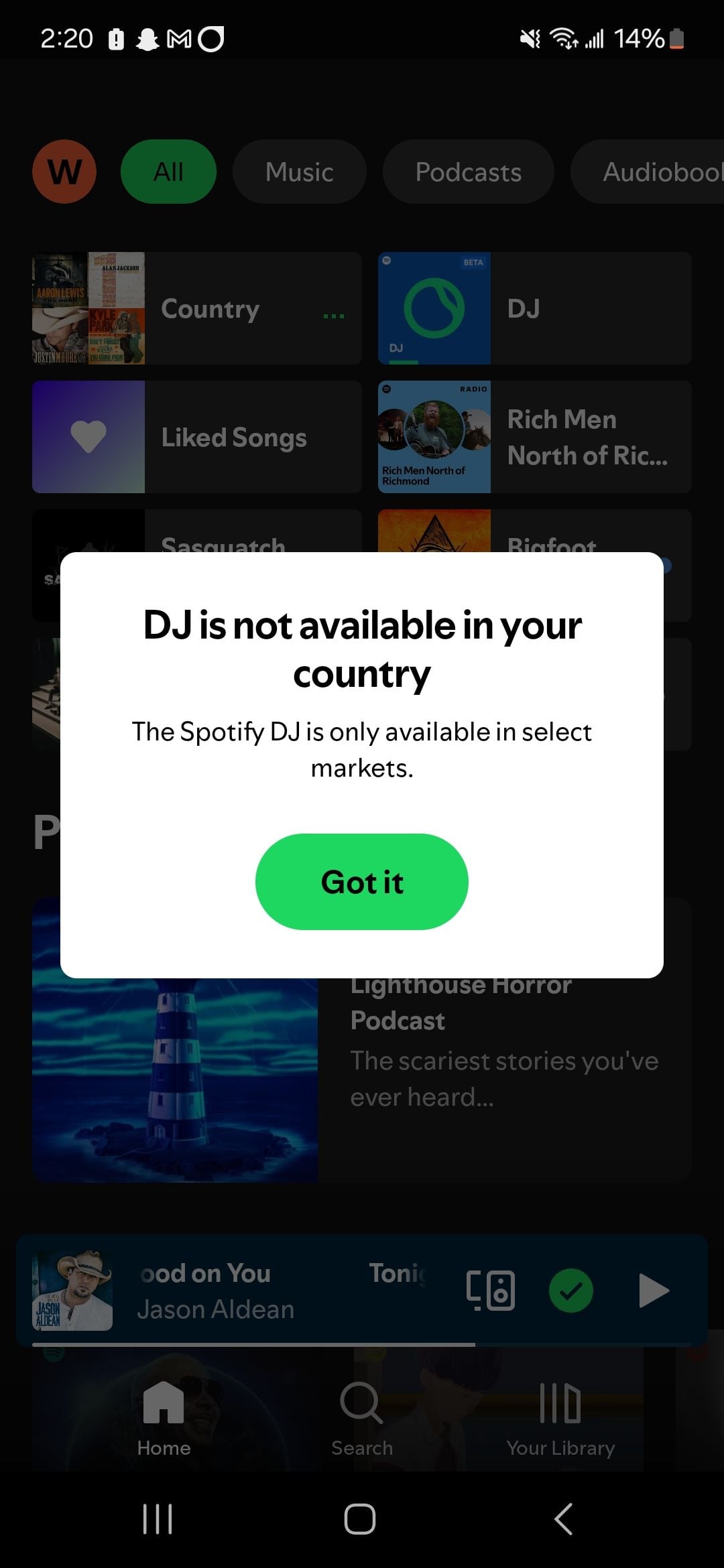

I pay for premium and all of a sudden my Spotify Dj isn't available. My app is up to date and I don't have a VPN. Please help to resolve the issue AS SOON AS POSSIBLE!!

I try mine too is not work on my dj pro

Cuando habilitaran la opción de usar Spotify en apps dj para Chile?

Crazy that so many people are having the same problem (that's why i'm here - same prob for me - i'm in Mexico and it says 'not available in your country - premium user, no vpn) and yet, no solution. Thanks for nothing.

Same here in Brazil

Hey everyone,
If the DJ feature is available in your region, you should be able to access it in one of the following ways:
- Tap Search at the bottom > Made For You
- From Home > Music feed at the top > scroll down until you find Your own personal DJ
- By using this Spotify URI spotify:playlist:37i9dQZF1EYkqdzj48dyYq
In case the above doesn't work for you, it's possible that the DJ feature isn't available in your region, as it hasn't been rolled out globally yet. We're always looking for opportunities to enhance the user experience for everyone though, so your feedback is greatly appreciated!
As soon as we have any news to share, rest assured we'll post an update on our For the Record blog. Below are the latest articles on the topic:
- [May 7, 2026] Your Personalized DJ Experience Is Expanding With 4 New Languages and More Markets
- [July 17, 2024] [Spotify Brings AI DJ to Spanish-Speaking Music Fans Around the World
- [August 8, 2023] Spotify Expands DJ to Now Be Available in 50 Markets Around the World
- [February 22, 2023] Spotify Debuts a New AI DJ, Right in Your Pocket
The Community is here should you need assistance with anything else in the meantime.

Hi, i have a premium but using windows laptop, it doesn't work in my country either, i think if your premium payment address is not US then it won't integrate.
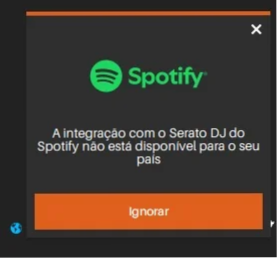

Djay

I am in Australia and used dj on another account but on my current account I can’t use it. I have no idea why
Hey, @Dark13,
Sounds like you got to try one of the features our tech folks are working on.
At Spotify, we're often testing and launching improvements to the app. This means you might occasionally see something your friend doesn’t, or get a new feature to try temporarily.
Your feedback on this is important and valuable to us, as it may ultimately end up paving the way for our broader user experience. Thanks for sharing it here - we appreciate it.
The Community is just a post away if something else comes up.
Cheers 🤘
I’m sorry I might be reading this wrong but I don’t see a solution to my problem? I’ve used the DJ on another account and it worked but on my new one it says I can’t use it in my country. Both emails are Australian, my bank is Australian. I have no idea what the problem is
Thanks for the quick reply and for the additional info, @Dark13. Apologies for the confusion in my previous reply.
Is your account brand new? If so, note that the availability of the DJ feature may be delayed for up to 2 days as it needs some time to get accustomed to your music taste, so I'd advise you to keep listening to the stuff you enjoy and it should become available soon.
Take care.
Oh okay yes it is brand new. Thank you I didn’t know you couldn’t use it right away since I thought you could just input your own songs and it’ll play similar after. Thank you for the help

Not in the US but in South Africa Aswell and this is for all my devices Laptop , desktop and mobile Phone (Oppo Reno 10 Pro +)
Hey, @WongMoonP13,
Note that in South Africa, the DJ feature is only available in the Premium Platinum plan.
If you're still having issues, could you let us know where exactly you're trying to access the DJ from? Is it from the Home page, Recents, the Music feed or from Search > Made for You? Feel free to also try launching the DJ via this link to see if that works: spotify:playlist:37i9dQZF1EYkqdzj48dyYq
If you haven't already, try logging out and signing back in to your account twice in a row - this should force an internal resync of the app which may help here. If possible, you can ask a friend or a relative in your region who uses Spotify to log in to their account on one of your devices temporarily to check if they're able to access the DJ. If you're using a VPN, I'd suggest disabling it and trying again.
Hope this clears things up. Keep us posted!
Hi @1229636805!
Are you using VPN? If so, it might be interfering with Spotify, since the DJ feature is not available globally yet.
In general, the app works best without VPN, so I'd recommend keeping it off while using Spotify.
Cheers 🤘