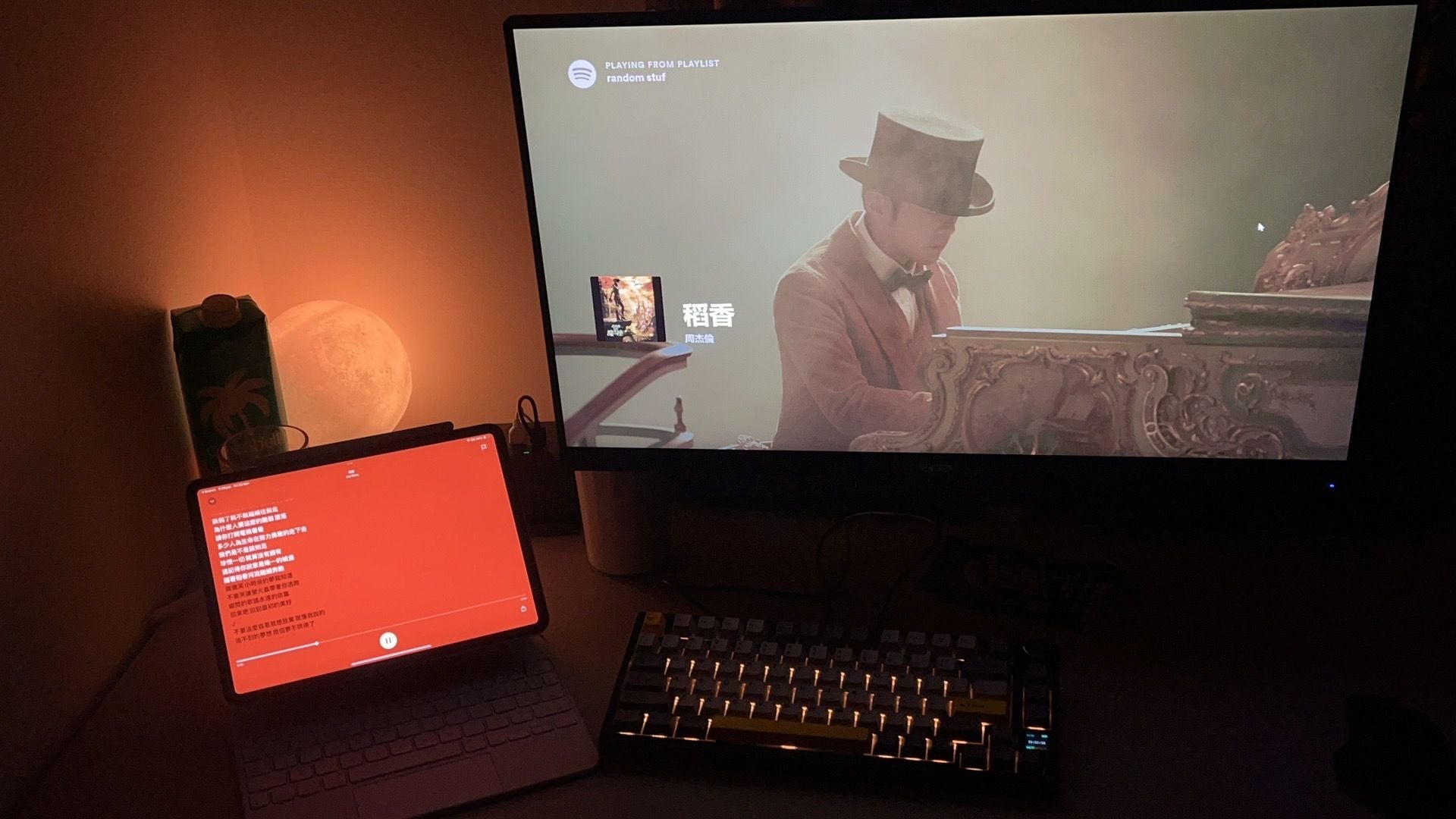
Thanks for the replies, folks!
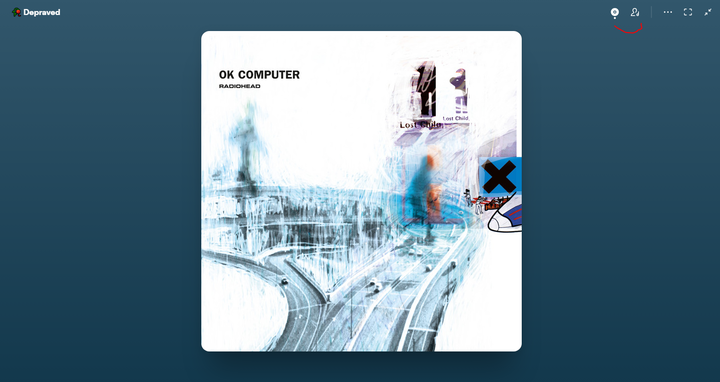
We can confirm that a due to a recent change to the desktop app the Full screen mode has now been integrated in the Now Playing view. To access it, you need to first expand the Now playing view, then select the square icon as shown below:
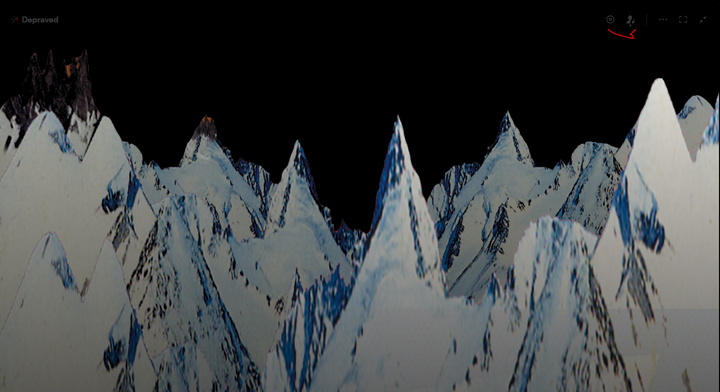
Tip: with the new Full screen mode, you can now switch between Album view or Artist banner view:
As with all changes, your feedback is greatly appreciated - thanks for sharing it here. Rest assured it's reaching the right team, so let us know what you think.
Cheers 🤘
This makes me really sad to have removed. I used it every time i listened to music on my desktop, since it's less distracting and a cleaner look than the app screen. I hope they bring it back for all premium users.
Hello! I have actually found a new place for the fullscreen button! if you press the album cover of the song youre playing (bottom left) and then hover over the "now playing" thing that pops up, a fullscreen button should show up! (says "expand now playing view"). then, you can press "enter full screen" but it also fullscreens automatically if you press on another application
Hi there,
Welcome to the Spotify Community!
Have you noticed this with a specific type of content (music, podcasts, etc.) or with all in general? Could you check if zooming out a bit with Ctrl + "-" (or resetting the in-app zoom via Ctrl + 0) makes the button show up? If you haven't already, it's also worth performing a clean reinstall of the app by following the steps in this article.
Let us know how it goes 👍
I am having the same issue with full screen spotify, ive have tried zooming in and out, however the issue persists. Only the miniplayer would showup.
Thanks for joining the thread, @Kaizzz!
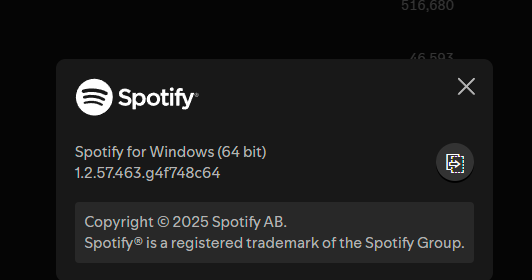
Could you folks share a screenshot which captures how things look on your end along with the exact version of Spotify you're running so we can investigate further?
It's worth checking if the option to toggle on full screen is still available in the Now Playing view:
We'll be on the lookout for your replies.
I think this is the only way to fullscreen the spotify client, but it isn't the same fullscreen as before. I don't know why they removed it again.
I have the same issue, did you able to fix it?
Hi Jordan,thanks for your reply.nowversionbefore
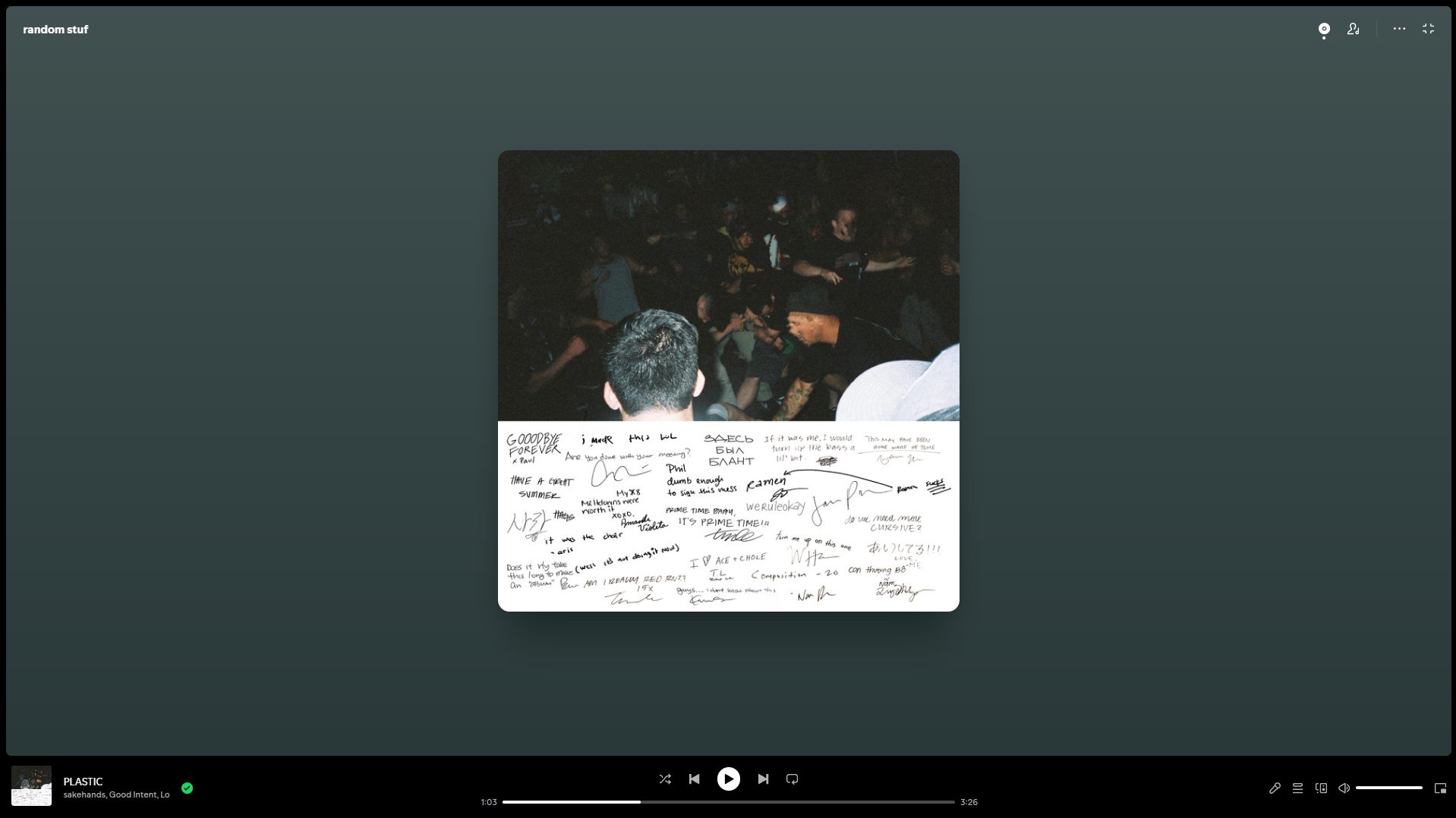
I have attached a screenshot of what I am able to achieve now and the version along side with a handheld photo of what I was able to achieve before.
The new fullscreen mode is just not as good. The simplicity of the old display was really cool
I think I can speak for the majority of us by saying that we much prefer the way the fullscreen looked before. I hope this can get reintegrated!
In the newly released desktop layout for full-screen (which I actually like), lyrics are no longer available when going into full-screen mode. WHY was this removed?! It was an amazing feature, and it makes zero sense to remove.
As of right now, it goes out of full-screen, which doesn't look nearly as nice. As a solution, I suggest the addition of the lyrics next to the cover art or the canvas while in full-screen. It would look amazing if this was implemented, and I think it's 100% feasible. You could easily see the large cover art (or canvas), while viewing the lyrics in real-time.
I didn't even notice at first that lyrics were gone from full screen until I saw you mention this, I was to caught up in just not liking how clunky it is to access the full screen button now, and that I miss the old design.
Bringing back full screen lyrics would be amazing
Old Fullscreen mode was perfect, why the change ? User´s where showing the song on an screen in fullscreen for reading the title, it is now very small and you need to adjust it every time to the maximum for it.
Hello,
when I play a song in Spotify in full screen "what's now playing" mode, I can now choose (latest changes) between album cover and band picture, which is nice.
But I prefer to have the band picture, when available, like it was.
Issue:
1. When I choose the band picture, the band picture is shown.
2. The artist for the next song, doesn't have a band picture, so it shows the album cover, which is fine.
3. The artist for the song after that has a band picture, but it isn't shown, it keeps showing the album cover, although I never pressed the album cover button.
Can Spotify retain the choice that I made?
Thanks!
Marco.
Plan
Premium
Country
Spain
Device
PC
Operating System
Windows 10
My Question or Issue
Has FULL SCREEN VIEW been removed from the app? I cannot find it anymore.
This is the worst change I have ever seen. Why? The interface looks a whole lot worse and the lyrics are no longer available. This genuinely makes my blood boil. Atleast make the lyrics available PLEASE.
I can´t understand why the developers treat all users, even PAYING users, as beta testers.
I am now sadly looking for alternatives.
when you dont need the offline function or the equalizer you can use the web player, there is the old fullscreen mode available
As of recent updates, fullscreen has changed on desktop. It is now available in "now playing" view and does not feature lyrics.
This is a regression: Fullscreen lyrics had been integrated as part of a popular feature requests years ago
I am asking for lyrics to be available once again for all devices.See this old feature request that had been implemented and removed recently for details
EDIT : This reply was actually a post which has been wrongly merged here.
I reopened a post about it here so Spotify brings the feature back.
Feel free to like and or comment the linked post if you feel the same way.
Yes you are right, but other functions are missing as well in this mode, such as the equalizer
Please give us back old fullscreen version, it looks way better and the lyrics version was SOOO much better
and now you can’t also play full screen with lyrics, can you fix it?
1,000% agree I don't like that the full screen button isn't in the bottom right-hand corner anymore either. also, not a fan that the pause button doesn't pop up when moving the mouse on the screen anymore after it being idle (you have to click on the screen to get the player menus to pop up). Currently I'm not a fan at all. especially the slide animation while on the same album, I can get going to something completely different but on the same album? that's unnecessary.
Pointless change. It's harder to acces and doesn't look as good as the old layout.
Hello, I see the fullscreen button has been replaced by the picture-in-picture button, and I found no way to enable fullscreen. Is it once again a good feature that Spotify removed for no reason or did I miss a button somewhere ? I tried F1 to F12 keys and even looking inside the app parameters but any mention of a fullscreen mode is now completely gone.
USA
Asus Zenbook
You guys had no reason to ruin the old fullscreen with a dim artist background and a small square photo of the album cover along with the song title and artist. That was perfect and aesthetic. The new one is ugly as **bleep** and proves no benefit over the last one and is actually a parasite on its own. I don't want to see the spotify UI (playbar, title bar with the X / minimize buttons, or anything. I DONT WANT TO SEE IT. WHAT IS THE POINT OF FULL SCREEN IF IT'S NOT GOING TO GO FULL SCREEN AND DISPLAY A CLEAN LOOK. I don't understand how you guys can have a perfect feature and then somehow ruin it thinking you're doing something that the community wants when literally nobody asked for it.
Is there ANY way I can un update or get it back. Some of my friends still have it. ts pmo fr
I need my Lyrics full screen back please