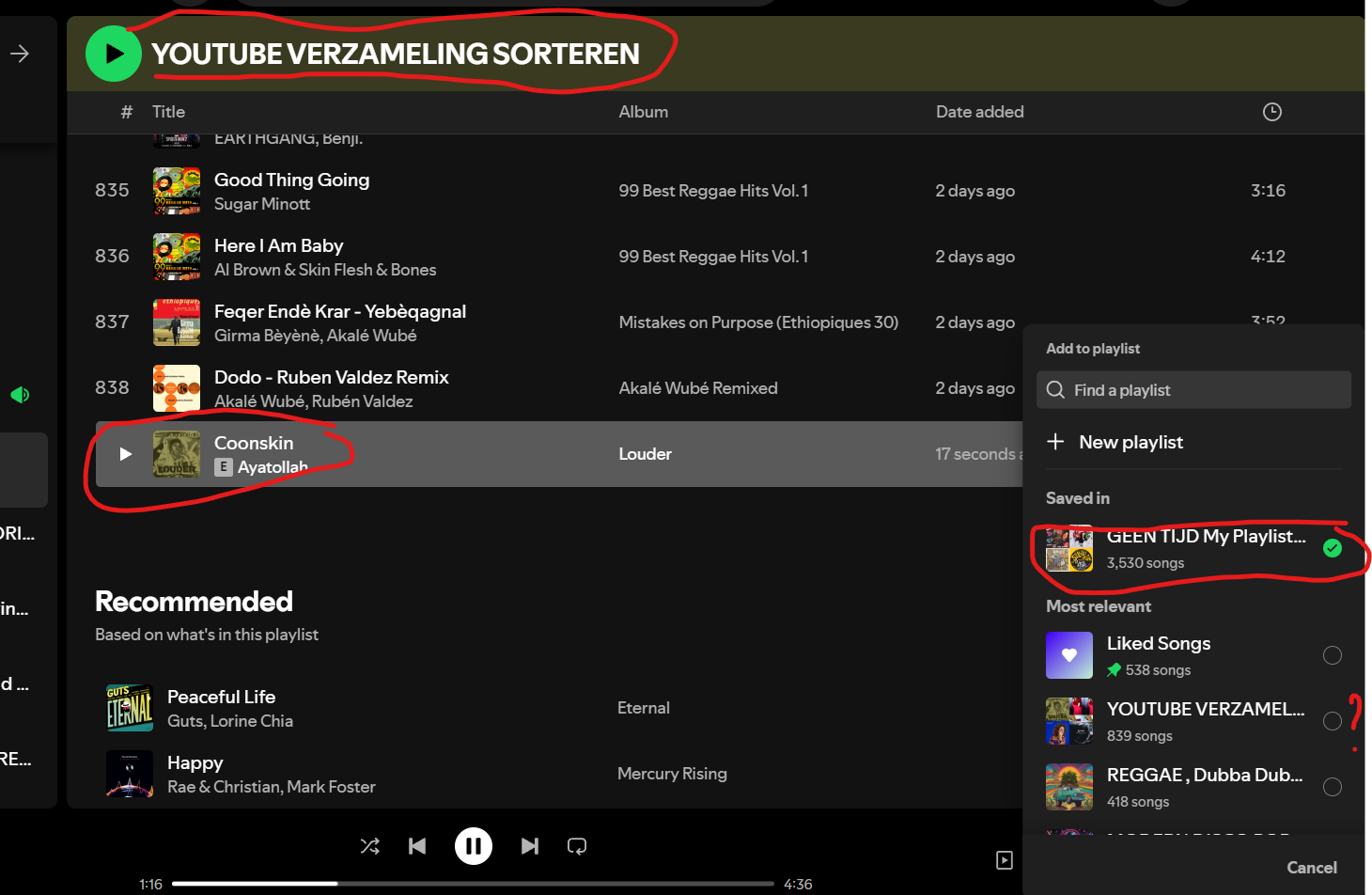
It's SUPER frustrating, we can't see which songs we liked in our own playlists, Bring back the heart button PLEASE, the new way doesn't work AT ALL
The heart button was so easy to use on the mobile version. I really miss quickly adding a song to my likes. I am not liking as many songs anymore because sometimes when prompted with the decision of where to put them, I give up. PLEASE BRING IT BACK!!!
But after all, why is it so important to know which songs we liked in a self-made playlist? Why do we want to have a heart mark on the playlist we made? I'm just questioning myself. What am I doing with that information?
"Track is in one of your playlists" and "You've liked this track" are 2 different concerns.
If you're in one of your own playlists, you don't need the indication that a track is in that playlist, but it's nice to see that you've also marked that track with a "like".
If you're not in one of your playlists (e.g. you're in an album, or in someone else's playlist, or in search results) then both indications are useful: hey, this track is in one of your playlists (the checkmark icon) and/or you've liked it (heart icon).
But I don't think Spotify will ever be able to accomplish this as simply indicating that a track is in a playlist of mine or that it is liked by me often doesn't work the way it should. That's crazy.
Most of us are well aware that the plus/checkmark did not replace the heart/like-playlist. Nothing was replaced. One thing was added at the same time as the other thing was removed.
bring it back
Updated on 2025-03-01
Thank you for sharing your feedback with the Spotify Ideas Exchange.Your suggestion has been marked as a Live Idea and will be reviewed by the Spotify staff once it receives enough votes. We appreciate your contribution and look forward to your continued support of this idea!For more details about how the Ideas Exchange works, please refer to here.
Nearly 4K votes, and only just now becoming a live idea.
As dumb as it maybe for it to become a live idea BARELY I do hope its a step in the right direction. Its ridiculous that we need to fight so hard for this feature back. Sure its cool to know "hey you saved this song", but id rather know what songs I like.
Spotify or the art of slowness. The status has changed to Live Idea. Ohhhh. Almost two and a half years thinking about it.
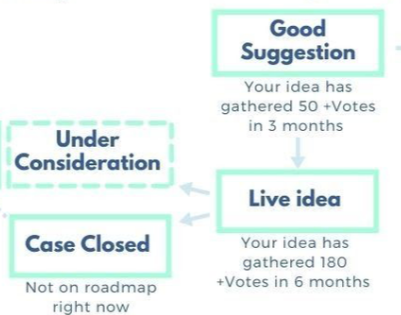
"Good Suggestion" should have been automatic. It got 50 or more votes in days.
"Live Idea" should have been automatic too. It got 180 votes in days.
Two and a half years later they raise the Status to "Live Idea".
But they don't even follow their own rules.
The return of the like button should have happened months ago according to their own rules.
I am now in the "Implemented" phase, I have implemented my Life Idea and I have gone to Apple Music.
Actually the heart is back on the desktop version, maybe it means that it will happen on the mobile version as well. Let's see..
Updated on 2025-03-03
Ahaha, idea)))
@gkswltn11 I do not see the heart in a playlist created by me. I also restarted the app, still I do not see it. It's either something else or they are rolling the update on different zones in different time. I'm in Easter Europe. On the below playlist I've put several hearts and I see none (or all as it is part of my playlist).
That being said, I hope you are right and I could see it sooner on the road so that I can start paying them again. Until then, I'm using it on a free plan (which I regret as that way artists' cut is even smaller).
For those who are seeing the heart icon, which devices are you using? I'm not seeing it on the desktop app for Mac OS or the mobile app for iPhone. Both are up-to-date.
Please return the hearts for liked songs! Please! I want to see which songs I have liked! Also please return the downloads folder. So hard now to prepare songs for flights! What the heck?!
Plan
/Premium
Country
USA
Device
(iPhone 15)
Operating System
iOS
Could not agree more. Of all the features that have been changed over the years, removing the heart button/function was one of the worst choices.
When viewing your Liked Songs and looking to add them to various personal playlists by selecting the + icon, you could quickly see which personal playlists you had already saved the song in. At some point, that disappeared.
Now when I'm looking to organize my Liked Songs, I have no idea which personal playlists I've already saved them in. It was one of Spotify's best features, and it made it so much easier to build playlists. Now I don't ever bother.
Please bring back the ability to see which playlists I've saved my Liked Songs in!!!
to add to this, if you guys really want to keep the new function of the add to playlists button just bring back the heart and make it a long press if you wanna add it to a playlist other than liked songs like i genuinely cant understand why anyone thought this was a good idea
I got problems again after updating my desktop app a few weeks ago. Seems after last update a few days ago i got more problems.
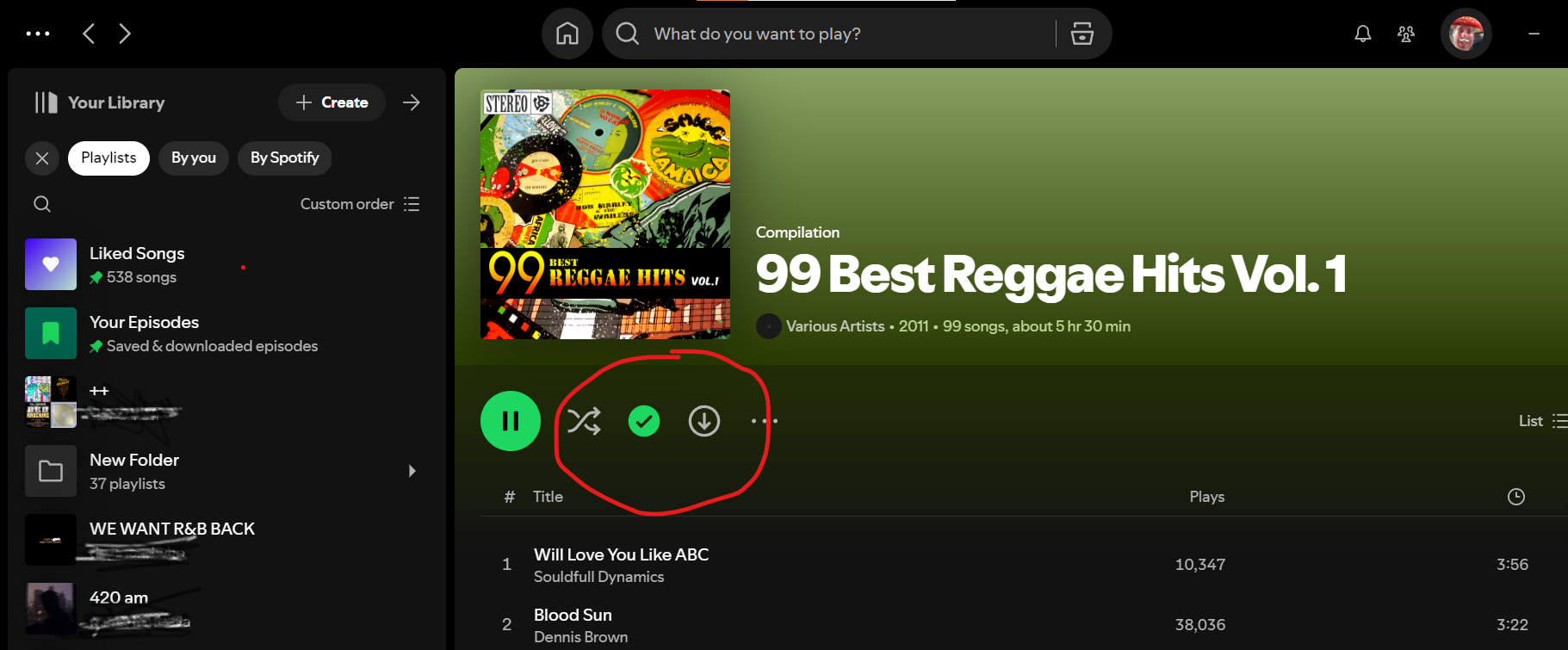
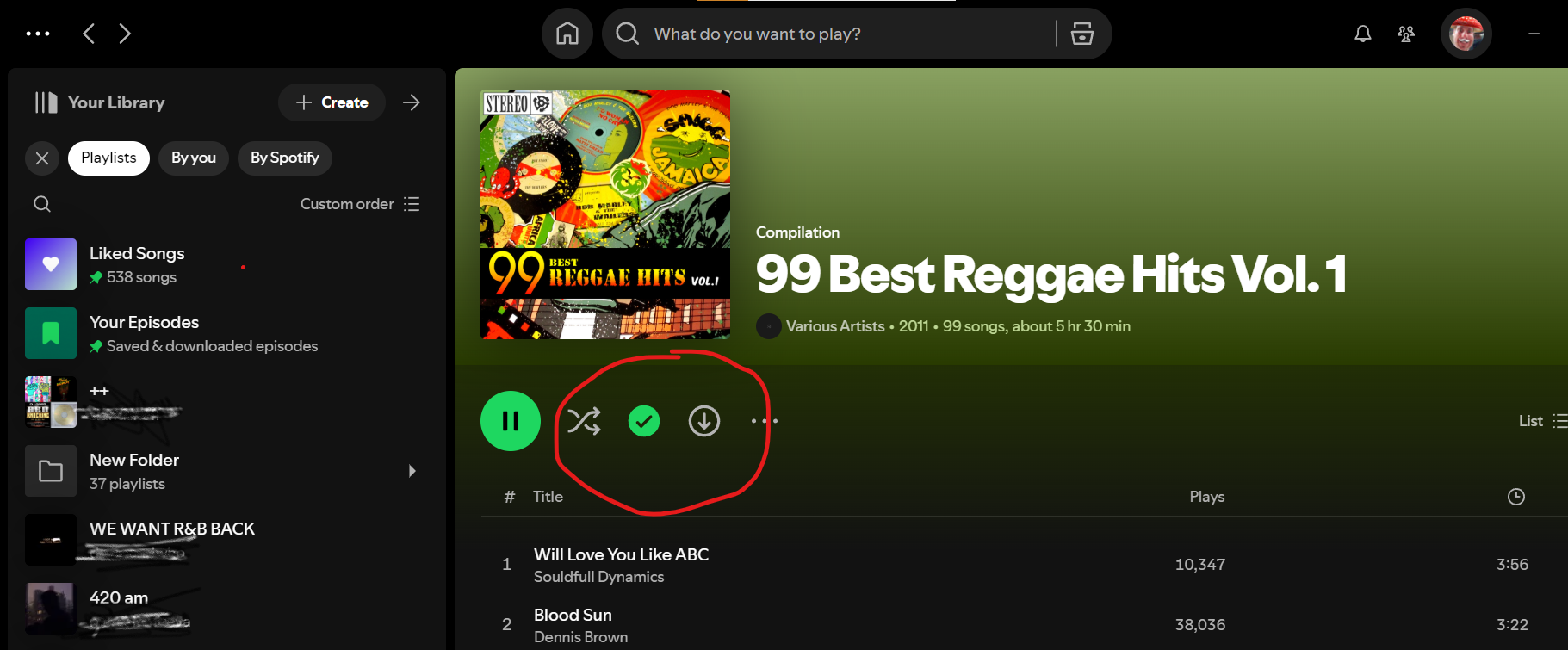
I tried to add an album to My Library. Since yesterday this gave the problem that the album i tried to save didn't and doesn't appear in My Library. Tried a few times but can't find the place where it should have been saved. I can't find the Album anywhere. I need it because all the songs that were in it got automaticly 'liked' against my will.
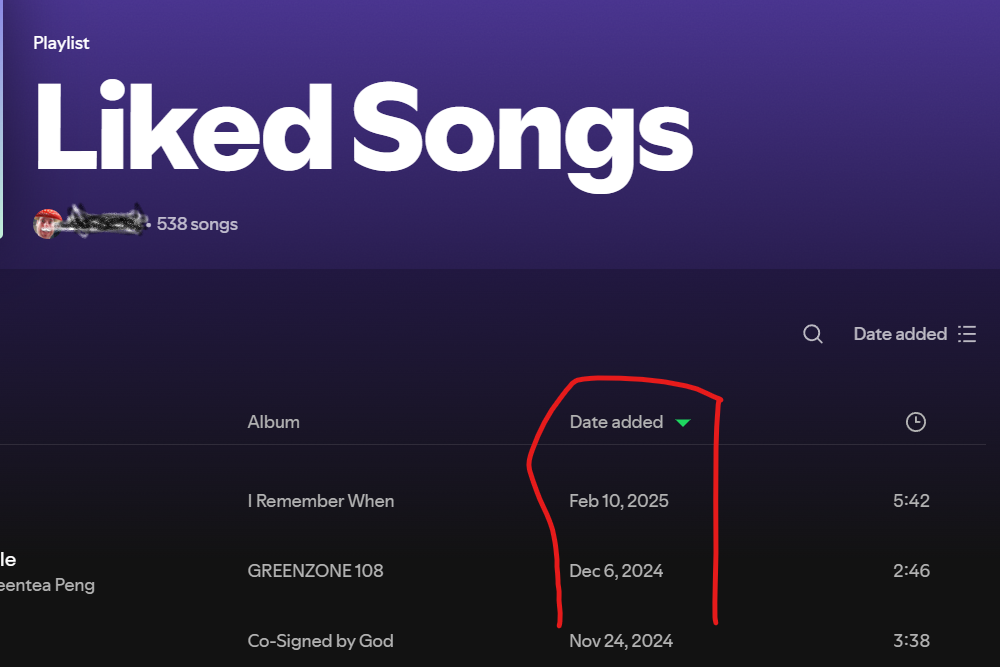
I didn't 'like' the Album, I only added it to my Library, but I can see all the songs that are on this Album are now 'Liked' by me????
I can't find any of these songs in my Liked Songs Playlist. None!
Is my algorithm getting **bleep** now???
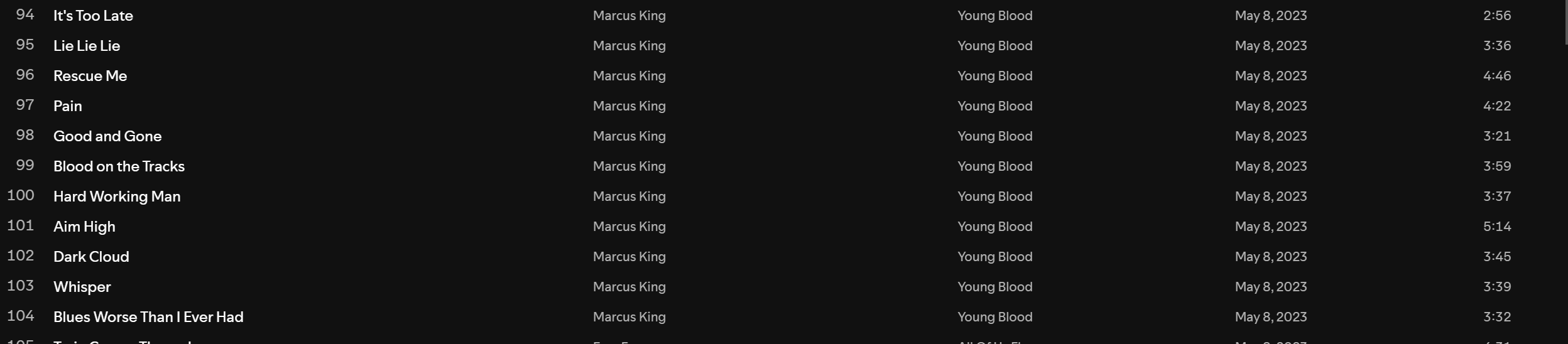
I can't unlike/dislike the songs in bulk because they are nowhere to find in My Library. They appeared in bulk without letting me know. Do I have to look for and unlike all 99 songs from the Album one by one? Songs I didn't like, don't appear in my liked playlist, but are wrongfully registred as 'liked' (somewhere) for sure...? Please help. Thanks.
Only on my Mobile phone the Album appears in My Library now.
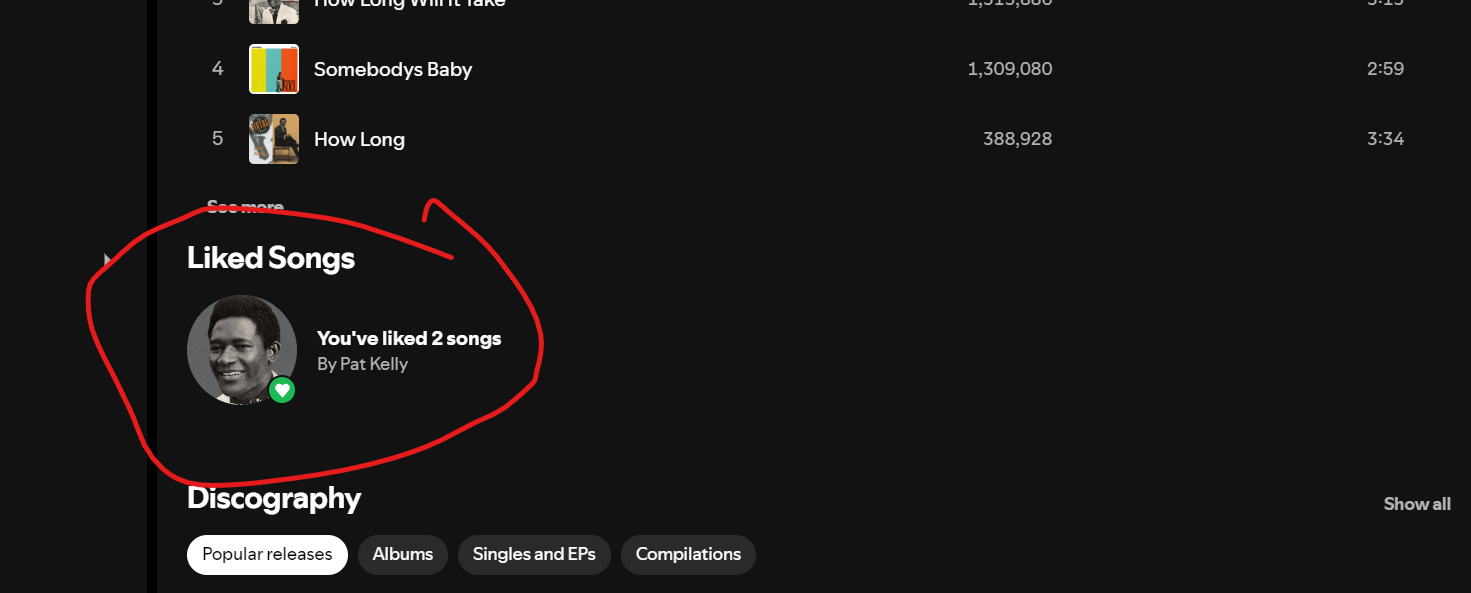
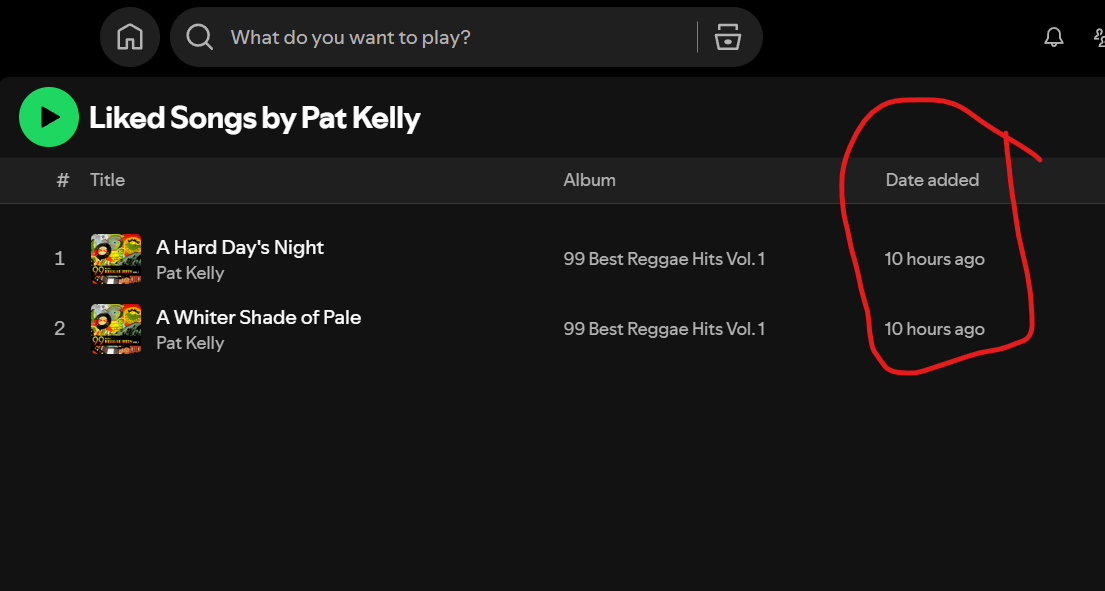
But, also on my mobile phone i can't find the supposed 'liked' songs from this album. The only place where i can see that the songs are 'liked' is at the artists' page. An artists page i would have probably never visited again. Hope these ghost registrations didn't happen before. It would probably kill my algorithm... On the first pic you can see 2 of the 'automaticly liked' songs under Pat Kelly.
When I go to the page of Pat Kelly (or all the other artists on the album) on my Mobile app i can see only 1 liked song under the artists name. When I click on it, it shows me I 'liked' the entire release of the Album (Not mentioning the songs). The album is a compilation of various artists and 99 songs. When I delete the album from My Library the automaticly 'liked' release dissappears on the mobile app and also seems to solve the unwillingly liked songs on my desktop app. They got unliked again.
Update: So the problem is that i can't Add this album in My Library on desktop App, because it will not appear there (only on mobile device) and automaticly Spotify registrates on all devices I 'Liked' the albums release and all songs in it, but they don't appear in My Liked songs Playlist.
PS: the other problem i got after updating is described in an other thread. It is about playing songs in Artist Discography on laptop that break and get the message Spotify can't play this....etc. (This started a bit more than a month ago, after the update we got that time. I see many users have same experience. Same as last year after an update but slightly different....)
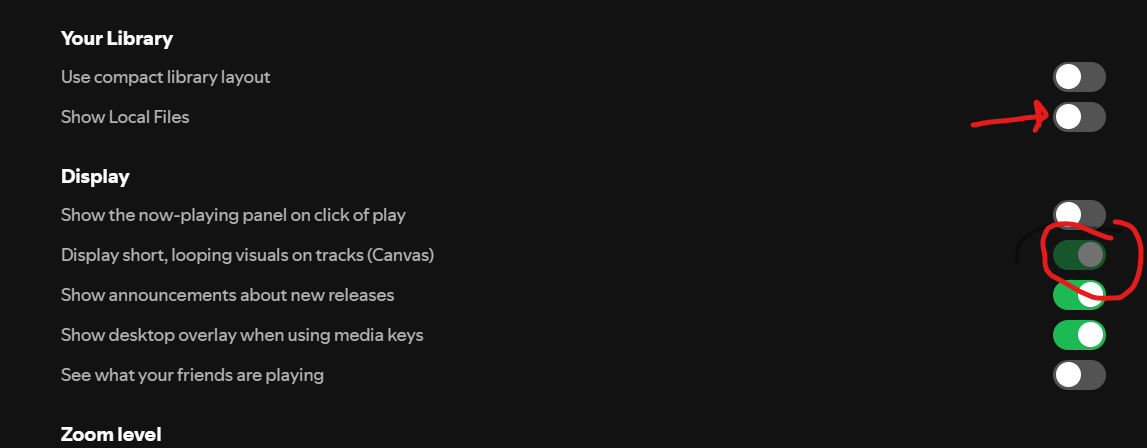
Another thing I experienced after that update at the same time was that even while the slide was turned off in settings for showing my Local Files, Spotify was fully connected to all my Local Files on my laptop. It felt very intrusive. It was not only songs Spotify was connected to but everything that holds audio files, also connected to audio messages from my whatsapp...etc. Switching 'Show Local Files' on and off again seems to be the solution to break this connection I never asked for... It seems to be caused by the same update that caused the Discography section breaking again.
In Settings in my desktop app there's an option switched on, where it says: "Display short, looping visuals on tracks (Canvas)")
But the switch is greyed out. I can't switch it off. On my mobile i can do this, but this ofcourse doesn't have effect on my desktop app (i hope), nor on the browser webplayer. Why is it switched on and greyed out in my desktop app but have the option to choose on my Mobile? Why is it even there as a green switch that is not switchable because an overlapping greyed out thing blocks it? Is this normal?
Another thing is that I get a lot of songs in my New Releases Playlist that are greyed out already. Last week i could play a newly released album but some songs were still greyed out until release date. I moved those songs to one of My Playlists. All songs seemed to be playable there on release date, but while playing 3 songs, the next 3 songs played only for 1 second and got greyed out again...when replacing them to another playlist they looked like playable again, but greyed out again a fraction of a second after pressing the play song button.
Where can I find what's included in new Spotify updates like every other company does? Update Info. This can give us much more information why something breaks again and again en when it happens... And why(!) we update. I don't update to get more inconveniences...I only want to update for Privacy and Security reasons. I have a feeling passed years none of the updates included this...
I notice that it often happens that Spotify and Google and Windows release updates at about the same time, same day or day after and sometimes it seems like they are causing each other problems or do it all together, leaving us laptop users hanging with the negativity and frustrations. Seems the mobile app escapes these issues and in my opinion the innovations for apps on mobiles (watches etc.) could be even the cause....Most technical issues after updates occur on Desktop platforms, and this is not because it was not working 10 years before....
What's this thing in mobile App settings called:
"...connect with accounts of apps like Google maps, Waze, Samsung... where you can play content directly from if you connect with Spotify".
So why do we need the Spotify App if we can use Google Maps or whatever to play music content...? What an idea...maps and music at the same time in one app...was waiting for this since the apps appeared years ago when it started breaking everything and filling and abusing our mobile space and data with **bleep**.
And still no visible "Like Indicator" (heart-shaped, star or middlefinger)???
Why Spotsify doesn't stay Spotify...?
Please leave the desktop players working smoothly and clear. We use Spotify totally different in comparison to users on other devices.
Why Spotify quit the most iconic and unique like button? Bro the heart was soo great, even in Bad Bunny Albums.
One of the other issues i have after one of the last 2 updates is that my homepage takes almost 1,5 seconds to load. Seems I have huge Album Art covers at the bottom now. And it seems they are causing the playlists I use, that would run smoothly before, take a while to pop-up now. This happend after last update, i think. Spotify is not transparent about what's included in their updates, so we can only think and experience...Every slide that I do, or a song that I move or add to a playlist has a few fractions of a second delay. opening some albums give a message "Something went wrong", or it sometimes takes 2 seconds to open an album...etc etc. Desktop player doesn't work smoothly anymore.
Where can I find information about new updates? I see there are Hide buttons now in Release Radar playlist. Where can we find Hidden songs if we by accident press this button. What does it do?
Now I even have more bad experiences after last update. The green dot doesn't work, again. Seems that all songs I move to other playlists don't get added in the green dot. I move a song to another playlist but when I want to delete it from the playlist it was coming from it doesn't show in the green dot area. I can also not try it again, because I will get the message it's already added to that playlist. When I add it again i'll get two duplicates of the same song in one playlist. When I try to delete the duplicate, they get both deleted. How can I organise my songs and playlists?
I found out that when I close the desktopplayer and open it again, the green dot gets updated with both playlists. I can't do this with every move I make..But I also don't want duplicates and ghost registrations.. . Same problems and frustrations all the time with new updates i don't need... Any help? Thanks in advance.
I use Desktop app on my laptop where I experience the issues. Windows 10.
I have Spotify (updated) on my mobile inslalled too. No issues exept the 99 songs from the album i didn't like that got registred as 'liked' but were not findable in my liked songs list. They were not added. Probably because I didn't 'like' them pressing the green dot but they got 'automaticly liked' by Spotify after I try to add the album to my Library, where it appeared on my mobile phone but not in my desktop app. (See my earlier message)
Why is it so difficult to automatically like all songs when you like the album? Surely it should just be a little setting that you have to adjust. Because of your shuffle limitations I don't get to hear all of my 24,000 songs. I would rather have the album automatically like all songs so that it will get thrown into my shuffle.i don't really have the time to go through all albums and like all songs. That was the way it used to be, that you could like the album and it would automatically like all songs
We want the heart to come back!
I don't know if this will ever reach someone in CS or Product, but just know that the ➕ and 💚 buttons don't have to be mutually exclusive. You can have them side by side. In fact, that would be most convenient as I like to update my songs frequently, and it would save me hours (!) to just be able to press 💚 and immediately add or remove songs from Liked Songs. I don't use Spotify as much as I would because I have to block off time and mentally prepare myself to use the app if I know I want to clean up my playlists or add new music. If you truly care about UX, just give people what they want and make their experience with the app more pleasurable and efficient. Listen to your customers. You can have both buttons. No one is saying either/or.
Well said, and I agree.
The subject matter of returning the ♥️ icon intially and quickly gained almost 4,000 votes. As a result I observed in another post that Spotify restarted the votes to zero. I interpret this as "NOT LISTENING to its CUSTOMERS."
We who create and use these playlists are still addressing this issue as we near May of 2025.
Spotify do you ever consider why you are losing customers to Tidal? I will eventually leave for Tidal as well, if you do not return the ♥️ icon. I did the research and Tidal has the heart icon!
Well said, I agree.
Spotify do you ever consider why you are losing customers to Tidal? I will eventually leave for Tidal as well, if you do not return the ♥️ icon. They do have the ♥️ icon!