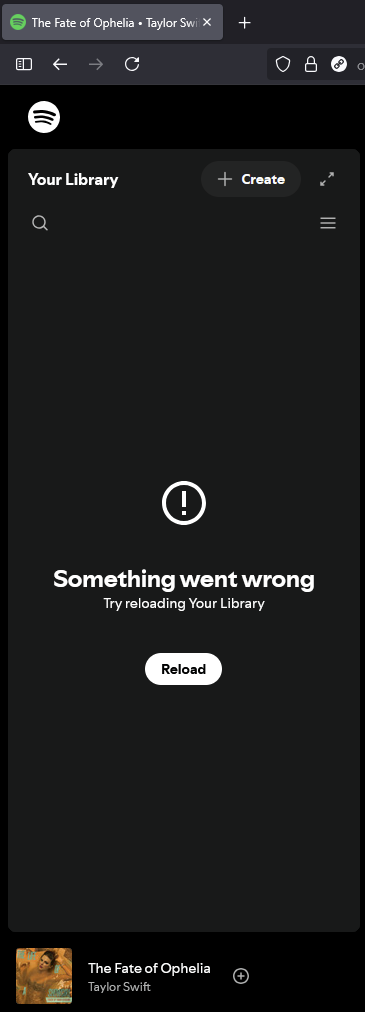
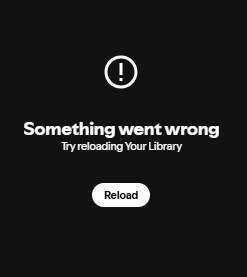
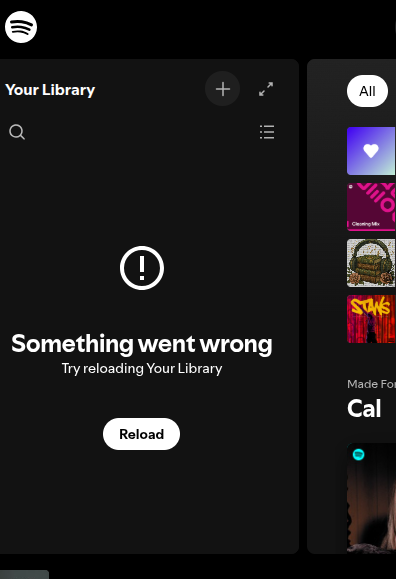
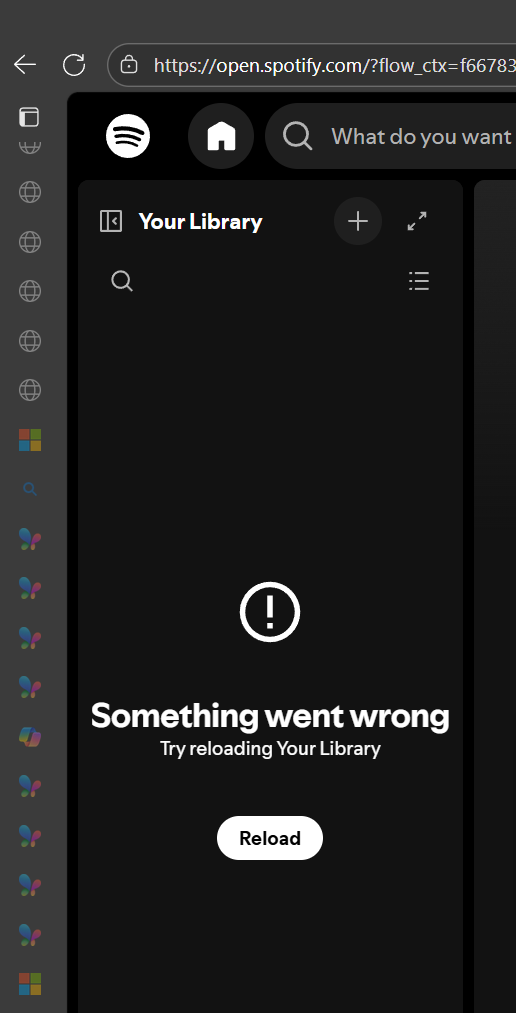
We've received reports from users that Your Library doesn't load. An error message appears: "Something went wrong - Try reloading Your Library"
Plan
Free
Country
united states of America
Device
(dell Chromebook 3110)
Operating System
(Chrome os.)
My Question or Issue
can't open library after trying to clear my cache, logging out and back in, restarting, updating my browser, and using a different browser to access spotify.
this is also happening to me and idk what to do
I also have this problem. Different browser.
Hey folks,
Sorry to see this has been happening on your ends. We tried reproducing but to no avail.
Could you let us know if you've all tried the abovementioned troubleshooting steps?
In case nothing helps out, let us know the make and model of your device, alongside its exact OS version and the browsers this occurs with. We'll be on the lookout for your replies
@xMario85x @Jameson_the3 @Daveauto
I'm on Spotify in Browser
I tried multiple browsers to clear browsing data and cookies, But nothing worked.
OS: Microsoft Windows 10 22H2 [Version 10.0.19045.6332]
Browser: Firefox 143.0.4 / Chrome 130.0.6723.174 / Edge 141.0.3537.71
I've cleared my cache multiple times and also disabled my adblocker and my library is still not working.
Free/Premium
USA
Dell Inspiron
Windows 10
This is a similar incident to this: https://community.spotify.com/t5/Your-Library/Something-went-wrong-Try-reloading-Your-Library/m-p/5593926#M60221Clearing cache, restarting page, browser, and device do not work. I'm using Perplexity's Comet browser, but my library was working just fine yesterday.
Hi @akahyper,
Thanks for the reply.
What device does this happen on? Consider testing if the same happens on different networks so we can narrow down the issue. If you're using any kind of VPN or similar, disable it, as it may be interrupting with server communications.
Let us know how it goes.
same happened to me. reload doesn't work
Interesting. @slodive, are you also using the same browser as @akahyper? Have you folks tried another one (Chrome, Firefox, Edge, etc.) to see if those still function properly?
If there are any extensions that may be interfering with the Web Player (such as ad-blockers), check if disabling them temporarily helps alleviate the issue.
Let us know how it goes 👍.
hi,
i have one spotify that i listen to on my chromebook. this is the only device i use my spotify on. my library keeps saying "Something went wrong try reloading Your Library", but when i reload it still doesnt work. i uninstalled and reinstalled, signed out and signed in, and it still isnt working. i also noticed that when this started one of my fav podcasts that i put in my liked episodes got all of its episodes removed. does this have anything to do with it? can u help pls????
These are two different accounts, my main account is the one acting up, I am using the same device for both, logged in and out, no difference, I have restarting the computer, deleted my cache, and even cookies. I have tried incognito and different browsers. Nothing has worked, any ideas?
They seem to have fixed it. I haven't done anything differently, so I don't have a solution.
Hey @akahyper,
Happy to hear that Spotify is working for you again 🙂
@Strawberry_Cal thanks for joining the thread and for the provided info. Since you've gone over some troubleshooting steps and it's the main account where you're seeing the error message, I advise that you head to the Account Page here and remove access to all of the third party apps there. Perhaps an app is interfering with your account's library. Let us know if this makes a difference.
Additionally it would be helpful if you could check in case the same thing happens within the Spotify app and/or on another device with this particular account.
We'll be on the lookout.
Hi,
Back again, I have tried uninstalling and reinstalling, as well as different devices, there is no difference to my main account. I have also removed any and all apps connected, sadly nothing has worked. I have tried powerwashing my chromebook (don't worry I have everything saved). Any other ideas?
The library doesn't load on any of my devices and on any network that I tried so far.
I am in the same situation as Strawberry, tried everything and still the issue persists. I have made a post on reddit about it and some other people apparently are also having the same issue. Don't know what to do.
Hey there folks,
Thanks for keeping us in the loop.
@Strawberry_Cal, it’s quite some troubleshooting you’ve tried so far. We’d recommend making sure both your Chromebook and your browser are up-to-date.
On another note, since you mentioned you’re using a Chromebook, we’d like to check, are you using the Android version app available for some Chromebooks? Or are you using only the web player on the browser?
@sirgolfinho, we understand you’ve tried some of the troubleshooting steps mentioned above. Would you mind giving us more details of what you’ve tried? That way, we’ll avoid any steps.
Additionally, since you’ve mentioned that you created a thread on Reddit and other users are reporting to have this issue there, it’d be awesome if you could invite them to post here, so we can continue investigating. You can mention them to send us the following:
We’ll be on the lookout for your replies.
I am using a normal computer with Windows 10.I use Spotify Web so i am not sure if it can have a version of it. I have not tried in the app since i prefer using the service on the browser.I tried changing browsers (Firefox and Brave), clearing the cache memory and cookies, opening the website in incognito and i tried using different internet connections too.Since i use Spotify on browser i can't check on mobile since the library is only available in the app.I will be linking this discussion on my reddit post.
Hey there @sirgolfinho,
Thanks for your reply and for the info shared.
We understand that you prefer the web player version, but, would you mind installing the desktop app to see if this behavior persists there? That way, we’ll continue to narrow down this issue.
On a different note, we’d recommend you make sure all your browsers are up-to-date. Additionally, send us:
Remember that not all browsers are supported. You can find a list of the supported web browsers here.
We’ll be around!
I tried the desktop app and it works normally there.I don't use a VPN.I simply turned the computer off one day and in the next morning the issue started, the browser didn't had any update.I had a friend log in on my account and it had the same issue on his computer.
I've been having this issue since last week. I'm not using a VPN, and I've already cleared the cache and relogged multiple times. I even tried switching browsers from Comet to Brave or Edge, but the problem persists. The desktop app works fine, but I prefer not to use it.
Hey everyone,
As we've noticed a few new reports about issues accessing Your Library on the Web Player, we've merged them together in one thread to keep things in one place and get better visibility.
We're seeing some reports that things are working again. Can you confirm if you are still having troubles with this? If so, it would be great if you could double-check the following:
Should the issue persist after trying these steps, it would be great to know:
We'll keep an eye out for your replies!
None of the suggestions helped me. I'm on the latest stable Edge on all of my devices (Windows, Android).
Okay so the web browser version started working again for me after yesterday.I don't know if this is the actual reason for it, but the fix coincided with me downloading the desktop app and using it for a few minutes, after that i opened the web browser version and it was back to loading the library again.Again, i don't know if this was the actual detail that fixed the issue for me, but i feel like i should tell this here in case it might help anyone else.
I used the app for some time, but it wasn't helpful
Hii,
I usually use the browser but sadly I do not have access to the Android app version sadly. I double checked, both browser and Chromebook itself are updated already, so sadly no change.
I am seeing this might be a problem of I will have to transfer my music to other account, how could I take everything? Is it possible to transfer all of my information exactly like the main account, is there a transfer method available? Or am I going to lose all my access to dates + liked songs + full access to playlists?
No vpn. Chrome and Firefox both don't work.
Incognito doesn't work on either.Premium.Still no library.I have library on my phone in app. I only use webpage on my computer.
yea, my spotify started doing this 3 or 4 days ago. i honestly tried as much as i could, but it wont do anything. i think this is happening to everyone I'm wondering if its on their end and not ours. Good news is I could still listen to music at least, but its inconvenient cause I gotta do more to listen to the playlists I've made. I hope they handle the issue.
Agreed, mine started around this time too. Thanks for reminding me to be grateful, like genuinely I appreciate it. Sometimes we need to still be happy we have our music. Idk what I would do without it 🙂