Answer:
You’ve probably already spotted the Recently played section on your Home  screen.

This is where you can quick-access the last Playlists, Albums, Artists and Songs you’ve been listening to.
However, only tracks that you have played from the Search  results will show up here. If you’re looking for a specific song you heard recently but don’t remember the name or which artist it’s from, there’s another way to track it down:
- Open one of your Personal Playlists or simply create a new one.

- Tap ADD SONGS and you’ll see the first of several pages with Suggested songs.

- Swipe left until you get to your Recently played (should be the penultimate page).
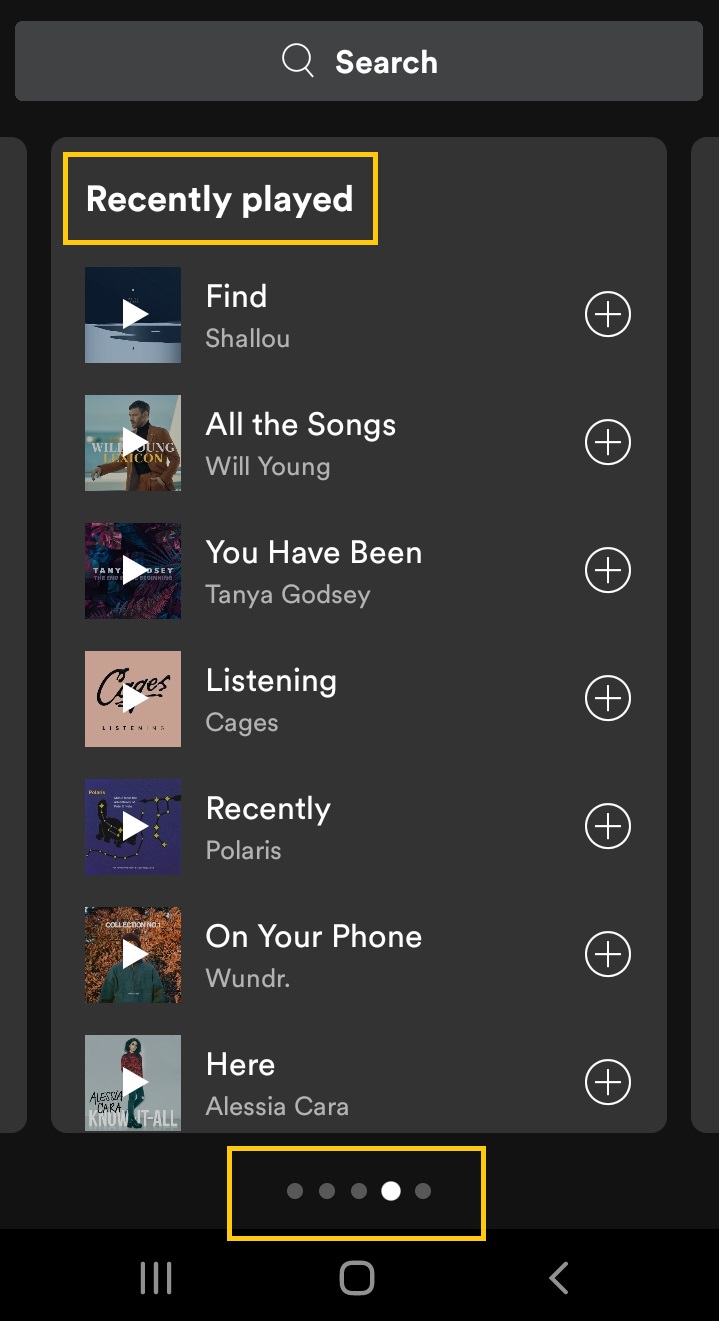
- Check out the last 100 tracks you listened to.
Keep in mind that your listening history is not synchronized across devices, so if you’ve been playing Spotify on your computer you’ll want to have a look at this support page instead.
Didn't help? Search for more Spotify Answers, or create a new thread and ask the Community.